1. 소개 및 이상view
This manual provides instructions for the proper use and care of your Apple iPhone 13 Pro Silicone Case with MagSafe. Designed specifically for the iPhone 13 Pro, this case offers protection and enhances functionality with its integrated MagSafe technology. The silky, soft-touch silicone exterior provides a comfortable grip, while a soft microfiber lining on the interior offers additional protection against scratches.
The case is engineered to protect your iPhone 13 Pro from daily wear, scratches, and drops, undergoing extensive testing to ensure durability and a precise fit.
2. 상자 안에 무엇이 들어있나요?
- One (1) Apple iPhone 13 Pro Silicone Case with MagSafe - Chalk Pink
3. 설정 및 설치
To install the silicone case on your iPhone 13 Pro, follow these steps:
- iPhone 13 Pro가 깨끗하고 먼지나 이물질이 없는지 확인하세요.
- Align the top edge of your iPhone with the top opening of the case.
- Gently push the iPhone into the case, ensuring all corners and edges are securely seated within the case's protective frame. The case is designed for a snug fit.
- Verify that all buttons (volume, side button) and ports (charging port, speakers) are accessible and functional through the case's cutouts.
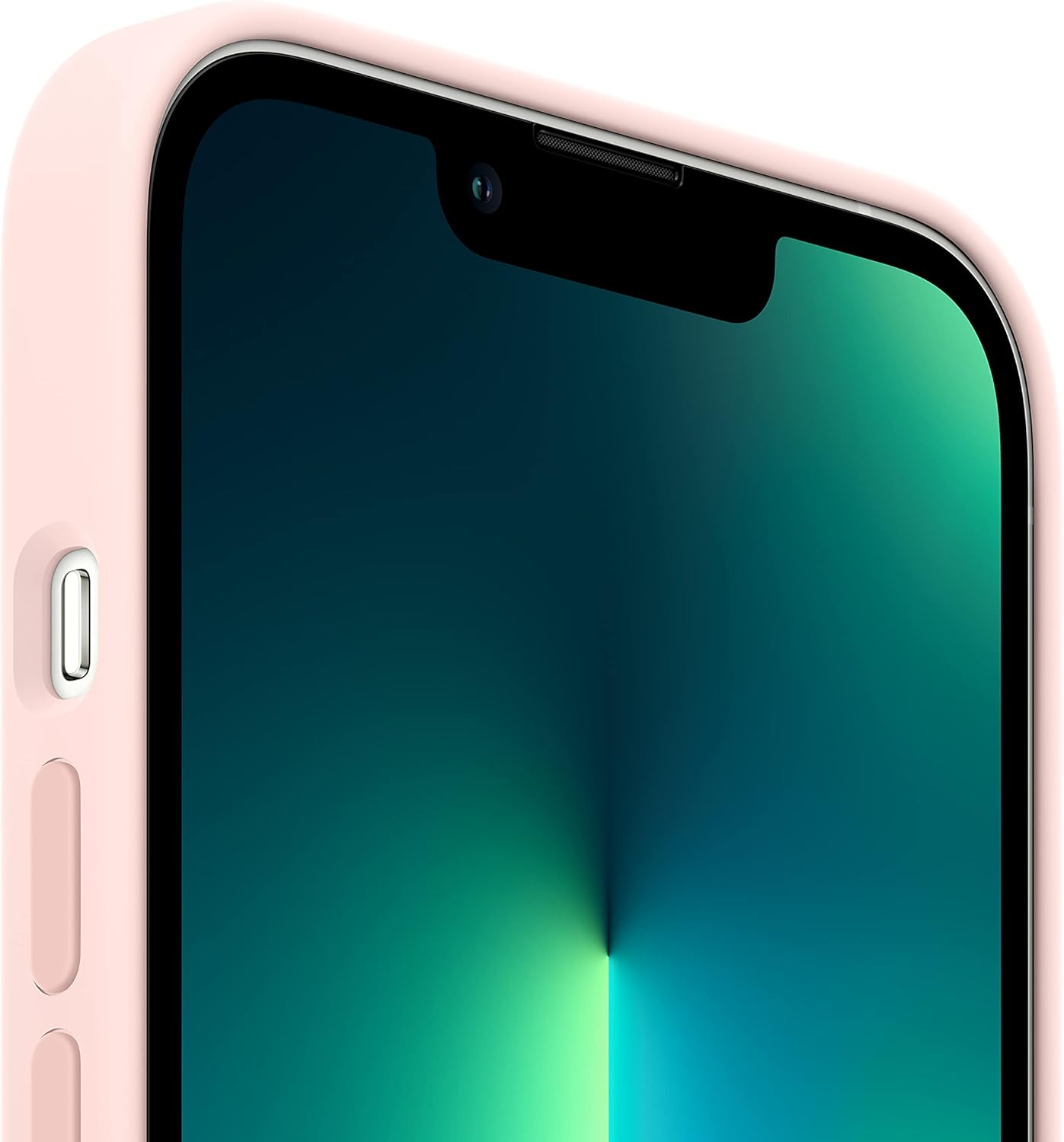
그림 3.1: 전면 view of the iPhone 13 Pro securely fitted within the Chalk Pink Silicone Case, showing the display and side buttons.

그림 3.2: 후면 view of the iPhone 13 Pro in the Chalk Pink Silicone Case, illustrating the precise cutout and protection for the camera system.
4. 사용 설명서
4.1 MagSafe 기능
The Apple iPhone 13 Pro Silicone Case features built-in magnets that align perfectly with your iPhone 13 Pro. This enables a secure attachment for MagSafe accessories and facilitates faster wireless charging.
- Attaching MagSafe Accessories: Simply bring a compatible MagSafe accessory (e.g., MagSafe Charger, MagSafe Wallet) close to the back of your cased iPhone. The magnets will automatically align and secure the accessory in place.
- 무선 충전: For wireless charging, leave the case on your iPhone and snap on a MagSafe charger. The case also supports charging with Qi-certified wireless chargers.

Figure 4.1: Illustration of various MagSafe accessories, including a MagSafe Charger and MagSafe Wallet, demonstrating compatibility with iPhone cases.
5. 유지관리 및 관리
To maintain the appearance and integrity of your silicone case, follow these care guidelines:
- 청소: 케이스 외부를 부드러운 천으로 닦아주세요.amp, lint-free cloth. Avoid using harsh chemicals, abrasive cleaners, or solvents, as these can damage the silicone material.
- 보호: While the case is designed to protect against scratches and drops, avoid exposing it to extreme temperatures, direct sunlight for prolonged periods, or sharp objects that could puncture or tear the silicone.
- 내부 안감: Periodically remove your iPhone from the case and gently wipe the interior microfiber lining to remove any accumulated dust or debris that could potentially scratch your device.
6. 문제 해결
If you encounter any issues with your Apple iPhone 13 Pro Silicone Case, consider the following:
- 케이스가 제대로 맞지 않음: Ensure you have the correct case model for your iPhone 13 Pro. The case is specifically designed for the iPhone 13 Pro and may not fit other iPhone models.
- MagSafe Accessories Not Attaching: Verify that the MagSafe accessory is compatible and that there are no obstructions between the accessory and the case. Ensure the accessory is properly aligned with the magnetic ring on the case.
- 무선 충전 관련 문제점: Confirm that your MagSafe or Qi-certified charger is functioning correctly and is properly aligned with the center of the back of the cased iPhone. Remove any foreign objects between the phone and the charger.
7. 사양
| 제품 이름 | Apple iPhone 13 Pro Silicone Case with MagSafe |
| 모델 번호 | MM2H3ZM/A |
| 상표 | 사과 |
| 호환되는 전화 모델 | 아이폰 13 프로 |
| 재료 | 실리콘 |
| 색상 | Chalk Pink |
| 제품 치수 | 6.49 x 3.53 x 0.71 인치 |
| 품목 무게 | 2.92 온스 |
| 제조업체 | 사과 |
8. 보증 및 지원
This Apple product is covered by Apple's standard warranty. For detailed warranty information, please refer to the documentation included with your iPhone or visit the official Apple Support website. For technical assistance or support, please contact Apple Support directly.
애플 지원 Web대지: 지원.애플.com


