소개
Thank you for choosing the Keychron K1 Ultra-Slim Mechanical Keyboard. This manual provides detailed instructions on setting up, operating, and maintaining your keyboard to ensure optimal performance and longevity. The Keychron K1 is a versatile 87-key tenkeyless layout keyboard designed for both wireless (Bluetooth) and wired (USB) connectivity, featuring low-profile Gateron mechanical switches and white LED backlighting.

Image: Keychron K1 Ultra-Slim Tenkeyless Layout Mechanical Keyboard overview.
패키지 내용
시작하기 전에 패키지에 모든 품목이 들어 있는지 확인하세요.
- 키크론 K1 기계식 키보드
- USB Type-C 케이블
- 키캡 풀러
- 스위치 풀러 (핫스왑 가능 버전인 경우)
- Extra Keycaps for Windows and Mac operating systems

이미지: 위에서 아래로 view of the Keychron K1 mechanical keyboard, showing the 87-key tenkeyless layout.
설정
1. 초기 충전
For optimal performance, it is recommended to fully charge the keyboard before first use. Connect the provided USB Type-C cable to the keyboard's USB-C port and the other end to a USB power source (e.g., computer USB port, wall adapter). The battery indicator LED will show charging status.
2. 연결 모드
The Keychron K1 supports both Bluetooth wireless and USB wired connections.
블루투스 연결 :
- Ensure the keyboard's mode switch (located on the side/back) is set to "BT" (Bluetooth).
- 페어링 모드로 들어가려면 길게 누르세요. Fn + 1 (장치 1의 경우) Fn + 2 (장치 2의 경우) 또는 Fn + 3 (for Device 3) for 4 seconds until the corresponding key (1, 2, or 3) flashes rapidly.
- On your device (computer, tablet, smartphone), enable Bluetooth and search for "Keychron K1".
- Select the keyboard from the list of available devices to complete pairing. The flashing light will become solid once connected.
- 페어링된 기기 간 전환은 버튼을 누르기만 하면 됩니다. Fn + 1, Fn + 2, 또는 Fn + 3.

Image: Diagram illustrating how the Keychron K1 keyboard connects to up to three Bluetooth devices (e.g., desktop, laptop, tablet) using Fn+1, Fn+2, and Fn+3.
유선 연결:
- Set the keyboard's mode switch to "Cable" (or "USB").
- Connect the USB Type-C cable from the keyboard to your computer's USB port. The keyboard will be recognized automatically.
3. 운영 체제 호환성
The Keychron K1 is compatible with both Mac and Windows operating systems. Use the OS switch (located on the side/back) to select the appropriate layout for your system. Extra keycaps for both operating systems are included for customization.
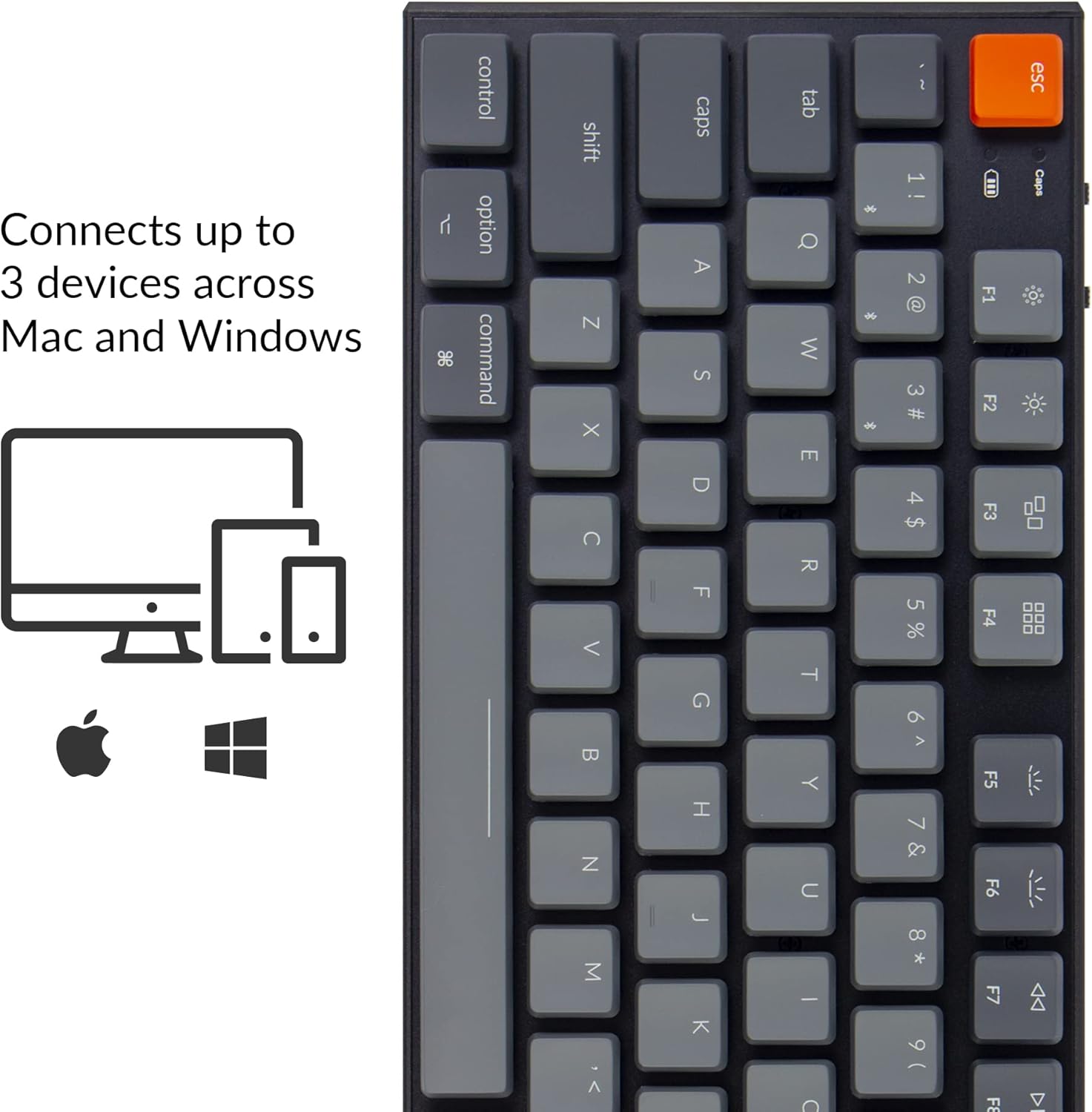
Image: Visual representation of the Keychron K1's compatibility with Mac and Windows operating systems, connecting to up to 3 devices.
작동 지침
1. 주요 기능
The K1 features an 87-key tenkeyless layout. Many keys have dual functions accessible via the Fn 열쇠.
- 멀티미디어 키: Access media controls (play/pause, volume up/down, mute) using FN + F7 에게 FN + F12.
- 백라이트 제어: Adjust backlight brightness and effects using FN + F5 (decrease brightness), FN + F6 (increase brightness), and Fn + 전구 키 (change backlight effect).
- N-키 롤오버(NKRO): In wired mode, the keyboard supports N-Key Rollover, allowing all keys to be registered simultaneously. In wireless mode, it supports 6-Key Rollover (6KRO).

Image: The Keychron K1 keyboard with its white LED backlight illuminated, showcasing the key layout.
2. 배터리 표시기
The battery indicator LED (located near the Esc key) provides information on battery status:
- 빨간색(깜박임): Low battery. Please charge the keyboard.
- 녹색(단색): 완전히 충전됨.
- Orange (solid): 충전 중.

이미지: 클로즈업 view of the top-left corner of the Keychron K1 keyboard, highlighting the orange Esc key and the battery indicator light.
유지
1. 청소
키보드를 청소하려면 전원을 끄고 모든 장치에서 연결을 해제하세요. 부드럽고 보풀 없는 천을 사용하여 살짝 닦아주세요.ampened with water or a mild cleaning solution. For dust and debris between keycaps, use compressed air or the provided keycap puller to remove keycaps and clean underneath. Avoid excessive moisture.
2. 배터리 관리
The Keychron K1 is equipped with a 2000 mAh Lithium Polymer battery. To prolong battery life:
- 배터리를 정기적으로 완전히 방전하지 마세요.
- 장기간 사용하지 않을 경우 키보드를 서늘하고 건조한 곳에 보관하십시오.
- 표준 5V USB 전원을 사용하여 키보드를 충전하십시오.
문제 해결
| 문제 | 가능한 원인 | 해결책 |
|---|---|---|
| 키보드가 Bluetooth로 연결되지 않음 | Keyboard not in pairing mode; device Bluetooth off; interference; already connected to 3 devices. | Ensure keyboard is in BT mode and pairing mode (Fn+1/2/3 held for 4s). Check device Bluetooth. Try forgetting and re-pairing the device. Ensure no more than 3 devices are paired. |
| Keys not responding in wired mode | Keyboard not in Cable mode; faulty USB cable; loose connection. | Set keyboard to "Cable" mode. Try a different USB port or cable. Ensure cable is securely connected. |
| 백라이트가 작동하지 않거나 어둡습니다 | Backlight turned off or set to lowest brightness; low battery. | Increase brightness using Fn+F6. Change backlight effect using Fn+Light Bulb key. Charge the keyboard. |
| Keyboard randomly disconnects | 배터리 부족; 블루투스 간섭; 기기와의 거리. | Charge the keyboard. Reduce distance to device. Minimize other wireless interference. |
명세서
| 특징 | 세부 사항 |
|---|---|
| 모델 | K1-A2 |
| 공들여 나열한 것 | 텐키리스(87키) |
| 스위치 유형 | 로우프로file Gateron Mechanical Blue Switch |
| 스위치 수명 | 최대 50만번의 키 입력 |
| 연결성 | Bluetooth 5.1 (Broadcom chipset) & USB Type-C Wired |
| 배터리 용량 | 2000mAh 리튬 폴리머 |
| 배터리 수명 | Up to 110 hours (with backlight off) |
| 백라이트 | 백색 LED |
| 치수(길이 x 너비 x 높이) | 13.98 x 5.31 x 1.02인치(355 x 135 x 26mm) |
| 무게 | 2.27파운드(1.03kg) |
| OS 호환성 | 맥, 윈도우, iOS, 안드로이드 |

Image: Diagram showing the ultra-slim profile and dimensions of the Keychron K1 keyboard.

이미지: 클로즈업 view of the Keychron K1 keyboard with several keycaps removed, revealing the low-profile Gateron Mechanical Blue switches and their specifications.
보증 및 지원
Keychron products are manufactured with high-quality standards. For warranty information, technical support, or service inquiries, please visit the official Keychron web사이트를 방문하거나 고객 지원팀에 직접 문의하세요. 보증 청구를 위해 구매 증빙 자료로 구매 영수증을 보관하세요.
공식 키크론 Web대지: www.keychron.com


