소개
This instruction manual provides essential information for the safe and efficient use of your Spigen 27W USB C Wall Charger. This compact and powerful charger is designed to provide fast and super fast charging for a wide range of devices, including iPhone and Samsung Galaxy models, as well as iPads and other USB-C compatible devices. Please read this manual thoroughly before using the product.

Figure 1: Spigen 27W USB C Wall Charger (Model PE2103UJ)
설정
The Spigen 27W USB C Wall Charger is designed for simple plug-and-play operation.
- 충전기 풀기: Carefully remove the charger from its packaging. Ensure no components are missing or damaged. (Note: Charging cable is not included and must be purchased separately.)
- 갈래를 펼치세요: 갈고리가 접혀 있다면, 제자리에 고정될 때까지 살살 펴주세요.
- 전원 콘센트에 연결: 충전기를 표준 벽면 콘센트에 꽂으세요.
- 장치 연결: Using a compatible USB-C to USB-C cable (or USB-C to Lightning for Apple devices), connect one end to the charger's USB-C port and the other end to your device's charging port.
- 충전 확인: 기기가 충전 중임을 나타내는지 확인하세요.
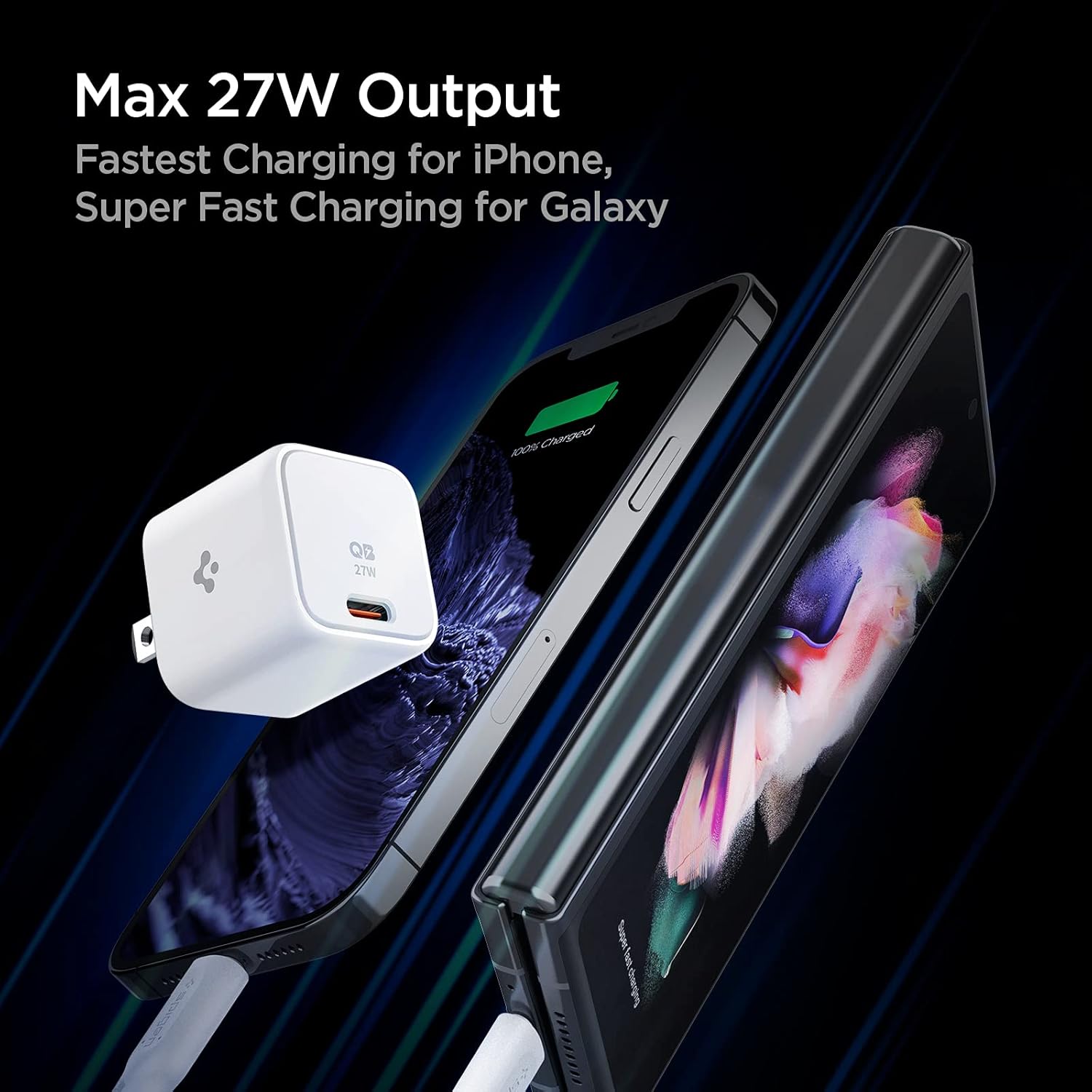
Figure 2: Connecting the charger to devices for optimal charging.
작동 지침
The Spigen 27W USB C Wall Charger utilizes advanced charging protocols to deliver optimal power to your devices.
충전 기능:
- USB-C Power Delivery (PD) 27W Output: Provides fast charging for compatible Apple devices, including iPhone 16, 15, 14, 13, 12 series, and various iPad models (e.g., iPad Pro M4, iPad Air M2, iPad Mini).
- Programmable Power Supply (PPS) 25W Output: Delivers super fast charging for Samsung Galaxy devices, including S25, S24, S23, S22, S21 series, Z Fold 6/5/4/3, and Z Flip 6/5/4/3 series.
- Quantum Boost™ Technology: Maximizes the charging speed of your device by intelligently adapting the power output.

Figure 3: Quantum Boost™ technology ensures optimized charging for a wide range of devices.
컴팩트한 디자인:
The charger features a compact, pocket-sized design, approximately 36% smaller than a standard 20W charger, thanks to its 3D PCB Technology. This design minimizes interference with other outlets when plugged into a power strip or wall outlet.
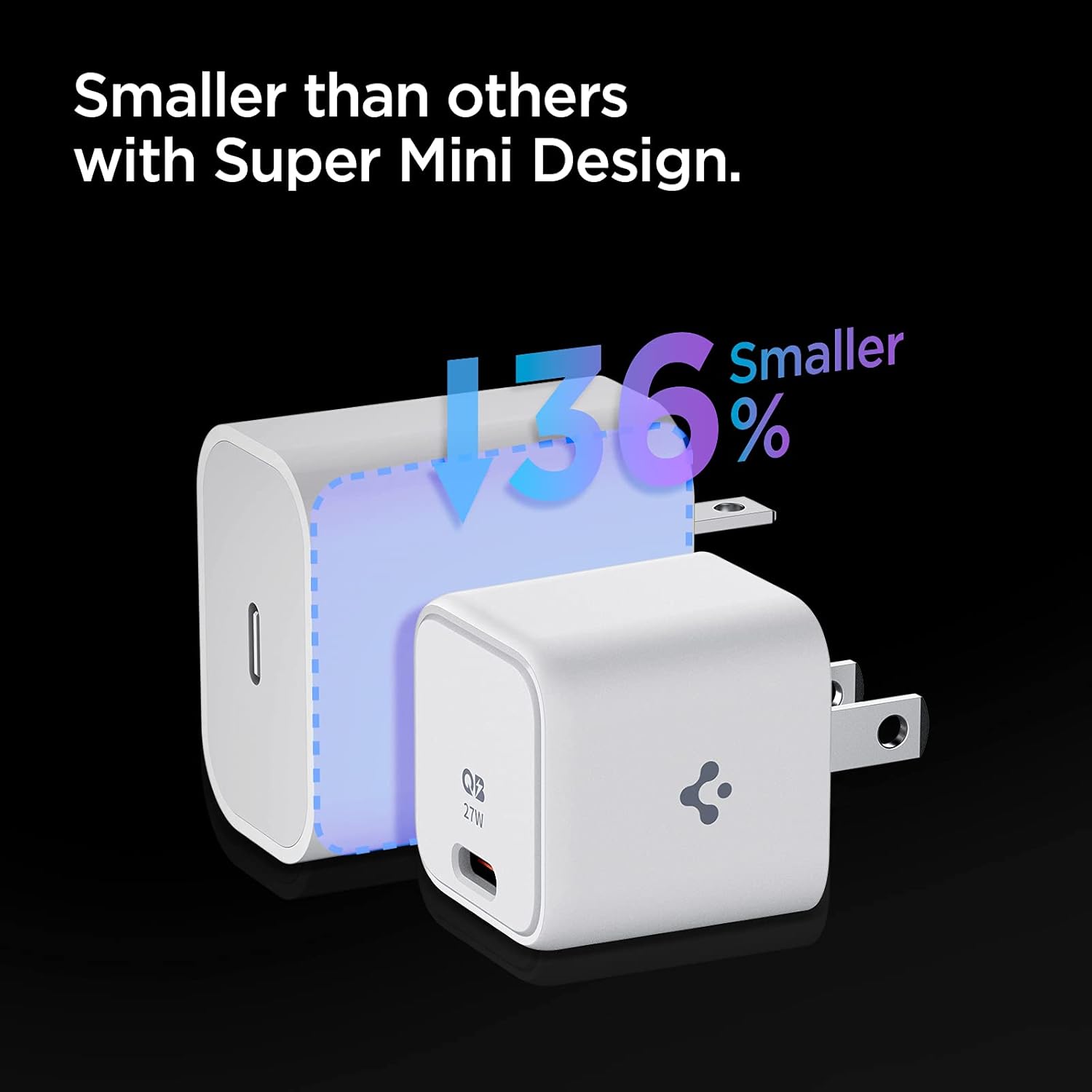
Figure 4: The compact design of the Spigen 27W charger compared to a larger standard charger.

Figure 5: Internal 3D PCB Technology enables a smaller form factor.
유지
To ensure the longevity and optimal performance of your Spigen 27W USB C Wall Charger, follow these simple maintenance guidelines:
- 건조하게 유지하세요: Avoid exposing the charger to water or excessive humidity. Moisture can damage internal components.
- 부드럽게 청소하세요: Use a soft, dry cloth to clean the exterior of the charger. Do not use liquid cleaners or abrasive materials.
- 올바르게 보관하세요: 사용하지 않을 때에는 충전기를 직사광선이나 극한 온도를 피해 서늘하고 건조한 곳에 보관하세요.
- 조심스럽게 다루십시오: Avoid dropping the charger or subjecting it to strong impacts, which can damage its internal circuitry.
- 정기적으로 검사하세요: Periodically check the charger and its port for any signs of damage, such as cracks or bent pins. Discontinue use if damage is observed.
문제 해결
If you encounter issues with your Spigen 27W USB C Wall Charger, refer to the following common troubleshooting steps:
| 문제 | 가능한 원인 | 해결책 |
|---|---|---|
| 장치가 충전되지 않습니다. |
|
|
| Device charging slowly or not "super fast charging". |
|
|
| 사용 중 충전기가 따뜻하게 느껴집니다. | 정상 작동. | A slight warmth during charging is normal. If the charger becomes excessively hot, disconnect it immediately and contact customer service. Power Quality Technology minimizes ripple noise for stable power and prevents device damage. |
명세서
Detailed technical specifications for the Spigen 27W USB C Wall Charger:
| 특징 | 세부 사항 |
|---|---|
| 모델 번호 | PE2103UJ |
| 제품 치수 | 1.22 x 1.22 x 1.26 인치 |
| 품목 무게 | 1.41 온스 |
| 왓tage | 27.00와트 |
| Amp에라 지 | 5.4 Amps |
| 총 USB 포트 | 1 (USB 타입 C) |
| 색상 | 하얀색 |
| 특별 기능 | 고속 충전, 경량 디자인, 단락 보호, 여행에 적합 |
| 호환 장치 | Apple iPhone 16/15/14/13/12 series, iPad Pro M4/Air M2/Mini, Samsung Galaxy S25/S24/S23/S22/S21 series, Z Fold 6/5/4/3, Z Flip 6/5/4/3, Note 20/10, AirPods/Pro/Max, and other USB-C compatible devices. |
| 포함된 구성 요소 | Charger unit (Cable Not Included) |
보증 및 지원
Your Spigen 27W USB C Wall Charger comes with a comprehensive warranty and dedicated customer support.
- 보증 기간: 제품은 다음에 의해 보호됩니다. 24개월 보증 구매일로부터.
- 고객 서비스: For any inquiries, technical assistance, or warranty claims, please contact Spigen's friendly customer service team. Refer to the contact information provided on the product packaging or the official Spigen web대지.
- 환영 가이드: A welcome guide is included with your purchase, providing additional information and quick start instructions.
중요한 안전 정보
Please read and follow these safety precautions to prevent injury or damage to the product and connected devices:
- Do not disassemble, modify, or repair the charger yourself.
- Do not expose the charger to extreme temperatures, direct sunlight, or fire.
- 충전기를 어린이나 애완동물의 손이 닿지 않는 곳에 보관하세요.
- 충전기에는 호환되는 케이블과 기기만 사용하십시오.
- 사용하지 않을 때나 천둥번개가 칠 때는 충전기를 전원 콘센트에서 뽑아 두십시오.
- 어떤 식으로든 손상된 경우 충전기를 작동하지 마십시오.
추가 자료
For more information and product updates, visit the official Spigen web대지:Spigen Official Store
Note: Video content could not be embedded as per instructions due to missing video URL and metadata in the provided product data.


