Crosscall CORE-M5 User Manual
모델: 1001011101114
소개
This manual provides comprehensive instructions for the setup, operation, maintenance, and troubleshooting of your Crosscall CORE-M5 rugged smartphone. Designed for durability and performance in challenging environments, the CORE-M5 is built to withstand various conditions while providing essential communication and smart device functionalities.
기기를 올바르게 작동시키고 수명을 최대한 연장하려면 사용 전에 이 설명서를 꼼꼼히 읽어주십시오.
패키지 내용
패키지를 열면 모든 품목이 들어 있는지 확인하세요.
- Crosscall CORE-M5 Device
- USB 충전 케이블
- 빠른 시작 가이드
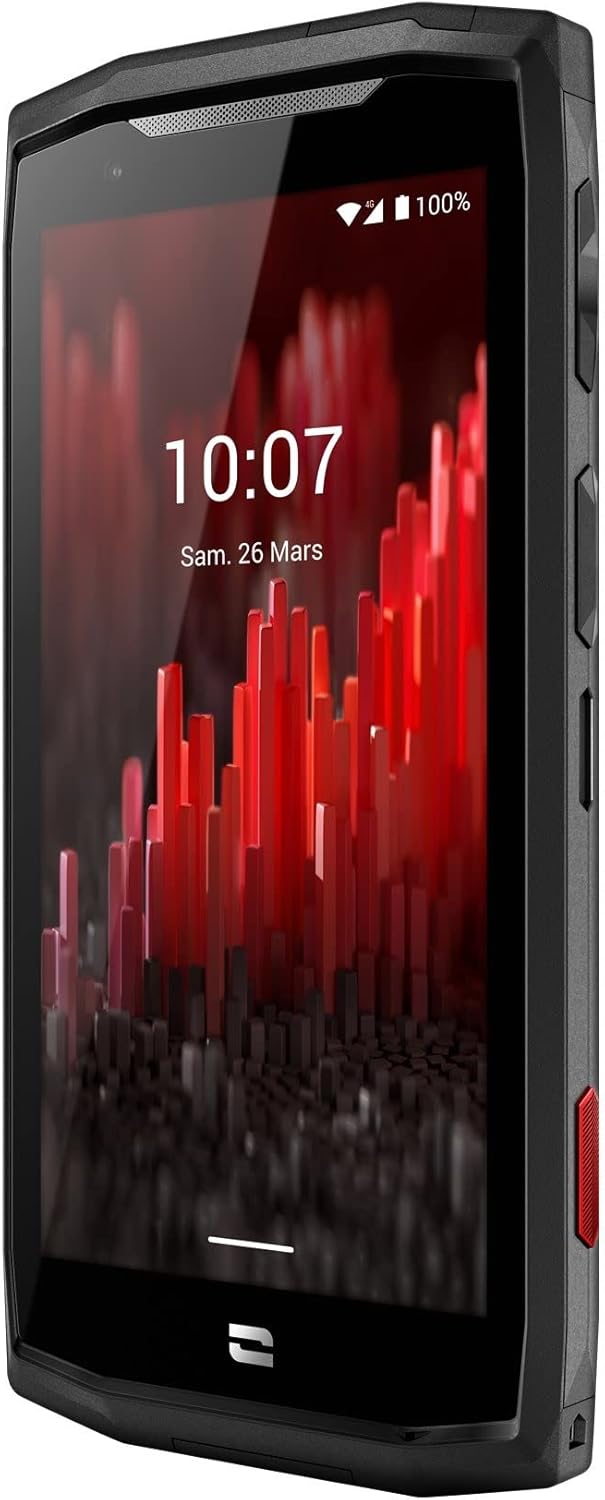
이미지: 정면에서 촬영한 사진 view of the Crosscall CORE-M5 device, highlighting its robust design and display.
설정
1. 유심 카드와 메모리 카드 삽입
The CORE-M5 supports SIM cards for cellular connectivity and an optional memory card for expanded storage. Locate the SIM/memory card tray on the side of the device.
- 장치의 전원을 완전히 끄세요.
- Use the provided SIM ejector tool (or a small paperclip) to open the SIM/memory card tray.
- Carefully place your SIM card(s) and/or memory card into the designated slots on the tray, ensuring correct orientation as indicated on the tray.
- 딸깍 소리가 날 때까지 트레이를 장치에 다시 부드럽게 밀어 넣습니다.

Image: A user demonstrating the insertion of a SIM card into the device's slot.
2. 초기 충전
Before first use, it is recommended to fully charge your CORE-M5.
- USB 충전 케이블을 기기의 충전 포트에 연결하세요.
- 케이블의 다른 쪽 끝을 호환되는 USB 전원 어댑터나 컴퓨터의 USB 포트에 연결합니다.
- The charging indicator on the screen will show the charging status. Allow the device to charge until the battery icon indicates a full charge.
3. 전원 켜기 및 초기 구성
- Press and hold the Power button (usually located on the side) until the Crosscall logo appears.
- 화면의 안내에 따라 언어 선택, Wi-Fi 연결, Google 계정 설정, 보안 설정 등 초기 설정을 완료하세요.
Operating the CORE-M5
기본 탐색
- 터치스크린: Navigate the device using taps, swipes, and pinch gestures on the 4.95-inch touchscreen display.
- 전원 버튼: Press to turn the screen on/off, or press and hold to power off/restart the device.
- 볼륨 버튼: 미디어 볼륨, 통화 볼륨 또는 벨소리 볼륨을 조절합니다.
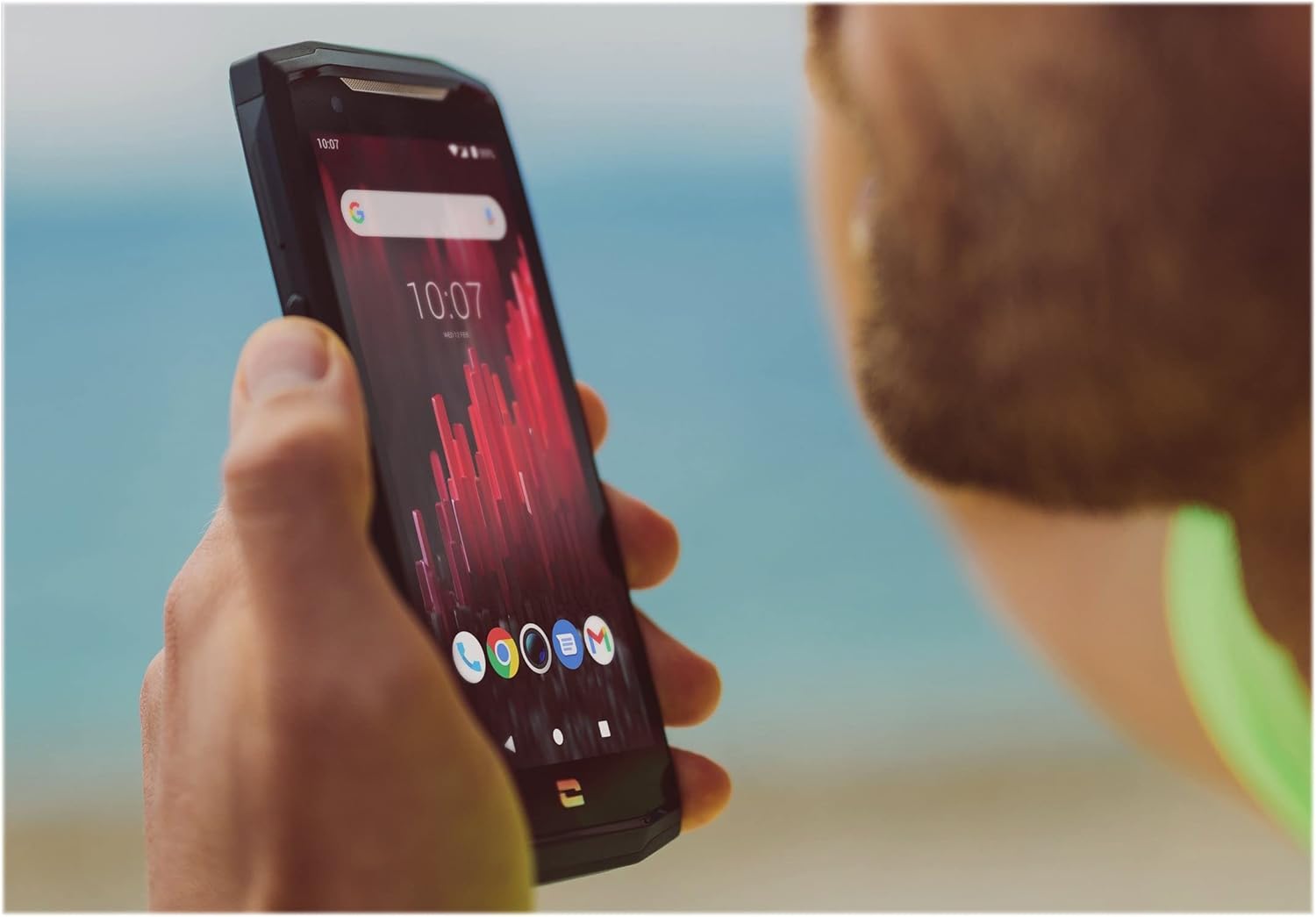
Image: The CORE-M5 in use, demonstrating its compact size and clear display for outdoor visibility.
연결성
- 와이파이: 빠른 설정 패널 또는 설정 앱에서 Wi-Fi 설정을 통해 무선 네트워크에 연결할 수 있습니다.
- 블루투스: Pair with Bluetooth devices such as headphones, speakers, or other smartphones via the Bluetooth settings.
- USB: Connect the device to a computer using the USB cable for data transfer or charging.
- 셀룰러 데이터: Enable or disable mobile data from the Quick Settings or Network & Internet settings. Supports 2G and 3G cellular technologies.
카메라 기능
The CORE-M5 features both front and rear cameras for capturing photos and videos.
- 홈 화면이나 앱 서랍에서 카메라 앱을 엽니다.
- 셔터 버튼을 눌러 사진을 찍거나 동영상 모드로 전환하여 녹화하세요.
- 화면 컨트롤을 사용하여 전면 및 후면 카메라 간을 전환하고, 줌을 조절하거나 필터를 적용하세요.
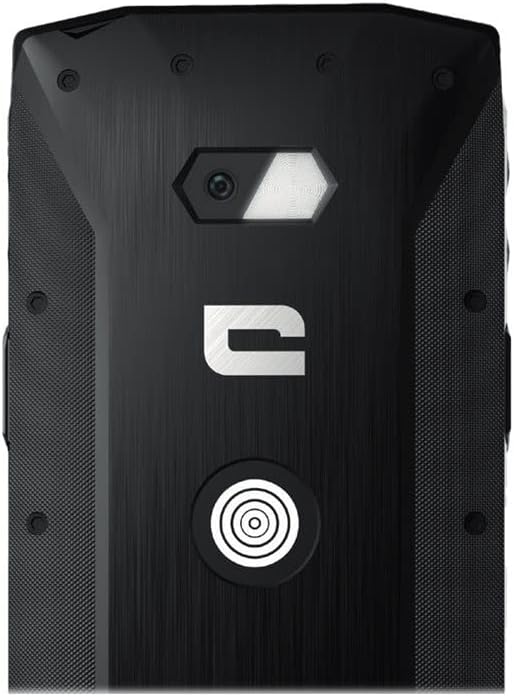
이미지: 상세 view of the CORE-M5's rear, highlighting the camera module and the X-Link magnetic connection system.
X-Link System
The CORE-M5 is equipped with Crosscall's X-Link magnetic connection system on the back, allowing for easy attachment of compatible accessories such as chargers, mounts, and external batteries.
- Align the X-Link accessory with the magnetic connector on the back of your CORE-M5.
- The magnets will guide the accessory into place, ensuring a secure connection.

Image: The CORE-M5 securely mounted in a vehicle, demonstrating the utility of the X-Link system for hands-free use.
유지
- 청소: 부드러운 d를 사용하세요amp cloth to clean the device. Avoid harsh chemicals or abrasive materials. Ensure all ports are closed before cleaning if exposed to water.
- 방수 및 방진 기능: The CORE-M5 is designed to be rugged. However, ensure all port covers are securely closed to maintain water and dust resistance. Avoid prolonged submersion beyond specified limits.
- 배터리 관리 : To prolong battery life, avoid extreme temperatures. Do not allow the battery to fully discharge frequently.
- 소프트웨어 업데이트: 최적의 성능과 보안을 보장하려면 정기적으로 시스템 업데이트를 확인하고 설치하세요.
문제 해결
| 문제 | 가능한 원인 | 해결책 |
|---|---|---|
| 기기의 전원이 켜지지 않음 | 배터리 부족; 소프트웨어 충돌 | 기기를 최소 30분 동안 충전하세요. 전원 버튼을 10~15초 동안 길게 눌러 강제로 재시작하세요. |
| 화면이 반응하지 않습니다 | 일시적인 소프트웨어 오류 | Restart the device. If unresponsive, perform a forced restart. |
| Poor call quality / No network | Weak signal; incorrect SIM insertion; network issue | 신호가 더 잘 잡히는 곳으로 이동하세요. 유심 카드를 다시 삽입하세요. 통신사에 문의하세요. |
| 앱이 충돌하거나 정지됨 | Insufficient memory; app conflict; outdated software | Close background apps. Clear app cache/data. Update apps and system software. Free up storage space. |
명세서
| 특징 | 세부 사항 |
|---|---|
| 모델명 | 1001011101114 |
| 상표 | 크로스콜 |
| 운영 체제 | 기계적 인조 인간 |
| CPU 모델 | 피질 |
| 화면 크기 | 4.95 인치 |
| 해결 | 1026 x 513 |
| 숫양 | 3GB (XNUMX기가바이트) |
| 메모리 저장 용량 | 32GB (XNUMX기가바이트) |
| 배터리 용량 | 4000mAh |
| 전화 통화 시간 | 24시간 |
| 연결성 | 블루투스, 와이파이, USB |
| 셀룰러 기술 | 2G, 3G |
| 무선 통신사 | 잠금 해제됨 |
| 카메라 | 후면, 전면 |
| 색상 | 검은색 |
| 제품 치수 | 4.25 x 0.79 x 4.25 인치 |
| 품목 무게 | 8온스(226.6그램) |
| 첫 번째 이용 가능 | 21년 2021월 XNUMX일 |
보증 및 지원
Crosscall products are known for their durability and come with a manufacturer's warranty. For specific warranty terms and conditions, please refer to the warranty card included with your product or visit the official Crosscall web대지.
For technical support, troubleshooting assistance, or service requests, please contact Crosscall Customer Service through their official channels. Have your product model number (1001011101114) and purchase information ready when contacting support.
Official Crosscall Web대지: www.crosscall.com


