소개
Thank you for choosing Soundcore Life A3i Noise Cancelling Wireless Earbuds. This manual provides essential information for setting up, operating, and maintaining your earbuds to ensure optimal performance and longevity.
The Soundcore Life A3i earbuds are designed to deliver a superior audio experience with advanced features:
- 강력한 오디오: Equipped with 10mm oversized drivers and BassUp technology for deep, thumping bass.
- 하이브리드 액티브 노이즈 캔슬링(ANC): Reduces external noise by up to 35dB, allowing for immersive listening.
- 투명 모드: Stay aware of your surroundings while enjoying your audio.
- AI 기반 통화: Six dedicated microphones and an AI algorithm ensure clear calls even in noisy environments.
- 연장된 플레이 시간: Up to 10 hours on a single charge, and a total of 40 hours with the compact charging case (ANC off).
- 빠른 충전: 10 minutes of charge provides 2 hours of playback.
- Soundcore App Customization: Access 22 preset EQ settings and personalize your sound profile.
- 이중 연결: 페어링된 두 기기 간에 끊김 없이 전환하세요.
- 방수: IPX5-rated protection against sweat, rain, and water splashes.
상자 안에 무엇이 들어있나요?
Your Soundcore Life A3i package includes the following items:
- Soundcore Life A3i 노이즈 캔슬링 이어버드
- 충전 케이스
- S/M/L Ear Tips (one set pre-installed)
- USB-C 케이블
- 빠른 시작 가이드(QSG)
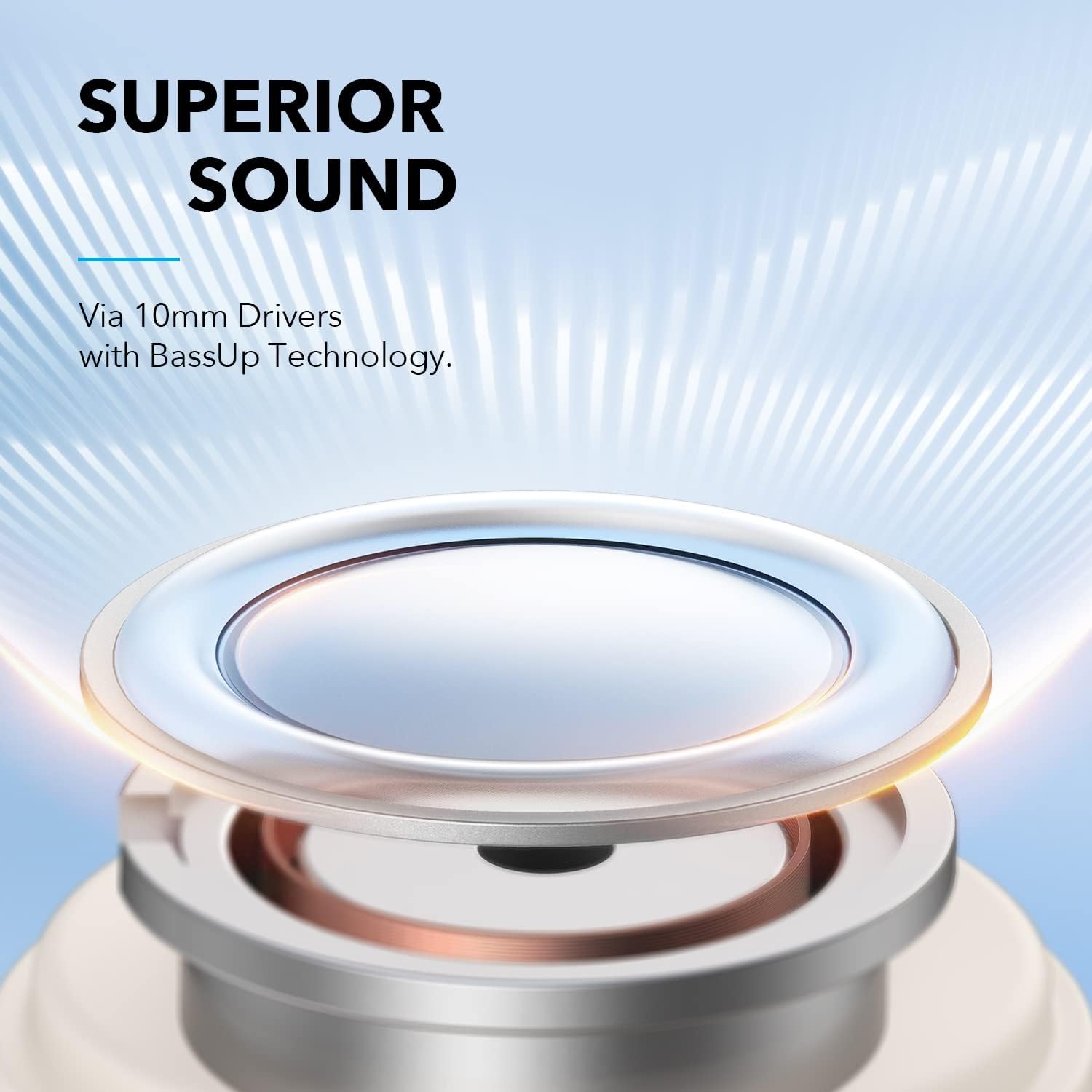
Image: The Soundcore Life A3i earbuds in their charging case, alongside the USB-C charging cable and extra ear tips.
설정
1. 초기 요금
Before first use, ensure your earbuds and charging case are fully charged. Connect the provided USB-C cable to the charging port on the case and a power source. The LED indicators on the case will show charging status.

Image: The Soundcore Life A3i charging case with its lid open, showing the earbuds inside and LED indicator lights on the front of the case.
2. 보호 필름 제거
Upon unboxing, remove the protective film from the charging contacts on both earbuds. Place the earbuds back into the charging case and close the lid to activate them.
3. 기기와 페어링
- 충전 케이스를 여세요. 이어버드가 자동으로 페어링 모드로 전환되며, LED 표시등이 깜빡입니다.
- 기기(스마트폰, 태블릿, 노트북)에서 Bluetooth 설정으로 이동합니다.
- Select "Soundcore Life A3i" from the list of available devices.
- Once connected, the LED indicators on the earbuds will turn solid blue.
Image: A hand holding the Soundcore Life A3i charging case open, next to a smartphone screen showing "Soundcore Life A3i Connected" in the Bluetooth settings.
4. 착용 방법
Choose the ear tips that provide the best fit for optimal noise cancelling performance and comfort. Gently insert the earbuds into your ears and rotate them until they fit snugly and securely.
Image: A diagram illustrating the correct way to insert the earbud into the ear canal for a secure fit and the incorrect way, which can affect noise reduction.
작동 지침
통제 수단
The Soundcore Life A3i offers physical buttons for control. Customize these controls via the Soundcore App.
Image: A diagram detailing the button functions for the left and right earbuds, including actions for pressing once, pressing twice, and pressing and holding for 2 seconds.
- 재생/일시 중지: 한쪽 이어폰을 한 번 누르세요.
- 다음 트랙: 오른쪽 이어버드를 두 번 누르세요.
- 이전 트랙 : 왼쪽 이어버드를 두 번 누르세요.
- 볼륨 업: Press the right earbud once.
- 볼륨 작게 : Press the left earbud once.
- 전화 받기/종료: 한쪽 이어폰을 한 번 누르세요.
- 전화 거부: 양쪽 이어버드를 2초 동안 누릅니다.
- Voice Assistant 활성화 : Press either earbud for 2 seconds (customizable).
청취 모드
The Soundcore Life A3i offers multiple listening modes to suit your environment:
- 하이브리드 액티브 노이즈 캔슬링(ANC): Press and hold either earbud for 2 seconds to toggle between ANC and Normal mode. This mode significantly reduces ambient noise.
- 일반 모드: No active noise cancellation or transparency.
- 투명 모드: This mode allows you to hear your surroundings clearly. To activate Transparency Mode, use the Soundcore App.

Image: A person wearing the Soundcore Life A3i earbuds, illustrating the Hybrid Active Noise Cancelling feature in an urban environment.
Soundcore 앱
Download the Soundcore App from your device's app store to unlock full customization options, including:
- Selecting from 22 preset EQ settings or creating custom sound profiles.
- Switching between ANC, Normal, and Transparency modes.
- Customizing earbud button controls.
- 펌웨어 업데이트 중.

Image: A smartphone displaying the Soundcore App interface, highlighting the 22 EQ presets available for sound customization.
유지
Proper maintenance ensures the longevity and performance of your Soundcore Life A3i earbuds.
- 청소: Regularly clean the earbuds and charging case with a soft, dry, lint-free cloth. Use a cotton swab to gently clean the ear tips and charging contacts.
- 방수 기능: 이어버드는 IPX5 방수 기능을 갖추고 있어 땀이나 가벼운 물보라에도 견딜 수 있습니다. 물에 담그거나 폭우에 노출시키지 마세요. 충전 케이스에 다시 넣기 전에 완전히 건조되었는지 확인하세요.
- 저장: 사용하지 않을 때는 이어버드를 충전 케이스에 보관하여 보호하고 충전 상태를 유지하세요.
- 극한의 온도를 피하세요: Do not expose the earbuds or case to extreme temperatures (hot or cold) as this can damage the battery and internal components.
문제 해결
이어폰 사용에 문제가 발생하면 다음 문제 해결 단계를 시도해 보세요.
- 이어버드가 페어링되지 않음:
- Ensure the protective film is removed from the charging contacts.
- 이어버드를 케이스에 다시 넣고 뚜껑을 닫은 다음, 다시 열어 페어링 모드로 진입하세요.
- Forget "Soundcore Life A3i" from your device's Bluetooth list and try pairing again.
- 한쪽 이어버드에서 소리가 나지 않습니다.
- Place both earbuds back in the charging case and close the lid. Open it again after a few seconds.
- Check the earbud's charging contacts for any debris.
- 음질이 좋지 않음:
- 이어팁이 귀에 단단히 밀착되는지 확인하세요. 다양한 사이즈를 사용해 보세요.
- 이어팁과 스피커 그릴을 청소하세요.
- Adjust EQ settings in the Soundcore App.
- 소음 제거 기능이 효과적이지 않음:
- Ensure earbuds are worn correctly and snugly.
- Verify ANC is activated via the Soundcore App or earbud controls.
- 밀착력을 높이려면 크기가 다른 이어팁을 사용해 보세요.
- 이어폰이 충전되지 않음:
- 충전 케이블이 케이스와 전원에 모두 단단히 연결되어 있는지 확인하세요.
- 이어버드와 케이스 내부의 충전 접점을 깨끗이 닦으세요.
- 다른 USB-C 케이블과 전원 어댑터를 사용해 보세요.
명세서
| 모델명 | 라이프 A3i |
| 모델 번호 | A3992021 |
| 드라이버 크기 | 10mm x 2 |
| 주파수 응답 | 20Hz - 20kHz |
| 임피던스 | 16Ω입니다 |
| 블루투스 버전 | 5.2 |
| 블루투스 범위 | 10m / 33피트 |
| 플레이타임(이어버드) | 최대 10시간(ANC 꺼짐) |
| 총 재생 시간(케이스 포함) | 최대 40시간(ANC 꺼짐) |
| 방수 등급 | IPX5 |
| 충전 포트 | USB-C |
| 품목 무게 | 2.08 온스 |
| 제품 치수 | 4.53 x 3.54 x 2.76 인치 |
보증 및 지원
Soundcore provides an 18개월 보증 for the Life A3i Noise Cancelling Wireless Earbuds.
For technical support, warranty claims, or additional information, please visit the official Soundcore website or contact their customer service. You can also refer to the Quick Start Guide included in your package for contact details.
최신 업데이트 및 지원 자료는 다음 웹사이트를 방문하세요. www.soundcore.com


