1. 서론
The Keychron Q4 is a fully customizable mechanical keyboard featuring a compact 60% layout. Constructed with a solid full aluminum frame, the Q4 is designed for easy assembly and personalized typing. It supports QMK/VIA for advanced key remapping and macro programming, and includes hot-swappable switches for user-defined switch preferences. The double-gasket design and internal sound-absorbing foams contribute to a refined typing experience.

Image 1.1: Keychron Q4 keyboard highlighting key features like QMK/VIA support, double-gasket design, CNC aluminum body, macOS & Windows compatibility, 1000 Hz polling rate, hot-swappable switches, south-facing RGB, and OSA PBT keycaps.
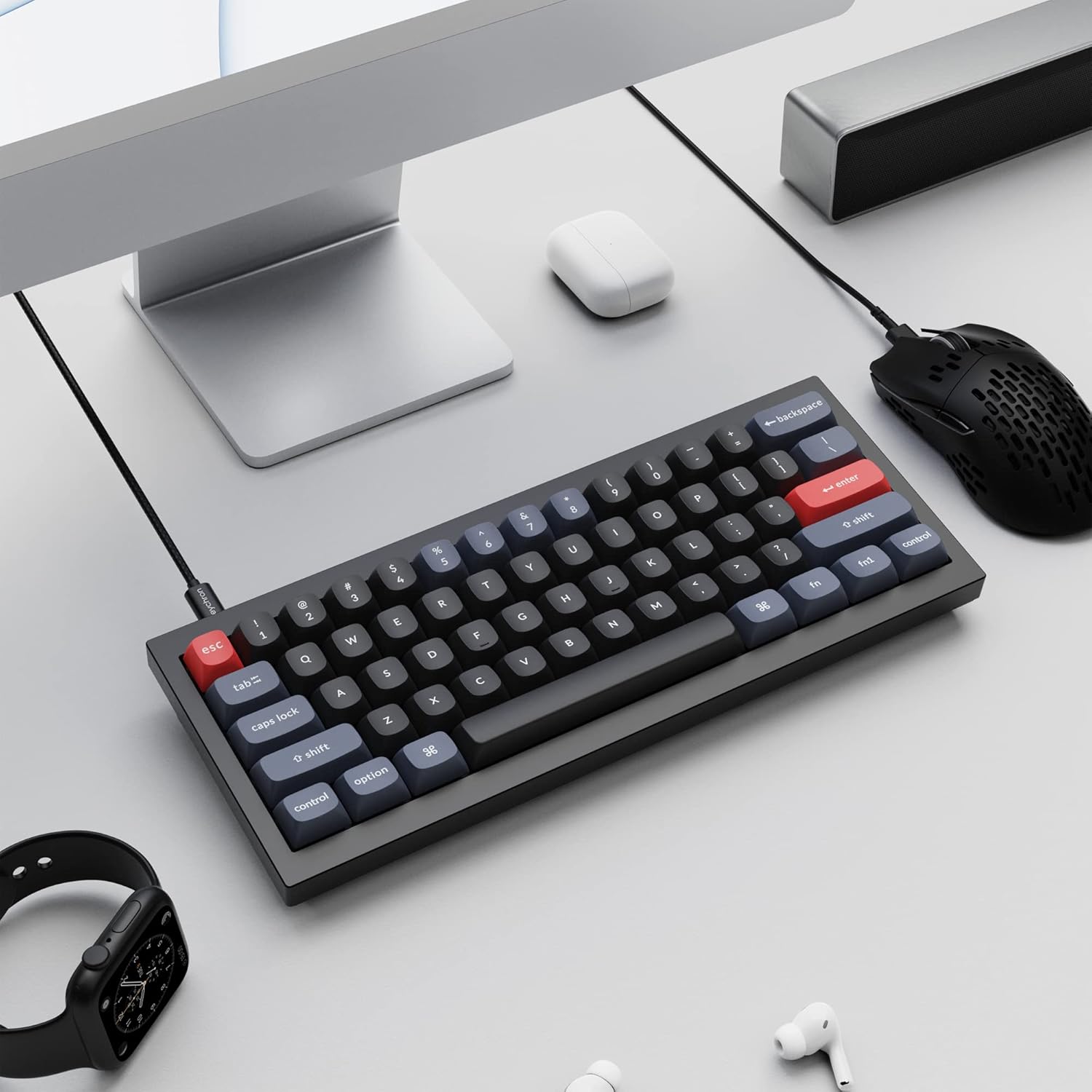
Image 1.2: The Keychron Q4 keyboard integrated into a typical desk setup, connected via USB-C.
2. 설정
2.1 패키지 내용
Before beginning, verify that all components are present in the box:

Image 2.1: Diagram illustrating the contents of the Keychron Q4 package, including the fully assembled keyboard, cables, and tools.
- 건반: 1x Fully Assembled Keyboard (including 1x Aluminum Case, 1x PCB, 1x Steel Plate, 1x Sound Absorbing Foam, 1x Case Foam, 12x Gaskets (8 Installed and 4 in the Box), 5 sets x Stabilizers, 1 set x Keycaps (Double-Shot PBT), 1 set x Switches (Gateron G Pro))
- 케이블: 1x Type-C to Type-C Cable, 1x Type-A to Type-C Adapter
- 도구: 1x Switch Puller, 1x Keycap Puller, 1x Screwdriver, 1x Hex Key
Note: All tools are located on the bottom of the box.
2.2 연결성
Connect the Keychron Q4 keyboard to your computer using the provided USB-C cable. The keyboard is compatible with both macOS and Windows operating systems.
2.3 운영 체제 전환
The keyboard features a physical switch to toggle between macOS and Windows layouts. Locate the switch on the side or back of the keyboard and set it to your desired operating system.

Image 2.2: Close-up of the physical switch on the keyboard for selecting between Windows and macOS operating system layouts.
3. 운영
3.1 기본 키 기능
The Keychron Q4 features a 60% layout, which means some keys may have secondary functions accessed via the 'Fn' key. Refer to the keycap legends for these functions.

이미지 3.1: 자세한 view of the Keychron Q4's 60% keyboard layout, showing the compact arrangement of keys.
3.2 South-Facing RGB Backlighting
The keyboard is equipped with south-facing RGB LEDs. This design ensures that the backlight effectively illuminates the keycap legends from the typist's perspective, especially with non-shine-through PBT keycaps.

이미지 3.2: 클로즈업 view of the south-facing RGB LED lights illuminating the mechanical switches beneath the keycaps.
4. 사용자 정의
4.1 QMK and VIA Programmability
The Keychron Q4 supports full QMK and VIA functionality, allowing users to program and remap each key and create custom macros. To utilize this feature:
- Connect the Q4 to your device via the USB-C cable.
- Download and install the VIA software.
- Import the Q4 keymap JSON file VIA 소프트웨어에 입력합니다.
- Use the drag-and-drop interface within VIA to remap keys or assign macro commands for macOS, Windows, or Linux operating systems.
Refer to the official Keychron website for detailed instructions and the latest VIA software and keymap files.

Image 4.1: The Keychron Q4 keyboard displayed alongside the VIA software interface, demonstrating key remapping capabilities.

이미지 4.2: 자세한 view of the VIA software interface, showing the keymap configuration for the Keychron Q4.
4.2 핫스왑 가능 스위치
The Keychron Q4 features a hot-swappable PCB, allowing you to change mechanical switches without soldering. It supports most 3-pin and 5-pin MX-style mechanical switches (e.g., Cherry, Gateron, Kailh, Panda).
스위치 교체:
- 제공된 키캡 제거 도구를 사용하여 키캡을 조심스럽게 제거하십시오.
- Use the switch puller to gently grip the switch and pull it straight up from the PCB.
- 새 스위치의 핀을 PCB의 구멍에 맞추세요. 핀이 구부러지지 않도록 똑바로 놓으세요.
- 새 스위치를 딸깍 소리가 날 때까지 단단히 눌러 넣으세요.
- 키캡을 교체하세요.

이미지 4.3: 클로즈업 view of the keyboard's PCB with several switches removed, demonstrating the hot-swappable feature.
4.3 Double-Gasket Design and Internal Foams
The Q4 incorporates a double-gasket design, which enhances typing flexibility and improves the overall sound profile. Additionally, sound-absorbing and case foams are installed internally to reduce resonance and noise between metal components. Each keyboard component is designed for easy reassembly, allowing for further customization.

Image 4.4: An exploded diagram showing the various layers of the Keychron Q4, including keycaps, switches, top case, gaskets, plate, PCB, sound absorbing foam, silicone gaskets, case foam, and bottom case.
5. 유지관리
5.1 키보드 청소
최적의 성능과 외관을 유지하려면 정기적인 청소가 권장됩니다.
- 키캡: Use the keycap puller to remove keycaps. Clean them with a mild soap solution and a soft cloth, then rinse thoroughly and allow them to dry completely before reattaching.
- 키보드 본체: 부드럽고 보푸라기가 없는 천을 사용하여 약간 dampened with water or a gentle cleaning solution, to wipe down the aluminum frame. Avoid excessive moisture.
- 키 사이: 스위치 사이의 먼지와 이물질을 제거하려면 압축 공기를 사용하십시오. 잘 떨어지지 않는 이물질은 작은 브러시를 사용할 수도 있습니다.
Avoid using harsh chemicals or abrasive materials, as these can damage the keyboard's finish or components.
6. 문제 해결
6.1 키가 응답하지 않음
- 연결성 확인: USB-C 케이블이 키보드와 컴퓨터에 단단히 연결되어 있는지 확인하세요. 다른 USB 포트나 케이블을 사용해 보세요.
- Verify OS Switch: Confirm the macOS/Windows switch is set to the correct operating system.
- 스위치 검사: If individual keys are not responding, carefully remove the keycap and then the switch using the switch puller. Inspect the switch pins for any bends or damage. Straighten bent pins gently with tweezers or replace the switch if damaged. Reinsert the switch firmly.
- QMK/VIA Configuration: If keys are remapped incorrectly, check your keymap configuration in the VIA software.
6.2 백라이트 문제
- 밝기 조정: Ensure the backlight brightness is not set to its lowest level. Use the designated key combinations (often Fn + arrow keys or similar) to adjust brightness.
- 소프트웨어 제어: If using QMK/VIA, verify that lighting settings are correctly configured.
6.3 Keyboard Not Recognized by Computer
- 컴퓨터를 다시 시작합니다. 간단히 재시작하면 연결 문제가 해결되는 경우가 많습니다.
- 다른 컴퓨터에서 시도해 보세요. Test the keyboard on a different computer to determine if the issue is with the keyboard or the original computer's setup.
- 펌웨어 업데이트 : Check the Keychron website for any available firmware updates for the Q4 model. Follow the instructions carefully for firmware installation.
7. 사양
| 제품 치수 | 11.93 x 4.76 x 0.78인치(30.3 x 12.1 x 2.0cm) |
| 품목 무게 | 4.66파운드(2.11kg) |
| 제조업체 | 키크론 |
| 품목 모델 번호 | 키크론 Q4 |
| 호환 장치 | PC (macOS, Windows, Linux) |
| 연결 기술 | USB-C |
| 키보드 설명 | 기계적 |
| 특징 | Backlit (South-facing RGB) |
| 색상 | Black (Gateron G Pro Brown Switch) |
| 재료 | 알루미늄, 폴리부틸렌 테레프탈레이트(PBT) |
| 포함된 구성 요소 | Keyboard, USB-C Cable, Type-A to Type-C Adapter, Switch Puller, Keycap Puller, Screwdriver, Hex Key |
8. 보증 및 지원
For warranty information, technical support, and additional resources, please visit the official Keychron website or contact Keychron customer service.
더 많은 정보와 지원은 다음에서 찾을 수 있습니다. Keychron Store.


