소개
This manual provides detailed instructions for the Jabra Elite 2 True Wireless In-Ear Bluetooth Earbuds. It covers product setup, operation, maintenance, and troubleshooting to ensure optimal performance and user experience. Please read this manual carefully before using your earbuds.
상자 안에 무엇이 들어있나요?
The Jabra Elite 2 package includes the following components:
- Jabra Elite 2 트루 와이어리스 이어버드
- 충전 케이스
- USB-C 충전 케이블
- EarGels (three sizes: Small, Medium, Large)
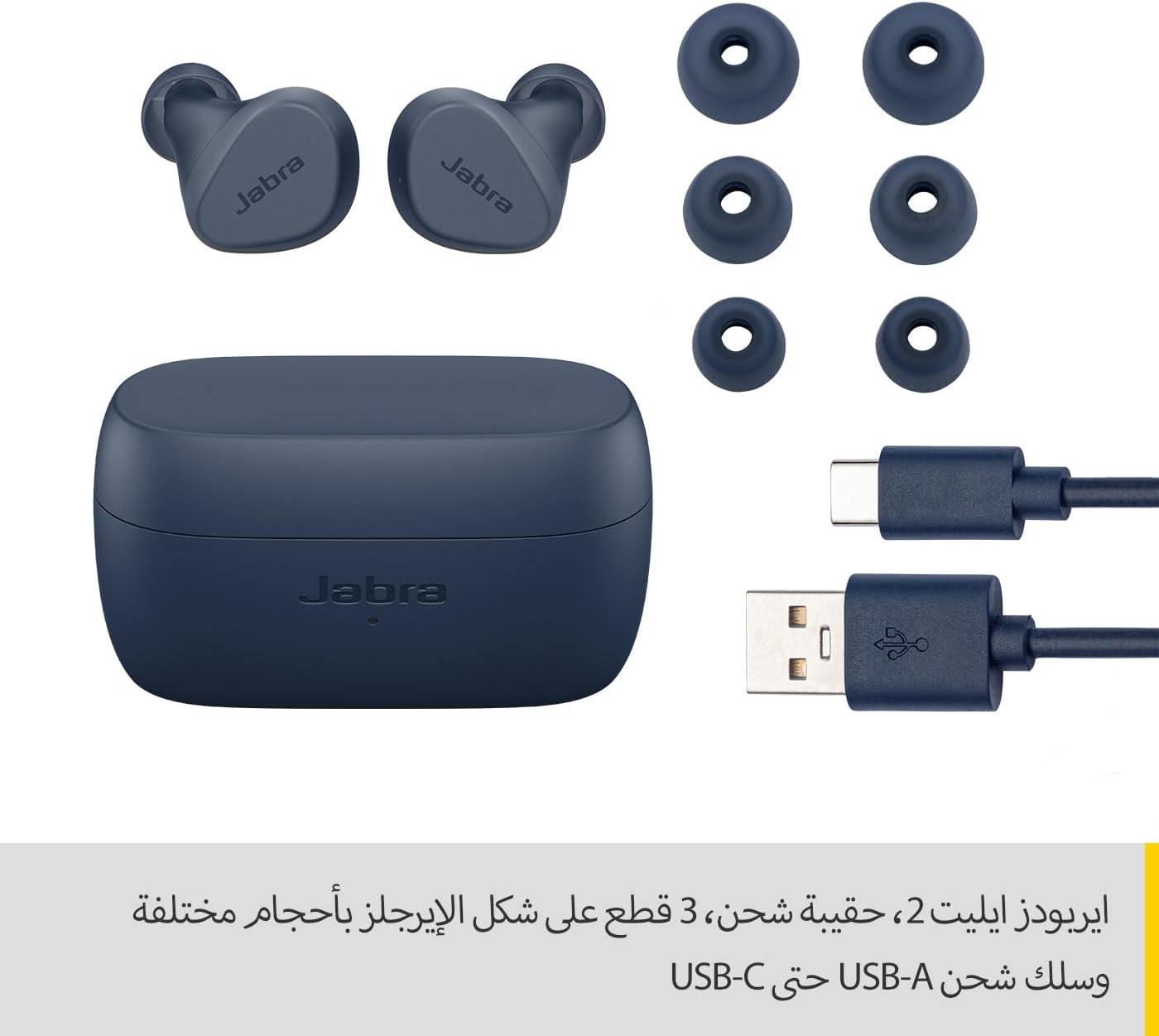
Image: Jabra Elite 2 earbuds, charging case, three sizes of EarGels, and USB-A to USB-C charging cable.
설정
1. 이어버드와 케이스 충전
Before first use, fully charge the earbuds and the charging case. Place the earbuds into the charging case and connect the USB-C cable to the charging port on the case and a power source.
- 이 이어버드는 한 번 충전으로 최대 7시간 동안 음악을 감상할 수 있습니다.
- The charging case extends the total battery life to up to 21 hours.

Image: Jabra Elite 2 earbuds inside their charging case, ready for charging.
2. 블루투스 기기와 페어링하기
- 이어버드가 충전되어 있고 충전 케이스에 들어 있는지 확인하세요.
- 충전 케이스를 여세요. 이어버드가 자동으로 페어링 모드로 진입합니다.
- 스마트폰이나 기타 Bluetooth 지원 기기에서 Bluetooth 설정으로 이동합니다.
- Select 'Jabra Elite 2' from the list of available devices.
- 연결되면 음성 안내로 페어링이 성공적으로 완료되었음을 확인할 수 있습니다.
3. 이어버드 장착
For optimal sound quality and comfort, choose the correct size of EarGels. Insert the earbuds into your ears and rotate them slightly to ensure a secure and comfortable fit.
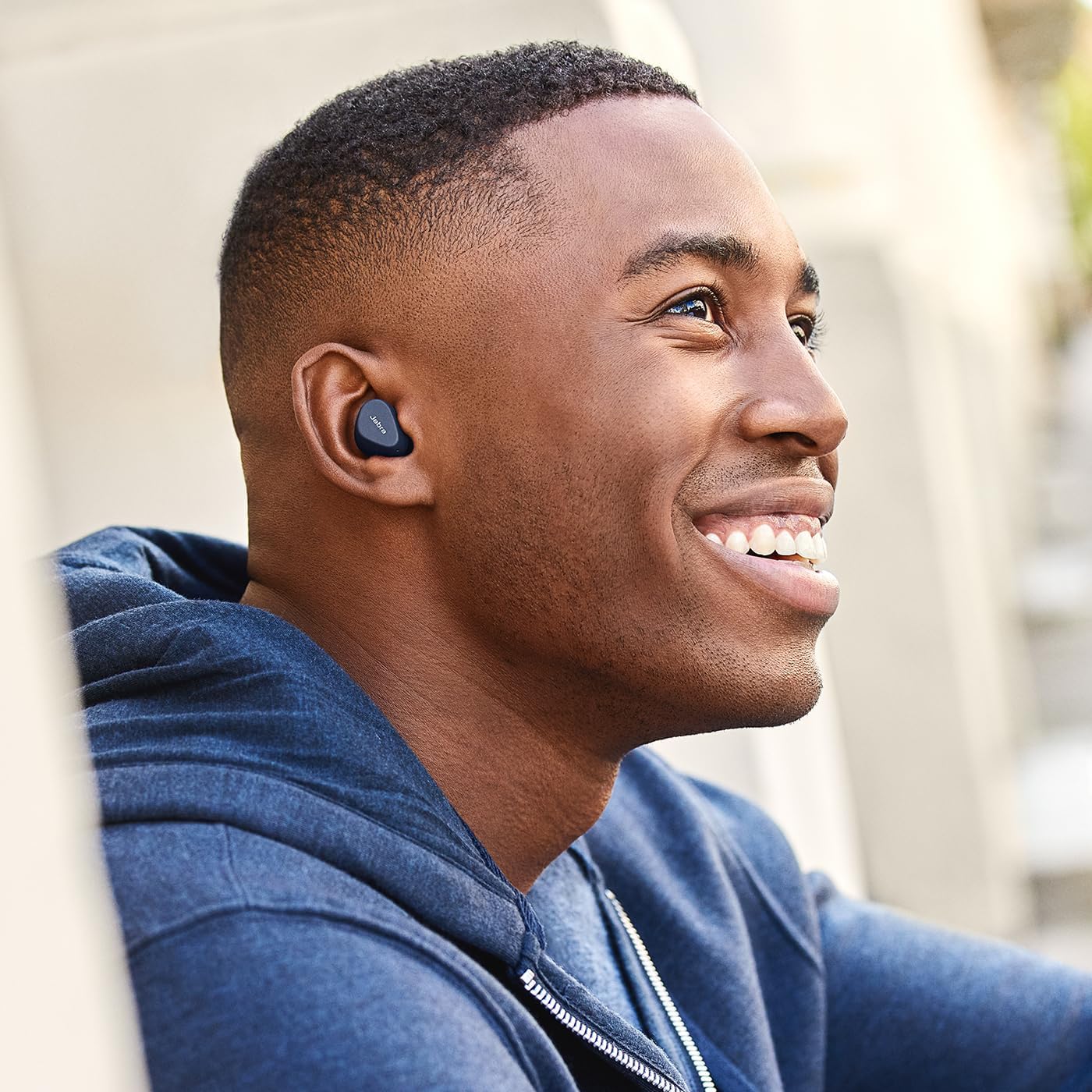
Image: A man wearing Jabra Elite 2 earbuds, demonstrating a proper fit.

Image: A woman wearing Jabra Elite 2 earbuds, demonstrating a proper fit.
작동 지침
The Jabra Elite 2 earbuds feature intuitive controls for managing audio and calls.
음악 및 통화 제어
| 행동 | 왼쪽 이어버드 | 오른쪽 이어 버드 |
|---|---|---|
| 음악 재생/일시 정지 | 단일 프레스 | 단일 프레스 |
| 전화 받기/종료하기 | 단일 프레스 | 단일 프레스 |
| 전화 거부 | 두 번 누르기 | 두 번 누르기 |
| 다음 트랙 | 두 번 누르기 | 없음 |
| 이전 트랙 | 세 번 누르기 | 없음 |
| Activate Voice Assistant (Alexa for Android) | 없음 | 세 번 누르기 |

Image: Close-up of Jabra Elite 2 earbuds, highlighting the control surface.
유지
Proper maintenance ensures the longevity and performance of your Jabra Elite 2 earbuds.
청소
- 부드럽고 마른 보푸라기 없는 천으로 이어버드와 충전 케이스를 정기적으로 청소하세요.
- 이어젤을 제거하고 순한 비누와 물로 깨끗이 씻은 후 완전히 말려서 다시 부착하십시오.
- 가혹한 화학물질이나 연마재의 사용은 피하세요.
방수성
The Jabra Elite 2 earbuds are rated IP55 for resistance against dust and water splashes. This means they are protected against low-pressure water jets from any direction, making them suitable for use during light rain or workouts. They are not designed for submersion in water.

Image: A man wearing Jabra Elite 2 earbuds under an umbrella, illustrating their water resistance.
저장
사용하지 않을 때는 이어버드를 충전 케이스에 보관하여 보호하고 충전 상태를 유지하세요.
문제 해결
If you encounter issues with your Jabra Elite 2 earbuds, refer to the following common solutions:
- 소리가 나지 않음/볼륨이 낮음: Ensure earbuds are properly seated in your ears, volume is turned up on both earbuds and connected device, and EarGels are the correct size.
- 페어링 문제: 기기에서 블루투스가 켜져 있고 이어버드가 페어링 모드인지 확인하세요. 이어버드의 페어링을 해제했다가 다시 페어링해 보세요.
- 간헐적인 연결: Keep your device close to the earbuds. Avoid environments with strong Wi-Fi or other wireless interference.
- 이어버드가 충전되지 않음: 충전 케이블이 단단히 연결되어 있고 충전 케이스에 전원이 공급되는지 확인하세요. 이어버드와 케이스의 충전 접점을 깨끗이 닦으세요.
- 마이크 문제: Ensure the microphones are not obstructed. Check the audio input settings on your connected device. The Elite 2 features 2 microphones for clear calls.
추가 지원이 필요하면 공식 Jabra 지원을 방문하세요. web대지.
명세서
| 특징 | 세부 사항 |
|---|---|
| 모델명 | 자브라 엘리트 2 |
| 모델 번호 | 100-91400003-60 |
| 연결 기술 | 무선(블루투스) |
| 이어버드 배터리 수명 | 최대 7시간 |
| 총 배터리 수명(케이스 포함) | 최대 21시간 |
| 마이크 | 내장 마이크 2개 |
| 소음 제어 | 소음 차단 |
| 방수 등급 | IP55 (Rain, Dust, Water Resistant) |
| 추천 용도 | Listening to audio (music, podcasts), phone calls, sports, fitness, travel |
| 호환 장치 | 블루투스 지원 기기 |
| 제어 유형 | Media/Volume Control, Remote Control |
| 포함된 구성 요소 | Protective case, USB-C cable, EarGels |
| 색상 | 해군 |
보증 및 지원
보증 정보
The Jabra Elite 2 earbuds come with a 2년 보증. Product registration is required to activate the full warranty period. Please refer to the warranty card included in your package or visit the official Jabra web자세한 이용 약관은 사이트를 참조하세요.
고객 지원
For technical support, frequently asked questions, or to register your product, please visit the official Jabra support page:
You may also find additional resources and software updates on the Jabra web대지.


