1. 제품 오버view
The WOBANE Motion Sensor Stair Strip Lights provide convenient, automatic illumination for various indoor spaces. These rechargeable LED strip lights feature dual operating modes (manual and automatic) and are designed for easy installation with adhesive backing and magnetic control boxes. They are ideal for enhancing visibility and safety in areas such as stairways, closets, pantries, and cabinets.

Image: Complete kit of WOBANE Motion Sensor Stair Strip Lights, including two control boxes, two LED strips, and charging cables.
2. 상자 안에 무엇이 들어있나요?
- Control Boxes (2 units)
- LED Strips (2 units, 6.56ft each)
- USB Cables (2 units for charging)
- 케이블 홀더
- Iron Plates (for magnetic mounting)
- 사용자 설명서
3. 사양
| 특징 | 세부 사항 |
|---|---|
| 상표 | 워베인 |
| 모델 번호 | WBE015 |
| 색상 | 하얀색 |
| 재료 | 플라스틱 |
| 광원 유형 | 주도의 |
| LED의 수 | 60 |
| 명도 | 200 루멘(최대) |
| 색온도 | 6000 켈빈(주광 백색) |
| 전원 | 배터리 구동(리튬 폴리머 배터리 2개 포함) |
| 권tage | 5 볼트 |
| 왓tage | 5 와트 |
| 제어 방법 | Motion sensor, Push Button |
| 설치 유형 | Adhesive (for strip), Magnetic (for controller) |
| 실내/실외 사용 | 실내 |
| 방수 레벨 | 방수가 되지 않음 |
| 제품 치수 | 4"L x 1.5"W x 4"H (Control Box) |
| 품목 무게 | 10.5 온스 |
4. 설정 및 설치
The WOBANE Motion Sensor Stair Strip Lights are designed for simple installation without the need for tools, screws, or nuts. Follow these steps for optimal placement and functionality.
4.1 표면 준비
- 표면 청소: Ensure the surface where the LED strip and control box will be attached is clean, dry, and free of dust or grease. Use a dry wipe followed by a cleaning solution if necessary, and allow it to dry completely.
4.2 Installing the LED Strip
- 계획 배치: Determine the desired path for your LED strip. For stairways, consider placing it along the underside of the handrail or along the edge of the steps for optimal illumination.
- 떼어서 붙이기: Carefully peel the backing from the adhesive tape on the LED strip. Press the strip firmly onto the prepared surface, ensuring good contact along its entire length.
- 스트립 자르기(선택 사항): The LED strip can be cut to length at designated black lines marked along the strip. Use scissors to cut precisely on these lines. If cutting, use the included connectors to re-establish electrical contact between cut sections if needed.

Image: Visual guide for cleaning the surface, peeling the adhesive, and sticking the LED strip during installation.
4.3 제어 상자 설치
- 마그네틱 마운팅: The control box features strong magnets on its back. You can directly attach it to any magnetic surface.
- 접착 장착: For non-magnetic surfaces, use the provided iron plates with adhesive backing. Peel the backing from the iron plate and stick it to the desired location. Then, the control box can be magnetically attached to the iron plate.
- LED 스트립 연결하기: Plug the LED strip's connector into the appropriate port on the control box.
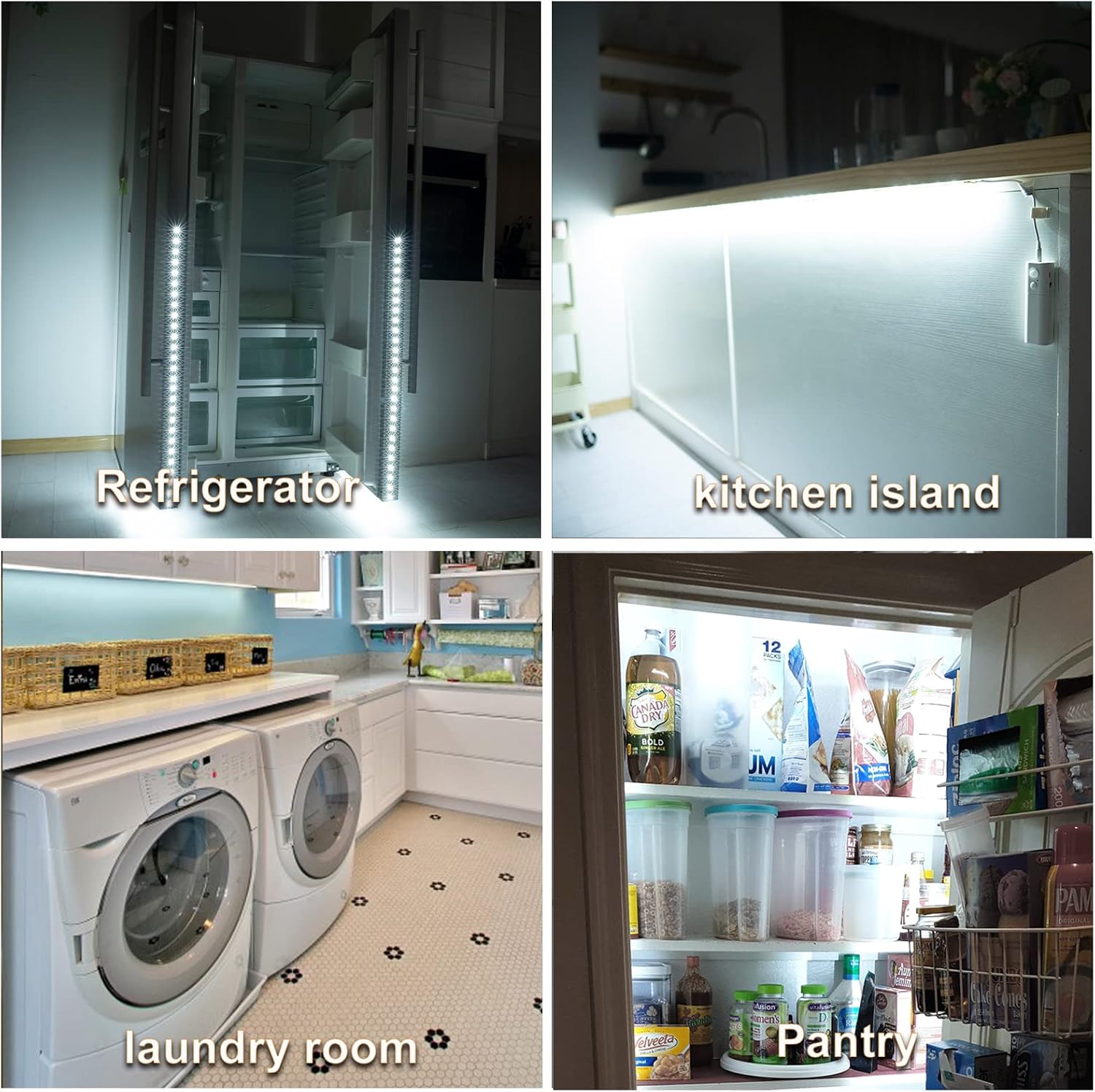
Image: Illustration of control box installation methods, including direct magnetic attachment and using adhesive iron plates.
5. 작동 모드
The WOBANE Motion Sensor Stair Strip Lights offer two operating modes: Manual and Automatic.
5.1 수동 모드(M)
- To activate Manual Mode, slide the switch on the control box to the "M" position.
- In this mode, the lights are turned ON or OFF by pressing the button on the control box.
- The lights will remain on until manually switched off. This mode does not utilize the motion or light sensor.
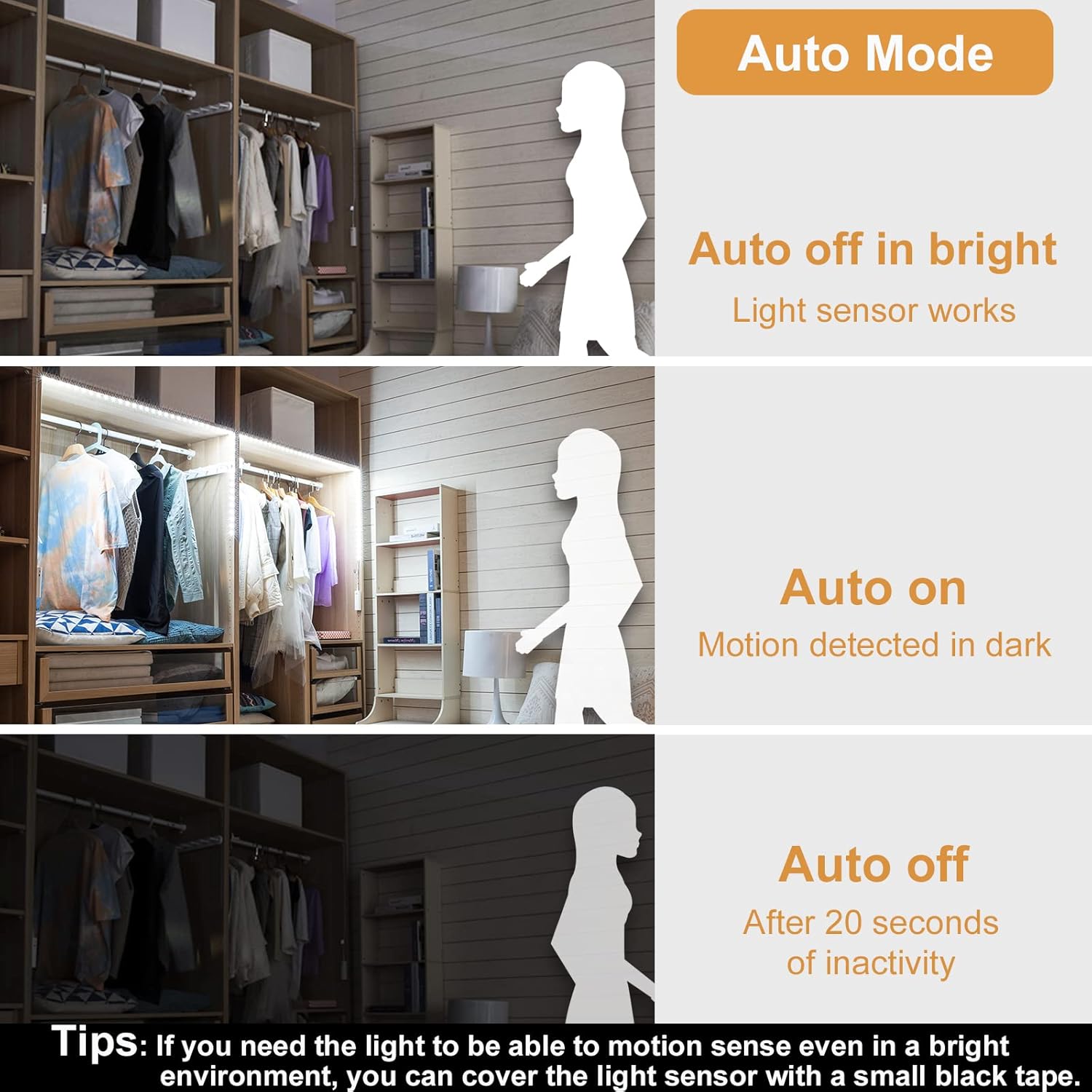
Image: Detail of the control box, highlighting the switch for Manual mode and the manual ON/OFF button.
5.2 Automatic Mode (A)
- To activate Automatic Mode, slide the switch on the control box to the "A" position.
- In this mode, the lights will automatically turn ON when human motion is detected within approximately 10 feet in a dark environment.
- The lights will automatically turn OFF after approximately 20 seconds of no movement or if the environment becomes bright.
- 팁: If you require motion sensing even in a bright environment, you can cover the light sensor with a small piece of black tape.

Image: Visual explanation of Automatic mode functionality, showing light sensor and motion detection behavior.
6. Charging the Control Box
The control box contains a built-in 2200 mAh rechargeable battery. When the battery is low, the indicator light will show red. To charge:
- Carefully detach the control box from its magnetic mounting.
- Connect the provided USB charging cable to the micro-USB port on the control box.
- Plug the other end of the USB cable into a standard USB power adapter (not included), computer USB port, or power bank.
- The indicator light will glow red during charging and turn green when fully charged. Charging typically takes 2-4 hours.
- Once charged, reattach the control box to its magnetic mounting.

Image: Charging status indicators on the control box, showing red for charging and green for fully charged.
7. 유지관리
- 청소: Wipe the LED strips and control box with a soft, dry cloth. Avoid using abrasive cleaners or solvents.
- 배터리 관리 : To prolong battery life, avoid fully discharging the battery frequently. Recharge when the indicator light shows red.
- 저장: If storing the lights for an extended period, ensure the battery is partially charged (around 50%) and store in a cool, dry place.
8. 문제 해결
| 문제 | 가능한 원인 / 해결책 |
|---|---|
| Lights do not turn on in Automatic Mode. |
|
| 조명이 꺼지지 않습니다. |
|
| Battery not holding charge or charging port issue. |
|
| LED 스트립에 불이 들어오지 않습니다. |
|
9. 보증 및 지원
WOBANE products are designed for quality and reliability. For any issues or questions regarding your Motion Sensor Stair Strip Lights, please refer to the contact information provided with your purchase or visit the official WOBANE store on Amazon for support.
Each item is verified by Transparency with a unique code before shipping, ensuring product authenticity.
