
Image: The Vissani 30-inch Under Cabinet Range Hood, showcasin세련된 스테인리스 스틸 디자인이 특징입니다.
소개
This manual provides comprehensive instructions for the installation, operation, and maintenance of your Vissani 30-inch Under Cabinet Range Hood. Designed for efficient and stylish cooking, this stainless steel appliance effectively ducts smoke, steam, and odors away from your kitchen, ensuring a fresh and clean environment. Its sleek design and powerful ventilation make it an essential addition to any modern kitchen.
안전 정보
Please read all instructions carefully before installation and operation. Keep this manual for future reference. Always disconnect power before servicing. Ensure proper grounding to reduce the risk of electric shock. Do not operate the range hood if it is damaged. Use only as intended for general ventilating purposes. Do not use to exhaust hazardous or explosive materials. Maintain proper ventilation in the room when the range hood is used simultaneously with appliances burning gas or other fuels.
상자 안에 무엇이 들어있나요?
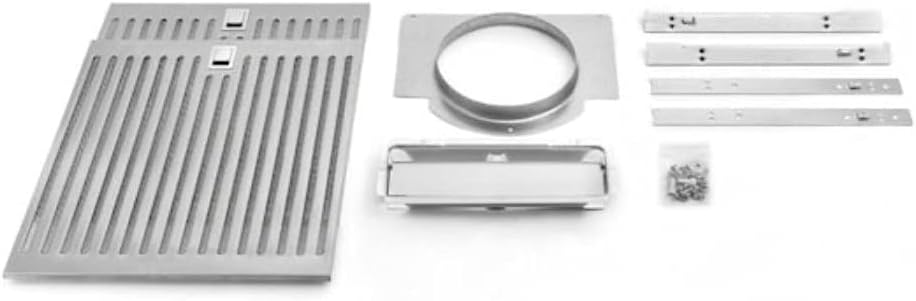
Image: All components included with the range hood, such as the mesh grease filters, installation hardware, and ducting adapter.
- Vissani 30-inch Under Cabinet Range Hood Unit
- Mesh Grease Filter (Pre-installed or separate)
- Installation Kit (Mounting hardware, screws, ducting adapter)
- 사용 설명서(본 문서)
설정 및 설치
The Vissani 30-inch Under Cabinet Range Hood is designed for seamless integration under your kitchen cabinets. Professional installation is recommended. Ensure adequate clearance above your cooking surface as per local building codes and manufacturer guidelines.
치수 및 간격
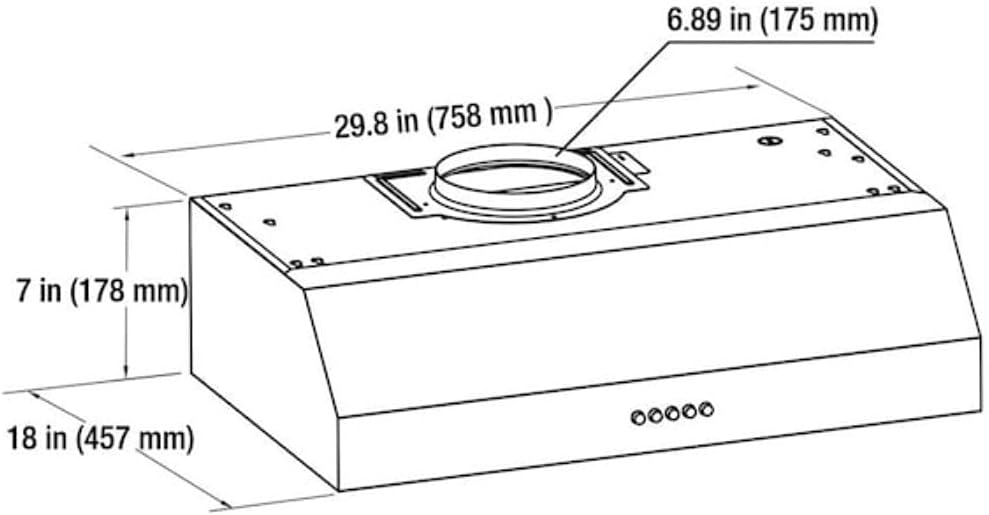
Image: Technical diagram illustrating the precise dimensions of the range hood for accurate installation planning.
- 제품 크기: 폭 29.84인치 x 깊이 17.99인치 x 높이 7.01인치
- 장착 유형: 캐비닛 마운트 아래
- Refer to the installation kit for specific mounting hardware and instructions.
작동 지침
The Vissani Range Hood features intuitive push-button controls for easy operation of its fan speeds and LED lighting.
제어판 이상view

이미지: 상세 view of the push-button control panel, showing icons for power, fan speed settings, and light control.
- 전원 버튼: 눌러서 기기를 켜거나 끄세요.
- 팬 속도 버튼: Select from multiple fan speeds (e.g., Low, Medium, High) to adjust ventilation power.
- 라이트 버튼: Press to turn the LED lights On/Off.
LED 조명
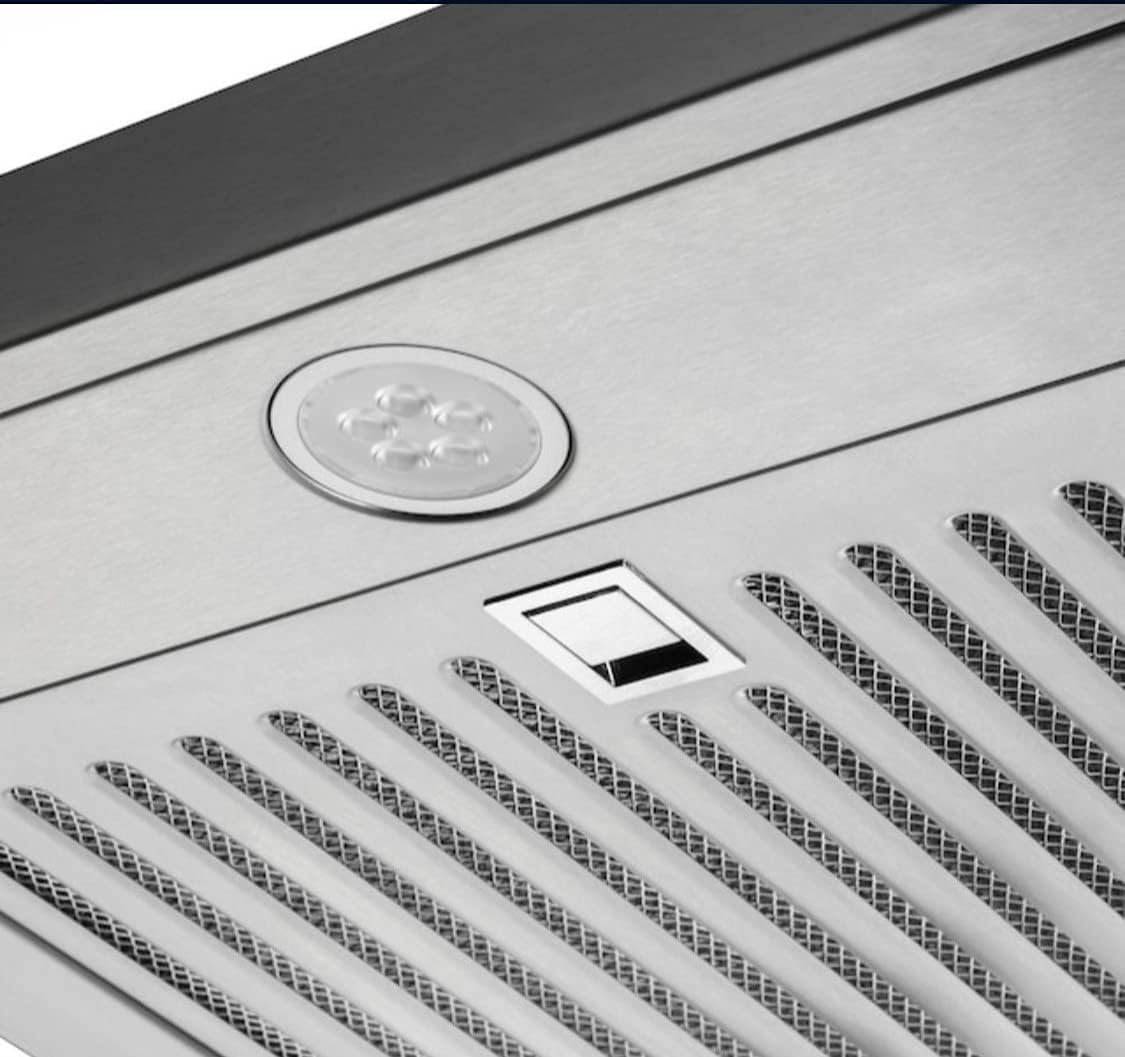
Image: A close-up shot highlighting the bright LED lights integrated into the range hood, providing clear illumination for cooking.
The integrated LED lights provide bright and energy-efficient illumination for your cooking area. Simply press the light button on the control panel to activate or deactivate them.
유지
Regular maintenance ensures optimal performance and longevity of your Vissani Range Hood.
스테인리스 스틸 표면 청소
The stainless steel finish is durable and easy to clean. Use a soft cloth with a non-abrasive stainless steel cleaner. Always wipe in the direction of the grain to prevent streaks and scratches.
그리스 필터 유지보수
The mesh grease filter should be cleaned regularly, depending on cooking frequency. To remove, locate the release tabs and gently pull down. Wash the filters with warm, soapy water or place them in a dishwasher. Ensure filters are completely dry before re-installing.
문제 해결
레인지후드에 문제가 발생하면 다음의 일반적인 문제 해결 단계를 참조하십시오.
- 전원 없음: 회로 차단기를 확인하고 장치가 제대로 꽂혀 있는지 확인하세요.
- 선풍기가 작동하지 않음: Verify that the fan speed button is pressed. Ensure no obstructions are blocking the fan blades.
- 환기 불량: Clean the grease filters. Check for any blockages in the ductwork.
- 불이 작동하지 않음: Ensure the light button is pressed. If lights are still off, they may need replacement (consult a qualified technician).
For issues not covered here, please contact Vissani customer support.
명세서
| 특징 | 사양 |
|---|---|
| 상표 | 비사니 |
| 모델 번호 | QR272S (056677875113) |
| 재료 | 스테인리스 스틸 |
| 소음 수준 | 65데시벨 |
| 장착 유형 | 캐비닛 마운트 아래 |
| 포함된 구성 요소 | Installation Kit, Grease Filter |
| 컨트롤 타입 | 푸시 버튼 |
| 광원 유형 | 주도의 |
| 필터 유형 | 망사 |
| 제품 치수 | 29.84 x 17.99 x 7.01 인치 |
| 품목 무게 | 25.4파운드 |
보증 및 지원
For warranty information, product registration, or technical support, please visit the official Vissani web사이트를 방문하거나 고객 서비스 부서에 문의하세요. 보증 청구를 위해 구매 증빙 자료로 구매 영수증을 보관하세요.


