소개
This manual provides detailed instructions for the operation and maintenance of your TOZO G1 Wireless Gaming Earbuds. Please read thoroughly before use to ensure optimal performance and longevity of your device.
상자 안에 무엇이 들어있나요?
- TOZO G1 무선 이어버드
- 무선 충전 케이스
- Eartips (multiple sizes for comfortable fit)
- USB A-USB C 충전 케이블
- 사용 설명서 (본 문서)
설정
1. 이어버드와 케이스 충전
Before first use, fully charge the earbuds and charging case to ensure maximum battery life.
Image: The TOZO G1 charging case connected via a USB-C cable, indicating charging status with an illuminated logo.
- Connect the USB A to USB C charging cable to the charging port on the case.
- 다른 한쪽 끝을 호환되는 USB 전원에 연결하십시오.
- The LED indicator on the case will show the charging status. A full charge provides up to 6 hours of playback for the earbuds and an additional 30 hours with the charging case.
2. 기기와 페어링
Follow these steps to pair your earbuds with a Bluetooth-enabled device.
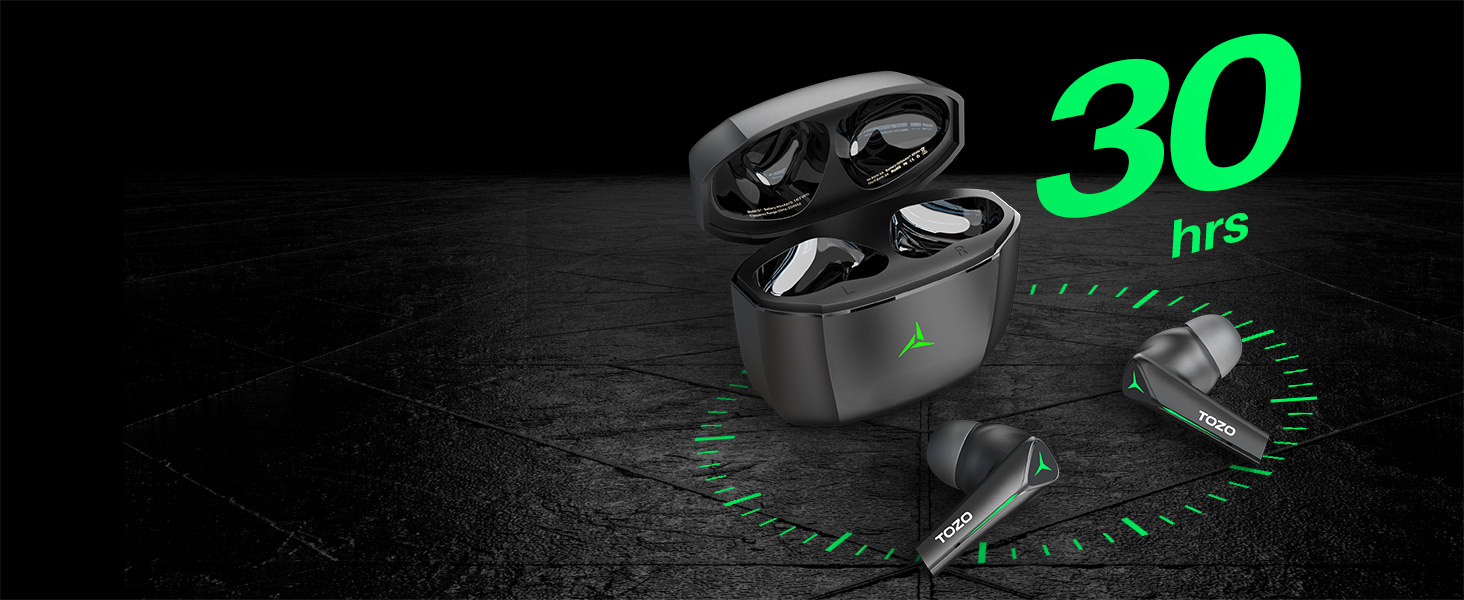
Image: TOZO G1 earbuds shown next to a smartphone displaying Bluetooth pairing options, with the earbuds emitting a green light.
- Open the charging case. The earbuds will automatically enter pairing mode (indicated by flashing LED lights).
- 사용하시는 기기(스마트폰, 태블릿, 노트북, 게임 콘솔)에서 블루투스를 활성화하세요.
- 검색 "TOZO G1" in the list of available devices and select it to connect.
- Once connected, the earbud LED lights will turn off or show a steady light.
작동 지침
1. Game & Music Dual Mode
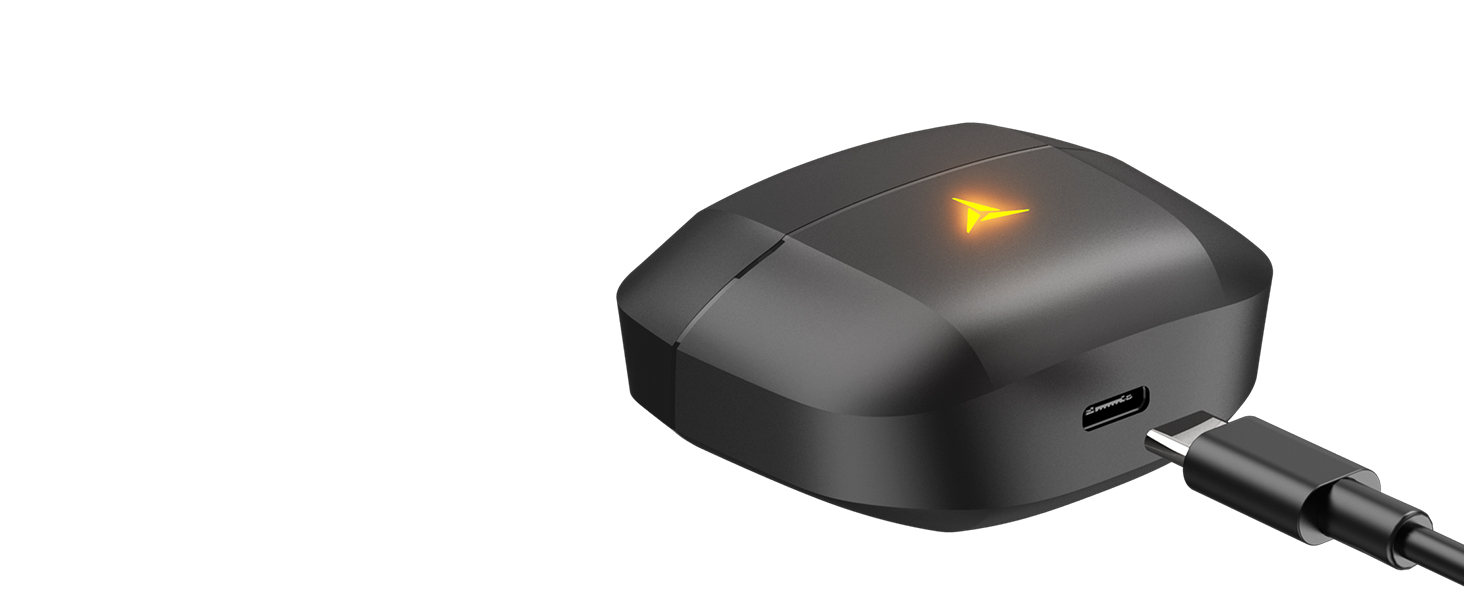
Image: A split image showing the TOZO G1 earbuds in "Game Mode" with a gaming scene and "Music Mode" with a person playing guitar, highlighting the dual functionality.
The TOZO G1 earbuds feature a dual mode for optimized audio performance:
- 게임 모드: Provides 45ms ultra-low latency for synchronized audio and video, enhancing gaming with accurate sound detection (footsteps, gunfire).
- 음악 모드: Delivers high-fidelity sound with powerful bass (16Hz-20kHz), mellow midrange, and clear treble for an immersive listening experience.
2. 스마트 터치 컨트롤

Image: A diagram illustrating the touch control functions for the left and right TOZO G1 earbuds, including play/pause, track skipping, volume control, call management, and voice assistant/game mode activation.
간단한 터치 동작으로 이어버드를 제어하세요.
| 행동 | 왼쪽 이어버드 | 오른쪽 이어 버드 |
|---|---|---|
| 재생/일시정지 | 싱글 탭(X1) | 싱글 탭(X1) |
| 이전 / 다음 노래 | Double Tap (X2) - Previous | Double Tap (X2) - Next |
| 전화 받기/끊기 | 싱글 탭(X1) | 싱글 탭(X1) |
| 전화 거부 | 2초간 유지 | 2초간 유지 |
| 볼륨 다운/업 | Hold for 2 seconds - Volume Down | Hold for 2 seconds - Volume Up |
| Voice Assistant/Game Mode | Triple Tap (X3) - Voice Assistant | Triple Tap (X3) - Game Mode |
유지
- 부드럽고 마른 천으로 이어버드와 충전 케이스를 정기적으로 청소하세요.
- Avoid exposing the earbuds to extreme temperatures or liquids. While waterproof, prolonged submersion is not recommended.
- 사용하지 않을 때는 충전 케이스에 넣어 보관하여 보호하고 충전 상태를 유지하십시오.
문제 해결
- 이어버드가 페어링되지 않음:
- Ensure both earbuds are in the charging case and the case is open. Check your device's Bluetooth settings and try reconnecting. If issues persist, reset the earbuds (refer to the full user manual for specific reset instructions).
- 소리가 나지 않거나 볼륨이 낮음:
- Check the volume levels on both your device and the earbuds. Ensure earbuds are properly seated in your ears. Verify the earbuds are connected to the correct device.
- 충전 문제:
- 충전 케이블이 케이스와 전원에 제대로 연결되어 있는지 확인하십시오. 다른 USB-C 케이블이나 전원 어댑터를 사용해 보십시오. 이어버드와 케이스 내부의 충전 접점을 청소하십시오.
명세서
| 특징 | 세부 사항 |
|---|---|
| 모델명 | G1 |
| 연결 기술 | 무선(블루투스 5.3) |
| 오디오 지연 | 45밀리초(게임 모드) |
| 배터리 수명(이어버드) | 최대 6시간 |
| 총 재생 시간(충전 케이스 포함) | 최대 30시간 |
| 방수 레벨 | 방수(IPX5) |
| 제어 방법 | 만지다 |
| 포함된 구성 요소 | TOZO G1 Wireless Earbuds, Wireless Charging Case, Eartips, USB A to USB C Charging Cable, User Manual |
공식 제품 영상
비디오: 공식 제품 소개 영상asing the TOZO G1 Wireless Gaming Earbuds and their features.
보증 및 지원
TOZO products come with a standard manufacturer's warranty. For detailed warranty information, product support, or to contact customer service, please visit the official TOZO web사이트를 참조하거나 제품 포장에 포함된 보증 카드를 참조하세요.
공식적인 Web대지: www.tozostore.com


