소개
Thank you for choosing the Bytech BYMSWR104BK 3 Button Gaming Mouse. This manual provides essential information for setting up, operating, and maintaining your new gaming mouse. Please read this manual thoroughly before use to ensure optimal performance and longevity of your device.
특징
- Precision Mouse: Designed for accurate tracking and responsive control.
- 조정 가능한 DPI: Customize sensitivity for various gaming and productivity needs.
- Three Responsive Buttons: Includes left-click, right-click, and scroll wheel/middle-click for efficient operation.
- 다채로운 백라이트: Features multi-color LED lighting with 7 distinct color modes for an enhanced aesthetic experience.
- 인체공학적 디자인: Shaped to fit comfortably in your palm, reducing fatigue during extended use.
명세서
| 상표 | 바이텍 |
| 모델 번호 | BYMSWR104BK |
| 버튼의 수 | 3 |
| 이동 해상도 | 1,000DPI |
| 색상 모드 | 7 Colors (Multi-color Backlight) |
| 케이블 길이 | 5 피트 |
| 스위치 등급 | 1만 클릭 |
| 품목 무게 | 4.9 온스 |
| 패키지 크기 | 7.17 x 4.06 x 2.68 인치 |
| 색상 | 검은색 |
| 전원 | 유선 전기(USB) |
| 하드웨어 플랫폼 | PC |
패키지 내용
- 1 x Bytech BYMSWR104BK Wired Gaming Mouse
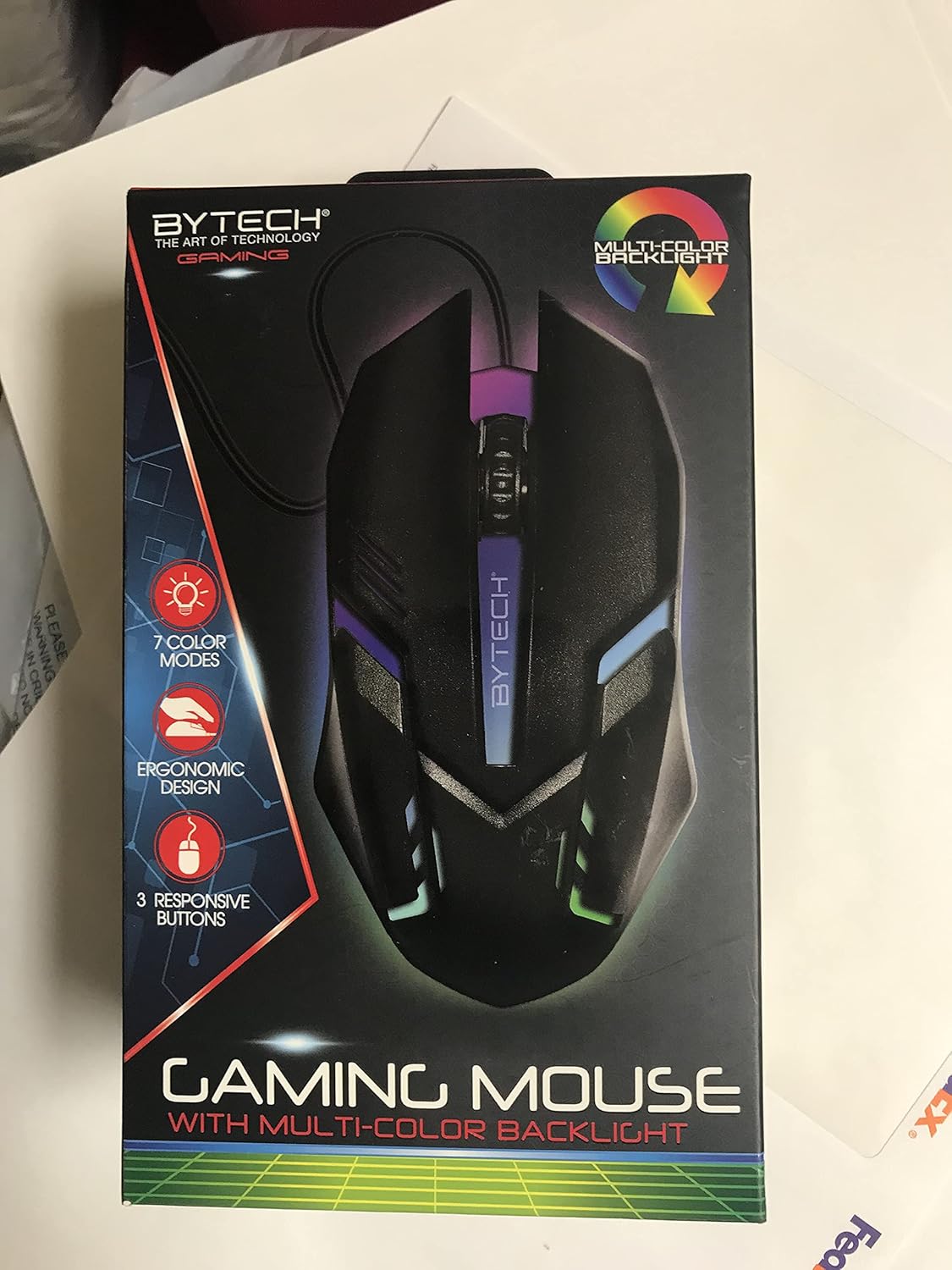
이미지: 앞면 view of the Bytech BYMSWR104BK Gaming Mouse in its retail packaging, highlighting its multi-color backlight and ergonomic design.
설정
- 풀다: 게임용 마우스를 포장에서 조심스럽게 꺼내세요.
- 연결하다: Locate an available USB port on your computer (PC, laptop, etc.). Insert the USB connector of the Bytech BYMSWR104BK Gaming Mouse firmly into the USB port.
- 드라이버 설치: The mouse is plug-and-play. Your operating system should automatically detect and install the necessary drivers. This process may take a few moments.
- 사용 가능: Once the drivers are installed, the mouse will be ready for immediate use. The multi-color backlight will illuminate.

이미지: 후면 view of the Bytech BYMSWR104BK Gaming Mouse retail packaging, detailing features, specifications, and universal compatibility.
작동 지침
기본 동작
- 왼쪽 버튼: Primary click function, typically used for selecting items, opening files, or interacting with software.
- 오른쪽 버튼: Secondary click function, usually opens context menus or provides additional options.
- 스크롤 휠(가운데 버튼): Scroll up or down to navigate documents and web pages. Pressing the scroll wheel acts as a middle-click button, often used for opening links in new tabs or auto-scrolling.
DPI 조정
The Bytech BYMSWR104BK Gaming Mouse features adjustable DPI settings. While specific buttons for DPI adjustment are not explicitly listed on the packaging, many gaming mice allow DPI changes through a dedicated button (often located near the scroll wheel) or through software. Refer to your computer's mouse settings or Bytech's official website for advanced customization options if available.
LED를 백라이트
The mouse features a dynamic multi-color LED backlight with 7 different color modes. These lights will automatically cycle through the modes once the mouse is connected and powered on. There is no manual control for changing modes on the mouse itself.
유지
- 청소: 부드럽고 마른 천을 사용하여 마우스 표면을 닦으세요. 잘 지워지지 않는 오염의 경우, 살짝 damp천에 물이나 순한 세척액을 묻혀 닦아주세요. 강한 화학 물질이나 연마재는 사용하지 마세요.
- 센서 관리: 정확한 추적을 보장하려면 마우스 바닥의 광학 센서를 깨끗하고 먼지나 이물질이 없는 상태로 유지하세요.
- 케이블 관리 : 손상을 방지하려면 USB 케이블을 급격하게 구부리거나 과도하게 당기지 마세요.
- 저장: 사용하지 않을 때는 마우스를 극한의 온도를 피해 깨끗하고 건조한 곳에 보관하세요.

이미지: 측면 view of the Bytech BYMSWR104BK Gaming Mouse retail packaging, showcasing the multi-color backlight effect.
문제 해결
| 문제 | 가능한 해결책 |
|---|---|
| 마우스가 응답하지 않음 |
|
| 커서가 불규칙적으로 움직이거나 부드럽게 움직이지 않습니다. |
|
| LED 백라이트가 작동하지 않습니다 |
|
보증 및 지원
보증: This Bytech product comes with a 12-month warranty from the date of purchase. Please retain your proof of purchase for warranty claims.
연락처 정보:
- 주소: 2585 West 13th Street, Brooklyn, NY 11223, USA
- Web대지: www.bytechintl.com
⚠ 경고: 이 제품은 DEHP를 포함한 화학 물질에 노출될 수 있으며, 이는 캘리포니아 주에서 암, 선천적 결함 또는 기타 생식적 피해를 유발하는 것으로 알려져 있습니다. 자세한 내용은 www.P65Warnings.ca.gov.

이미지: 하단 view of the Bytech BYMSWR104BK Gaming Mouse retail packaging, showing contact information, warranty details, and California Proposition 65 warning.


