1. 소개 및 이상view
The XFX Speedster QICK308 Radeon RX 6600 XT is a high-performance gaming graphics card designed to deliver an exceptional visual experience. Featuring AMD's RDNA 2 architecture, 8GB of GDDR6 memory, and a robust triple-fan cooling system, this card is engineered for smooth gameplay and efficient operation. Its aerodynamic design prioritizes airflow to maintain optimal temperatures and performance during intensive use.

그림 1: 각도 view of the XFX Speedster QICK308 Radeon RX 6600 XT Graphics Card.
2. 설정 및 설치
2.1 패키지 내용
- XFX Speedster QICK308 Radeon RX 6600 XT Graphics Card
- Driver CD (Note: Latest drivers are recommended from the AMD web대지)
2.2 설치 전 체크리스트
- 전원 공급 장치: 전원 공급 장치(PSU)가 최소 와트 요구 사항을 충족하는지 확인하십시오.tage requirement for the RX 6600 XT (typically 500W or higher, consult your PSU manual).
- 마더보드: Verify your motherboard has an available PCI Express x16 slot.
- 사건 종결: Check your PC case for adequate space to accommodate the card's dimensions (approximately 10.79 x 4.49 x 1.97 inches).
- Existing Drivers: Uninstall any previous graphics card drivers before installing the new hardware.
2.3 물리적 설치 단계
- 전원 끄기 : Shut down your computer and unplug it from the power outlet.
- 열린 사건: 컴퓨터 케이스의 측면 패널을 제거하세요.
- PCIe 슬롯 찾기: Identify an available PCI Express x16 slot on your motherboard. Remove any expansion slot covers from the back of the case that correspond to the card's position.
- 그래픽 카드를 장착하세요: 그래픽 카드를 PCIe 슬롯에 조심스럽게 맞춰 끼운 후, 슬롯 고정 클립이 딸깍 소리를 내며 제자리에 고정될 때까지 세게 누르십시오.
- 보안 카드: Use screws or the case's locking mechanism to secure the graphics card to the case's expansion slot bracket.
- 전원 연결: Connect the required PCIe power connectors from your PSU to the graphics card. The RX 6600 XT typically requires one 8-pin PCIe power connector.
- 사건 종결: 컴퓨터 케이스의 측면 패널을 교체하세요.
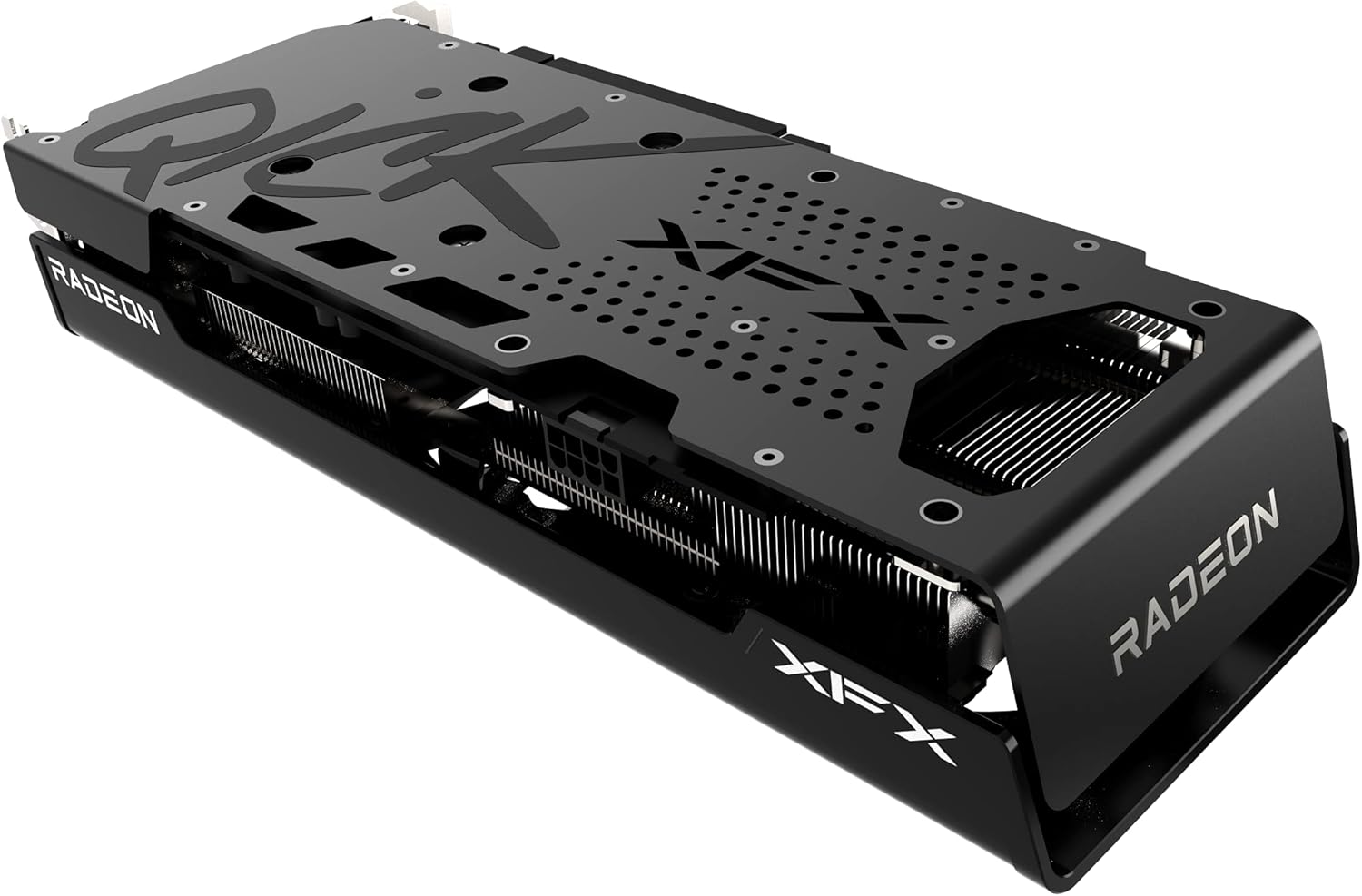
그림 2: 측면 view illustrating the power connector and display output ports.
2.4 드라이버 설치
- 모니터 연결: 모니터를 그래픽 카드의 디스플레이 출력 포트(HDMI 또는 DisplayPort) 중 하나에 연결하십시오.
- 전원 켜기: 컴퓨터를 전원에 연결하고 전원을 켜세요.
- 드라이버 설치: Insert the provided Driver CD or, for the latest version, download the AMD Radeon Software from the official AMD web해당 사이트입니다. 화면의 지시에 따라 드라이버 설치를 완료하십시오.
- 다시 시작: 드라이버 설치가 완료되면 컴퓨터를 다시 시작하십시오.
3. 그래픽 카드 작동 방법
3.1 기본 작업
Once drivers are installed, your operating system should automatically detect and utilize the XFX Speedster QICK308 Radeon RX 6600 XT. You can access the AMD Radeon Software through your desktop to manage display settings, gaming profiles 및 기타 기능.
3.2 주요 특징
- AMD RDNA 2 아키텍처: Provides enhanced performance and power efficiency for gaming and content creation.
- 8GB GDDR6 메모리: 고사양 게임 및 애플리케이션을 위한 고속 메모리.
- 부스트 클럭: Up to 2607MHz for increased performance during peak loads.
- XFX Speedster QICK308 Triple Fan Cooling: Optimized cooling solution with three fans to maintain low temperatures and quiet operation.
- 디스플레이 출력: Includes HDMI and DisplayPort connections for versatile monitor compatibility.
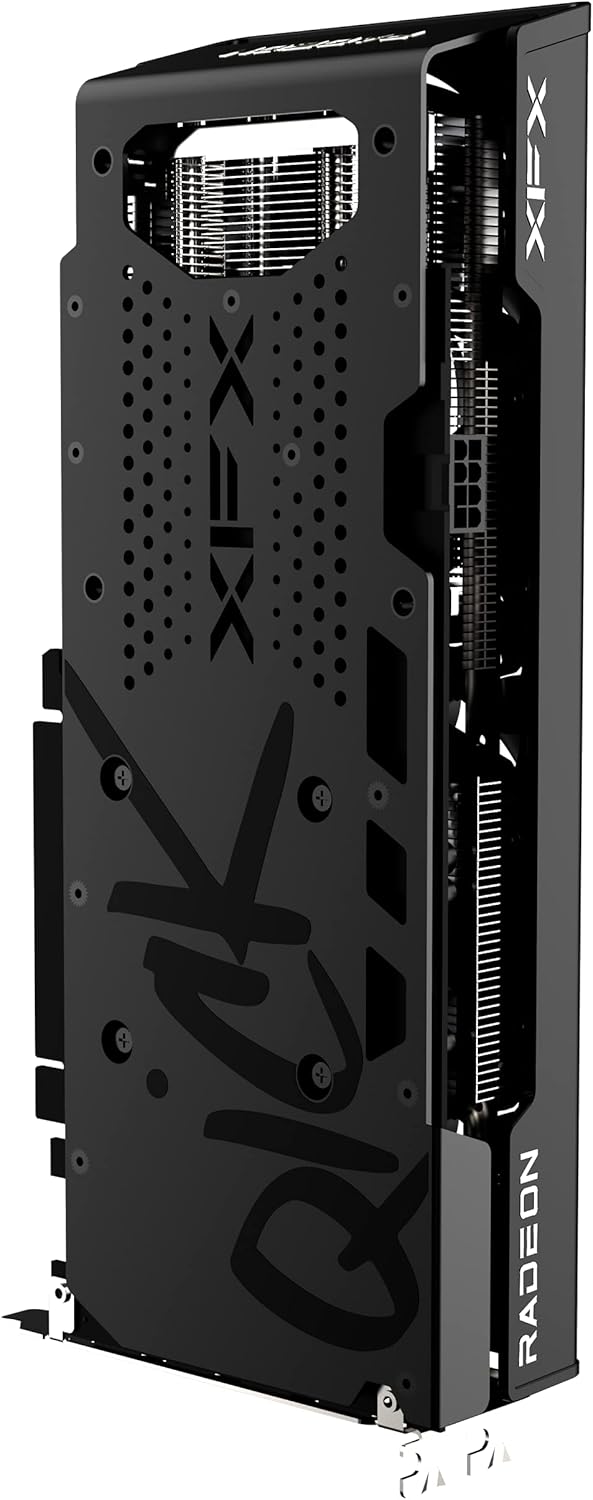
그림 3: 후면 view of the graphics card, highlighting the protective backplate.
4. 유지관리
4.1 청소
Regular cleaning helps maintain optimal performance and extends the lifespan of your graphics card. Use compressed air to gently remove dust from the fans and heatsink fins. Ensure the computer is powered off and unplugged before cleaning. Avoid touching the circuit board directly.
4.2 드라이버 업데이트
Periodically check the official AMD website for the latest graphics drivers. Keeping your drivers updated ensures compatibility with new games and applications, and often includes performance improvements and bug fixes.
4.3 온도 모니터링
Utilize the AMD Radeon Software or third-party monitoring tools to keep an eye on your GPU temperatures, especially during gaming or heavy workloads. Excessive temperatures can indicate insufficient airflow in your case or a need for cleaning.
5. 문제 해결
5.1 디스플레이 출력 없음
- 연결 확인: 모니터 케이블이 그래픽 카드와 모니터에 제대로 연결되어 있는지 확인하십시오.
- 전원 케이블: Verify that all PCIe power connectors are properly seated in the graphics card.
- 모니터 입력: Confirm your monitor is set to the correct input source (HDMI/DisplayPort).
- 카드 재장착: Power off and unplug the PC, then reseat the graphics card in its PCIe slot.
5.2 게임에서의 저조한 성적
- 드라이버 업데이트: 최신 그래픽 드라이버가 설치되어 있는지 확인하세요.
- 게임 설정: Adjust in-game graphics settings. While the RX 6600 XT is powerful, some demanding titles may require optimization.
- 온도: Monitor GPU temperatures. Overheating can lead to performance throttling.
- 백그라운드 애플리케이션: Close unnecessary background applications that may consume system resources.
5.3 Fan Noise or Overheating
- Clean Fans/Heatsink: Dust buildup can impede cooling. Refer to the cleaning section.
- 케이스 공기 흐름: PC 케이스의 공기 흐름이 충분한지, 흡기 팬과 배기 팬을 적절하게 구성했는지 확인하십시오.
- 팬 커브: Adjust the fan curve in AMD Radeon Software to a more aggressive setting if temperatures remain high.
6. 사양
| 특징 | 세부 사항 |
|---|---|
| 칩셋 | AMD RX 6600 XT |
| 그래픽 프로세서 제조업체 | (주)에스디에이치디(주) |
| 건축학 | AMD RDNA 2 |
| 메모리 | 8GB GDDR6 |
| 메모리 속도 | 16000MHz |
| 부스트 클록 | Up To 2607MHz |
| 냉각 | XFX Speedster QICK308 Triple Fan |
| 최대 화면 해상도 | 7680x4320 |
| 비디오 출력 인터페이스 | HDMI, 3x DisplayPort |
| 품목 모델 번호 | RX-66XT8LBDQ |
| 품목 무게 | 2.81파운드 |
| 제품 크기(LxWxH) | 10.79 x 4.49 x 1.97 인치 |
7. 보증 및 지원
For detailed warranty information and technical support, please refer to the official XFX website. Warranty terms and conditions may vary by region and retailer. It is recommended to register your product upon purchase to facilitate any future support needs.
XFX Official Web대지: https://www.xfxforce.com/


