1. 서론
Thank you for choosing gorsun A66 Wired Kids Headphones. This manual provides essential information for the safe and effective use of your new headphones. Please read it thoroughly before use and retain it for future reference. These headphones are designed with children's safety and comfort in mind, featuring volume limiting technology and durable construction.
2. 제품 오버view
2.1 주요 특징
- Child-Safe Volume Limiting: Built-in 85dB/94dB volume limiter to protect children's hearing.
- In-Line HD Microphone: Enables clear communication for online classes and video calls.
- 오디오 공유 기능: Allows multiple headphones to connect to a single device without a splitter.
- Durable & Tangle-Free Cord: Features a nylon-braided cable designed to withstand daily wear and tear.
- 편안하고 접이식 디자인: Ultra-soft ear cushions, adjustable headband, and foldable for easy portability.
- 몰입형 스테레오 사운드: 40mm drivers deliver balanced audio with rich bass and crisp highs.
- 폭넓은 호환성: Compatible with any device featuring a standard 3.5mm audio jack.

Figure 2.1: gorsun A66 Wired Kids Headphones, showcasing the blue color and overall design.

Figure 2.2: Summary of key features including fold-flat design, in-line microphone, volume limiting, audio sharing, balanced sound, and premium nylon cord.
2.2 패키지 내용
The gorsun A66 Wired Kids Headphones package includes:
- 1 x gorsun A66 Wired Kids Headphones
- 1 x 사용자 매뉴얼(이 문서)
3. 안전 지침
To ensure safe usage and protect your child's hearing, please adhere to the following guidelines:
- 볼륨 조절: The headphones feature an 85dB/94dB volume limiter. Always use the appropriate volume setting for the environment. The 85dB setting is recommended for extended listening sessions, while 94dB can be used for noisier environments like travel, but for shorter durations.
- 감독: Young children should always be supervised while using headphones.
- 재료 안전: The headphones are made from child-safe, recyclable, and sustainable materials, rigorously tested to meet CPC and CPSIA safety standards.
- 청소: Do not immerse headphones in water. Clean only with a dry, soft cloth.
- 질식 위험: Keep small parts and the cable away from infants and toddlers to prevent choking or strangulation hazards.

Figure 3.1: Illustration of the kid-friendly volume limiter, showing 85dB for study mode and 94dB for travel mode.
4. 설정 및 연결
The gorsun A66 headphones are designed for simple plug-and-play operation.
4.1 장치에 연결하기
- Locate the 3.5mm audio jack on your device (e.g., smartphone, tablet, laptop, PC, Nintendo Switch, Chromebook, Kindle Fire).
- Insert the 3.5mm audio plug of the gorsun A66 headphones firmly into the device's audio jack.
- Ensure the connection is secure for optimal sound quality.

Figure 4.1: The standard 3.5mm jack and its compatibility with various devices like laptops, PCs, cellphones, tablets, and iPads.
5. 헤드폰 작동
5.1 Volume Limiter Switch
The in-line control features a switch to select between two volume limits:
- 85dB: Ideal for general listening and extended use, protecting sensitive hearing.
- 94dB: Suitable for noisier environments, providing a slightly higher volume for clarity. Use this setting for shorter periods.

Figure 5.1: Close-up of the in-line volume limiter switch, showing 85dB and 94dB options.
5.2 In-Line HD Microphone and Multi-function Button
The headphones are equipped with an in-line microphone and a multi-function button for convenient control:
- 재생/일시 중지: 다기능 버튼을 한 번 누르면 오디오가 재생되거나 일시 정지됩니다.
- 전화 받기/종료: 다기능 버튼을 한 번 누르면 수신 전화를 받거나 통화를 종료할 수 있습니다.
- 다음 트랙: 다기능 버튼을 빠르게 두 번 누르면 다음 트랙으로 넘어갑니다.
- 이전 트랙 : 다기능 버튼을 빠르게 세 번 누르면 이전 트랙으로 돌아갑니다.
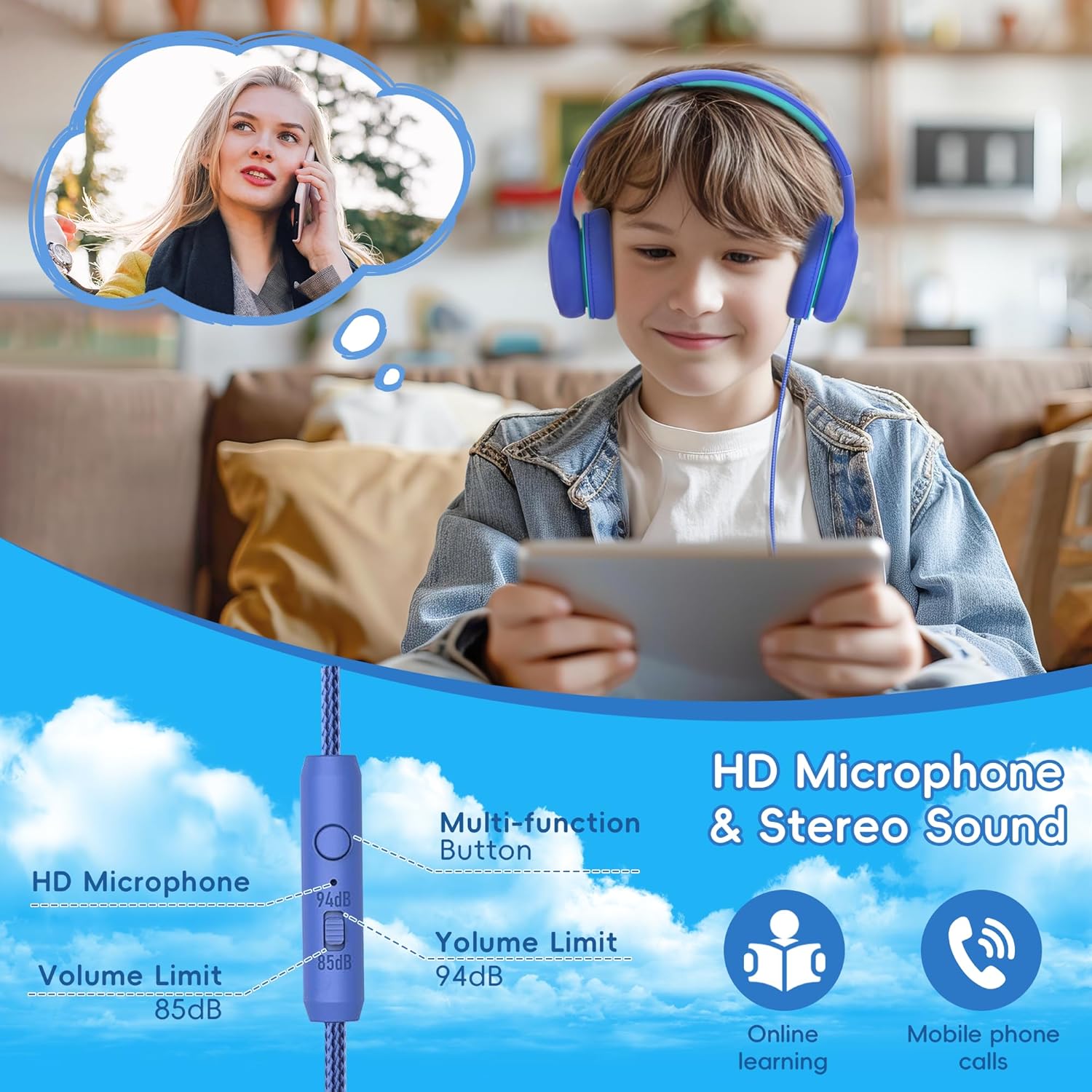
Figure 5.2: Depiction of the HD microphone and stereo sound capabilities, useful for online learning and mobile phone calls.

Figure 5.3: Close-up of the in-line remote with clear microphone for communication.
5.3 오디오 공유 기능
The gorsun A66 headphones include an audio share jack, allowing another pair of headphones to connect directly to them, sharing the audio from a single source device. No splitter is needed.
- Connect the gorsun A66 headphones to your primary audio source device.
- Plug a second pair of headphones (with a 3.5mm jack) into the audio share jack located on the gorsun A66 headphones.
- Both pairs of headphones will now receive audio from the primary source.

Figure 5.4: Children sharing audio from one device using the audio sharing feature of the headphones.

Figure 5.5: Close-up of the audio sharing port on the headphone ear cup.
6. 관리 및 유지 보수
Proper care will extend the life of your gorsun A66 headphones.
- 청소: Use a soft, dry, lint-free cloth to clean the ear cups and headband. Do not use liquid cleaners or sprays.
- 저장: 사용하지 않을 때는 헤드폰을 접어서 보관하십시오. 직사광선과 극한 온도 변화를 피해 서늘하고 건조한 곳에 보관하십시오.
- 케이블 관리: Avoid sharp bends or excessive pulling on the cable to prevent damage. The nylon-braided cable is designed for durability, but proper handling is still recommended.
- 습기를 피하세요: These headphones are not water-resistant. Keep them away from water, rain, and excessive humidity.
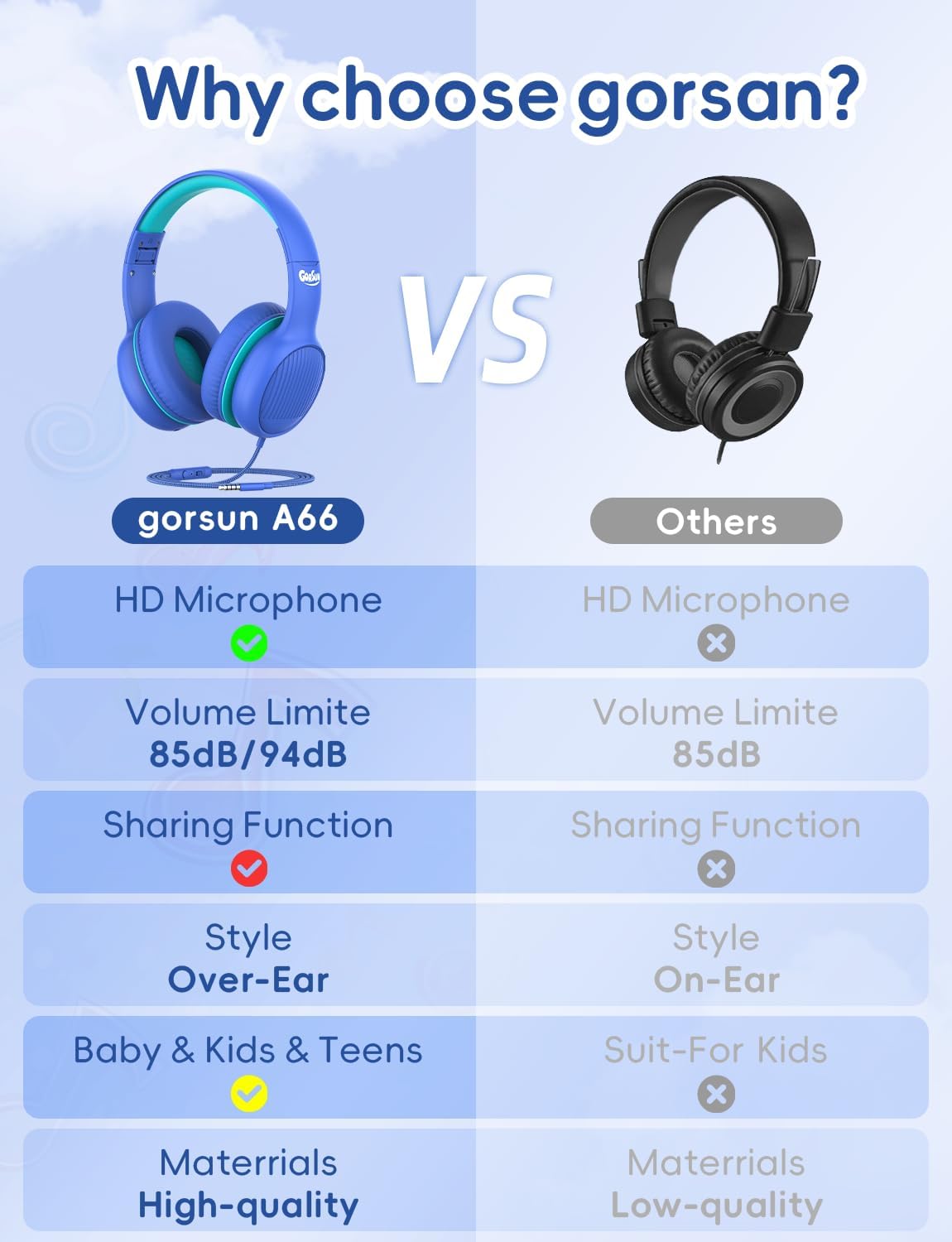
Figure 6.1: The foldable design for portability and soft over-ear cushions with a cushioned, stretchable headband for comfort.

Figure 6.2: Illustration of the durable 1.2-meter nylon cable design.
7. 문제 해결
헤드폰에 문제가 발생하면 다음의 일반적인 문제와 해결 방법을 참조하세요.
| 문제 | 가능한 원인 | 해결책 |
|---|---|---|
| 소리가 나지 않거나 볼륨이 작음 |
|
|
| 마이크가 작동하지 않습니다 |
|
|
| 오디오 공유가 작동하지 않습니다 |
|
|
8. 기술 사양
| 사양 | 세부 사항 |
|---|---|
| 모델명 | GS-A66 |
| 연결 기술 | 열광한 |
| 헤드폰 잭 | 3.5 mm 잭 |
| 드라이버 크기 | 40 밀리미터 |
| 감광도 | 85 dB (with 85dB/94dB volume limit) |
| 주파수 응답 | 20Hz - 20kHz |
| 임피던스 | 32옴 |
| 소음 제어 | 소리 차단 |
| 재료 | 아크릴로니트릴 부타디엔 스티렌(ABS) |
| 케이블 기능 | Tangle Free Nylon Cord |
| 품목 무게 | 7.1온스(200그램) |
| 제품 치수 | 6.3 x 5.51 x 3.15 인치 |
| 색상 | 파란색 |
| 연령대 (설명) | 어린이 |
9. 보증 및 고객 지원
gorsun is committed to crafting high-quality products and providing outstanding customer care.
If you have any questions or require assistance with your gorsun A66 headphones, please do not hesitate to reach out to our customer support team. We aim to respond and resolve your inquiries within 24 hours.
For support, please visit the official gorsun store on Amazon or contact us through the platform where you purchased the product.
Please note: Specific warranty terms and conditions may vary based on region and retailer. Refer to your purchase documentation for detailed warranty information.
10. 폐기정보
When disposing of the product, please ensure it is done in an environmentally responsible manner. Electronic devices should not be disposed of with household waste. Please recycle the product at an appropriate collection point for electrical and electronic equipment. Contact your local authorities for information regarding recycling facilities in your area.


