1. 서론
This manual provides detailed instructions for the setup, operation, and maintenance of your SKYWORTH T1 WiFi Bluetooth Projector. Please read this manual thoroughly before using the product to ensure proper function and to prevent damage.
The SKYWORTH T1 projector offers Native 1080P Full HD resolution with 4K support, 400 ANSI lumens brightness, and versatile connectivity options including WiFi and Bluetooth. It is designed for various entertainment and presentation needs.
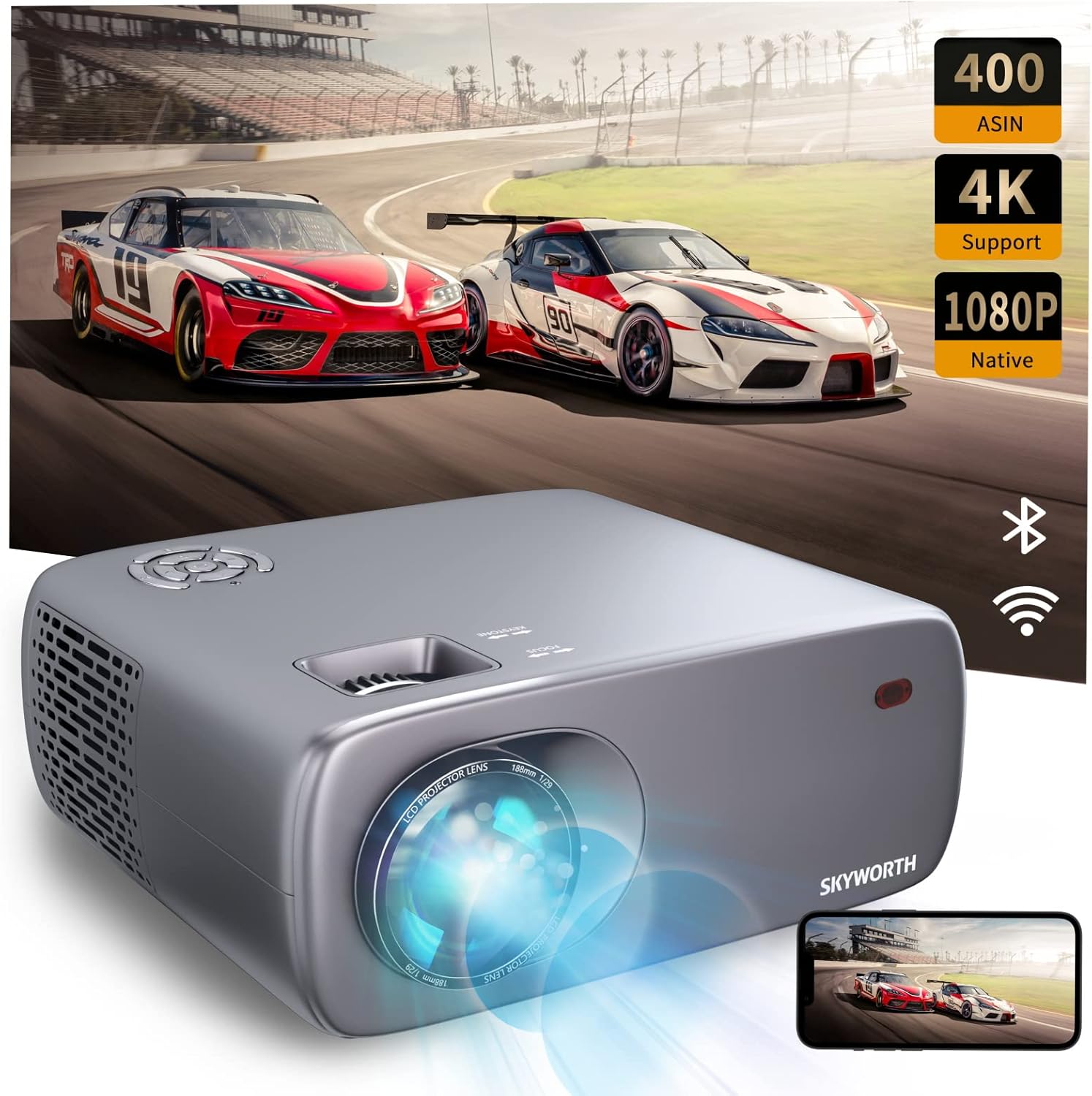
Image: The SKYWORTH T1 Projector, showcasing its capabilities with a vibrant projected image.
2. 제품 특징
2.1. 고화질 디스플레이
The T1 projector delivers a Native 1080P Full HD resolution, supporting 4K content for clear and detailed images. With 400 ANSI lumens, it provides sufficient brightness for various viewing environments. The projector also features an 80% NTSC color gamut for accurate and vivid color reproduction.

Image: High-definition projection from the SKYWORTH T1, emphasizing 1080P Full HD, 4K support, and 400 ANSI lumens.

Image: Visual representation of the projector's 80% NTSC color gamut for enhanced color accuracy.
2.2. 다양한 연결성
The projector supports multiple connection methods:
- 와이파이: For wireless screen mirroring from compatible devices (iOS Cast, Miracast).
- 블루투스: For connecting to external audio devices such as speakers or headphones.
- HDMI : Two HDMI 1.4 ports for connecting media players, gaming consoles, or laptops.
- USB: Two USB 2.0 ports for playing media directly from USB drives.
- 유명인 : One AV port for connecting older devices.
- 이어폰: One 3.5mm earphone jack for private listening.

이미지: 상세 view 프로젝터의 입력 및 출력 포트.

Image: The projector highlighting its Bluetooth connection capabilities with a remote control.
2.3. 이미지 조정
The T1 projector includes advanced image adjustment features to ensure a perfect display:
- 4D/4P 키스톤 보정: Adjusts vertical and horizontal angles up to ±40° to correct distorted images from off-axis projection.
- 50% 확대 기능: Allows you to reduce the screen size without moving the projector, providing flexibility in placement.

Image: Visual explanation of 4D/4P keystone correction for ideal image alignment.

Image: Diagram demonstrating the 50% zoom capability for flexible screen sizing.
2.4. Audio and Cooling
- 내장 스피커: Features a 5W HIFI speaker for integrated audio.
- Low-Noise Cooling: Equipped with a low-noise radiator dual fan system to minimize operational sound.

Image: Diagram illustrating the internal 5W HIFI speaker.
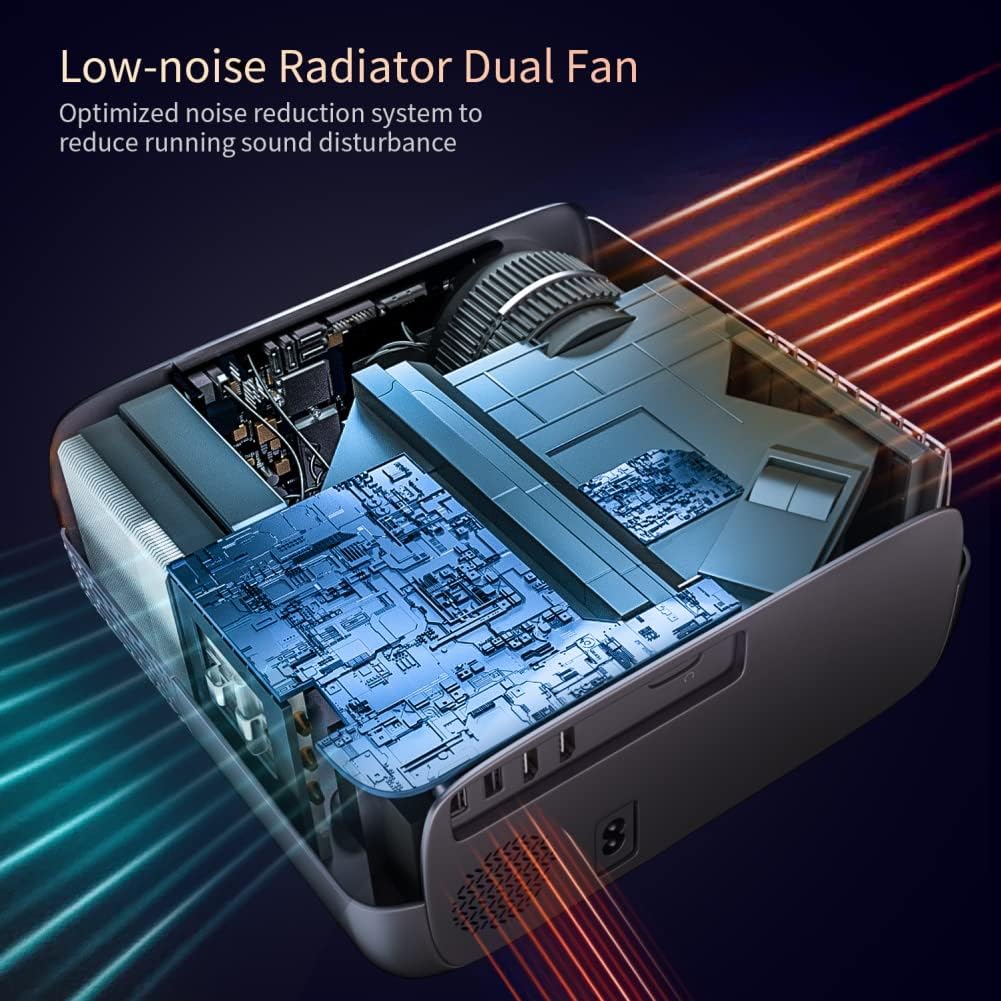
이미지: 내부 view of the projector's low-noise dual fan cooling system.
2.5. 제품 오버view 동영상
비디오: 오버view of the SKYWORTH T1 400 ANSI Lumens Projector, highlighting its WiFi and Bluetooth capabilities.
3. 설정 가이드
3.1. 포장 풀기 및 구성품
모든 구성품을 포장에서 조심스럽게 꺼내세요. 다음 품목이 모두 있는지 확인하세요.
- SKYWORTH T1 Projector
- 원격 제어
- 전원 케이블
- AV 케이블
- 사용 설명서 (본 문서)
3.2. 배치
프로젝터를 안정적이고 평평한 표면에 놓으십시오. 최적의 결과를 얻으려면 viewing, ensure the projector lens is perpendicular to the projection surface (wall or screen). Refer to the projection distance chart for recommended distances based on desired screen size.

Image: Recommended projection distances for different screen sizes.
3.3. 전원 연결
- 프로젝터의 전원 입력 포트에 전원 케이블을 연결하십시오.
- 전원 케이블의 다른 쪽 끝을 전원 콘센트에 꽂습니다.
- 프로젝터나 리모컨의 전원 버튼을 눌러 전원을 켜세요.
3.4. 초점 및 키스톤 조정
After powering on, adjust the focus and keystone correction for a clear, rectangular image.
- 집중하다: 프로젝터 렌즈의 초점 링을 돌려 이미지가 선명하게 보이도록 하십시오.
- 요지: Use the keystone adjustment controls (manual or digital via remote) to correct any trapezoidal distortion, ensuring the image is perfectly rectangular. The T1 supports 4D/4P keystone correction up to ±40°.
4. 사용 설명서
4.1. 소스 선택
Use the 'Source' button on the remote control or the projector's control panel to select the desired input source (HDMI1, HDMI2, USB1, USB2, AV, or Screen Mirroring).
4.2. 무선 화면 미러링
이 프로젝터는 iOS 및 안드로이드 기기용 무선 화면 미러링을 지원합니다.
- For iOS devices (iOS Cast): Select 'iOS Cast' from the main menu. Ensure your iOS device and the projector are connected to the same Wi-Fi network. On your iOS device, open Control Center and select 'Screen Mirroring', then choose the projector from the list.
- 안드로이드 기기(Miracast)의 경우: Select 'Miracast' from the main menu. Ensure your Android device's wireless display feature (often called 'Smart View', 'Screen Cast', or 'Wireless Display') is enabled. Select the projector from the available devices.
메모:
- Due to copyright restrictions, streaming services like Netflix, Amazon Prime Video, and Hulu may not support direct screen mirroring from mobile devices. For these services, it is recommended to use a TV Stick (e.g., Amazon Fire Stick, Roku) connected via HDMI.
- Bluetooth only supports audio transmission, not video.
4.3. 블루투스 오디오 연결
외부 블루투스 스피커 또는 헤드폰을 연결하려면:
- Bluetooth 오디오 장치가 페어링 모드인지 확인하세요.
- 프로젝터에서 블루투스 설정 메뉴로 이동하세요.
- 사용 가능한 블루투스 기기 목록에서 페어링할 기기를 선택하세요.
4.4. 원격 제어 사용
The included remote control allows you to navigate menus, adjust settings, change input sources, and control media playback. Ensure batteries are correctly inserted.
5. 유지관리
5.1. 렌즈 청소
광학 렌즈 전용으로 제작된 부드럽고 보풀 없는 천으로 프로젝터 렌즈를 살살 닦아주세요. 연마성 세척제나 과도한 힘을 사용하면 렌즈에 흠집이 생길 수 있으므로 피하십시오.
5.2. 환풍구 청소
Regularly clean the air vents to ensure proper airflow and prevent overheating. Use a soft brush or a vacuum cleaner with a brush attachment to remove dust from the vents.
5.3. 보관
장기간 사용하지 않을 경우 프로젝터를 직사광선과 극한 온도 변화를 피해 서늘하고 건조한 곳에 보관하십시오. 먼지 축적 및 물리적 손상을 방지하기 위해 원래 포장재 또는 보호 케이스를 사용하십시오.
6. 문제 해결
- 이미지가 없거나 흐릿하게 보입니다:
- Check the focus ring on the lens.
- Adjust keystone correction to ensure a rectangular image.
- Verify the input source is correctly selected and the external device is powered on.
- Ensure the projection distance is within the recommended range. - 소리 없음:
- 프로젝터와 연결된 소스 기기의 볼륨 설정을 확인하십시오.
- If using Bluetooth audio, ensure the device is properly paired and connected.
- If using HDMI, ensure the audio output settings on your source device are correct. - Cannot Connect to WiFi/Bluetooth:
- Ensure the projector's WiFi and Bluetooth functions are enabled.
- For WiFi, verify the network password is correct and the signal is strong.
- For Bluetooth, ensure the external device is in pairing mode and within range. - 리모콘이 응답하지 않음:
- 리모컨의 배터리를 확인하고 필요하면 교체하세요.
- Ensure there are no obstructions between the remote and the projector's IR receiver.
7. 기술 사양
| 특징 | 사양 |
|---|---|
| 상표 | 스카이워스 |
| 모델 번호 | T1 |
| 품목 무게 | 6.76파운드 |
| 제품 치수 | 10.2 x 9.6 x 4.3 인치 |
| 디스플레이 해상도 | 1920 x 1080 (기본 해상도) |
| 디스플레이 해상도 최대 | 1920 x 1080 (4K 입력 지원) |
| 명도 | 400 ANSI 루멘스 |
| 연결 기술 | Bluetooth, HDMI, USB, WiFi |
| 스피커 유형 | Built-In, Stereo (5W HIFI) |
| 키스톤 보정 | 4D/4P, ±40° |
| 줌 기능 | 50% |
| 추천 용도 | TV Stick, Home Theater, Outdoor Projection |
8. 보증 및 지원
For warranty information, technical support, or service inquiries, please refer to the official Skyworth website or contact their customer service directly. Details are typically provided in the product packaging or on the manufacturer's official support pages.


