1. 서론
This manual provides essential instructions for the safe and effective use of your VANKYO C751 Hybrid Active Noise Cancelling Headphones. Please read this manual thoroughly before using the product and retain it for future reference.
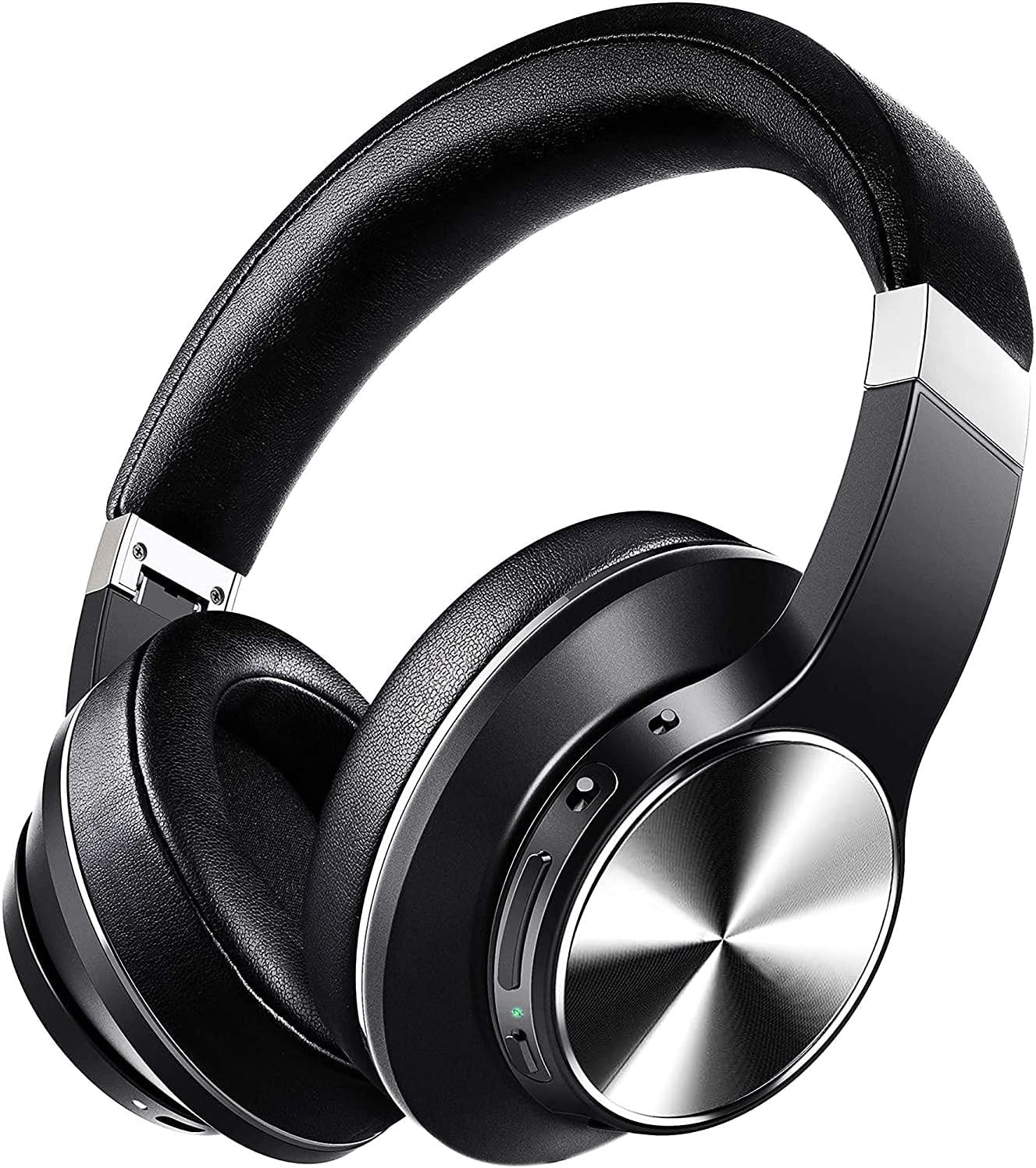
Image: The VANKYO C751 Hybrid Active Noise Cancelling Headphones, shown in black with silver accents, featuring over-ear cups and an adjustable headband.
2. 패키지 내용
아래 나열된 모든 품목이 패키지에 들어 있는지 확인하세요.
- VANKYO C751 Hybrid Active Noise Cancelling Headphones
- USB-C 충전 케이블
- 3.5mm 오디오 케이블
- 운반 케이스
- 사용 설명서 (본 문서)

Image: The VANKYO C751 headphones, a hard carrying case, a USB-C charging cable, and a 3.5mm audio cable, laid out on a surface.
3. 제품 오버view
헤드폰의 다양한 구성 요소와 제어 기능을 숙지하십시오.
3.1 컨트롤 및 포트
- 전원 버튼: 전원을 켜거나 끄려면 길게 누릅니다.
- 볼륨 업/다음 트랙: 짧게 누르면 볼륨이 커지고, 길게 누르면 다음 트랙이 됩니다.
- 볼륨 낮추기/이전 트랙: Short press for volume down, long press for previous track. Double press to change EQ band.
- 다기능 버튼(MFB): 재생/일시정지, 전화 받기/끊기.
- ANC 스위치 : 능동형 소음 제거 기능을 켜거나 끕니다.
- USB-C 충전 포트: 헤드폰을 충전합니다.
- 3.5mm 오디오 잭: 유선 연결용.
- 마이크로폰: 통화 및 음성 명령에 사용.

Image: A woman wearing the VANKYO C751 headphones, with an inset showing a close-up of the control buttons on the earcup.
3.2 헤드폰 착용하기
Adjust the headband for a comfortable and secure fit. The earcups are designed with pressure-relieving memory-protein ear pads for extended wear.

이미지: 클로즈업 view of the soft, black protein leather earpad of the VANKYO C751 headphones, highlighting its comfortable design.
4. 설정
4.1 헤드폰 충전
- Connect the USB-C charging cable to the headphone's charging port.
- 케이블의 다른 쪽 끝을 USB 전원 어댑터(포함되지 않음)나 컴퓨터의 USB 포트에 연결합니다.
- The LED indicator will show charging status. A full charge provides approximately 30 hours of playtime. A 10-minute quick charge provides up to 2 hours of listening.

Image: The VANKYO C751 headphones connected to a charging cable, with text indicating "30 Hours Playing Time" and "10 Mins USB-C turbo charging for 2 Hours use."
4.2 전원 켜기/끄기
- 전원을 켜려면: Press and hold the Power button for 2-3 seconds until the LED indicator flashes.
- 전원을 끄려면: 전원 표시등이 꺼질 때까지 전원 버튼을 3~4초 동안 길게 누르세요.
4.3 블루투스 페어링
- 헤드폰의 전원이 꺼져 있는지 확인하십시오.
- 전원 버튼을 약 5초 동안 길게 누르면 LED 표시등이 빨간색과 파란색으로 번갈아 깜빡이며 페어링 모드에 진입합니다.
- 장치(스마트폰, 태블릿, 컴퓨터)에서 Bluetooth를 활성화합니다.
- 검색 "VANKYO C751" in the list of available Bluetooth devices and select it to connect.
- 연결되면 LED 표시등이 파란색으로 천천히 깜박입니다.
4.4 유선 연결
To use the headphones in wired mode, connect one end of the 3.5mm audio cable to the headphone's audio jack and the other end to your audio source. Bluetooth functionality will be disabled automatically when the audio cable is connected.

Image: A split image showing the VANKYO C751 headphones connected via a 3.5mm audio cable (Wired Mode) and a separate image of the headphones indicating wireless connectivity (Wireless Mode).
5. 사용 설명서
5.1 능동형 소음 제거(ANC)
Toggle the ANC switch to activate or deactivate the Hybrid Active Noise Cancellation feature. This function reduces ambient noises by up to 90%, ideal for travel or noisy environments.

Image: A woman wearing the VANKYO C751 headphones, looking out a window, with text indicating "Advanced Active Noise Cancellation" and its ability to block out up to 90% of low and mid-range frequency noises.

Image: A graphic representation of sound waves, with one side showing a complex waveform and the other side showing a simplified waveform, illustrating the effect of active noise cancellation.
5.2 오디오 재생
- 재생/일시 중지: MFB를 한 번 누르세요.
- 볼륨 업: 볼륨 높이기 버튼을 짧게 누르세요.
- 볼륨 작게 : 볼륨 낮추기 버튼을 짧게 누르세요.
- 다음 트랙: 볼륨 높이기 버튼을 길게 누르세요.
- 이전 트랙 : 볼륨 낮추기 버튼을 길게 누르세요.
5.3 이퀄라이저(EQ) 설정
Double press the Volume Down button to cycle through different EQ bands for an amplified listening experience, such as Pop, Classic, Rock, Jazz, and Voice modes.

Image: A collage of five images representing different music genres or sound profiles: Pop, Classic, Rock, Jazz, and Voice, illustrating the EQ modes available on the VANKYO C751 headphones.
5.4 전화 통화
The integrated CVC 8.0 noise-cancelling microphone ensures clear hands-free calls.
- 전화 받기/종료: MFB를 한 번 누르세요.
- 전화 거부: MFB를 2초간 누르세요.
- 마지막 번호 재다이얼: MFB를 두 번 누릅니다.

Image: A woman wearing the VANKYO C751 headphones while participating in a video conference call on a computer, illustrating the clear call quality provided by the CVC 8.0 microphone.
6. 유지관리
6.1 청소
- 부드럽고 마른 천으로 헤드폰을 닦으세요.
- 연마성 세척제나 용제를 사용하지 마십시오.
- 어떠한 구멍에도 습기가 들어가지 않도록 주의하세요.
6.2 보관
When not in use, store the headphones in the provided carrying case to protect them from dust and damage. The foldable design allows for compact storage.
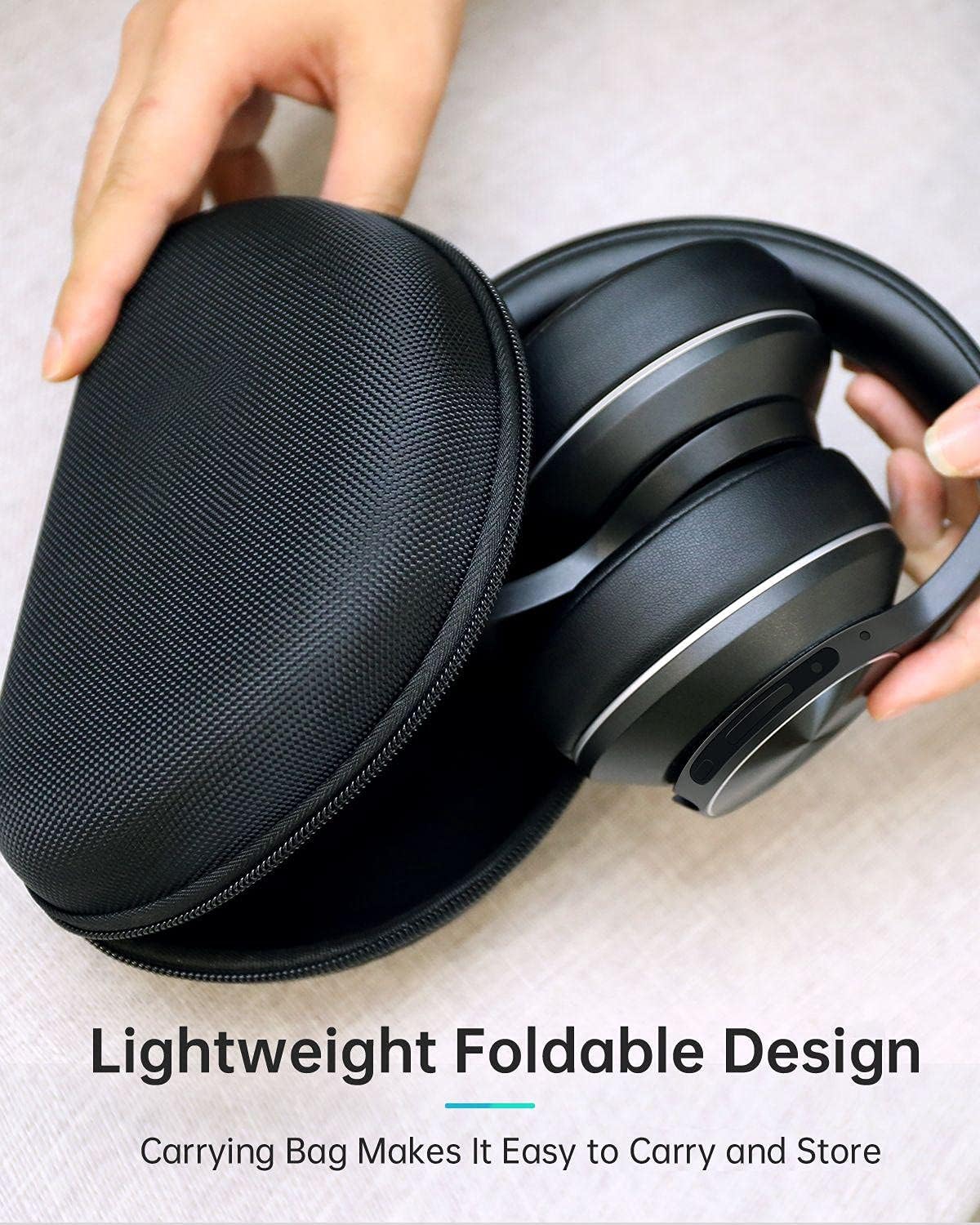
Image: The VANKYO C751 headphones, folded compactly, being placed into or removed from its black zippered carrying case, demonstrating its portable and protective design.
7. 문제 해결
- 전원 없음: 헤드폰이 충전되어 있는지 확인하세요. USB-C 케이블을 사용하여 전원에 연결하세요.
- 페어링할 수 없습니다: Ensure the headphones are in pairing mode (LED flashing red and blue). Turn off and on your device's Bluetooth, then try pairing again. Ensure the headphones are not connected to another device.
- 소리 없음: Check the volume level on both the headphones and your connected device. Ensure the headphones are properly paired or the 3.5mm audio cable is securely connected.
- 나쁜 음질: 간섭을 피하려면 블루투스 기기에 더 가까이 이동하세요. 다른 오디오 소스를 사용해 보세요. file.
- ANC가 효과적으로 작동하지 않음: Ensure the ANC switch is in the 'On' position. ANC is most effective against low-frequency, constant noise.
8. 사양
| 모델 | C751 |
| 연결성 | 블루투스 5.0, 3.5mm 오디오 잭 |
| 소음 제어 | 하이브리드 액티브 노이즈 캔슬링 |
| 마이크로폰 | CVC 8.0 Noise Cancelling Mic |
| 운전자 | Dual 40mm Large-Aperture Drivers |
| 배터리 수명 | 최대 30 시간 재생 |
| 충전 포트 | USB-C |
| 귀 위치 | 귀 위 |
| 제품 치수 | 15 x 6 x 10cm |
| 무게 | 718g |
9. 안전 정보
- 헤드폰을 극한의 온도나 습도에 노출시키지 마세요.
- 헤드폰을 떨어뜨리거나 강한 충격을 주지 마십시오.
- 헤드폰을 직접 분해하거나 수리하려고 하지 마세요.
- 청력 손상을 예방하려면 적당한 볼륨으로 들으세요.
- Do not use headphones while driving or in situations where you need to hear your surroundings.
10. 보증 및 지원
For warranty information or technical support, please refer to the contact details provided with your purchase documentation or visit the official VANKYO web사이트. 보증 청구를 위해 구매 증빙 자료를 보관하세요.


