1. 서론
The FreedConn KY Pro is a Bluetooth communication system designed for motorcycle helmets, enabling seamless communication between riders, music sharing, and hands-free calls. This manual provides detailed instructions for installation, operation, and maintenance to ensure optimal performance and user experience.
2. 패키지 내용
아래 나열된 모든 품목이 패키지에 포함되어 있는지 확인하세요.
- KY Pro Bluetooth Headset Unit
- USB 충전 케이블
- 후크 클립 및 벨크로 클립
- 6-in-1 소프트 & 하드 마이크 이어폰 세트
- 헤드폰 벨크로 패드
- 사용 설명서 (본 문서)

Image: FreedConn KY Pro package contents, including the main unit, charging cable, mounting clips, microphone/speaker set, and velcro pads.
3. 제품 오버view
Familiarize yourself with the main components and controls of your KY Pro unit:

Image: Diagram of the FreedConn KY Pro unit with labels for its various parts, including speakers, buttons, LED indicator, and microphones.
4. 설치
Proper installation ensures optimal audio quality and secure fit. The KY Pro can be installed on various helmet types.
4.1 일반 설치 단계
- Attach the mounting clip (hook or velcro) to the side of your helmet.
- Slide the KY Pro unit onto the mounted clip until it clicks securely.
- Route the speaker wires inside the helmet lining, positioning the speakers over your ears.
- Attach the microphone to a suitable position near your mouth, ensuring it is clear of the visor.
- Tuck away any excess wires neatly within the helmet padding.
4.2 Installation Video for Half Helmets
Video: This video demonstrates the step-by-step installation of the FreedConn KY Pro Bluetooth headset on a half-face motorcycle helmet, showing how to attach the unit, route wires, and position speakers and microphone.
4.3 Installation Video for Full Face Helmets
Video: This video illustrates the installation process of the KY Pro Bluetooth headset on a full-face motorcycle helmet, detailing how to secure the unit and arrange the internal components for a comfortable fit.
5. 기본 작업
5.1 전원 켜기/끄기
- 전원 켜기: Long press the 'On/Off' button for approximately 3 seconds until the LED indicator lights up.
- 전원 끄기 : Long press the 'On/Off' button for approximately 5 seconds until the LED indicator turns off.
5.2 볼륨 조절
- 볼륨 증가: 조그 휠을 앞으로 돌리세요.
- 볼륨 감소: 조그 휠을 뒤쪽으로 돌리세요.
5.3 배터리 잔량 확인
Short press the 'On/Off' button once to hear a voice prompt indicating the current battery level.
6. Pairing & Intercom
The KY Pro supports various pairing modes for communication with other devices and riders.
6.1 Two-Device Pairing
- Ensure both KY Pro units are off.
- Long press the 'On/Off' button on both devices for 8 seconds until the red and blue lights flash alternately, indicating pairing mode.
- Press the 'On/Off' button on one of the devices to initiate the search for the other.
- Once paired, the red and blue lights will turn to a blue flash, and intercom can begin.
Video: This video provides instructions on how to pair two FreedConn Bluetooth headsets for intercom communication, detailing the button presses and light indicators.
6.2 Group Intercom (Up to 4 Riders)
The KY Pro supports group intercom for up to 4 riders. Follow the video instructions for detailed pairing steps.

Image: Illustration of the FreedConn KY Pro group intercom feature, showing two riders communicating with a range of up to 400 meters between two bikers.
Video: This video explains how to pair multiple FreedConn BM22 (similar to KY Pro) intercom Bluetooth helmets for group communication among 2-3 riders, expandable up to 6 riders.
6.3 Universal Pairing with Other Brands
The KY Pro can connect with Bluetooth headsets from other brands.
- Put the third-party brand device into its matchable state (refer to its manual).
- On your KY Pro, press the 'On/Off' button for 3 seconds to power on, then long press the multi-function button for 8 seconds until red and blue lights flash to enter enhanced pairing mode.
- Press the 'On/Off' button on the KY Pro again to actively search for the third-party device.
- Upon successful pairing, a voice prompt "Intercom Connected" will be received, and the red and blue LED lights will turn into blue light flashes.
Video: This video demonstrates how the FreedConn intercom system can communicate and pair with Bluetooth headsets from other brands, explaining the universal pairing process.
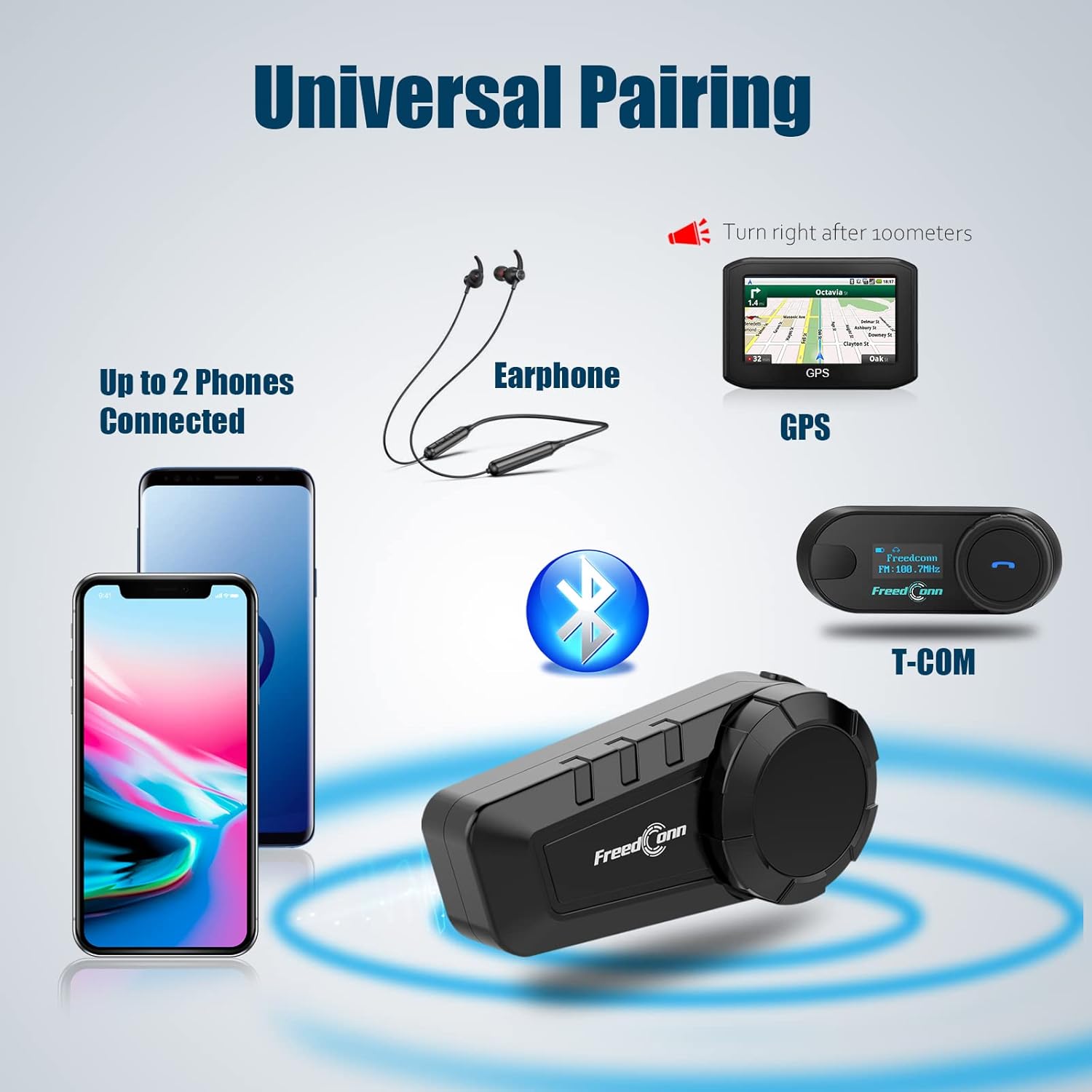
Image: The FreedConn KY Pro demonstrating universal pairing capabilities, connecting to up to two phones, an earphone, GPS, and another T-COM unit via Bluetooth.
7. 음악 공유
Share your music with another KY Pro user.
7.1 Turn On Music Sharing Mode
- Ensure two devices are paired and not in intercom mode. Press the multi-function button on the device playing music to pause it.
- Double press the 'On/Off' button on the device that needs to share music to start music sharing mode.
- After 1-2 seconds, you will hear the sound "Turn on Share". Both devices will now play the same music.

Image: Two riders on a motorcycle, illustrating the music sharing feature of the FreedConn KY Pro, allowing them to enjoy high-quality stereo sound together.
7.2 Stop Music Sharing Mode
- Press the multi-function button again to pause the music.
- Then press the 'On/Off' button twice. When you hear the prompt of "Turn off Share", it means that the music sharing mode has been closed successfully.
8. 음성 명령
The KY Pro supports voice commands for hands-free operation.
- Voice Assistant 활성화 : Short press the multi-function button to activate your phone's voice assistant (Siri for iPhone, S Voice for Samsung).
- You can answer calls, reject/redial the last call hands-freely with one-touch control during motorcycle riding.

Image: The FreedConn KY Pro headset illustrating support for Siri (iPhone) and S Voice (Samsung) voice commands for hands-free control.
9. 유지 및 관리
To ensure the longevity and performance of your KY Pro, follow these maintenance guidelines:
- 방수 디자인 : The KY Pro features an IP65 waterproof and dustproof design, allowing it to function in various weather conditions like rain and snow.
- 배터리 수명: The 500mAh low-power consumption battery provides up to 168 hours standby, 10 hours intercom, and 11 hours talk time. A full charge takes approximately 1 hour.
- 청소: 부드러운 d를 사용하세요amp cloth to clean the unit. Avoid harsh chemicals.
- 저장: 사용하지 않을 때는 장치를 서늘하고 건조한 곳에 보관하십시오.

Image: The FreedConn KY Pro highlighting its IP65 dustproof and waterproof design, capable of effectively preventing rain damage.

Image: The FreedConn KY Pro showcasing its high effective low-power consumption, offering up to 168 hours of standby time and featuring Type-C fast charging.
10. 문제 해결
If you encounter issues with your KY Pro, refer to the following common problems and solutions:
- 전원 없음: 기기가 완전히 충전되었는지 확인하십시오. 전원에 연결하고 충전 표시등을 확인하십시오.
- 페어링할 수 없습니다: Make sure both devices are in pairing mode (red and blue lights flashing alternately). Clear previous pairing records if necessary and try again.
- 소리가 나지 않음/볼륨이 낮음: Check volume levels on both the KY Pro and your connected phone/device. Ensure speakers are correctly positioned in the helmet.
- 인터콤 연결 해제: Ensure devices are within the specified range (up to 1200m total, 400m between two bikers). Obstacles or interference can affect connection stability.
- 음성 지원이 응답하지 않음: Ensure your phone's voice assistant is enabled and the phone is properly paired with the KY Pro.
11. 사양
| 특징 | 세부 사항 |
|---|---|
| 무선 통신 기술 | 블루투스 |
| 블루투스 버전 | 5.0 |
| 인터콤 범위 | Up to 1200m (MAX distance between 2 bikers is 400m) |
| 그룹 인터콤 | 최대 6명의 라이더 |
| 배터리 용량 | 500mAh 리튬 폴리머 |
| 대기 시간 | 168시간 |
| 인터콤 시간 | 10시간 |
| 통화 시간 | 11시간 |
| 충전 시간 | 1시간 |
| 방수 레벨 | IP65 방수 |
| 제어 방법 | 만지다 |
| 재료 | 아크릴로니트릴 부타디엔 스티렌(ABS) |
| 품목 무게 | 11.2 온스 |
| 패키지 크기 | 5.8 x 4.5 x 2.5 인치 |
12. 보증 및 지원
For warranty information and technical support, please refer to the documentation provided with your purchase or visit the official FreedConn web사이트. 보증 청구를 위해 구매 증빙 자료를 보관하세요.


