소개
Thank you for choosing the CORN HB001 Bluetooth Wireless Headphones. This manual provides essential information for setting up, operating, and maintaining your headphones. Please read it carefully before use to ensure optimal performance and longevity of your device. Keep this manual for future reference.
제품 끝view
The CORN HB001 headphones offer a comfortable on-ear design with wireless Bluetooth connectivity, allowing you to enjoy high-quality audio without the constraints of cables. They also feature a 3.5mm audio jack for wired connection when wireless is not preferred or battery is low.
헤드폰 부품
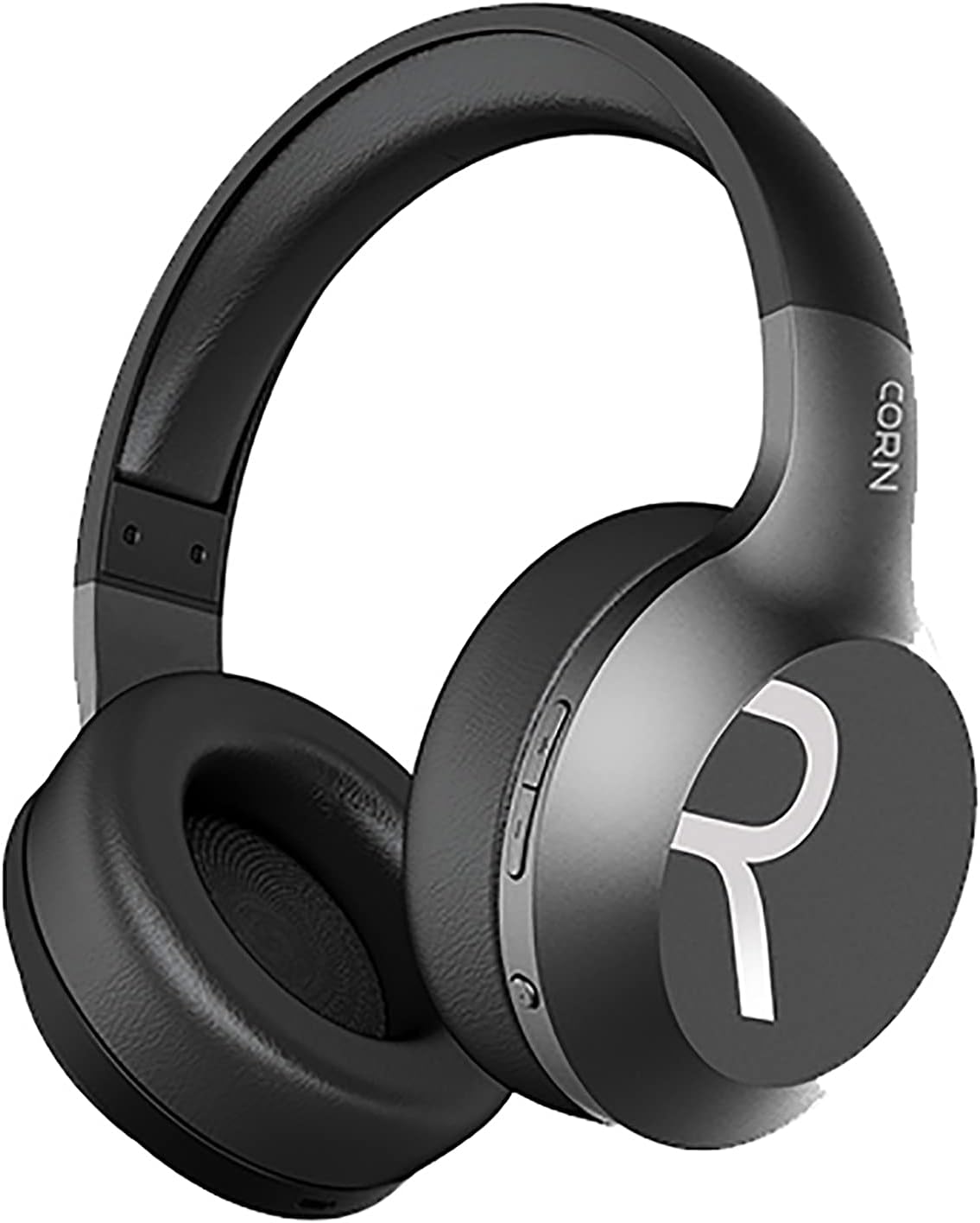
이미지 1: 전반적인 view of the CORN HB001 Bluetooth Wireless Headphones. The image displays the black on-ear headphones with adjustable headband and earcups, featuring the 'CORN' brand logo on the side.
컨트롤 레이아웃

이미지 2: Close-up of the control buttons located on the right earcup. These typically include volume up/down and a multi-function button for power, play/pause, and call management.
Familiarize yourself with the buttons and ports on your headphones. Typically, you will find a power/multi-function button, volume controls, a charging port (e.g., USB-C), and a 3.5mm audio jack.
설정
1. 헤드폰 충전
Before first use, fully charge your headphones. Connect the charging cable (usually USB) to the charging port on the headphones and the other end to a USB power source (e.g., computer, wall adapter). The LED indicator will typically show red during charging and turn off or blue when fully charged.
- 충전 시간: 약 2시간.
- 배터리 용량: 300mAh.
2. 블루투스 페어링
헤드폰을 장치에 무선으로 연결하려면:
- 헤드폰이 충전되어 있고 꺼져 있는지 확인하세요.
- 전원/다기능 버튼을 약 5~7초 동안 길게 누르면 LED 표시등이 파란색과 빨간색으로 번갈아 깜빡이며 페어링 모드에 진입합니다.
- 기기(스마트폰, 태블릿, 컴퓨터)에서 Bluetooth를 활성화하고 새로운 기기를 검색하세요.
- Select "CORN HB001" from the list of available devices.
- Once connected, the LED indicator will usually flash blue slowly or turn solid blue.
- 헤드폰의 전원을 켜면 마지막으로 페어링된 기기에 자동으로 다시 연결을 시도합니다.
작동 지침
전원 켜기/끄기
- 전원 켜기: Press and hold the Power/Multi-function button for about 3 seconds until the LED indicator lights up blue.
- 전원 끄기 : Press and hold the Power/Multi-function button for about 3-5 seconds until the LED indicator turns red and then off.
음악 재생
- 재생/일시 중지: 전원/다기능 버튼을 한 번 누르세요.
- 볼륨 업: '+' 버튼을 누르세요.
- 볼륨 작게 : '-' 버튼을 누르세요.
- 다음 트랙: '+' 버튼을 길게 누르세요.
- 이전 트랙 : '-' 버튼을 길게 누르세요.
통화 관리
- 전화 받기/종료: 전원/다기능 버튼을 한 번 누르세요.
- 전화 거부: Press and hold the Power/Multi-function button for about 2 seconds.
- 마지막 번호 재다이얼: 전원/다기능 버튼을 두 번 누릅니다.
Wired Mode (3.5mm Audio Jack)
You can use the headphones in wired mode even if the battery is depleted. Simply connect one end of a 3.5mm audio cable (not always included) to the headphone's 3.5mm jack and the other end to your audio source. In wired mode, Bluetooth functions are disabled, and controls on the headphones may not function.
유지
Proper maintenance ensures the longevity of your headphones.
- 청소: Use a soft, dry cloth to wipe the headphones. Do not use abrasive cleaners or solvents. For ear cushions, gently wipe with a damp 천을 덮고 공기 중에 완전히 건조시키세요.
- 저장: Store the headphones in a cool, dry place away from direct sunlight and extreme temperatures. If your headphones are foldable, fold them carefully to prevent damage.
- 물 노출: 이 헤드폰은 방수가 되지 않습니다. 물, 습기 또는 비에 노출되지 않도록 주의하세요.
문제 해결
문제가 발생하면 다음 해결 방법을 시도해 보세요.
| 문제 | 해결책 |
|---|---|
| 헤드폰이 켜지지 않습니다 | 헤드폰이 완전히 충전되었는지 확인하십시오. 전원 버튼을 몇 초 동안 길게 누르십시오. |
| 기기와 페어링할 수 없습니다 | Ensure headphones are in pairing mode (flashing blue/red). Turn off and on Bluetooth on your device. Forget previous pairings and try again. Ensure headphones are within 10m range. |
| 소리가 나지 않습니다 | Check volume levels on both headphones and your device. Ensure headphones are properly paired. Try wired connection if available. |
| 음질이 좋지 않음 | Move closer to your device to reduce interference. Ensure no physical obstructions between headphones and device. |
명세서
| 특징 | 세부 사항 |
|---|---|
| 모델명 | HB001 |
| 브랜드 이름 | 옥수수 |
| 연결 기술 | 무선, 블루투스 |
| 무선 버전 | V5.0 |
| 작동 거리 | 10 미터 |
| 스피커 드라이버 크기 | 직경 40mm |
| 스피커 임피던스 | 32Ω |
| 스피커 전원 | 15mW |
| 배터리 용량 | 300mAh |
| 충전 시간 | 약 2시간 |
| 근무시간 | 약 8시간 |
| 헤드폰 폼 팩터 | 온이어 |
| 헤드폰 잭 | 3.5mm Jack (for wired use) |
| 포함된 구성 요소 | 이어쿠션 |
| 연령대 설명 | 성인 |
| 재료 | 플라스틱 |
| 색상 | 검은색 |
보증 및 지원
For warranty information or technical support, please refer to the documentation included with your purchase or contact the manufacturer directly through their official web웹사이트 또는 고객 서비스 채널을 이용하세요. 보증 청구를 위해 구매 증빙 자료를 보관하십시오.


