1. 서론
구매해주셔서 감사합니다asing the EARISE D61 Plus Bluetooth Speaker. This manual provides important information regarding the safe operation, setup, and maintenance of your device. Please read it thoroughly before use and retain it for future reference.

Image 1.1: The EARISE D61 Plus Bluetooth Speaker, showcasing its portable design and integrated RGB lighting.
2. 중요한 안전 정보
- Do not expose the speaker to water or excessive moisture, as it is not waterproof.
- 극한 온도, 직사광선 또는 열원을 피하십시오.
- Do not disassemble, repair, or modify the device. Refer all servicing to qualified personnel.
- 지정된 충전 케이블과 전원 어댑터만 사용하세요.
- 스피커를 어린이와 애완동물의 손이 닿지 않는 곳에 보관하세요.
- 청력 손상을 방지하기 위해 스피커를 장시간 지나치게 큰 소리로 작동시키지 마십시오.
3. 패키지 내용
다음 품목이 패키지에 포함되어 있는지 확인하세요.
- EARISE D61 Plus Bluetooth Speaker
- USB 충전 케이블
- 사용 설명서 (본 문서)
품목이 누락되었거나 손상된 경우 고객 지원팀에 문의하세요.
4. 제품 오버view
스피커의 구성 요소와 제어 장치에 대해 알아보세요.
이미지 4.1: 앞면 view of the EARISE D61 Plus speaker, highlighting the control panel and speaker grille.
4.1 제어판 및 포트

Image 4.2: Diagram illustrating the various input options and features of the speaker, including USB, TF card, AUX, Microphone, Bluetooth, and FM radio.
- 모드/조명 버튼: Short press to switch between input modes (Bluetooth, AUX, USB, TF, FM). Long press to change light effects.
- M-/V- Button: Short press for previous track (in music modes) or previous station (in FM mode). Long press to decrease volume.
- MSCAN/TWS Button: Short press to Play/Pause (in music modes) or auto-scan FM stations (in FM mode). Long press to activate TWS pairing.
- M+/V+ Button: Short press for next track (in music modes) or next station (in FM mode). Long press to increase volume.
- USB 포트: USB 플래시 드라이브 재생용입니다.
- TF 카드 슬롯 : TF(MicroSD) 카드 재생용.
- 보조 입력: 3.5mm 오디오 케이블을 통해 외부 오디오 장치를 연결합니다.
- 마이크 입력: 마이크를 연결합니다.
- 충전 포트: 스피커의 내장 배터리를 충전합니다.
5. 설정
5.1 스피커 충전
Before first use, fully charge the speaker. Connect the provided USB charging cable to the speaker's charging port and the other end to a USB power adapter (not included) or a computer's USB port. The charging indicator will illuminate during charging and turn off when fully charged.

Image 5.1: Visual representation of the speaker being charged, indicating battery status.
5.2 전원 켜기/끄기
Press and hold the Power button (often integrated with the MODE button or a separate switch, refer to physical device for exact location) to turn the speaker ON or OFF. A sound prompt will indicate the power status.
5.3 블루투스 페어링
- Ensure the speaker is powered on and in Bluetooth mode (indicated by a voice prompt or flashing LED). If not, short press the MODE/LIGHT button to switch to Bluetooth mode.
- 모바일 기기(스마트폰, 태블릿 등)에서 Bluetooth를 활성화하세요.
- 검색 available Bluetooth devices. You should see "EARISE D61 Plus" in the list.
- Select "EARISE D61 Plus" to connect. Once paired, a confirmation sound will be heard.
- The speaker will automatically reconnect to the last paired device when in Bluetooth mode, if the device is within range and Bluetooth is enabled.
5.4 TWS(True Wireless Stereo) 페어링
To achieve stereo sound, you can pair two EARISE D61 Plus speakers together.

Image 5.2: Illustration of two EARISE D61 Plus speakers connected via TWS for a stereo audio experience, controlled by a single smartphone.
- Ensure both EARISE D61 Plus speakers are powered on and in Bluetooth mode, but not yet connected to any device.
- On one of the speakers (this will be the primary speaker), long press the MSCAN/TWS button. You will hear a prompt indicating TWS pairing mode.
- 두 스피커는 자동으로 서로를 검색하여 연결됩니다. 연결 성공 시 확인음이 들립니다.
- Once paired, the primary speaker will be ready for Bluetooth connection to your mobile device. Follow the steps in "5.3 Bluetooth Pairing" to connect your device to the primary speaker.
- 이제 두 스피커를 통해 오디오가 스테레오로 재생됩니다.
- To disconnect TWS, long press the MSCAN/TWS button on either speaker.
6. 사용 설명서
6.1 모드 선택
짧게 누르세요 모드/조명 button to cycle through available input modes: Bluetooth, AUX, USB, TF Card, FM Radio.
6.2 Audio Playback (Bluetooth, USB, TF Card, AUX)
- 재생/일시 중지: 짧게 누르세요 MSCAN/TWS 단추.
- 다음 트랙: 짧게 누르세요 M+/V+ 단추.
- 이전 트랙 : 짧게 누르세요 M-/V- 단추.
- 볼륨 업: 길게 누르세요 M+/V+ 단추.
- 볼륨 작게 : 길게 누르세요 M-/V- 단추.
6.3 FM 라디오 작동
- FM 모드로 전환하려면 다음을 사용하세요. 모드/조명 단추.
- 짧게 누르세요 MSCAN/TWS button to automatically scan and save available FM stations. The speaker will play the first saved station.
- 짧은 프레스 M+/V+ or M-/V- 저장된 역 사이를 이동하기 위해.
6.4 RGB 조명 효과
The speaker features dynamic RGB lighting. Long press the 모드/조명 버튼을 눌러 다양한 조명 모드를 전환하거나 조명을 끌 수 있습니다.
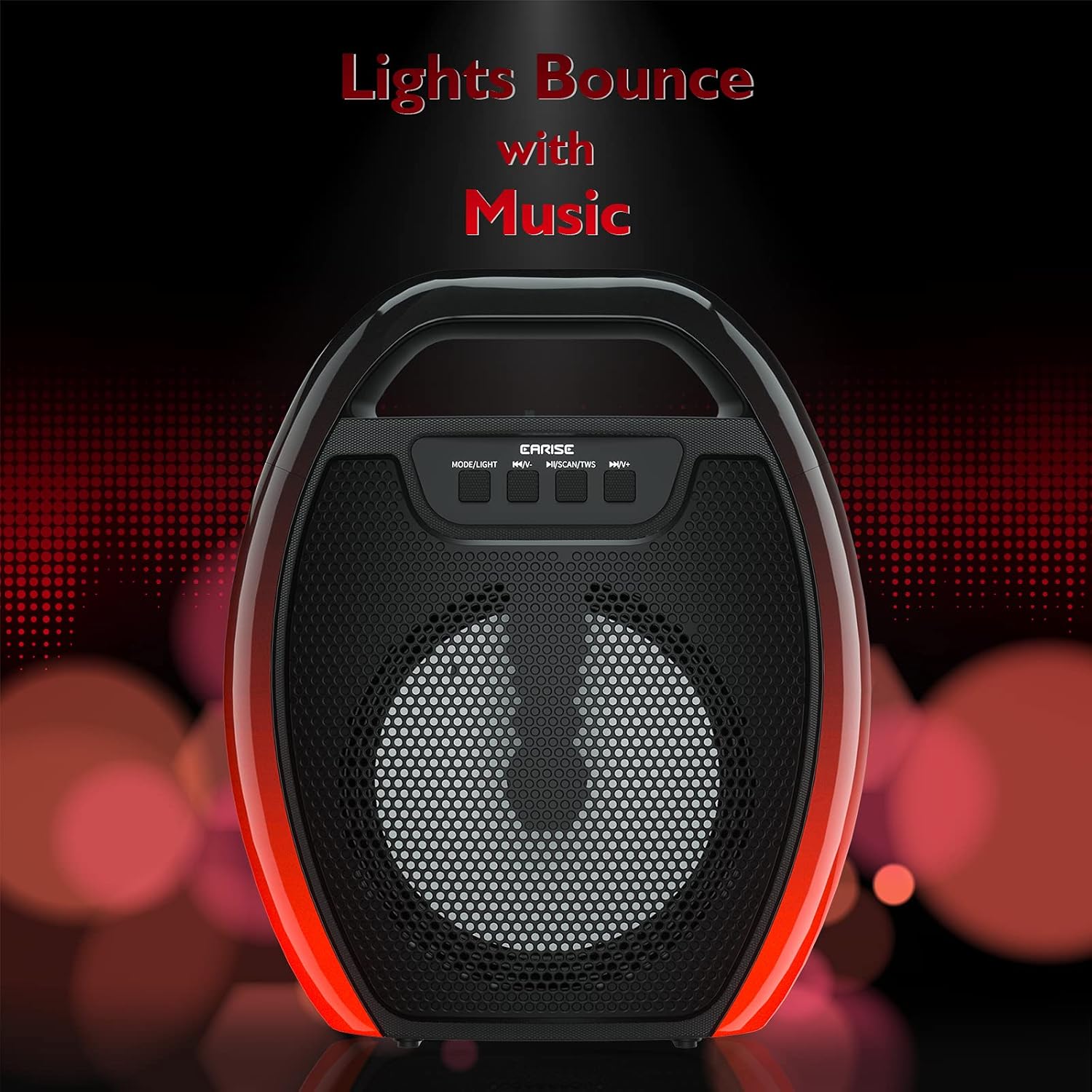
Image 6.1: The speaker displaying its light effects, which can synchronize with music playback.
6.5 마이크 입력
Connect a wired microphone (not included) to the MIC input port for karaoke or public address functions. Adjust the microphone volume using the connected microphone's controls or the speaker's main volume controls.
7. 유지관리
- 청소: 스피커를 닦을 때는 부드럽고 마른 천을 사용하십시오. 액체 세척제나 스프레이형 세척제는 사용하지 마십시오.
- 저장: 스피커는 직사광선과 극한의 온도를 피해 시원하고 건조한 곳에 보관하세요.
- 배터리 관리 : To prolong battery life, fully charge the speaker before long periods of inactivity and recharge it at least once every three months. Avoid completely draining the battery frequently.
8. 문제 해결
| 문제 | 가능한 원인 | 해결책 |
|---|---|---|
| 스피커의 전원이 켜지지 않습니다. | 배터리가 부족합니다. 전원 버튼을 제대로 누르지 않았습니다. | 스피커를 충전하려면 전원 버튼을 몇 초 동안 길게 누르세요. |
| 블루투스로 페어링할 수 없습니다. | 스피커가 페어링 모드가 아닙니다. 기기 블루투스가 꺼져 있습니다. 스피커와 기기 사이의 거리가 너무 멉니다. 이미 다른 기기에 연결되어 있습니다. | Ensure speaker is in Bluetooth pairing mode; Turn on Bluetooth on your device; Move device closer to speaker; Disconnect from other devices. |
| 소리가 나지 않습니다. | 볼륨이 너무 작습니다. 입력 모드가 올바르지 않습니다. 기기에서 소리가 재생되지 않습니다. | Increase speaker and device volume; Switch to correct input mode (Bluetooth, AUX, etc.); Ensure audio is playing on your device. |
| TWS 페어링이 실패합니다. | Speakers too far apart; One speaker already paired to a device; Not in TWS pairing mode. | Ensure speakers are close; Disconnect both speakers from any devices; Long press MSCAN/TWS on one speaker to initiate TWS pairing. |
| RGB 조명이 작동하지 않습니다. | 조명이 꺼졌습니다. 고장입니다. | Long press MODE/LIGHT button to cycle through light modes; If issue persists, contact support. |
9. 사양
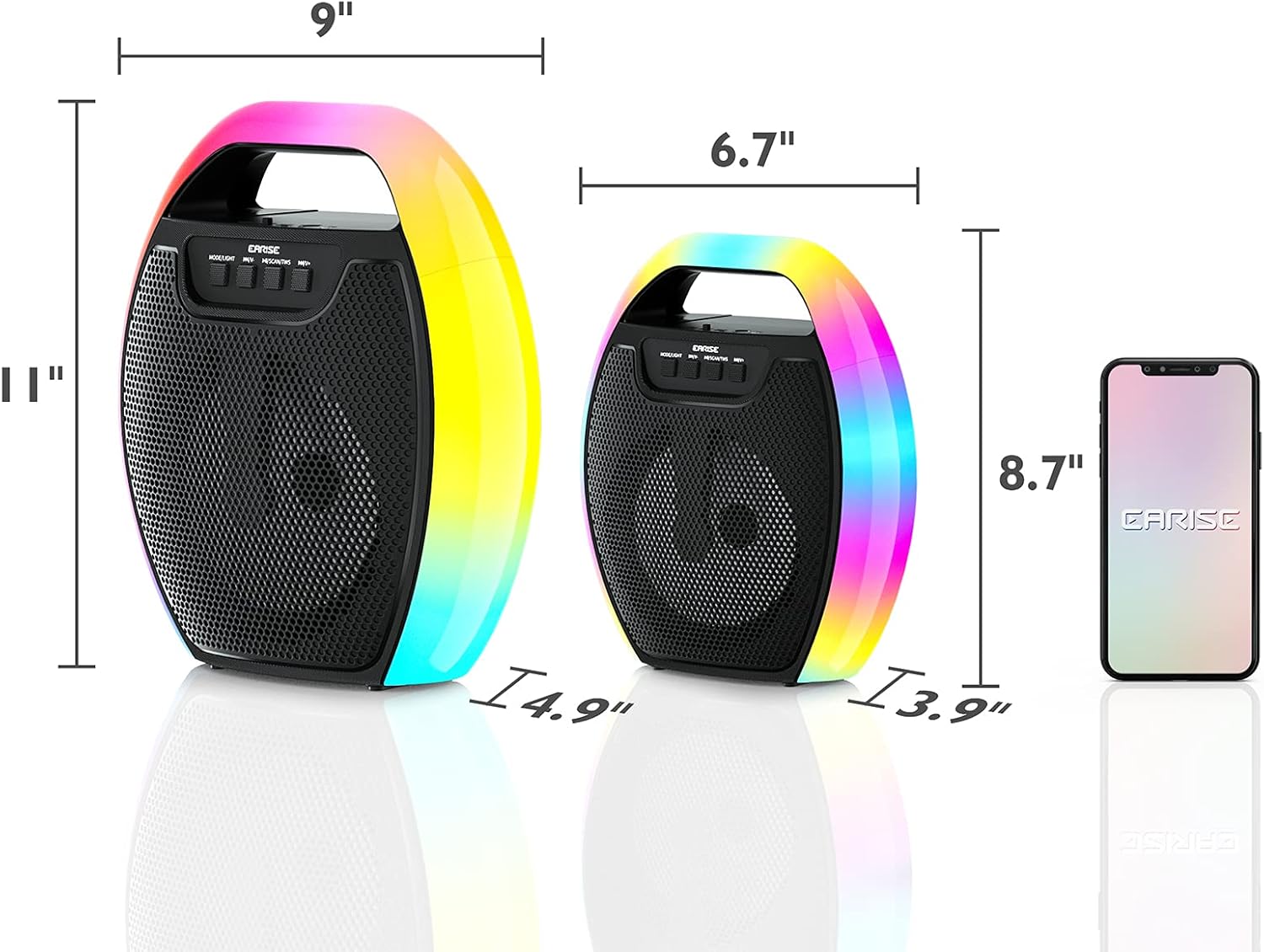
Image 9.1: Product dimensions of the EARISE D61 Plus speaker.
| 특징 | 세부 사항 |
|---|---|
| 모델명 | D61 플러스 |
| 상표 | 에이리스 |
| 연결 기술 | Bluetooth, Auxiliary (3.5mm), USB, TF Card, FM Radio |
| 오디오 출력 모드 | 스테레오(TWS 포함) |
| 스피커 유형 | 휴대용 야외 스피커 |
| 스피커 크기 | 4 인치 |
| 전원 | 배터리 구동 |
| 배터리 수명 | Up to 12 Hours (actual playtime varies with volume and light usage) |
| 방수복 | 아니요 |
| 제품 치수 | 9 x 5 x 11인치(L x W x H) |
| 품목 무게 | 2.28파운드 |
| 특별 기능 | RGB Lights, TWS Pairing, Portable |
10. 보증 및 지원
EARISE products are designed and manufactured to the highest quality standards. For information regarding warranty coverage, technical support, or service inquiries, please refer to the warranty card included with your purchase or visit the official EARISE web대지.
보증 청구를 위해 구매 증명서를 보관하십시오.