소개
Thank you for choosing the Altec Lansing Shockwave Wireless Party Speaker. This manual provides essential information for setting up, operating, and maintaining your speaker to ensure optimal performance and longevity. Please read these instructions carefully before using the product.

이미지: 앞면 view of the Altec Lansing Shockwave speaker, highlighting its LED lights, 150W peak power, 10 hours play time, True Wireless Pairing, and multi-light party modes. A microphone is also shown as an included accessory.
주요 특징:
- 강력한 오디오 출력: 150W peak power for clear and crisp sound.
- 동적 LED 조명: Built-in LED lights with 7 modes that sync with your music.
- 다양한 연결성: Bluetooth 5.0 for stable wireless connection, USB, and AUX inputs.
- 연장된 플레이 시간: Rechargeable battery provides up to 10 hours of audio playback.
- USB Smartphone Charger: Integrated USB port to charge your mobile devices.
- 마이크 입력: Supports microphone for karaoke or public speaking.
- 진정한 무선 페어링: Connect two Shockwave speakers for a stereo experience.
설치 가이드
1. 스피커 충전
Before first use, fully charge the speaker. Connect the provided power adapter to the DC IN port on the speaker and plug it into a standard wall outlet. The charging indicator light will illuminate. Once fully charged, the indicator may change color or turn off, depending on the model. A full charge provides up to 10 hours of playtime.
2. 전원 켜기 / 끄기
를 누르고 계세요 전원 버튼 located on the control panel to turn the speaker on or off. You will hear an audible prompt indicating the power status.

Image: Close-up of the speaker's top control panel, showing inputs for MIC1, MIC2, USB-OUT, AUX, DC IN, and various control buttons including FM/AUX, BT/PAIR, LIGHTS, VOLUME-, VOLUME+, and Power.
3. 블루투스 페어링
- 스피커의 전원이 켜져 있는지 확인하십시오.
- 스피커는 자동으로 블루투스 페어링 모드로 전환되며, 블루투스 표시등이 깜빡입니다.
- 모바일 기기에서 블루투스를 활성화하고 사용 가능한 기기를 검색하세요.
- 선택하다 "Altec Lansing Shockwave" 목록에서.
- 페어링이 완료되면 Bluetooth 표시등이 켜지고 확인음이 들립니다.
4. 마이크 연결
Connect a microphone to either the MIC1 or MIC2 input on the control panel. Adjust the microphone volume using the 마이크 볼륨+ 그리고 마이크 볼륨- 통제 수단.
작동 지침
1. 오디오 재생
- 블루투스: 페어링이 완료되면 연결된 기기에서 오디오를 재생하세요.
- 보조 입력: 3.5mm AUX 케이블을 사용하여 오디오 장치를 연결하세요. 보조 포트. 누르세요 FM/AUX 버튼을 누르면 AUX 모드로 전환됩니다.
- FM 라디오 : 를 누르세요 FM/AUX button to cycle to FM radio mode. Use the volume buttons to scan for stations.
2. 볼륨 조절
사용하세요 볼륨+ 그리고 용량- buttons on the control panel to adjust the speaker's master volume.
3. LED 조명 모드
를 누르세요 허파 button to cycle through the 7 available LED light modes. The lights will pulse and strobe with your music.
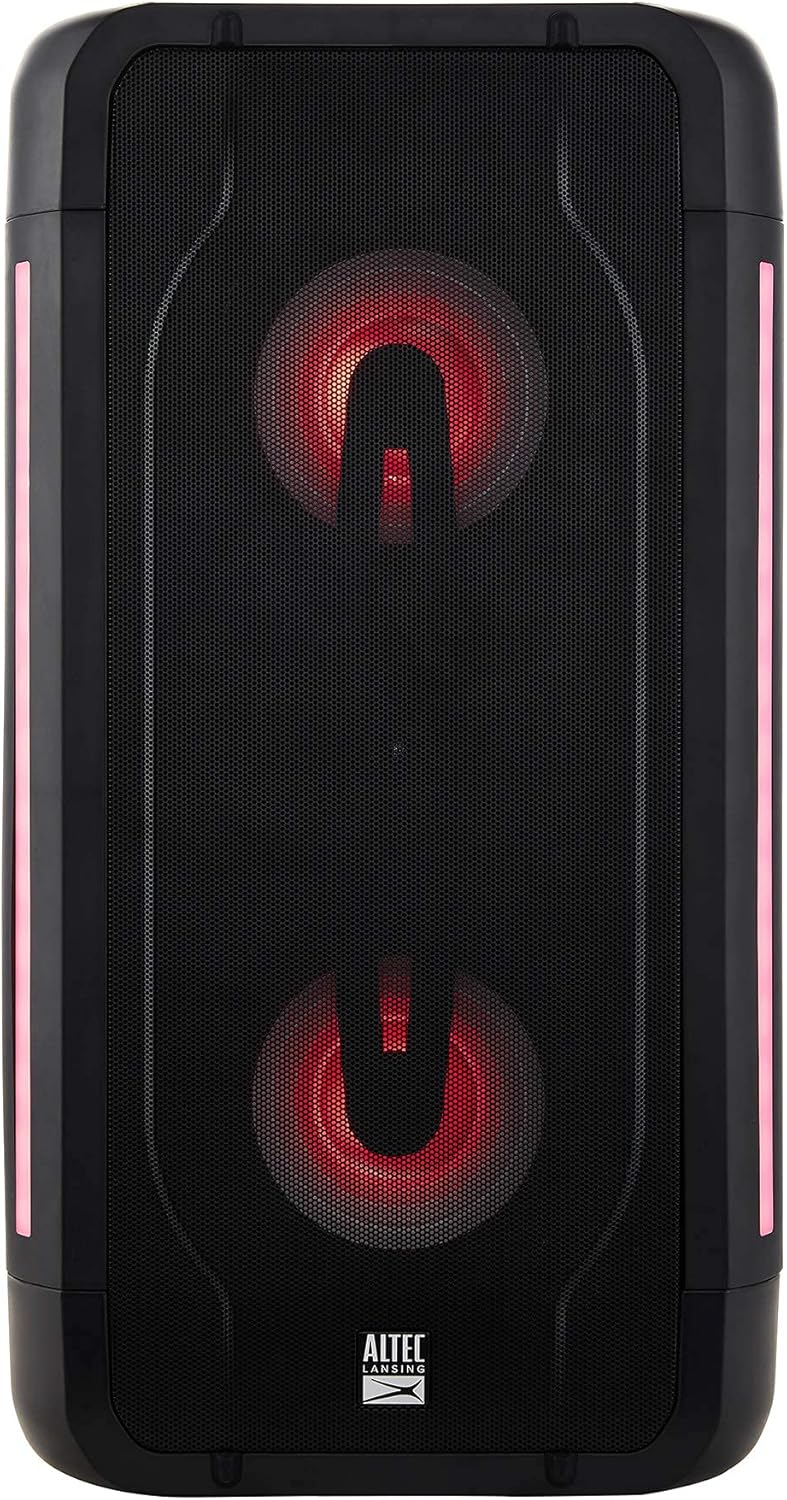
Image: The Altec Lansing Shockwave speaker illuminated with red LED lights, demonstrating one of its multi-light party modes.
4. 완전 무선 페어링(TWS)
To connect two Altec Lansing Shockwave speakers for a stereo sound experience:
- 두 스피커 모두 전원이 켜져 있고 Bluetooth 장치에 연결되어 있지 않은지 확인하세요.
- 한쪽 스피커에서 길게 누르세요 BT / 쌍 페어링음이 들릴 때까지 버튼을 누르세요.
- The speakers will automatically connect to each other. Once connected, you will hear a confirmation.
- Connect your mobile device to the primary speaker via Bluetooth as described in the "Bluetooth Pairing" section.
5. USB Smartphone Charging
스마트폰이나 기타 USB 전원 장치를 연결하세요. USB-OUT (5V 1A) port on the control panel to charge it. This feature is active when the speaker is powered on.
유지
- 청소: 부드럽고 마른 천을 사용하여 스피커 외부를 닦으세요. 연마성 세제나 용제를 사용하지 마세요.
- 저장: 스피커는 직사광선과 극한의 온도를 피해 시원하고 건조한 곳에 보관하세요.
- 배터리 관리 : 배터리 수명을 연장하려면 배터리를 자주 완전히 방전하지 마세요. 장시간 사용하지 않더라도 스피커를 정기적으로 충전하세요.
- 방수 기능: While designed for outdoor use, avoid submerging the speaker in water.
문제 해결
| 문제 | 해결책 |
|---|---|
| 스피커의 전원이 켜지지 않습니다. | Ensure the speaker is charged. Connect the power adapter and try again. |
| 스피커에서 소리가 나지 않습니다. |
|
| 블루투스 페어링에 실패했습니다. |
|
| 마이크가 작동하지 않습니다. |
|
명세서
| 특징 | 세부 사항 |
|---|---|
| 상표 | 알텍랜싱 |
| 모델 | 충격파 |
| 전력 출력 | 150W 피크 전력 |
| 연결 기술 | 블루투스 5.0, USB, AUX |
| 전원 | 배터리 구동(리튬 이온 배터리 1개 필요) |
| 배터리 수명 | 최대 10시간 |
| 오디오 입력 | Microphone (2 inputs) |
| USB 출력 | 5V 1A (for smartphone charging) |
| 제품 크기(L x W x H) | 10.51 x 19.84 x 9.37 인치 |
| 품목 무게 | 13.02파운드 |
| 한국어: | 656942160175 |
| ASIN | B097Z48XFB |
보증 및 지원
아마존 리뉴얼 보증
This product is part of the Amazon Renewed program. Products purchased through Amazon Renewed are professionally inspected and tested to work and look like new. If you are not satisfied with your purchase, renewed products are eligible for replacement or refund under the Amazon Renewed Guarantee. Please refer to the Amazon Renewed Guarantee terms and conditions for full details regarding returns and support for renewed products.
지원에 문의하세요
For further assistance or technical support, please refer to the contact information provided with your Amazon Renewed purchase or visit the Amazon Renewed support page.


