소개
구매해주셔서 감사합니다asing the AZATOM A2 Portable DAB/DAB+ Digital Radio. This compact and versatile device is designed to provide high-quality digital and FM radio reception, offering a superior listening experience on the go. Please read this manual carefully to understand the features and operation of your new radio.

The AZATOM A2 radio, showcasing its stylish and compact design, perfect for portability.
상자 안에 무엇이 들어있나요?
- AZATOM A2 Portable DAB/DAB+ Digital Radio
- USB-C 케이블
- 스포츠 이어폰
- 사용 설명서 (본 문서)
- 보증 카드
제품 끝view
Familiarize yourself with the buttons and ports on your AZATOM A2 radio:

앞쪽 view of the AZATOM A2 radio, highlighting the display and control buttons.
- 전원 버튼: 라디오를 켜거나 끕니다.
- 메뉴 버튼: 메뉴 옵션에 액세스합니다.
- VOL+ / VOL- 버튼: 볼륨 레벨을 조절합니다.
- ENTER/SCAN Button: Confirms selections or initiates station scanning.
- PRESET Buttons (1/2, 3/4): Recalls stored preset stations.
- MODE 버튼: Switches between DAB/DAB+ and FM modes.
- 이어폰 잭: Connects the included earphones, which also function as the antenna.
- USB-C 포트: 장치를 충전합니다.
설정
1. 배터리 충전
Before first use, fully charge the radio. Connect the supplied USB-C cable to the radio's USB-C port and the other end to a USB power adapter (not included) or a computer's USB port. The display will indicate charging status. A full charge provides up to 24 hours of playtime.

The AZATOM A2 features a long-lasting rechargeable battery for extended use.
2. Connecting Earphones (Antenna)
The included earphones serve as the radio's antenna for both DAB/DAB+ and FM reception. It is essential to connect the earphones to the 3.5mm jack before operating the radio to ensure proper signal reception.
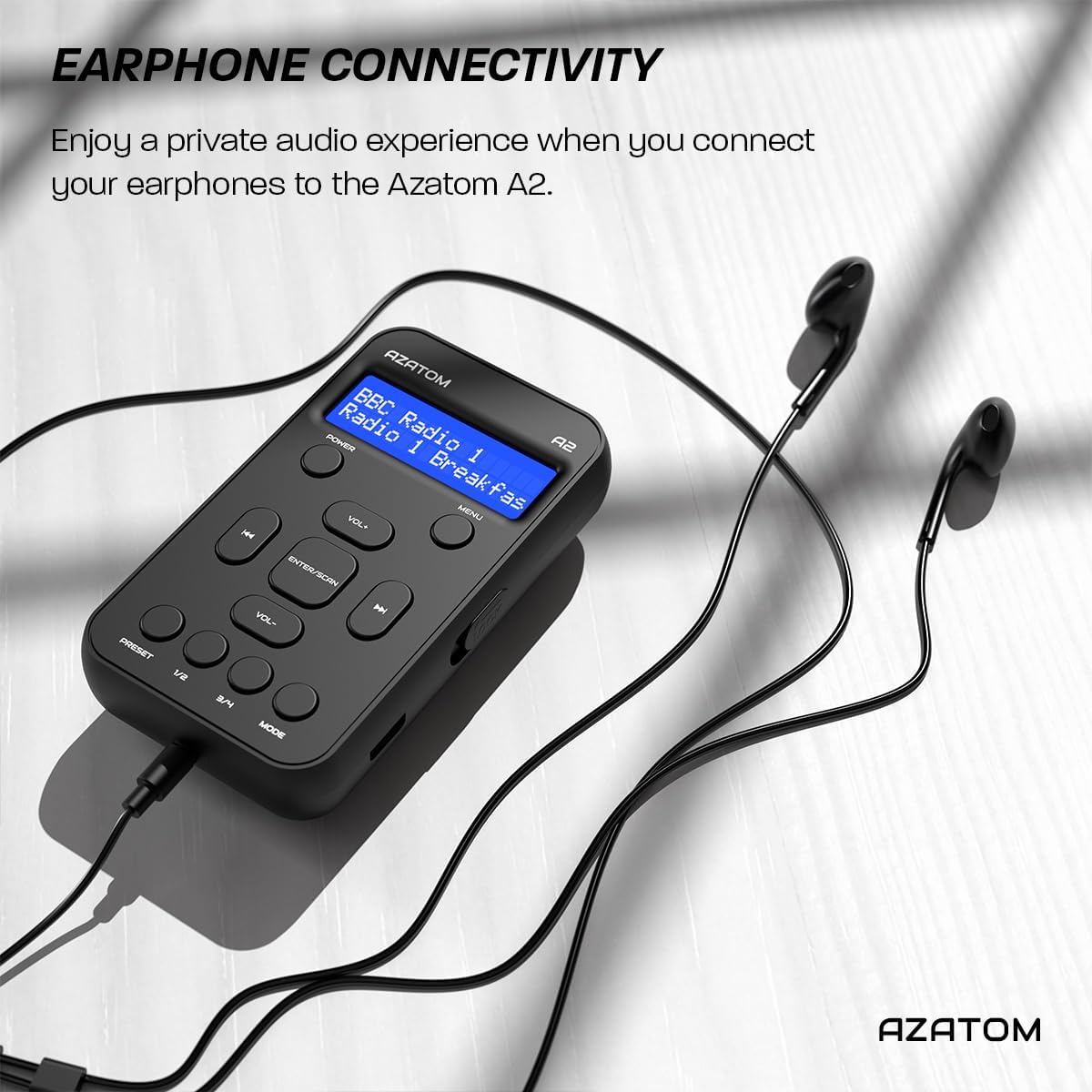
Connect the supplied earphones to the radio for optimal reception and a private listening experience.
작동 지침
전원 켜기/끄기
- 를 누르고 계세요 힘 라디오를 켜거나 끄는 버튼입니다.
DAB/DAB+ 라디오 작동

The AZATOM A2 supports both DAB/DAB+ and FM radio technologies.
- Ensure the earphones are connected.
- 를 누르세요 방법 button until 'DAB' or 'DAB+' is displayed.
- The radio will automatically perform a full scan for available DAB/DAB+ stations upon first use or if no stations are found. To manually scan, press and hold the 입력/스캔 단추.
- 사용하세요 볼륨+ or 권 buttons to navigate through the list of found stations.
- 누르다 입력/스캔 방송국을 선택합니다.
FM 라디오 작동
- Ensure the earphones are connected.
- 를 누르세요 방법 'FM'이 표시될 때까지 버튼을 누르세요.
- FM 방송국 자동 검색을 하려면 버튼을 길게 누르세요. 입력/스캔 버튼을 누르세요. 라디오가 사용 가능한 방송국을 검색하고 저장합니다.
- 수동으로 조정하려면 버튼을 짧게 누르십시오. 볼륨+ or 권 buttons to adjust the frequency in small increments.
프리셋 설정 및 불러 오기
The AZATOM A2 allows you to store up to 40 DAB+ and 40 FM favorite stations.

The AZATOM A2 allows for easy recall of your favorite preset stations.
사전 설정을 저장하려면:
- 원하는 방송국을 선택하세요.
- 중 하나를 길게 누릅니다. 사전 설정 buttons (1/2 or 3/4) until the display shows 'Preset Store'.
- 사용하세요 볼륨+ or 권 원하는 사전 설정 번호(1~40)를 선택하려면 버튼을 누르세요.
- 누르다 입력/스캔 스테이션을 확인하고 저장하려면.
프리셋 불러오기:
- 다음 중 하나를 짧게 누르세요. 사전 설정 buttons (1/2 or 3/4).
- 사용하세요 볼륨+ or 권 buttons to navigate through your stored presets.
- 누르다 입력/스캔 원하는 프리셋 방송국을 선택하고 재생합니다.
볼륨 조절
- 누르다 볼륨+ 볼륨을 높이려면
- 누르다 권 볼륨을 줄이려면.
디스플레이 밝기
The XL digital display's brightness can be adjusted to your preference. Access this setting through the MENU options.

클로즈업 view of the AZATOM A2's clear digital display.
유지
- 청소: 부드럽고 마른 천을 사용하여 라디오 표면을 닦으세요. 연마성 세제나 용제는 사용하지 마세요.
- 배터리 관리 : 배터리 수명을 연장하려면 배터리를 자주 완전히 방전하지 마십시오. 장시간 사용하지 않더라도 라디오를 정기적으로 충전하십시오.
- 저장: 라디오는 직사광선과 극한의 온도를 피해 서늘하고 건조한 곳에 보관하세요.
문제 해결
| 문제 | 가능한 원인 | 해결책 |
|---|---|---|
| No power/Radio won't turn on. | 배터리가 소진되었습니다. | 제공된 USB-C 케이블을 사용하여 라디오를 충전하세요. |
| 라디오 수신 상태가 좋지 않습니다 (DAB/FM). | Earphones not connected or not fully inserted. Weak signal area. | Ensure earphones are securely connected. Try moving to an open area or near a window. Perform a new scan. |
| 소리가 나지 않습니다. | Volume is too low or muted. Earphones not connected. | Increase the volume using VOL+. Ensure earphones are connected. |
| Radio freezes or becomes unresponsive. | 일시적인 소프트웨어 오류입니다. | Press and hold the POWER button to force a restart. If issue persists, allow battery to fully discharge then recharge. |
명세서

Dimensions of the AZATOM A2 radio.
| 특징 | 세부 사항 |
|---|---|
| 모델 | A2 |
| 치수(길이 x 너비 x 높이) | 9 x 4 x 11cm (약 90mm x 50mm x 24mm) |
| 무게 | 90g |
| 지원되는 라디오 대역 | DAB, DAB+, FM |
| 사전 설정 | 40 DAB+, 40 FM |
| 배터리 유형 | Rechargeable Lithium Ion (1800mAh) |
| 노는 시간 | 최대 24시간 |
| 디스플레이 유형 | 액정표시장치 |
| 연결성 | USB-C (for charging), 3.5mm Earphone Jack |
| 재료 | 플라스틱 |
보증 및 지원
AZATOM products are designed and engineered in the UK. The AZATOM A2 comes with a premium 3-year warranty (registration required). For any questions or support, please contact our dedicated customer service team. Lifetime customer support is provided to assist you with any queries.
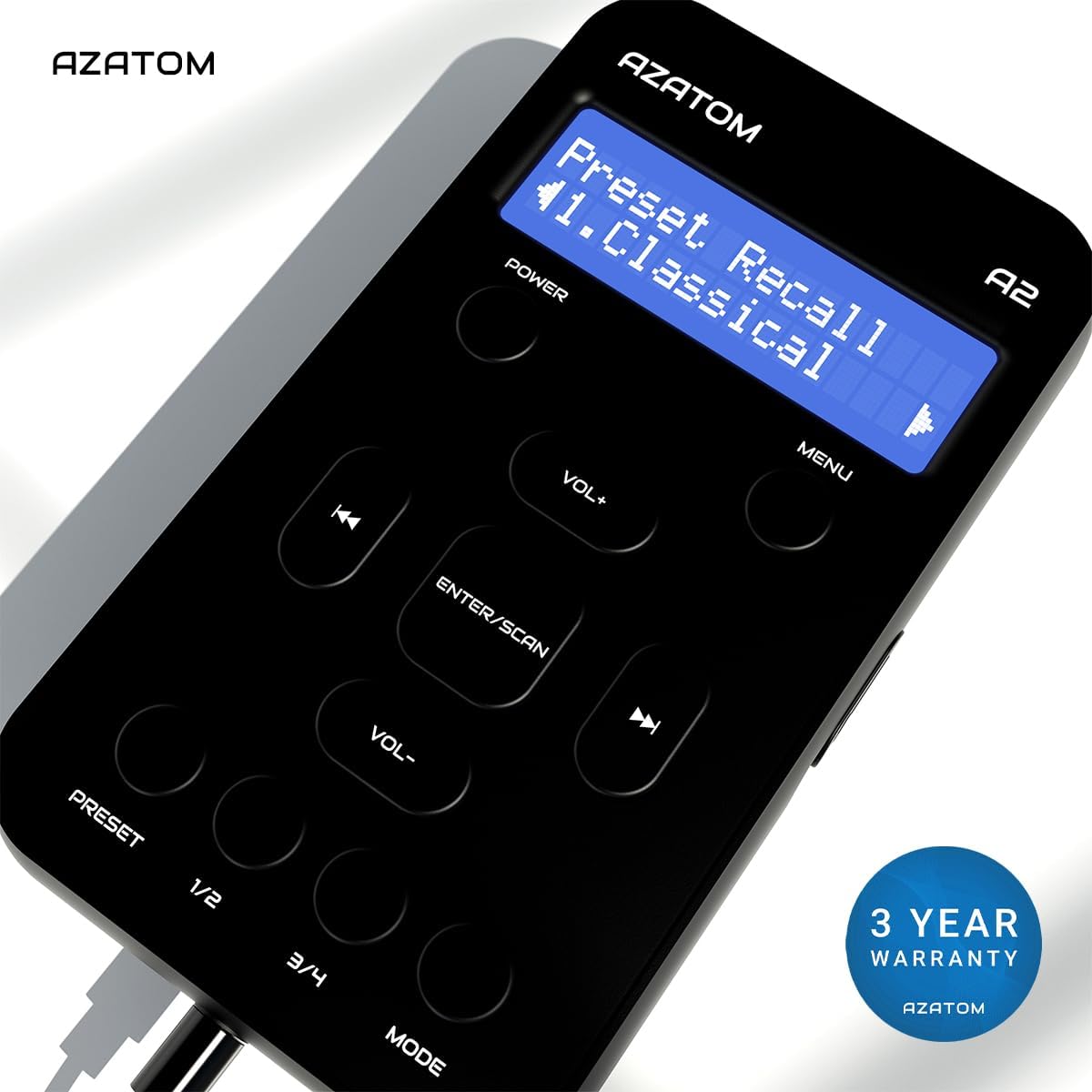
The AZATOM A2 is backed by a 3-year warranty.