1. 서론
This manual provides essential information for the setup, operation, and maintenance of your Anderic OEM ONN Roku TV Remote Control. Designed as a direct replacement, this remote offers seamless control for compatible ONN Roku TV models without requiring complex programming.

이미지 1.1: 앞면과 측면 view of the Anderic OEM ONN Roku TV Remote Control, highlighting its ergonomic design and button layout.
The Anderic RCAFIR remote is engineered to provide convenient access to all essential functions of your ONN Roku TV, including dedicated buttons for popular streaming services like Netflix, Disney, Hulu, and Vudu.

Image 1.2: The Anderic remote control pointing towards an ONN Roku TV, illustrating its capability to control the TV with a single device.
2. 설정
2.1 배터리 설치
The remote control requires two (2) AAA batteries for operation. Batteries are not included.
- 리모콘 뒷면에 있는 배터리함 덮개를 찾으세요.
- 덮개를 아래로 밀거나 (있는 경우) 걸쇠를 누른 후 들어 올려 여세요.
- AAA 배터리 2개를 넣고 양극(+)과 음극(-) 단자가 배터리 보관함 내부 표시와 올바르게 맞춰지도록 합니다.
- 배터리 칸 덮개를 제자리에 다시 밀어 넣어 딸깍 소리가 날 때까지 단단히 고정합니다.

Image 2.1: Diagram illustrating the remote control's dimensions and the required AAA batteries for operation.
2.2 초기 사용 (프로그래밍 불필요)
This Anderic remote control is pre-programmed for ONN Roku TVs. No manual programming or setup is required. Once batteries are installed, the remote is ready for immediate use with compatible ONN Roku TV models.

Image 2.2: A couple comfortably using the remote control, emphasizing the 'No Programming Needed' feature for immediate enjoyment.
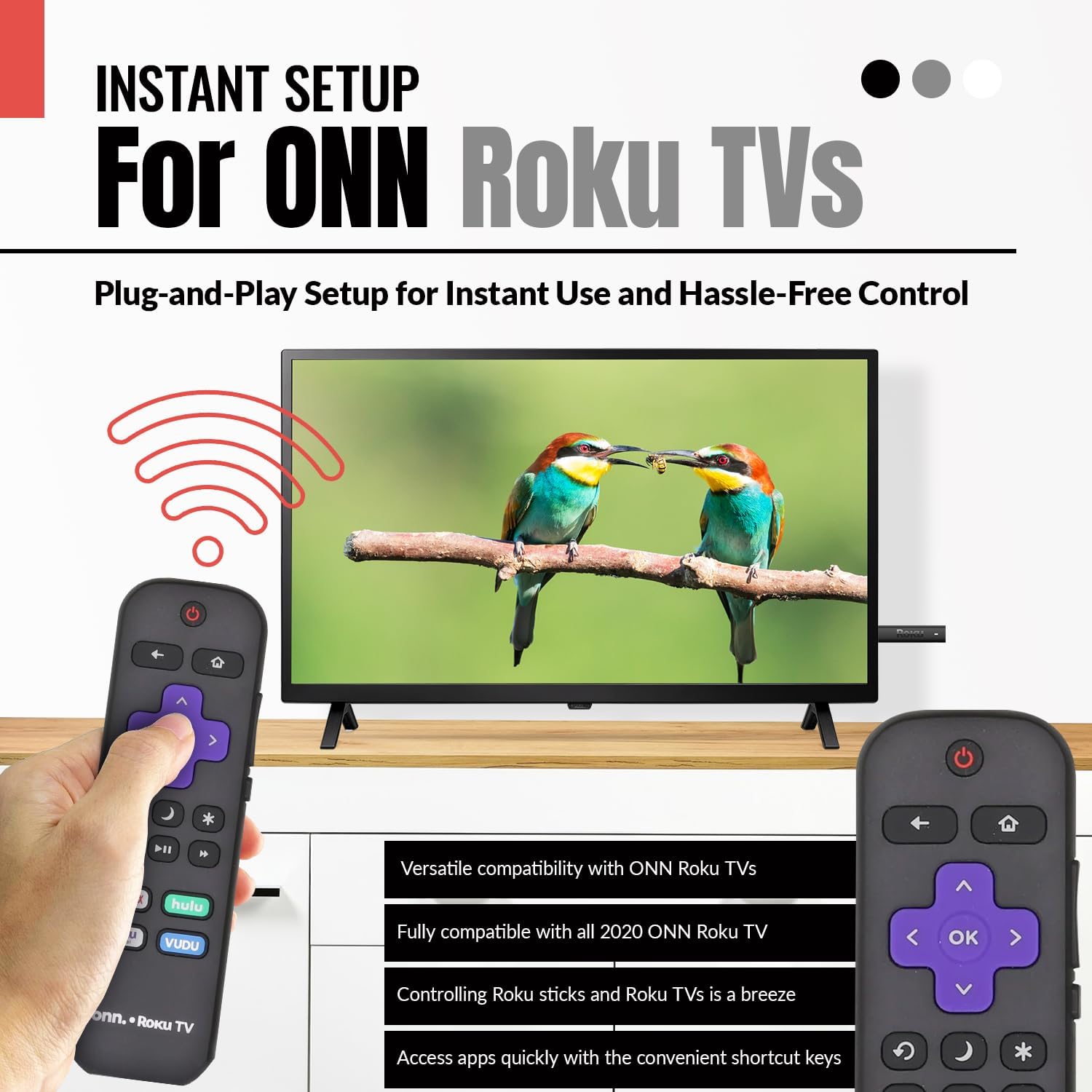
Image 2.3: A hand holding the remote control with a TV displaying content, illustrating the instant plug-and-play setup for ONN Roku TVs.
3. 사용 설명서
3.1 버튼 레이아웃 및 기능
The Anderic ONN Roku TV remote control features a user-friendly layout with dedicated buttons for various functions. Ensure a clear line of sight between the remote and your TV's infrared sensor for optimal performance.

이미지 3.1: 클로즈업 view of the remote control, emphasizing dedicated TV power, volume buttons, and pre-programmed streaming shortcut buttons for accessibility.
- 전원 버튼 (빨간색 원 안에 선이 그어져 있습니다.): TV를 켜거나 끕니다.
- 뒤로 버튼(왼쪽 화살표): 이전 화면 또는 메뉴로 돌아갑니다.
- 홈 버튼 (집 아이콘): Roku 홈 화면으로 이동합니다.
- Directional Pad (Purple Arrows): Used to navigate through menus and content.
- 확인 버튼(Purple 'OK'): 항목을 선택하거나 작업을 확인합니다.
- 볼륨 크게 / 작게 버튼 : TV의 볼륨을 조절합니다.
- 음소거 버튼: TV 오디오를 음소거하거나 음소거 해제합니다.
- 즉시 재생 버튼 (Curved Arrow): Jumps back a few seconds during video playback.
- 수면 버튼(달 아이콘): TV의 취침 타이머를 설정합니다.
- 별 모양 버튼 (별표): 특정 앱 내의 옵션 또는 설정에 접근합니다.
- 재생/일시 정지 버튼(Triangle/Two Bars): Plays or pauses media content.
- 빨리 감기/되감기 버튼: Skips forward or backward in media content.
- Streaming Service Shortcut Buttons (Netflix, Hulu, Vudu, Roku Channel): 이러한 스트리밍 애플리케이션에 직접 액세스할 수 있도록 제공합니다.

Image 3.2: A user operating the remote control, highlighting its comprehensive functionality beyond just streaming.
4. 호환성
The Anderic RCAFIR remote control is designed for broad compatibility with ONN Roku TV models. It functions as a direct replacement for several original ONN Roku remotes.
4.1 Compatible ONN Roku TV Models
This remote is fully compatible with all 2020 ONN Roku TV models and is supplied with the following specific ONN Roku TV models:
- 100005397
- 100012584
- 100012585
- 100012586
- 100012587
- 100012589
- 100012590
- 100018971
- 100021258
- 100021261
- 100024699
4.2 Replacement for Original Remotes
The RCAFIR remote serves as a direct replacement for the original ONN RCALIR Roku remote with Netflix, Disney, Hulu, and Vudu buttons, as well as other compatible models including:
- 276168
- 3226000855
- 3226000887

Image 4.1: A graphic illustrating the replacement compatibility for the ONN Roku TV RCALIR remote, highlighting preset compatibility and easy setup.

Image 4.2: A woman holding the remote control, signifying its role as a reliable replacement for entertainment mastery.
5. 문제 해결
5.1 원격 응답 없음
- 배터리 확인: 배터리의 극성(+/-)을 올바르게 맞춰 삽입했는지 확인하십시오. 오래되었거나 방전된 배터리는 새 AAA 배터리로 교체하십시오.
- 시선: Verify there are no obstructions between the remote control and the TV's infrared sensor. The remote operates using infrared technology, requiring a direct line of sight.
- 텔레비젼 힘: Confirm that your ONN Roku TV is powered on and not in standby mode.
- 원격 재설정: Remove the batteries from the remote, press each button a few times to discharge any residual power, then reinsert the batteries.
5.2 Specific Button Issues
- If a specific button is not working, gently clean around the button with a soft, dry cloth to remove any dust or debris that might be interfering with its function.
- Ensure the remote is pointed directly at the TV's IR sensor when pressing the button.
6. 제품 사양
| 특징 | 세부 사항 |
|---|---|
| 모델 번호 | ONN-RCAFIR |
| 제품 치수 | 5.75 x 1.75 x 1 인치 |
| 품목 무게 | 1.76 온스 |
| 필요한 배터리 | AAA 배터리 2개 (포함되지 않음) |
| 연결 기술 | 적외선 (IR) |
| 호환 장치 | Television (ONN Roku TV models) |
| 특징 | 인체공학적 디자인, 사전 프로그래밍됨 |
7. 중요 정보
7.1 법적 부인
Anderic is a registered trademark of Dan's Electronics Etc., Inc. All Rights Reserved. We are not affiliated with Roku. Roku is a registered trademark of Roku Inc.
7.2 제조사 정보
Anderic, a brand of Dan's Electronics Etc., Inc., has been manufacturing replacement remote controls since 1999. The company is based in NC, USA, and focuses on providing high-quality replacement remote controls and accessories to extend the life of your equipment.


