1. 서론
This manual provides comprehensive instructions for the setup, operation, and maintenance of your CPVAN Wireless Security Camera (Model BC01). Please read this guide thoroughly before using the product to ensure optimal performance and safety.

Figure 1: CPVAN Wireless Security Camera (Model BC01)
2. 제품 특징
- 1080P HD 비디오: Captures clear 1080P HD video and images with a 120-degree wide-angle view.
- AI Recognition & Smart Motion Detection: Accurately analyzes and recognizes people, vehicles, pets, and packages, sending instant notifications.
- 컬러 나이트 비전: Integrated white and infrared light sources provide full-color and infrared night vision up to 33 ft.
- 양방향 오디오: Built-in microphone and speaker for real-time two-way communication.
- Siren Alarm & Spotlight: Deter unwanted visitors with an audible siren and flashing white light.
- Wire-Free & Waterproof: Rechargeable battery for 1-5 months of use on a single charge and IP65 waterproof rating for outdoor installation.
- 저장 옵션 : Supports up to 128GB SD card and free 3-day rolling cloud storage.
3. 상자 안에 무엇이 들어있나요?
패키지에 모든 구성 요소가 들어 있는지 확인하세요.
- CPVAN Wireless Security Camera (BC01)
- 장착 브래킷
- USB 충전 케이블
- 장착 나사 및 벽 앵커
- 사용자 설명서
4. 설정 가이드
4.1 초기 충전
Before first use, fully charge the camera. Connect the provided USB cable to the camera's charging port and a compatible USB power adapter (not included). The indicator light will be yellow during charging and turn green when fully charged. A full charge may take 8-10 hours.

Figure 2: Camera charging port and indicator light. The yellow light indicates charging, green indicates fully charged.
4.2 App Installation & Account Creation
- Download the 'VicoHome' app from your smartphone's App Store (iOS) or Google Play Store (Android).
- Open the VicoHome app and create a new account using your email address. Follow the on-screen prompts to set up your account details and password.
- Verify your account using the confirmation code sent to your registered email.
4.3 Camera Pairing & Wi-Fi Connection
- In the VicoHome app, select 'Add a new camera' or the '+' icon to begin the pairing process.
- Turn on the camera by long-pressing the power button for 3 seconds. The camera will emit voice prompts and its indicator light will flash.
- Confirm in the app that the camera is emitting a beeping sound.
- Input your 2.4GHz Wi-Fi network password when prompted by the app. Ensure your Wi-Fi signal is strong in the camera's intended location.
- The app will display a QR code. Position the camera to scan this QR code from your phone screen. Hold the camera about 4-12 inches from the phone.
- Once the camera successfully scans the QR code, it will emit a voice prompt indicating connection. The app will then show 'Connection succeeded'.
- Name your camera and set its location within the app (e.g., 'Front Door', 'Garden').
Video 1: This video demonstrates the step-by-step process of connecting the CPVAN Wireless Security Camera to the VicoHome app, including account creation, camera power-on, and scanning the QR code for Wi-Fi pairing.
4.4 카메라 장착
The camera can be installed indoors or outdoors. Choose a location with a clear view 그리고 강력한 와이파이 신호.
- Secure the mounting bracket to the desired surface using the provided screws and wall anchors.
- 카메라를 마운팅 브래킷에 부착하고 최적의 촬영 각도를 위해 각도를 조정하십시오.
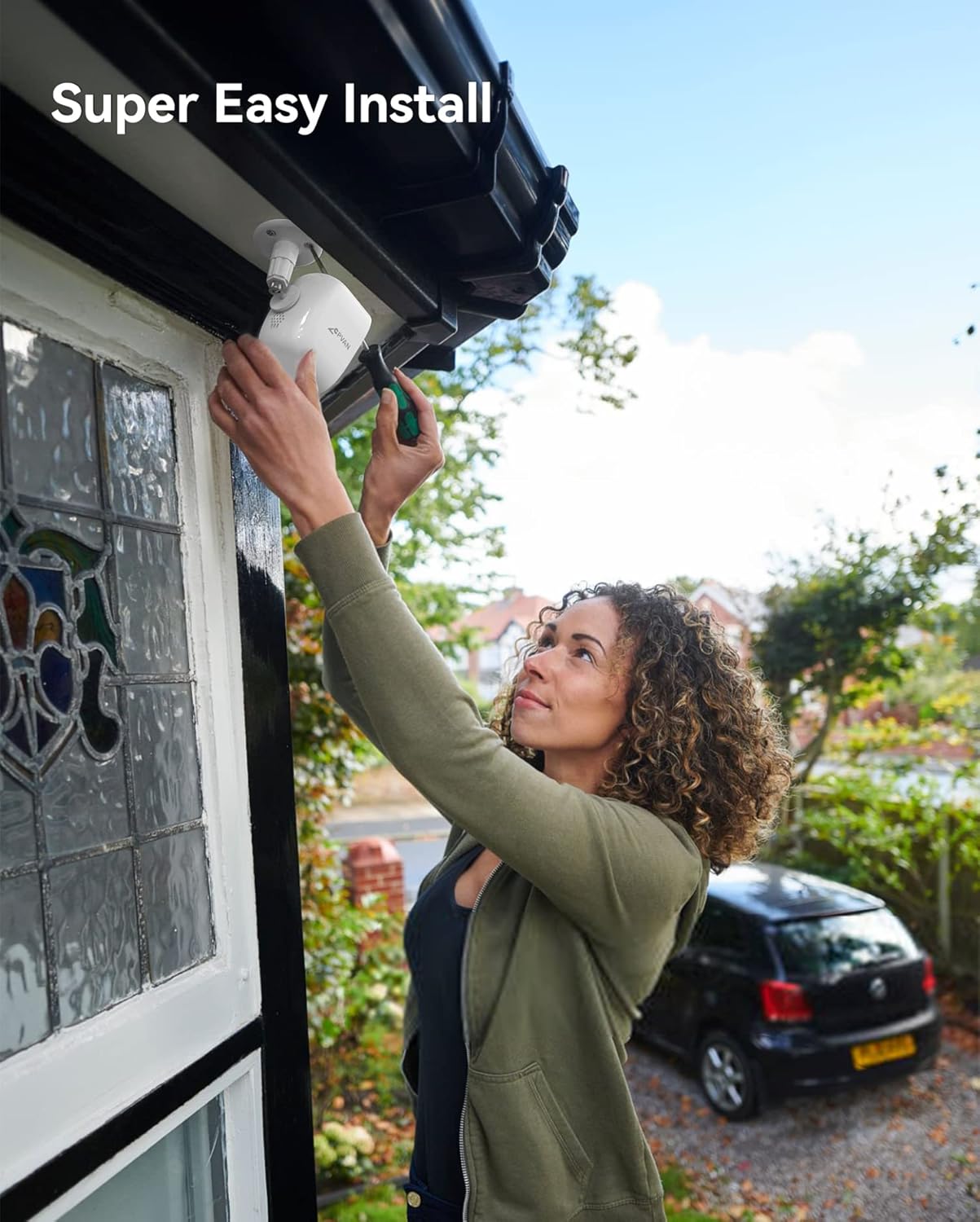
Figure 3: Illustration of easy camera installation on an outdoor wall.
5. 사용 설명서
5.1 라이브 View & 재생
Access the VicoHome app to view 라이브 푸tage from your camera at any time. You can also review 녹화된 이벤트는 SD 카드나 클라우드에 저장됩니다.
Figure 4: VicoHome app interface displaying recorded events and cloud storage options.
5.2 Motion Detection & AI Recognition
The camera uses PIR motion detection and AI recognition to identify specific objects and send alerts.
- PIR 센서: 정확한 동작 감지를 위해 열 신호를 감지합니다.
- AI 인식: Distinguishes between people, vehicles, pets, and packages to reduce false alarms.

Figure 5: AI recognition actively identifying a person and a pet within the camera's view.
5.3 활동 구역
카메라 내의 특정 영역을 정의합니다. view for motion detection. This helps in focusing on critical areas and minimizing unwanted notifications.
Video 2: This video illustrates how to set up custom activity zones within the VicoHome app, allowing users to define specific areas for motion detection and alerts.
5.4 야간 투시 모드
카메라는 두 가지 야간 시야 모드를 제공합니다.
- 적외선 모드 : 선명한 흑백 사진을 제공합니다tage 저조도 조건에서.
- 풀 컬러 모드: Utilizes the built-in spotlight to capture color video at night.

Figure 6: Comparison of day, white light (color night vision), and infrared night vision modes.
Video 3: This video showcases the camera's night vision capabilities, demonstrating its ability to capture clear footage 저조도 조건에서.
5.5 2-Way Audio & Siren Alarm
Use the 2-way audio feature to communicate with visitors or deter intruders. Activate the siren alarm directly from the app for added security.

Figure 7: Two-way audio communication feature in use.
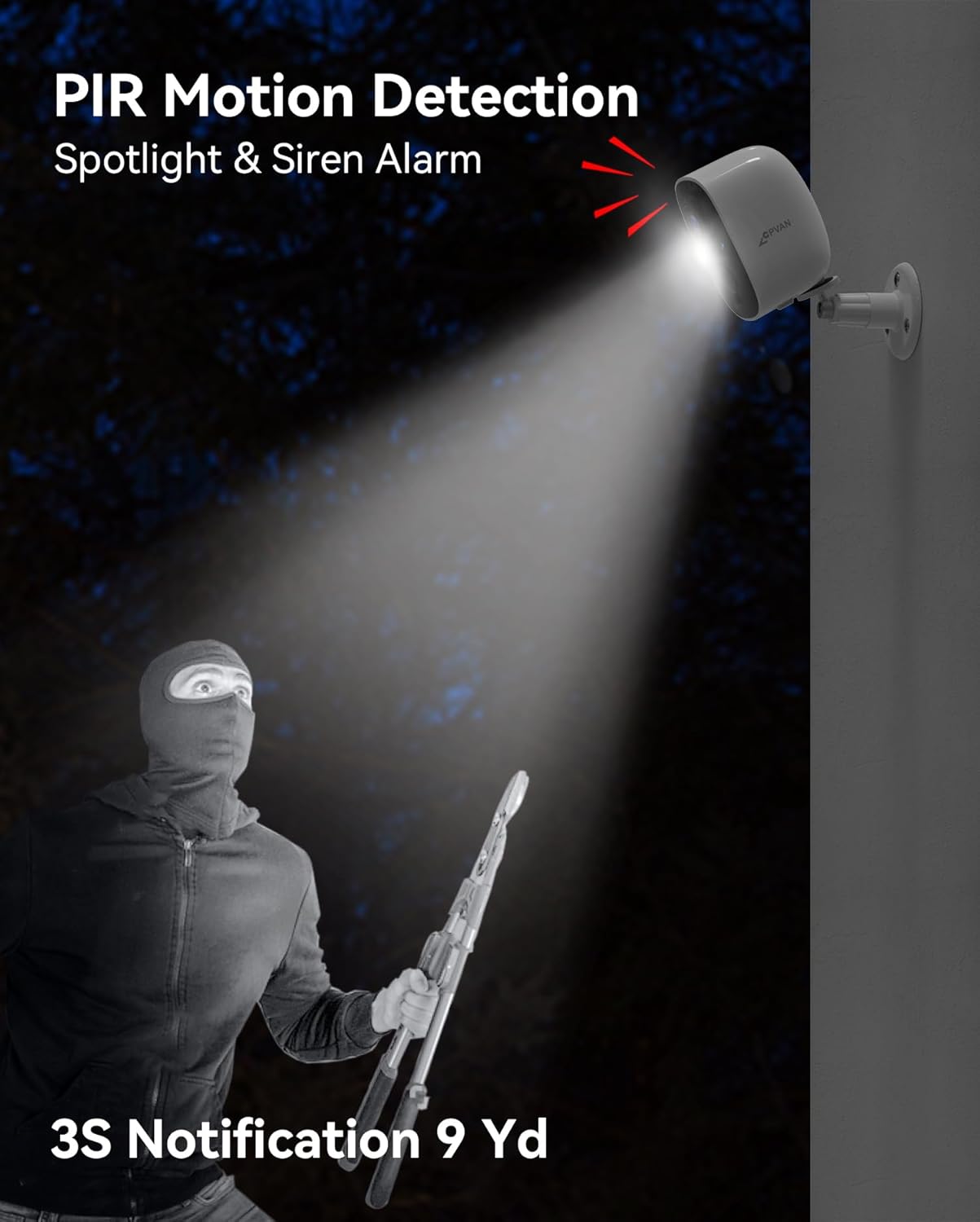
Figure 8: The camera's spotlight and siren alarm activating upon detecting an intruder.
6. 유지관리
6.1 배터리 관리
The camera is powered by a rechargeable lithium-ion battery, offering 1 to 5 months of usage depending on activity. Monitor battery levels via the VicoHome app and recharge as needed using the provided USB cable.

Figure 9: The camera can be paired with an optional solar panel for continuous charging.
6.2 내후성
With an IP65 waterproof rating, the camera is designed to withstand various weather conditions, including rain, snow, and extreme temperatures.

Figure 10: The camera's IP65 rating ensures durability in various weather conditions.
6.3 청소
카메라 렌즈와 본체는 부드러운 천으로 주기적으로 청소하세요.amp 선명한 화질을 위해 천을 사용하십시오. 강한 화학 물질 사용은 피하십시오.
7. 문제 해결
- 카메라가 Wi-Fi에 연결되지 않음: Ensure the camera is within range of your 2.4GHz Wi-Fi network. Verify the Wi-Fi password entered in the app is correct.
- 이미지 품질이 좋지 않음: Check if the camera lens is clean and free from obstructions. Ensure adequate lighting, especially at night.
- 배터리가 빠르게 소모됨: Reduce the sensitivity of motion detection or the frequency of recordings. Ensure the camera is fully charged.
- 동작 감지 알림 없음: Verify that motion detection is enabled in the app settings and that activity zones are correctly configured.
- 앱 문제: Ensure your VicoHome app is updated to the latest version. Restart the app or your smartphone if issues persist.
8. 사양
| 특징 | 세부 사항 |
|---|---|
| 모델 번호 | 기원전 01 |
| 비디오 캡처 해상도 | 1080p |
| 효과적인 비디오 해상도 | 1080 픽셀 |
| 효과적인 스틸 해상도 | 16 MP |
| 연결 기술 | 무선(Wi-Fi) |
| 전원 | 배터리 구동(리튬 이온 배터리 1개 포함) |
| 실내/실외 사용 | 실내, 실외 |
| 방수 레벨 | 방수 (IP65) |
| 나이트 비전 범위 | 33 피트 |
| 특별 기능 | Motion Sensor, Night Vision, 2-Way Audio, AI Recognition, Siren Alarm, Spotlight |
| 저장 | SD 카드(최대 128GB), 클라우드 저장소 |
| 품목 치수(L x W x H) | 2.64 x 2.28 x 3.5 인치 |
| 품목 무게 | 7온스(0.2킬로그램) |
| 제어 방법 | 앱(VicoHome) |
9. 보증 및 지원
For warranty information and technical support, please refer to the documentation included with your product or visit the official CPVAN website. If you encounter any issues not covered in this manual, please contact CPVAN customer service for assistance.


