1. 서론
The C-LOGIC 5100 is a manual ranging digital multimeter designed for precise electrical measurements. This versatile instrument is capable of measuring AC/DC voltage, AC/DC current, resistance, capacitance, frequency, temperature, and transistor hFE. It features a durable rubber housing for enhanced grip and comfort, along with a hinged bracket for convenient table-top operation. This manual provides essential information for the safe and effective use of your C-LOGIC 5100 Digital Multimeter.
2. 안전 정보
Always observe the following safety precautions when operating the C-LOGIC 5100 Digital Multimeter to prevent personal injury or damage to the instrument:
- Ensure the multimeter is set to the correct function and range before connecting the test leads to any circuit.
- Do not exceed the maximum input values specified for each function. The C-LOGIC 5100 is rated for CAT III 600V.
- 기능이나 범위를 변경하기 전에 테스트 리드를 회로에서 분리하십시오.
- Inspect test leads for damaged insulation or exposed metal before each use. Replace damaged leads immediately.
- 멀티미터가 손상된 것처럼 보이거나 케이스가 열려 있는 경우 작동하지 마십시오.
- vol으로 작업할 때 극도의 주의를 기울이십시오.tag직류 60V 이상 또는 교류 실효값 30V 이상은 감전 위험이 있으므로 사용하지 마십시오.
- Remove test leads from the multimeter before opening the battery compartment or fuse cover.
3. 제품 특징
The C-LOGIC 5100 Digital Multimeter incorporates several features designed for user convenience and functionality:
- Rubber Housing: Provides improved grip and protection against accidental drops.
- Hinged Bracket: Allows the multimeter to stand upright for hands-free operation on a workbench.
- 측정 기능: AC/DC 볼륨tage, AC/DC Current, Resistance, Capacitance, Frequency, Temperature, and Transistor hFE.
- 표시 개수: 2000-count digital display for clear readings.
- 자동 전원 끄기(APO): Automatically turns off the device after a period of inactivity to conserve battery life.
- 데이터 보유 : 기록이 편리하도록 표시된 값을 고정합니다.
- Low Battery Display (LBD): 배터리 교체 시기를 알려줍니다.
- Diode Test and Continuity Buzzer: For testing diodes and checking circuit continuity.
4. 구성 요소 및 제어

그림 1: 앞쪽 view of the C-LOGIC 5100 Digital Multimeter, showing the display, function selector, and input jacks.
멀티미터의 주요 구성 요소를 숙지하세요.
- LCD 디스플레이: 측정값, 단위, 기능 표시기를 보여줍니다.
- Function/Range Selector Dial: 원하는 측정 기능과 범위를 선택하는 데 사용됩니다.
- 홀드 버튼: 현재 측정값을 화면에 고정하려면 누르십시오. 다시 누르면 손에서 놓입니다.
- 온 / 오프 스위치: Powers the multimeter on or off.
- 입력 잭:
- VΩHzTemp: 볼륨에 대한 긍정적인 입력tage, resistance, frequency, temperature, capacitance, diode, and continuity measurements.
- 통신: 모든 측정값에 대한 공통 (음수) 입력값입니다.
- 엄마: Positive input for current measurements up to 200mA.
- 오전 10시 XNUMX분: Positive input for current measurements up to 10A (MAX 30 sec. every 15 min.). This input is fused.
- hFE 소켓: For testing transistor hFE (DC current gain).
5. 설정
5.1 배터리 설치
The C-LOGIC 5100 requires one 9V 6F22 battery (not included). To install or replace the battery:
- 멀티미터의 전원이 꺼져 있는지 확인하고 모든 테스트 리드를 입력 잭에서 분리하십시오.
- 기기 뒷면에 있는 배터리함 덮개를 찾으십시오.
- 고정 나사를 풀고 덮개를 조심스럽게 제거하십시오.
- 9V 배터리를 배터리 클립에 연결하고 극성을 올바르게 맞추세요.
- 배터리를 배터리 칸에 넣고 덮개를 다시 닫은 후 나사로 고정하십시오.
5.2 테스트 리드 연결
정확하고 안전한 측정을 위해서는 테스트 리드를 올바르게 연결하는 것이 매우 중요합니다.
- 대부분의 측정(voltage, resistance, capacitance, frequency, temperature, diode, continuity), insert the 빨간색 테스트 리드 인 VΩHz온도 잭과 검은색 테스트 리드 인 코. 잭.
- For current measurements up to 200mA, insert the 빨간색 테스트 리드 인 mA 잭과 검은색 테스트 리드 인 코. 잭.
- For current measurements up to 10A, insert the 빨간색 테스트 리드 인 10A 잭과 검은색 테스트 리드 인 코. 잭.
6. 사용 설명서

그림 2: The C-LOGIC 5100 Digital Multimeter actively measuring voltag전기 패널에 e가 있습니다.
측정 시에는 다음과 같은 일반적인 단계를 따르십시오.
- Turn the multimeter ON using the ON/OFF switch.
- Select the desired function and appropriate range using the rotary dial. If unsure of the range, start with the highest range and work downwards.
- 테스트 리드를 테스트 대상 회로 또는 부품에 연결하십시오.
- LCD 화면에 표시된 측정값을 읽으십시오.
- 측정이 끝나면 테스트 리드를 분리하고 멀티미터의 전원을 끄십시오.
6.1 구체적인 측정 기능
- DC 볼륨tag전자(V=): Select the V= range. Connect the red lead to the positive side and the black lead to the negative side of the DC voltage 소스를 병렬로 사용합니다.
- AC 볼륨tag전자(V~): Select the V~ range. Connect the test leads across the AC voltage source in parallel. Polarity is not critical for AC voltage.
- DC Current (A=): Select the A= range (mA or 10A jack). Disconnect power to the circuit. Open the circuit where current is to be measured and connect the multimeter in series. Reapply power.
- 교류 전류(A~): Select the A~ range (mA or 10A jack). Follow the same series connection procedure as for DC current.
- 저항(Ω): Select the Ω range. Ensure the circuit is de-energized. Connect the test leads across the component to measure its resistance.
- 연속성 테스트(♫): Select the continuity function. If resistance is below approximately 50Ω, the buzzer will sound, indicating continuity.
- 다이오드 테스트(→|→): Select the diode function. Connect the red lead to the anode and the black lead to the cathode of the diode. The display will show the forward voltage 드롭. 리드를 반대로 연결하십시오. 정상적인 다이오드라면 디스플레이에 'OL'(개방 루프)이 표시되어야 합니다.
- 정전용량(F): Select the F range. Ensure the capacitor is discharged before connecting the test leads.
- 주파수(Hz): Select the Hz range. Connect the test leads across the signal source.
- 온도(임시): Select the Temp range. Connect a K-type thermocouple (if included or purchased separately) to the VΩHzTemp and COM jacks.
- Transistor hFE: Insert the transistor's emitter, base, and collector leads into the corresponding holes in the hFE socket, ensuring correct NPN/PNP type selection.
7. 유지관리
7.1 배터리 교체
When the low battery indicator appears on the display, replace the 9V battery as described in Section 5.1. Using a multimeter with a low battery can lead to inaccurate readings.
7.2 청소
멀티미터를 청소하려면 케이스를 광고로 닦으세요.amp cloth and a mild detergent. Do not use abrasive cleaners, solvents, or alcohol, as these may damage the casing or display. Ensure the multimeter is completely dry before use.
7.3 퓨즈 교체
If the 10A current measurement function stops working, the fuse may need replacement. This procedure should only be performed by qualified personnel. Refer to the specifications for the correct fuse type and rating. Always disconnect test leads and power off the unit before opening the case.
8. 문제 해결
If your C-LOGIC 5100 Multimeter is not functioning as expected, refer to the following common issues and solutions:
- 디스플레이 없음: Check if the multimeter is turned ON. Verify the 9V battery is correctly installed and has sufficient charge. Replace the battery if necessary.
- 잘못된 판독: Ensure the correct function and range are selected for the measurement. Check that the test leads are securely connected to the correct input jacks and to the circuit. Verify the battery is not low.
- 'OL'(과부하) 표시: This indicates that the input value exceeds the selected range. Switch to a higher range or ensure the input is within the multimeter's maximum specifications.
- 연속성 경고음 없음: 연속성 검사 기능이 선택되어 있는지 확인하십시오. 회로의 전원이 차단되어 있는지 확인하십시오.
- 현재 측정이 작동하지 않음: Check the fuse for the current input (especially the 10A input). Replace if blown. Ensure test leads are connected to the correct current jacks (mA or 10A) and the multimeter is in series with the circuit.
9. 사양

그림 3: Detailed specifications and features of the C-LOGIC 5100 Digital Multimeter.
| 측정 | 범위/값 |
|---|---|
| DC 볼륨tage | 최대 600V |
| AC 볼륨tage | 최대 600V |
| 직류 전류 | 최대 10A |
| AC 전류 | 최대 10A |
| 저항 | 최대 200MΩ |
| 정전 용량 | 최대 100µF |
| 빈도 | 최대 20kHz |
| 온도 | -20°C ~ 1000°C / 1°F ~ 1832°F |
| 표시 개수 | 2000 |
| 전원 공급 장치 | 9V 6F22 배터리 1개 |
| 제품 크기(LxWxH) | 18.8 x 9.3 x 5cm(7.4 x 3.7 x 1.96인치) |
| 제품 무게 | 380g(0.84파운드) |
| 안전 등급 | CATⅢ 600V |
| 인증 | CE, ETL, RoHS |
10. 주요 응용 분야
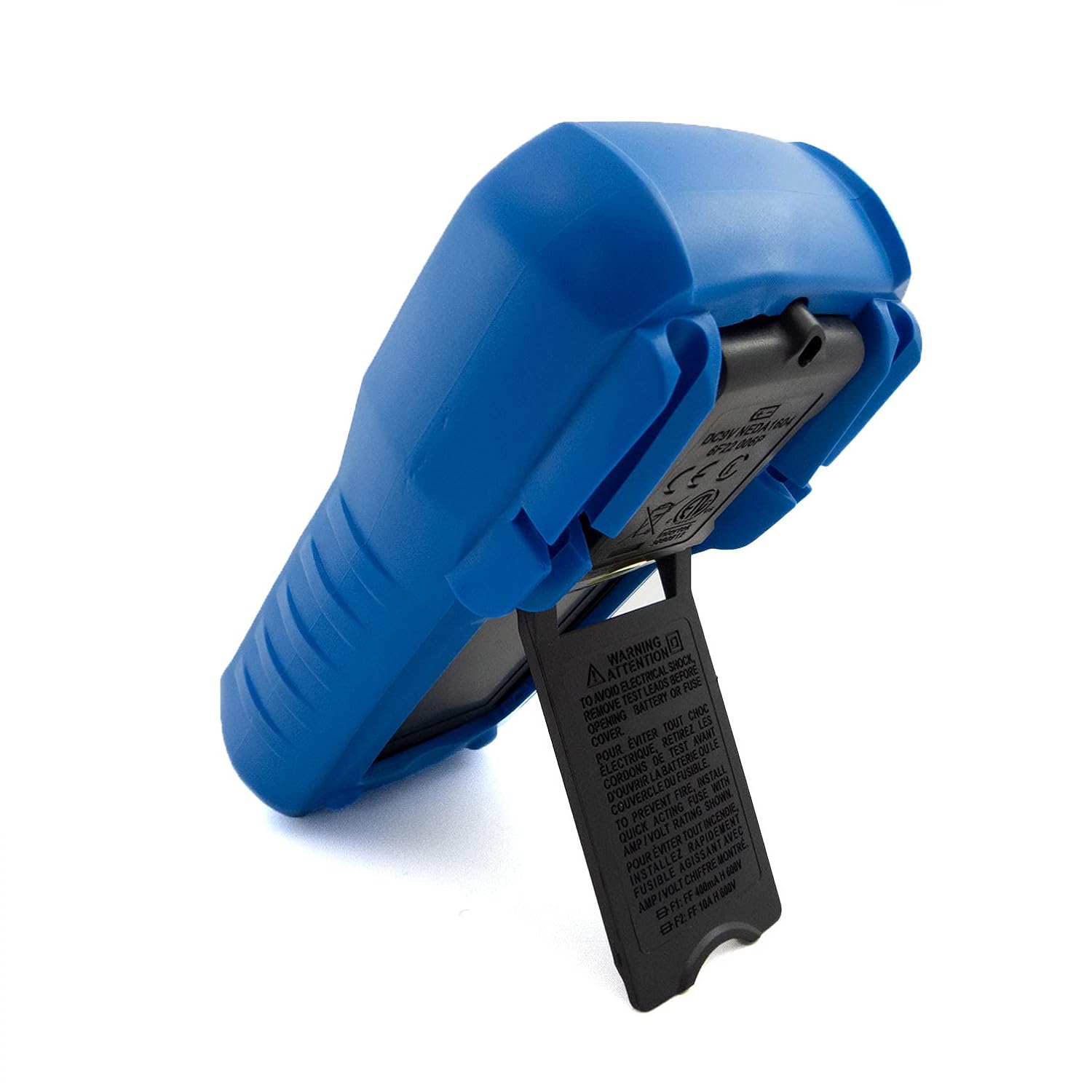
그림 4: Visual representation of common domestic and electronics applications for the C-LOGIC 5100 Multimeter.
The C-LOGIC 5100 Digital Multimeter is suitable for a wide range of applications, including:
- Domestic Electrical Testing: Checking household wiring, outlets, batteries, and appliance continuity.
- 자동차 진단: Testing vehicle electrical systems, battery voltage, and component resistance.
- Electronics Troubleshooting: 측정 볼륨tage, current, resistance, and capacitance in electronic circuits, testing diodes and transistors.
- HVAC System Checks: Verifying voltage and current in heating, ventilation, and air conditioning systems.
- Hobbyist and DIY Projects: Essential tool for various electrical and electronic projects.
11. 보증 및 지원
For information regarding warranty coverage, technical support, or customer service, please visit the official C-LOGIC website or contact their support team directly. You can find more product details at clogic-intl.com/clogic-5100 아니면 메인 web사이트에서 clogic-intl.com.


