1. 서론
This manual provides detailed instructions for the SONRU Bluetooth 5.0 Audio Receiver, Model 682601503816. Please read this manual carefully before using the device to ensure proper operation and to maximize its performance. This receiver allows you to wirelessly stream audio from your Bluetooth-enabled devices to non-Bluetooth audio systems, such as car stereos, home stereos, headphones, and speakers.
2. 제품 오버view
2.1 주요 특징
- 블루투스 5.0 기술: Provides stable and continuous audio transmission over long distances.
- Dual AUX Output Ports: Connects to two different audio devices simultaneously using 3.5mm AUX or RCA cables.
- 소음 제거 : Built-in AEC echo cancellation and ANC noise cancellation circuits for clear sound quality.
- Three Built-in Microphones: Enhances sound pickup for hands-free calls.
- 다기능 버튼(MFB): Controls call answering, redialing, hanging up, and rejecting.
- Hands-Free Calling & Navigation: Supports hands-free calls and voice notification broadcasting from navigation apps.
- Automatic Connection Memory: 이전에 페어링했던 기기에 자동으로 다시 연결됩니다.
- 듀얼 장치 연결: Pair with two phones simultaneously for music and calls.
- 배터리 수명 연장: Up to 15 hours of working time for calls or music, with a 2.5-hour full charge time. Can be used while charging.
2.2 패키지 내용
다음 품목이 패키지에 포함되어 있는지 확인하세요.
- SONRU Bluetooth 5.0 Audio Receiver
- 3.5mm AUX Audio Cable (2 PCS)
- RCA Audio Cable (50cm)
- USB 충전 케이블
- 사용자 설명서
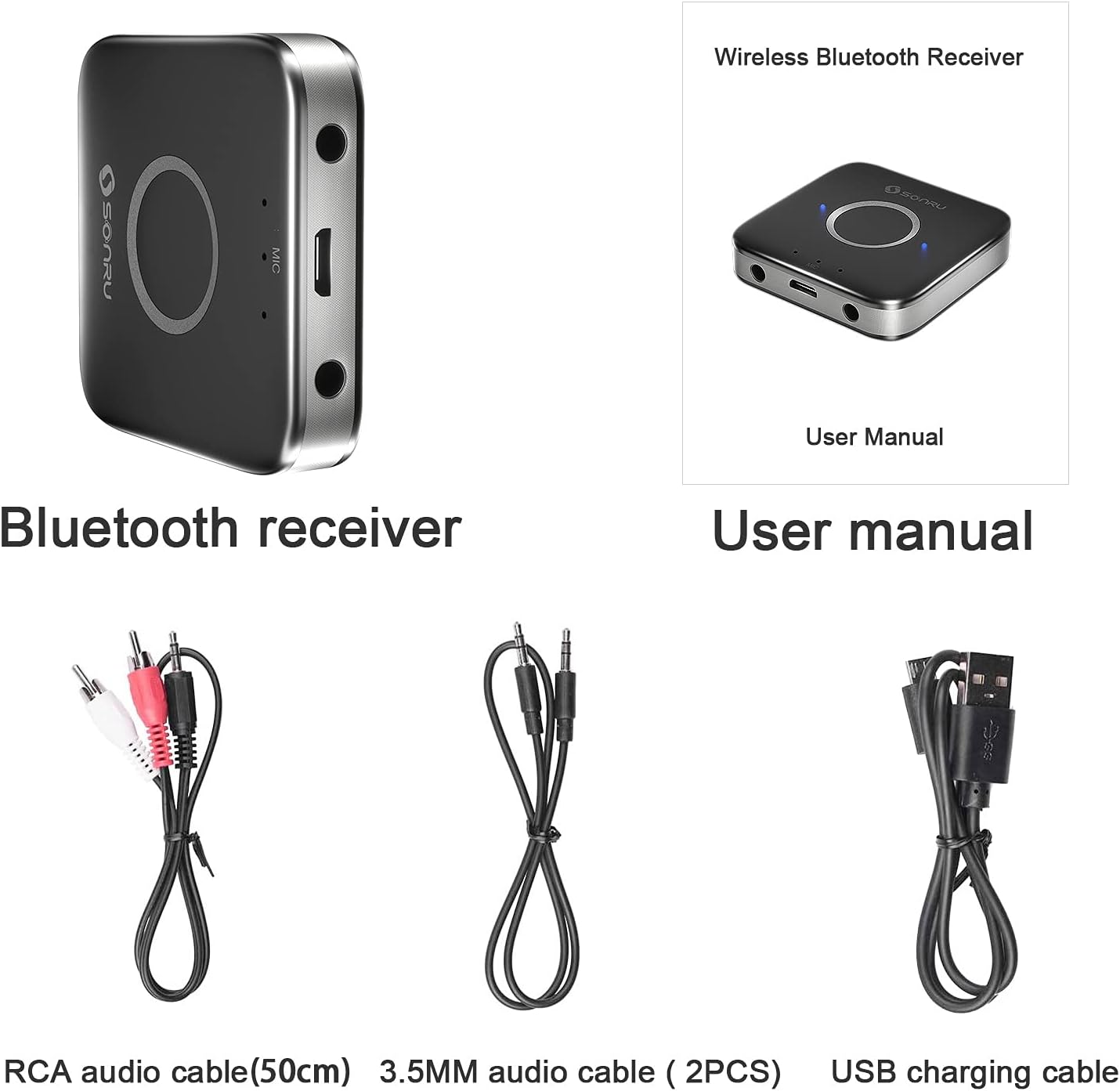
Image: The SONRU Bluetooth receiver, user manual, RCA audio cable, two 3.5mm audio cables, and a USB charging cable are shown as included items.
2.3 장치 레이아웃

Image: A diagram illustrating the various ports and buttons on the SONRU Bluetooth receiver. Key components include the 3.5mm AUX output ports, Micro USB charging port, LED indicators, and the Multi-Function Button (MFB).
- 3.5mm AUX Output Port 1
- 마이크로 USB 충전 포트
- LED 표시등
- 다기능 버튼(MFB)
- 3.5mm AUX Output Port 2
- Microphones (3 built-in, located near LED indicators)
3. 설정 지침
3.1 장치 충전
Before first use, fully charge the SONRU Bluetooth receiver. Connect the supplied USB charging cable to the Micro USB port on the receiver and the other end to a USB power source (e.g., wall adapter, computer USB port). The LED indicator will show charging status and turn off when fully charged.

Image: An illustration showing the charging time of 1.5 hours for 15 hours of playtime on the SONRU Bluetooth receiver.
3.2 오디오 시스템 연결
The receiver can connect to your audio system via 3.5mm AUX or RCA cables.
- For 3.5mm AUX: Connect one end of the 3.5mm audio cable to one of the AUX output ports on the receiver and the other end to the 3.5mm AUX input port on your car stereo, home stereo, or speaker.
- For RCA: Connect the RCA audio cable to one of the AUX output ports on the receiver (using a 3.5mm to RCA adapter if necessary, or directly if the cable is 3.5mm to RCA) and the RCA input ports on your audio system.

Image: A visual guide demonstrating how to connect the SONRU Bluetooth receiver to a non-Bluetooth device using either a 3.5mm AUX cable or an RCA cable. A smartphone is shown wirelessly connected to the receiver.
3.3 블루투스 기기와 페어링
- 전원 켜기: Press and hold the MFB button on the receiver until the LED indicator flashes blue and red alternately, indicating it is in pairing mode.
- 블루투스 활성화: On your smartphone or other Bluetooth device, go to the Bluetooth settings and enable Bluetooth.
- 장치 선택: Look for "SR-B7" (or similar, refer to product packaging for exact pairing name) in the list of available devices and select it to pair.
- 확인: Once paired, the LED indicator on the receiver will flash blue slowly, and your device will confirm the connection.
Image: A visual representation of the Bluetooth pairing process, showing a smartphone's Bluetooth settings screen with the receiver listed as an available device, and the receiver connected to an audio source.
자동 재연결: After successful pairing, the receiver will automatically connect to your phone when Bluetooth is enabled and the receiver is powered on.
듀얼 기기 페어링: The receiver supports pairing with two Bluetooth devices simultaneously. After pairing the first device, put the receiver back into pairing mode and pair the second device. Both devices can then stream audio or handle calls, with the last active device taking priority.
4. 사용 설명서
4.1 전원 켜기/끄기
- 전원 켜기: Press and hold the MFB button for approximately 3 seconds until the LED indicator lights up.
- 전원 끄기 : Press and hold the MFB button for approximately 3 seconds until the LED indicator turns off.
4.2 음악 재생
Once connected to your Bluetooth device, you can stream music to your audio system. Control music playback (play, pause, skip tracks) directly from your paired device.
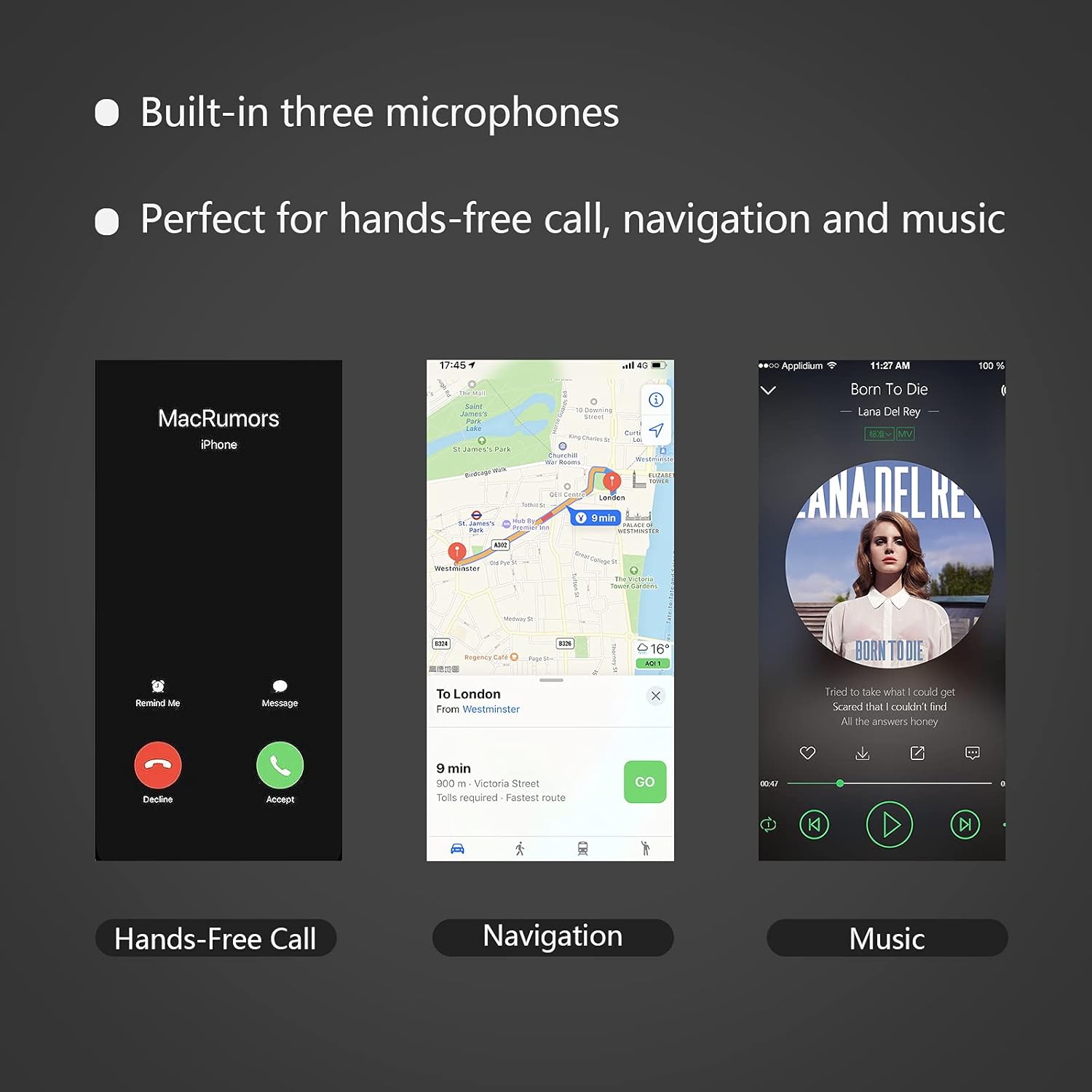
Image: A smartphone displaying a music playback interface, indicating the receiver's capability for music streaming.
4.3 핸즈프리 통화
The MFB button allows for convenient call management:
- 전화 받기: Press the MFB button once when an incoming call rings.
- 통화 종료: 통화 중에 MFB 버튼을 한 번 누르세요.
- 전화 거부: Press and hold the MFB button for approximately 2 seconds when an incoming call rings.
- 마지막 번호 재다이얼: Double-press the MFB button when not on a call.
Image: A smartphone displaying an incoming call screen, demonstrating the hands-free calling feature of the receiver.
4.4 Navigation Voice Broadcast
When connected, the receiver can broadcast voice notifications from your navigation application through your connected audio system, ensuring safe driving without needing to look at your phone.
Image: A smartphone displaying a navigation app, illustrating the receiver's ability to broadcast navigation voice prompts.
5. 유지관리
- 기기를 건조하게 유지하세요. 습기는 전자 회로를 손상시킬 수 있습니다.
- 기기를 극한의 온도에 노출시키지 마십시오. 고온은 전자 기기의 수명을 단축시키고 플라스틱 부품을 변형시킬 수 있습니다.
- Do not attempt to open or disassemble the device. This will void the warranty and may cause damage.
- 부드럽고 마른 천으로 기기를 닦으세요. 강한 화학 물질이나 연마성 세제는 사용하지 마세요.
6. 문제 해결
| 문제 | 가능한 원인 | 해결책 |
|---|---|---|
| 장치의 전원이 켜지지 않습니다. | 배터리가 부족합니다. | 제공된 USB 케이블을 사용하여 장치를 충전하십시오. |
| Bluetooth 장치와 페어링할 수 없습니다. | Receiver not in pairing mode. Bluetooth on phone is off. Device too far from receiver. | Ensure receiver is flashing blue/red. Turn on Bluetooth on your phone. Move phone closer to receiver (within 10 meters). |
| 연결 후 소리가 나지 않습니다. | Incorrect cable connection. Audio system input not selected. Volume too low. | Check 3.5mm AUX or RCA cable connections. Ensure your audio system is set to the correct AUX/RCA input. Increase volume on both the receiver and your audio system. |
| 음질이 좋지 않거나 소리가 끊깁니다. | Interference. Device too far. Low battery. | Move closer to the receiver. Avoid obstacles between devices. Charge the receiver. |
| Hands-free call quality is poor. | Microphone obstructed. Background noise. | Ensure microphones are not covered. Reduce background noise if possible. |
7. 사양
- 모델 번호: 682601503816
- 블루투스 버전: 5.0
- 연결 기술 : 보조자
- 커넥터 유형: 3.5mm 잭, RCA
- 오디오 출력 모드: 스테레오 재생
- 특별 기능: Built-In Microphone, Hands-Free Calling, Noise Cancelling
- 호환 장치: Speakers, Home Stereos, Car Audio Systems, Headphones
- 배터리: 1개의 리튬 이온 배터리(포함)
- 근무 시간: Up to 15 hours (audio/calling)
- 충전 시간: 약 2.5시간
- 품목 무게: 3.52 온스
- 패키지 크기: 6.93 x 3.43 x 0.75 인치
- 색상: Black+Gray
- 제조업체: 손루
- 첫 이용 가능 날짜: 28년 2021월 XNUMX일
8. 보증 및 지원
For warranty information and customer support, please refer to the documentation included with your product or visit the official SONRU web대지. 보증 청구를 위해 구매 영수증을 보관하십시오.
For further assistance, you may contact SONRU customer service through their official channels.


