1. 서론
The Dell S2722DGM is a 27-inch curved gaming monitor designed to provide an immersive visual experience. It features a QHD (2560 x 1440) resolution, a 1500R curvature, and a high refresh rate for smooth gameplay and clear visuals.
주요 특징은 다음과 같습니다.
- 165Hz 재생률: Ensures fluid motion and faster reaction times.
- 1ms MPRT / 2ms Gray to Gray Response Time: Minimizes motion blur for crisp images.
- 1500R Curved QHD Display: Enhances field of vision and reduces distortion, glare, and reflection.
- Gaming Console VRR Support: Compatible with Variable Refresh Rate technologies for tear-free gaming.
- 조정 가능한 스탠드: Offers height and tilt adjustments for ergonomic view주고받음.
2. 상자 안에 무엇이 들어있나요?
모든 구성품이 포장에 들어 있는지 확인하세요.
- 감시 장치
- 스탠드 받침대
- DisplayPort to DisplayPort cable (ver 1.2) (1.8m)
- 전원 케이블
- HDMI 케이블
- 빠른 설정 가이드
- 안전/환경/규제 정보
3. 설정
3.1 모니터 조립
Attach the stand riser to the monitor panel, then secure the base to the riser. Ensure all connections are firm.
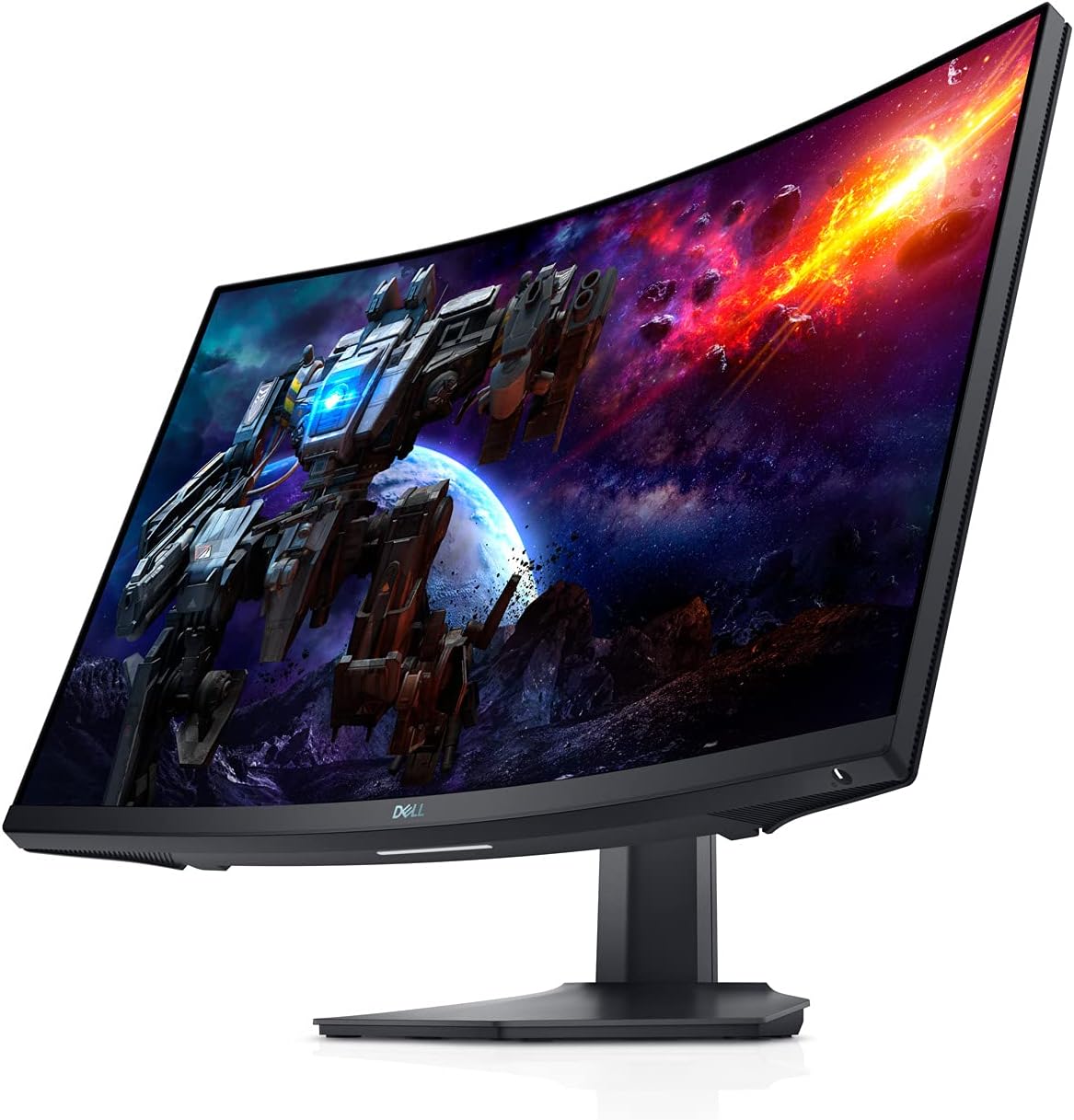
그림 3.1: 전면 view of the Dell S2722DGM Curved Gaming Monitor with stand.

Figure 3.2: Monitor dimensions, showing the curved screen and stand.
3.2 모니터 연결
Connect the power cable to the monitor and a power outlet. Use either the provided DisplayPort or HDMI cable to connect the monitor to your computer or gaming console. The monitor features multiple input ports for versatile connectivity.
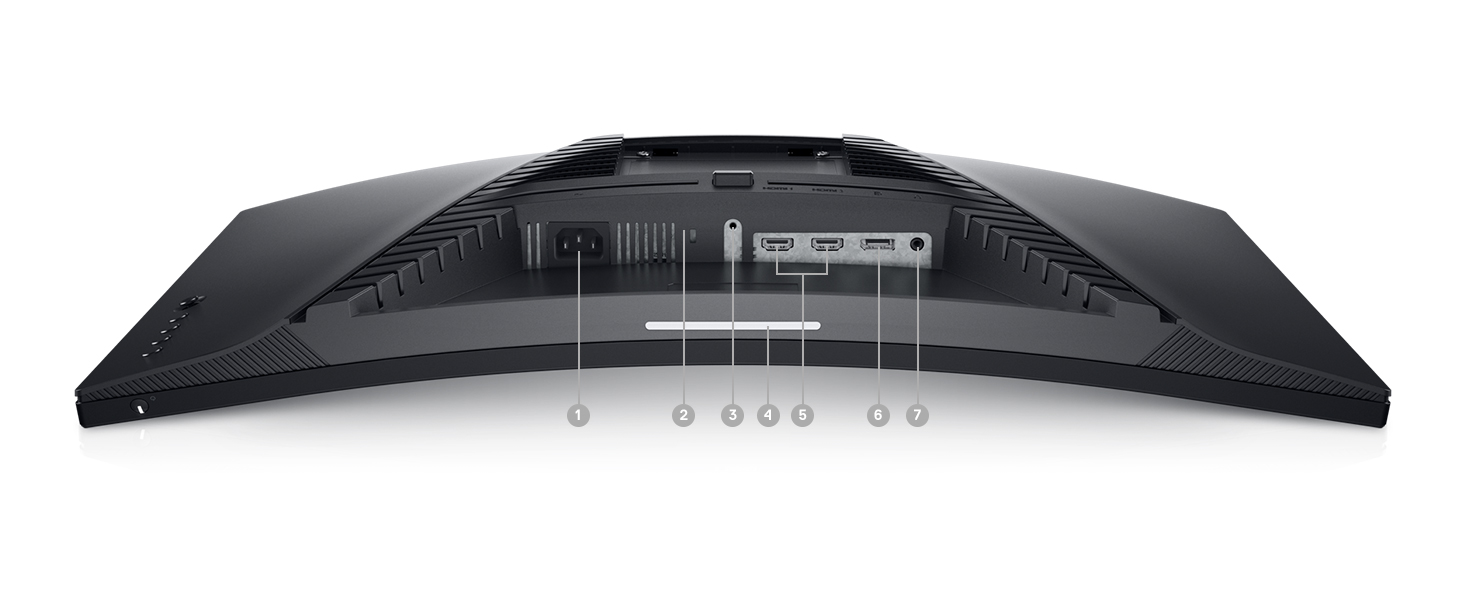
그림 3.3: 후면 view of the monitor, highlighting the power input, DisplayPort, HDMI ports, and audio output.
모니터에는 다음이 포함됩니다.
- 전원 커넥터
- 2x HDMI 포트
- 1x 디스플레이포트
- 오디오 라인 출력 포트
4. 모니터 작동하기
4.1 전원 켜기/끄기
전원 버튼은 모니터 오른쪽 하단에 있습니다. 이 버튼을 눌러 모니터를 켜거나 끄세요.
4.2 화면 디스플레이(OSD) 컨트롤
The OSD menu allows you to adjust various monitor settings such as brightness, contrast, color, input source, and gaming features. The control buttons are located on the back right side of the monitor. Use these buttons to navigate the menu and make selections.

그림 4.1: 측면 view of the monitor, showing the OSD control buttons for menu navigation.
4.3 스탠드 조정
The monitor stand supports height and tilt adjustments. Gently adjust the monitor to your preferred view최적의 편안함을 위해 각도와 높이를 조절하세요.
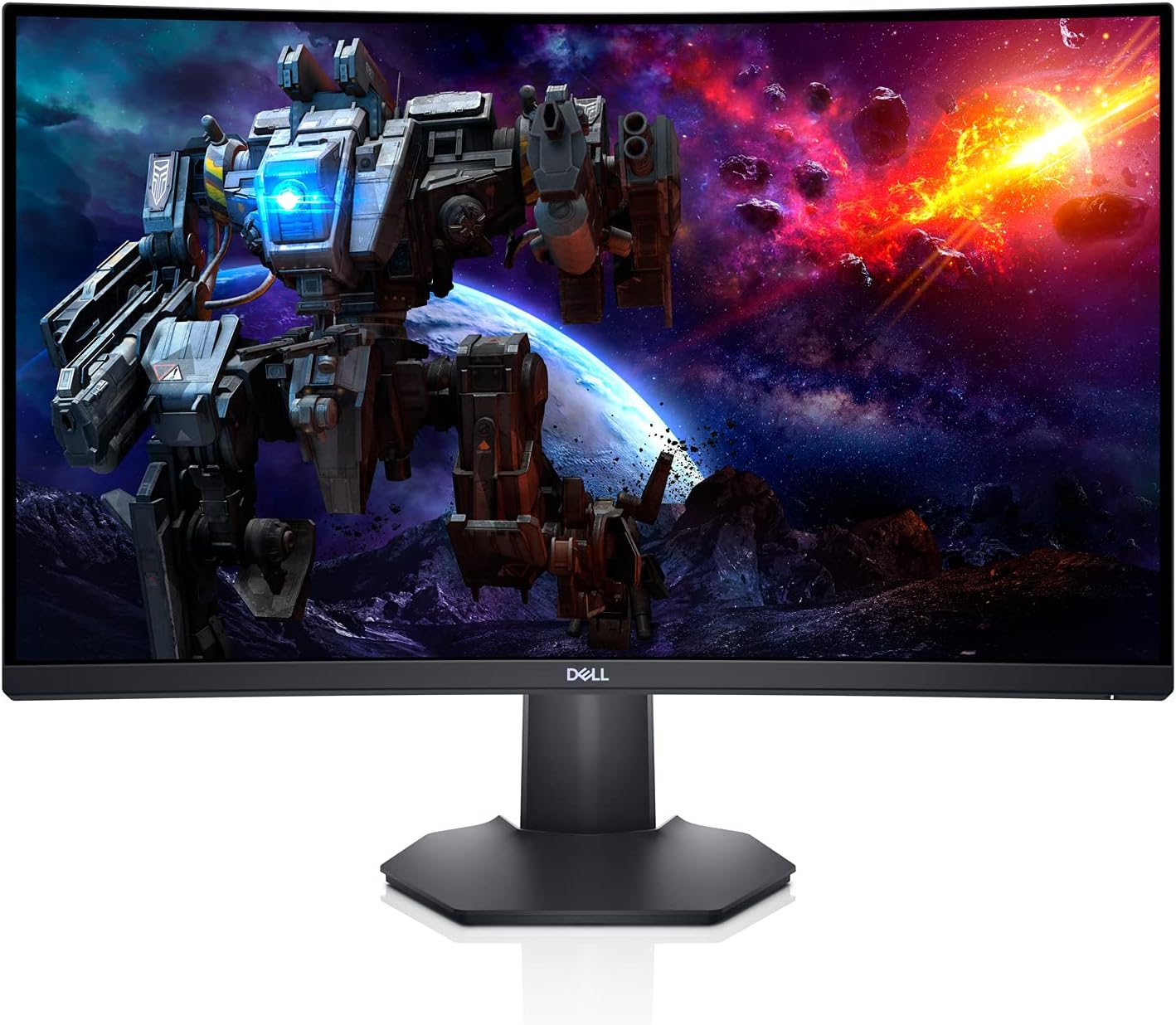
그림 4.2: 사이드 프로file of the monitor, illustrating the adjustable stand.
5. 특징
- 몰입형 곡면 디스플레이: The 1500R curved screen with a 3-sided narrow border enhances your field of vision, providing a more engaging experience for gaming and media consumption.
- 높은 화면 갱신율 및 빠른 응답 시간: Experience smooth, tear-free visuals with a 165Hz refresh rate and a rapid 1ms MPRT (Moving Picture Response Time) or 2ms Gray to Gray response time, crucial for fast-paced games.
- QHD 해상도: The 2560 x 1440 resolution offers 77% more screen content compared to Full HD, providing sharper details and more workspace.
- AMD 프리싱크 프리미엄: This technology synchronizes the monitor's refresh rate with your GPU, eliminating screen tearing and stuttering for a fluid gaming experience.
- Ambient Downlight: A subtle downlight feature provides ambient lighting during low-light gaming sessions, adding to the aesthetic and reducing eye strain.
- 향상된 방열: Uniquely designed vents located at the back of the monitor help maintain optimal operating temperatures during extended use.
Video 5.1: Official Dell S2722DGM Gaming Monitor overview, 보여 주다asing key features like refresh rate, response time, and curved display.
Video 5.2: Product feature video demonstrating the monitor's design and visual capabilities.
6. 사양
| 특징 | 사양 |
|---|---|
| 스탠딩 스크린 디스플레이 크기 | 27 인치 |
| 화면 해상도 | 2560x1440(QHD 와이드 1440p) |
| 최대 화면 해상도 | 2560 x 1440 픽셀 |
| 새로 고침 빈도 | 165Hz(디스플레이포트) |
| 응답 시간 | 1ms MPRT / 2ms Gray to Gray |
| 종횡비 | 16시 9분 |
| 화면 표면 설명 | 매트 |
| 연결성 | HDMI, 디스플레이포트 |
| 품목 무게 | 5.76파운드 |
| 제품 크기(LxWxH) | 23.95 x 3.79 x 14.34 인치 |
| 색상 | 검은색 |
7. 유지관리
To ensure the longevity and optimal performance of your Dell S2722DGM monitor, follow these maintenance guidelines:
- 화면 청소: 부드럽고 보풀이 없는 천으로 화면을 부드럽게 닦으세요. 잘 지워지지 않는 얼룩의 경우,ampen the cloth with water or a non-ammonia, non-alcohol based glass cleaner. Avoid spraying liquid directly onto the screen.
- C 청소asing: 부드럽고 마른 천을 사용하여 모니터를 청소하십시오.asing. 연마성 세척제나 용제 사용을 피하세요.
- 통풍: 모니터의 통풍구가 막히지 않고 깨끗한지 확인하여 과열을 방지하십시오.
- 전원 관리 : 장시간 사용하지 않을 때는 모니터를 꺼서 에너지를 절약하고 수명을 연장하세요.
8. 문제 해결
모니터에 문제가 발생하면 다음의 일반적인 문제 해결 단계를 참조하세요.
- 전원 없음:
- 전원 케이블이 모니터와 전원 콘센트에 모두 제대로 연결되어 있는지 확인하세요.
- 다른 기기를 콘센트에 꽂아 전원 콘센트가 제대로 작동하는지 확인하십시오.
- 모니터의 전원 버튼을 누릅니다.
- 신호 없음:
- Verify that the video cable (HDMI or DisplayPort) is securely connected to both the monitor and your computer/console.
- 모니터의 OSD 메뉴에서 올바른 입력 소스가 선택되었는지 확인하세요.
- 가능하다면 다른 비디오 케이블이나 포트를 사용해 보세요.
- 화면 표시 문제(예: 화면 깜빡임, 이미지 왜곡):
- 비디오 케이블에 손상이 있는지 확인하십시오.
- Adjust the resolution and refresh rate settings on your computer/console to match the monitor's specifications.
- OSD 메뉴를 통해 공장 초기화를 수행하십시오.
- No Audio (if using monitor's audio output):
- Ensure external speakers or headphones are properly connected to the monitor's audio line-out port.
- Check the audio settings on your computer/console and the monitor's OSD menu.
For more detailed troubleshooting, refer to the comprehensive user manual available on the Dell support web대지.
9. 보증 및 지원
The Dell S2722DGM Curved Gaming Monitor comes with a standard limited hardware warranty. For specific warranty terms and conditions, please refer to the 'Safety/Environmental/Regulatory Information' document included in your product packaging or visit the official Dell support web대지.
기술 지원, 드라이버 다운로드 및 기타 지원 자료는 다음 웹사이트를 방문하십시오. www.dell.com/support and search for your model (S2722DGM).