1. 제품 오버view
The FERMAX VEO-XL WIFI DUOX PLUS kit is a state-of-the-art video intercom system designed for single-family homes, offices, and businesses. It operates on the DUOX PLUS fully digital, two-wire non-polarized technology, simplifying installation while maintaining high product quality and design.
This kit includes the essential components for installation: the CITYLINE outdoor panel, the VEO-XL WIFI monitor, and the necessary power supply. The VEO-XL WIFI monitor features built-in Wi-Fi connectivity, enabling call transfer to mobile devices via the free Fermax DuoxMe app, available on Play Store and App Store. This allows users to manage video intercom functions directly from their smartphone or tablet, including answering calls and remotely opening the door from anywhere.
A key feature is the Photocaller function, which automatically captures an image of the caller. The monitor can store up to 150 images with date and time stamps. Once the maximum capacity is reached, the oldest image is automatically deleted when a new one is taken. The screen indicates if there are unviewed photos or if the date/time is not set.
The VEO-XL WIFI DUOX PLUS monitor is a hands-free, extra-slim unit with a 7-inch (16:9) color wide screen. Its OSD menu and button layout ensure simple and intuitive user interaction. The unit is constructed from high-impact ABS plastic, offering durability and a balanced, modern, and minimalist design.

Image: The complete FERMAX VEO-XL WIFI DUOX PLUS Video Intercom Kit, showing the outdoor panel, indoor monitor, and packaging.
2. 제품 구성품
The FERMAX 9471 VEO-XL WIFI DUOX PLUS kit typically includes the following items:
- CITYLINE Outdoor Panel: The external unit with camera, microphone, speaker, and call button.
- VEO-XL WIFI Monitor: The indoor unit with a 7-inch color screen, hands-free operation, and Wi-Fi connectivity.
- 전원 공급 장치: Required for system operation.
- 장착 액세서리: Screws, plugs, and brackets for installation.
- 사용자 설명서: This document provides detailed instructions.

이미지: 나란히 view of the FERMAX CITYLINE outdoor panel and the VEO-XL WIFI indoor monitor.

Image: The product packaging for the FERMAX VEO-XL WIFI DUOX PLUS kit, illustrating the main components included.
3. 설정 가이드
3.1 시스템 요구 사항
- 배선: DUOX PLUS system requires two non-polarized wires for communication and power.
- Wi-Fi 네트워크 : For mobile app functionality, a 2.4 GHz Wi-Fi network (WiFi 4 standard) with WPA2-PSK encryption is required. Ensure the monitor is within adequate range of your Wi-Fi access point.
3.2 물리적 설치
3.2.1 옥외 패널 설치
The CITYLINE outdoor panel should be mounted in a secure, weather-protected location near your entrance. Ensure it is at an appropriate height for clear camera view and easy access to the call button. Follow local electrical codes and safety guidelines during installation.
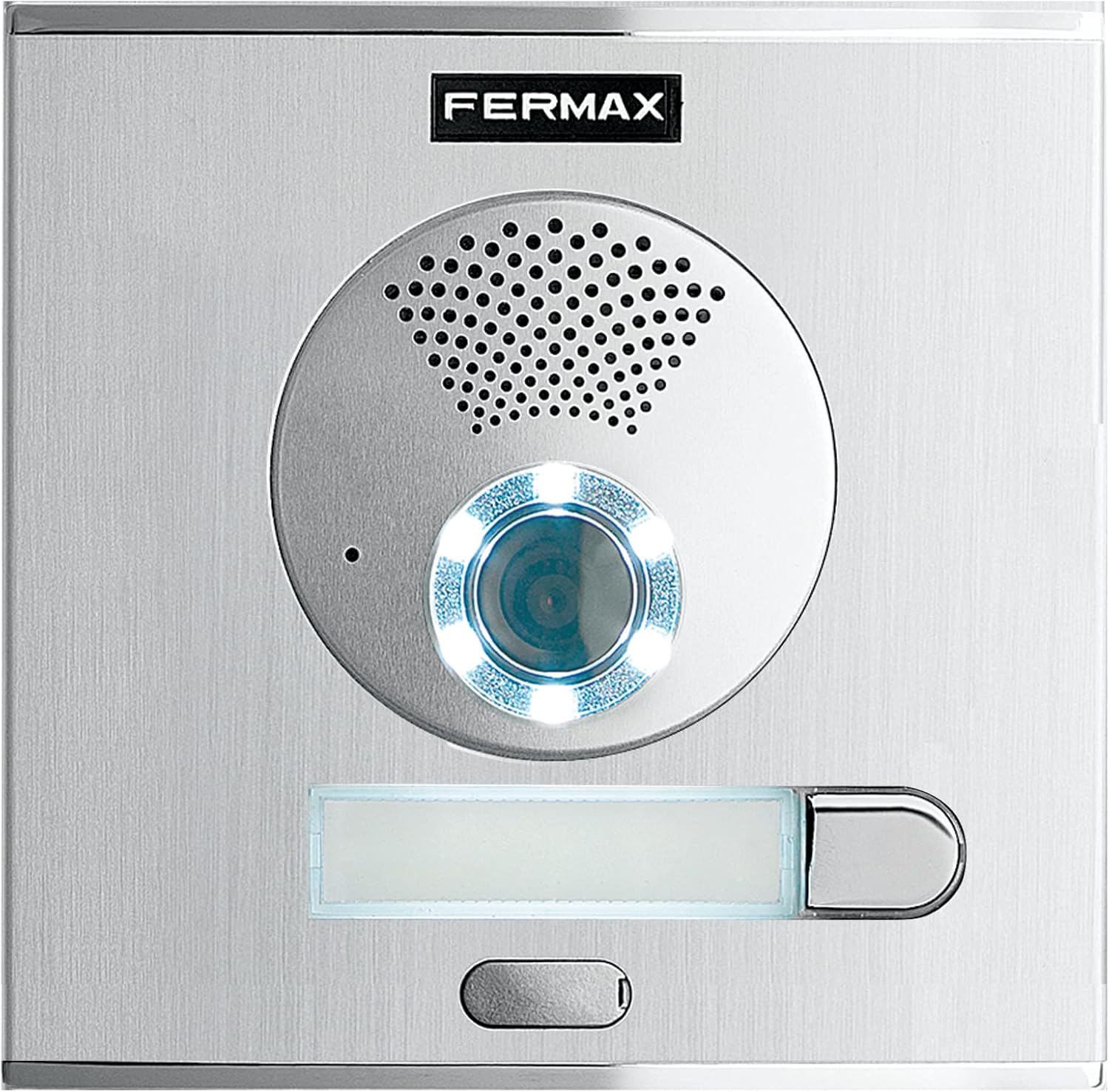
이미지: 자세한 view of the FERMAX CITYLINE outdoor panel, highlighting the camera, speaker, and call button.
3.2.2 모니터 설치
The VEO-XL WIFI monitor is designed for indoor use. Mount it on a wall at a convenient height, ensuring it is easily accessible and visible. Consider proximity to your Wi-Fi router for optimal wireless performance.
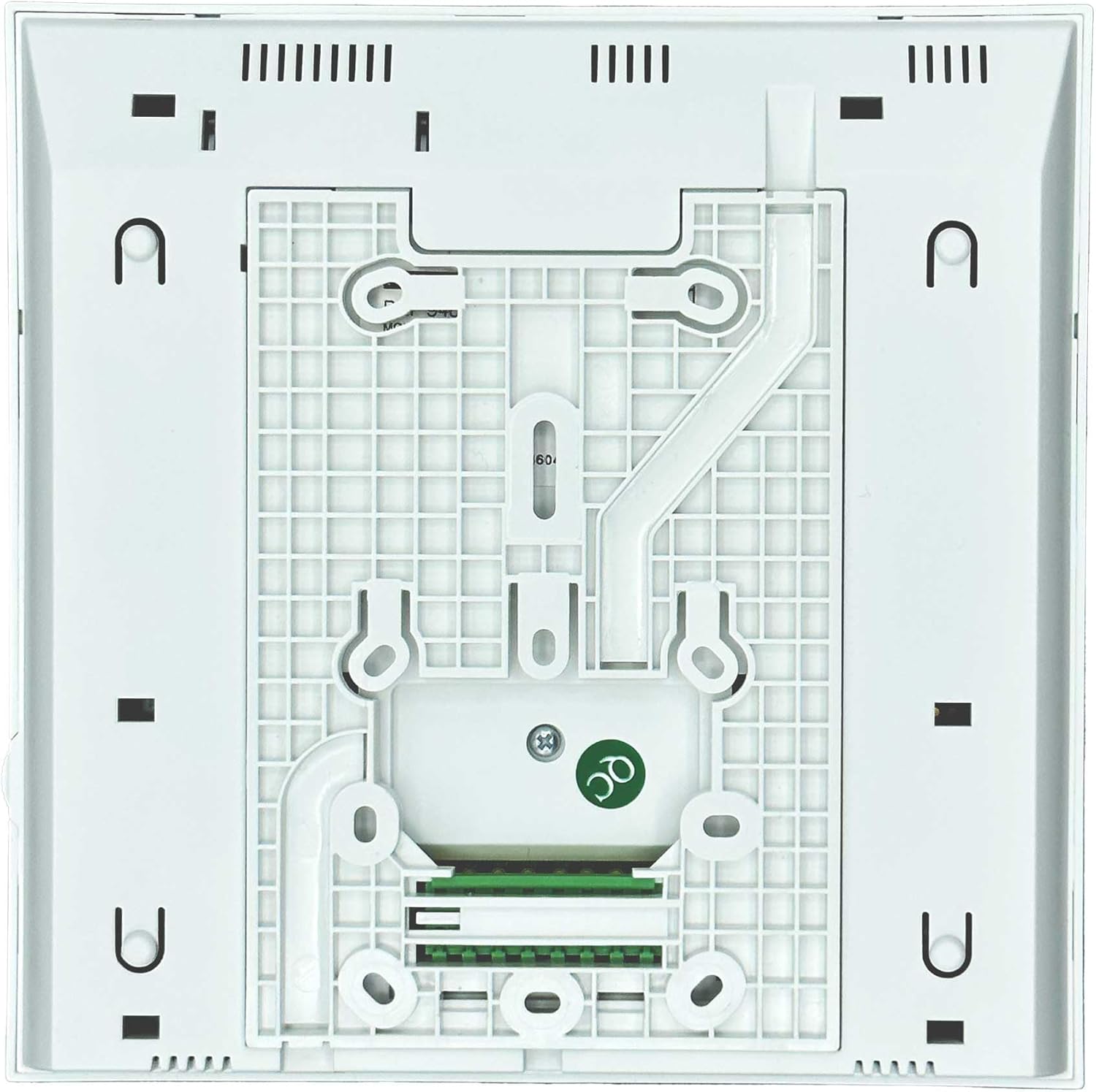
이미지: 뒷면 view of the FERMAX VEO-XL WIFI monitor, showing mounting points and general structure.

이미지: 뒷면 view of the FERMAX VEO-XL WIFI monitor, displaying the product label with model and serial information.
3.3 배선도
The DUOX PLUS system utilizes a two-wire non-polarized connection. Connect the two wires from the outdoor panel to the corresponding terminals on the indoor monitor and power supply. Refer to the detailed wiring diagram provided in the separate installation guide that accompanies your kit for precise connections. Ensure all power is disconnected before performing any wiring.
3.4 초기 전원 켜기 및 구성
Once all components are securely installed and wired, connect the power supply. The monitor will power on. Use the on-screen display (OSD) menu and physical buttons to navigate through initial setup, including language selection, date/time settings, and Wi-Fi configuration. Follow the on-screen prompts to connect your monitor to your home Wi-Fi network.
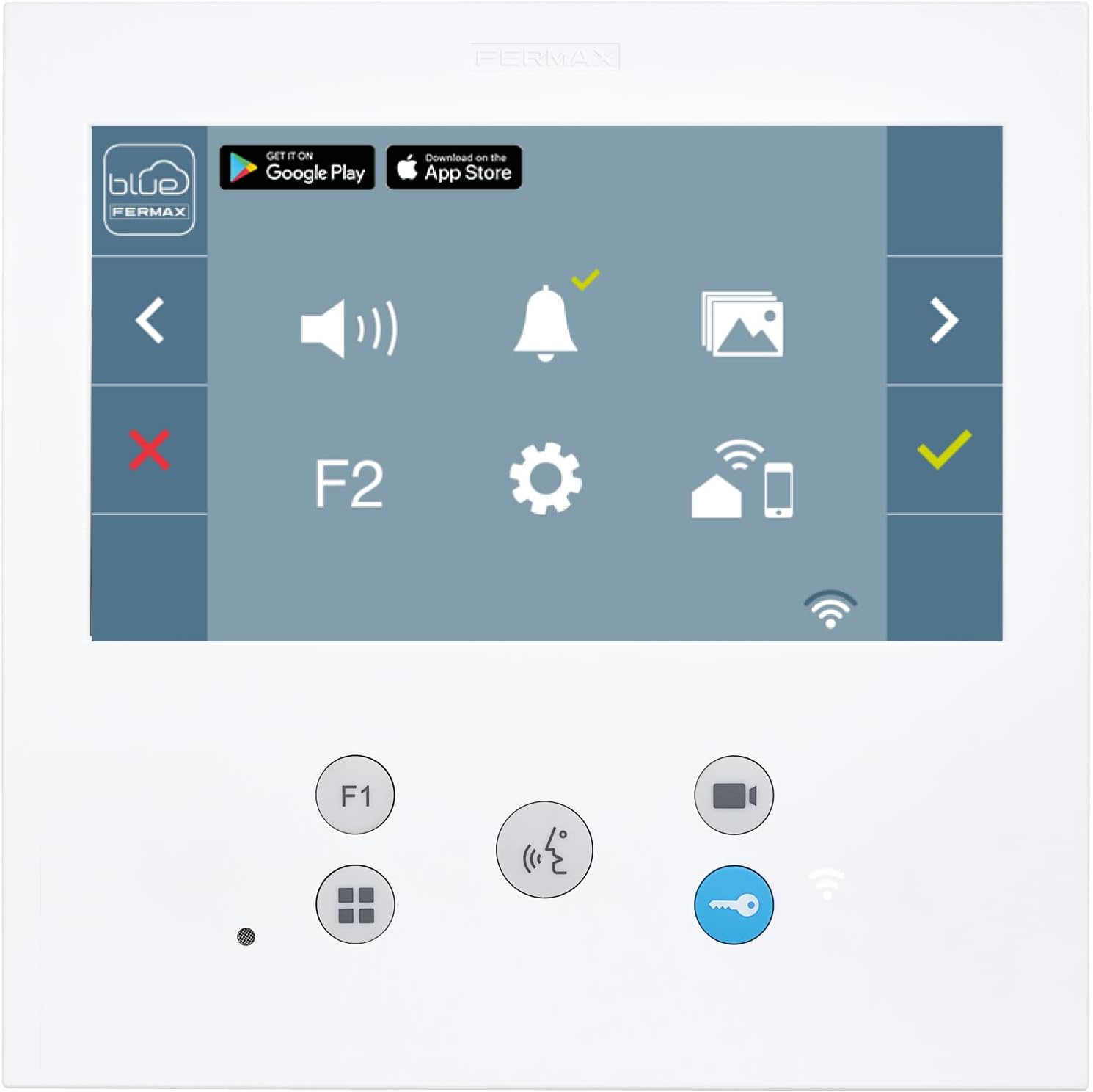
Image: The user interface of the FERMAX VEO-XL WIFI monitor, showing various icons for settings and functions.
4. 사용 설명서
4.1 기본 기능
- 전화 받기: When someone presses the call button on the outdoor panel, the indoor monitor will ring and display the caller's image. Press the answer button on the monitor to establish communication.
- 문 열기: 통화 중이나 viewing the outdoor panel, press the door release button on the monitor to unlock the entrance.
- Viewing the Camera: You can manually activate the outdoor panel's camera from the monitor to see what is happening outside, even without an incoming call.
4.2 Wi-Fi Connectivity and DuoxMe App
The VEO-XL WIFI monitor's integrated Wi-Fi allows for seamless integration with the Fermax DuoxMe mobile application. Download the app from your device's app store (Google Play Store for Android, Apple App Store for iOS).
Once connected, the DuoxMe app enables:
- 통화 전환: Receive video intercom calls directly on your smartphone or tablet, even when you are away from home.
- Remote Door Opening: Unlock your door remotely through the app.
- 살다 View: Access the outdoor panel's camera feed from your mobile device at any time.

Image: The FERMAX VEO-XL WIFI monitor displaying the DuoxMe app interface, indicating mobile connectivity.
4.3 Photocaller Function
The Photocaller function automatically captures a still image of the person calling from the outdoor panel. These images are stored internally on the monitor. You can enable or disable this function through the monitor's settings menu.
- 이미지 저장 : The monitor can store up to 150 images. Each image is stamped with the date and time it was taken.
- 스토리지 관리: When the storage capacity of 150 images is reached, taking a new photo will automatically delete the oldest stored image to make space.
- 알림: The monitor screen will indicate if there are new, unviewed photos or if the date/time settings need to be adjusted.
5. 유지관리
Proper care and maintenance will ensure the longevity and optimal performance of your FERMAX video intercom system.
- 청소: Clean the outdoor panel and indoor monitor surfaces with a soft, damp cloth. Avoid using abrasive cleaners, solvents, or harsh chemicals, as these can damage the ABS plastic and electronic components.
- 환경 보호: Ensure the outdoor panel is protected from direct, prolonged exposure to extreme weather conditions if not rated for such. While designed for outdoor use, excessive moisture or direct sunlight can affect performance over time.
- 정기 점검: Periodically check all visible wiring connections for any signs of wear or damage. Ensure the outdoor panel's camera lens is clean and free from obstructions for clear image quality.
- 소프트웨어 업데이트: As per product specifications, software updates are not available for this model.
6. 문제 해결
This section addresses common issues you might encounter with your FERMAX video intercom system.
| 문제 | 가능한 원인 | 해결책 |
|---|---|---|
| No Wi-Fi connection on monitor or app. | Monitor is out of Wi-Fi range; incorrect Wi-Fi settings (frequency, security type); router issues. |
|
| No image or audio from outdoor panel. | Loose or incorrect wiring; power supply issue; damaged components. |
|
| Photocaller function not capturing images. | Function disabled in settings; storage full; system error. |
|
| Monitor screen is blank or unresponsive. | No power; monitor malfunction. |
|
7. 기술 사양
| 특징 | 값 |
|---|---|
| 모델 번호 | F09471 |
| 상표 | 페르맥스 |
| 화면 크기 | 7 inches (16:9) Color Wide Screen |
| 기술 | DUOX PLUS (Fully Digital, Two Non-Polarized Wires) |
| 재료 | 고강도 ABS 플라스틱 |
| 품목 무게 | 140그램 |
| 기록 용량 | 15 seconds (for video clips, Photocaller stores 150 still images) |
| Outdoor Panel Dimensions (W x H) | 130mm x 128mm |
| 모니터 크기(가로 x 세로 x 두께) | 185mm x 185mm x 21mm |
| Wi-Fi 연결 | 2.4 GHz, WiFi 4, WPA2-PSK |
| 기원 | 스페인 |
| 소프트웨어 업데이트는 다음 날짜까지 보장됩니다. | Information Not Available |
| 예비 부품 가용성 | Information Not Available |

Image: Technical drawing showing the dimensions of the outdoor panel and indoor monitor in millimeters.
8. 보증 및 지원
For warranty information, please refer to the documentation included with your purchase or contact your point of sale. FERMAX products typically come with a manufacturer's warranty covering defects in materials and workmanship.
For technical support, troubleshooting assistance beyond this manual, or inquiries regarding spare parts, please contact FERMAX customer service directly. You can usually find contact details on the official FERMAX web사이트 또는 제품 포장에 표시되어 있습니다.
It is recommended to register your product with FERMAX, if applicable, to facilitate warranty claims and receive important product updates.


