1. 서론
구매해주셔서 감사합니다asing the mDesign Modern Minimalist Computer Desk (Model 18803MDHS). This desk is designed to provide a functional and stylish workspace for your home office, study, or bedroom. Featuring a durable metal and wood construction, a convenient storage drawer, and an open cubby, it offers practical storage solutions in a compact design. Please read this manual carefully before assembly and use to ensure proper setup and longevity of your product.
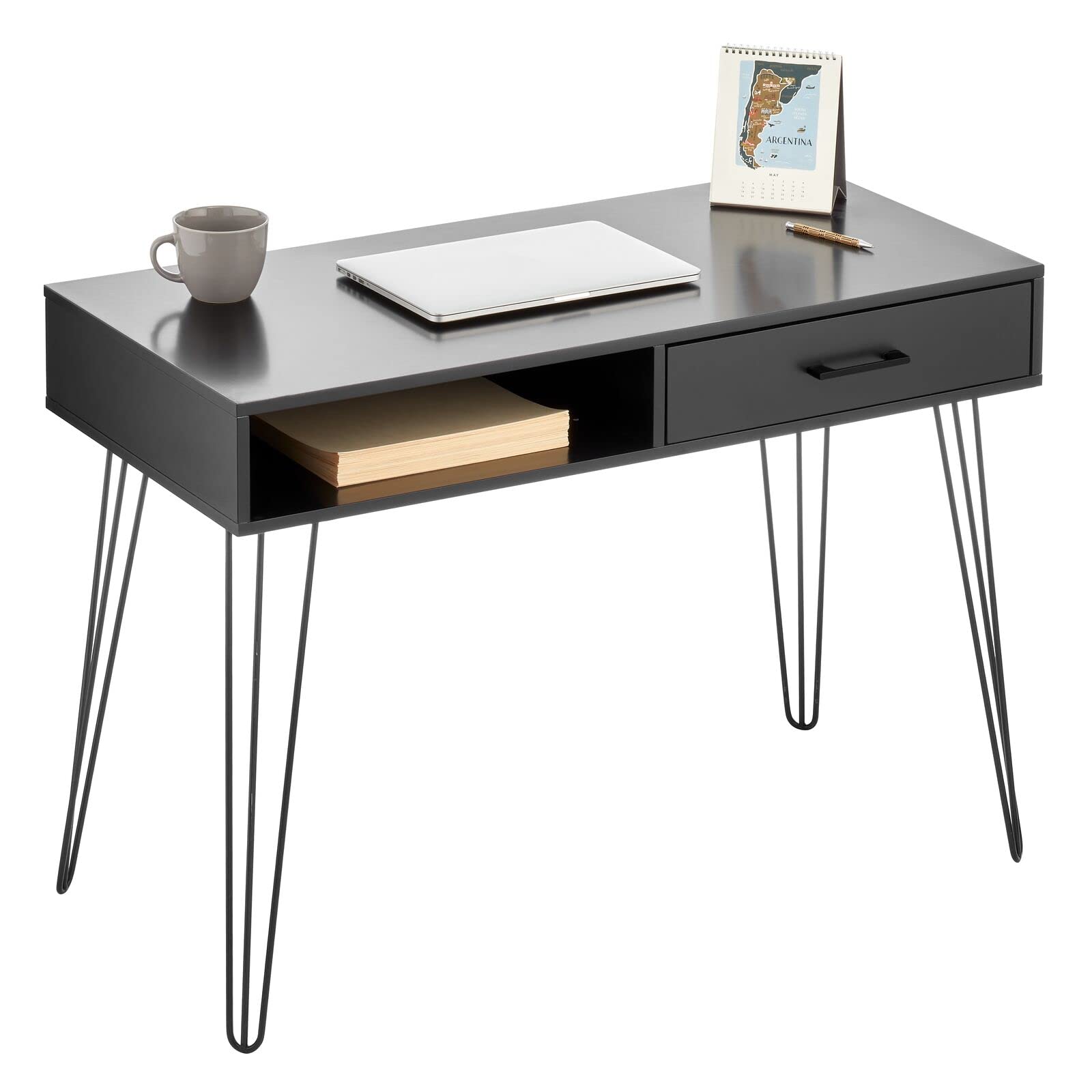
Image 1.1: The mDesign Modern Minimalist Computer Desk in a typical home office setup, showcasin컴팩트한 디자인과 통합형 수납공간이 특징입니다.
2. 안전 정보
조립 및 사용 시 다음 안전 수칙을 준수해 주십시오.
- 질식 위험을 방지하기 위해 모든 작은 부품과 포장재를 어린이와 애완동물이 접근할 수 없는 곳에 보관하세요.
- Assemble the desk on a soft, clean surface to avoid scratching the product or your floor.
- 책상을 사용하기 전에 모든 나사와 고정 장치가 단단히 조여졌는지 확인하십시오. 주기적으로 점검하고 필요에 따라 다시 조여주십시오.
- Do not overload the desk or its drawer/cubby. Refer to specifications for weight limits (if available, otherwise general caution).
- 책상 위에 서거나 앉지 마세요.
- 조립에는 제공된 하드웨어만 사용하세요.
- 부품이 누락되었거나 손상된 경우 조립을 진행하지 마십시오. 즉시 고객 지원 센터에 문의하세요.
3. 패키지 내용
Before beginning assembly, verify that all components are present and undamaged. All assembly tools are included.
- Desk Top with integrated drawer and cubby (1)
- Hairpin Legs (4)
- 조립 하드웨어(나사, 와셔 등)
- 조립 도구 (예: 육각 렌치)
- 사용 설명서(본 문서)

이미지 3.1: 각도가 있는 view of the desk, highlighting the main desktop unit with its integrated drawer and open storage cubby.
4. 조립 설명서
Follow these steps to assemble your mDesign Computer Desk. It is recommended to have two people for easier assembly.
- 구성 요소 풀기: 포장에서 모든 부품을 조심스럽게 꺼내십시오. 손상을 방지하기 위해 부드럽고 깨끗한 표면에 놓으십시오.
- Attach Hairpin Legs: Locate the four hairpin legs and the corresponding mounting points on the underside of the desk top. Align each leg with its designated holes.
- 다리 고정: Using the provided screws and the included assembly tool, securely fasten each hairpin leg to the desk top. Ensure all screws are tightened firmly but do not overtighten.
- 안정성 확인: Once all legs are attached, carefully turn the desk upright. Place it on a level surface and gently test its stability. If the desk wobbles, check that all leg screws are evenly tightened.
- Drawer Installation (if separate): If the drawer is not pre-assembled, follow the specific instructions provided for drawer rail attachment and drawer insertion. (Note: For this model, the drawer is typically integrated into the desk top.)
조립 팁 : Do not fully tighten all screws until all components are loosely assembled. This allows for minor adjustments to ensure proper alignment, then tighten all screws completely.
5. 사용 설명서
The mDesign Computer Desk is designed for straightforward use as a workspace and storage unit.
- 작업 공간: Use the spacious desk top for your computer, monitor, writing, or other tasks.
- 보관 서랍: The integrated drawer provides concealed storage for office supplies, documents, or personal items. Gently pull the handle to open and push to close.
- Storage Cubby: The open cubby offers easy access storage for books, notebooks, or decorative items.

이미지 5.1: 클로즈업 view of the desk drawer being opened, demonstrating its functionality for storing small items.
6. 유지관리
To keep your desk in optimal condition, follow these simple maintenance guidelines:
- 청소: 책상 표면을 광고로 닦으세요amp 천을 사용하십시오. 마감 처리가 손상될 수 있는 강한 화학 물질이나 연마성 세제는 사용하지 마십시오.
- 유출: 얼룩이 생기거나 나무 및 금속 부품이 손상되는 것을 방지하기 위해 액체를 쏟았을 경우 즉시 닦아내십시오.
- 정기 점검: 모든 나사와 연결부가 단단히 조여져 있는지 주기적으로 점검하십시오. 필요한 경우 다시 조이십시오.
- 직사광선을 피하세요: Prolonged exposure to direct sunlight can cause fading or warping of wood components.
- 과도한 수분을 피하십시오: Keep the desk away from areas with high humidity or direct water exposure.
7. 문제 해결
책상에 문제가 발생하면 다음의 일반적인 문제와 해결 방법을 참조하세요.
| 문제 | 가능한 원인 | 해결책 |
|---|---|---|
| 책상이 흔들리거나 불안정합니다. | Legs not tightened evenly; uneven floor surface. | Ensure all leg screws are fully and evenly tightened. Move the desk to a level surface or use shims under the legs if necessary. |
| Drawer does not open/close smoothly. | Obstruction in the drawer slide; misaligned drawer. | Check for any objects blocking the drawer slides. If the drawer is removable, re-insert it carefully, ensuring it aligns with the rails. |
| Desk appears too short for comfortable use. | Ergonomic preference; chair height mismatch. | Adjust your chair height to match the desk. Consider a footrest if your feet do not comfortably reach the floor. The desk height is fixed at 29.9 inches. |
| Surface scratch or cosmetic damage. | 배송 또는 조립 중 발생한 손상. | For minor scratches, touch-up pens or furniture markers may be used. For significant damage, contact customer support. |
8. 사양
Key specifications for the mDesign Modern Minimalist Computer Desk (Model 18803MDHS):
- 모델 번호: 18803MDHS
- 상표: 엠디자인
- 제품 크기(깊이 x 너비 x 높이): 19.7" x 41.9" x 29.9"(50cm x 106.4cm x 75.9cm)
- 색상: 블랙/블랙
- 스타일: 모던, 미니멀리스트
- 기본 재료: Alloy Steel (Hairpin Legs)
- 최고 물자 유형: 목재
- 마감 유형 : 목재
- 특징: Compact, 1 Drawer, Storage Cubby
- 필요한 조립: 예 (모든 도구 포함)
- 제품 관리: D로 닦기amp 옷감
- 한국어: 192173188033
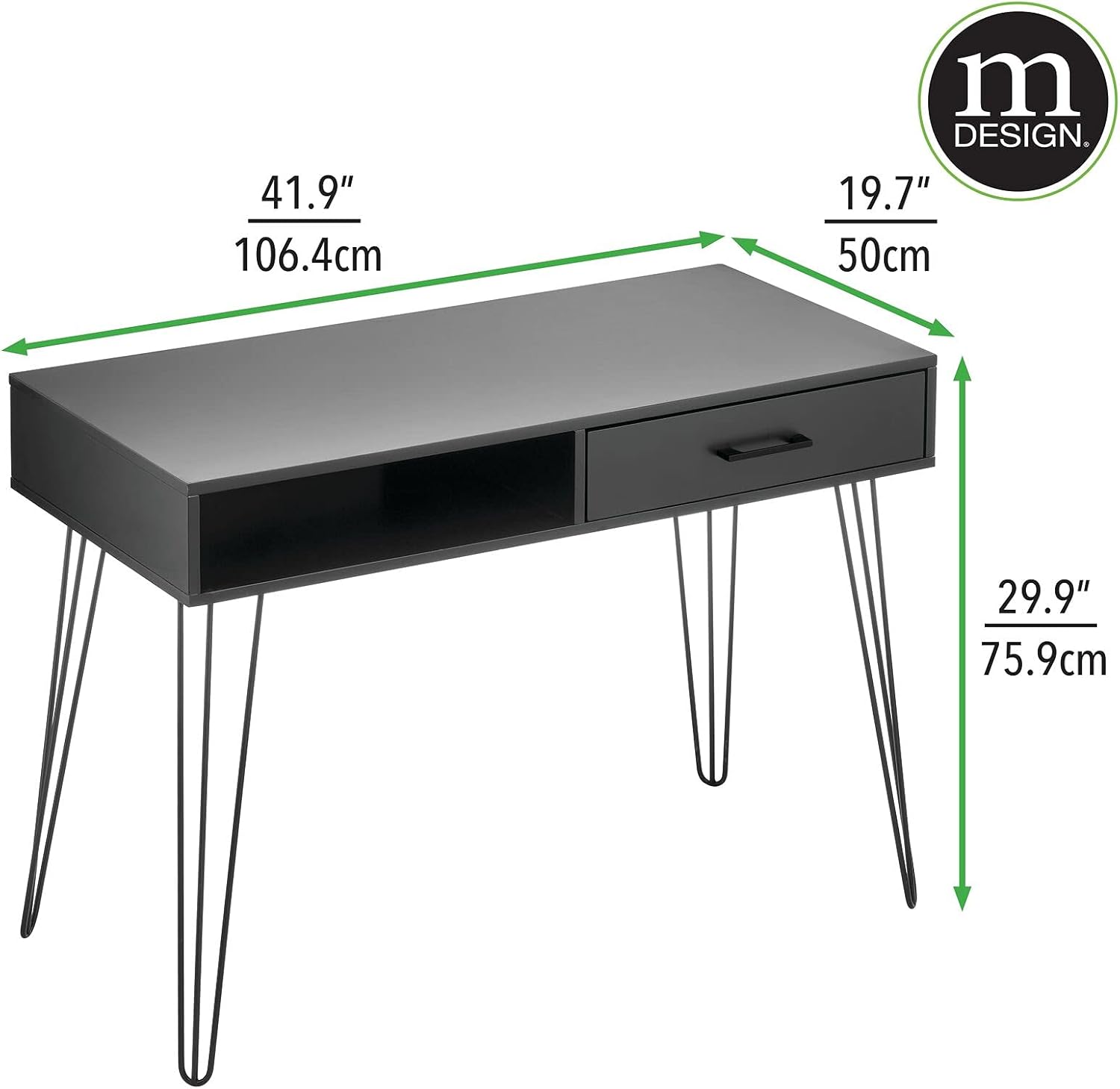
Image 8.1: Dimensional diagram of the desk, illustrating its width, depth, and height for planning your space.
9. 보증 및 지원
mDesign stands behind the quality of its products. For any questions, concerns, or assistance with your mDesign Modern Minimalist Computer Desk, please contact mDesign customer support.
Please have your model number (18803MDHS) and proof of purchase ready when contacting support.
For the most up-to-date warranty information and contact details, please visit the official mDesign web웹사이트를 참조하거나 제품 포장을 확인하세요.


