소개
Thank you for choosing BACKWIN B580S Wired Earbuds. This manual provides essential information for setting up, operating, and maintaining your new earphones. Please read it carefully to ensure optimal performance and longevity of your product.

Image: The BACKWIN B580S Wired Earbuds, featuring a black design, 3.5mm audio jack, and integrated in-line controls.
상자 안에 무엇이 들어있나요?
모든 품목이 들어 있는지 확인하려면 패키지 내용물을 확인하세요.
- BACKWIN B580S Wired Earbuds (with integrated cable and microphone)
- 보호 케이스
- 이어쿠션(다양한 사이즈)
제품 끝view
Familiarize yourself with the main components of your earbuds:

이미지: 폭발 view of the earbud's internal structure, emphasizing the 16.2mm driver for enhanced audio.
이미지: 상세 view of the in-line remote control, illustrating its multi-function button for call and music management.
설정
Connecting your BACKWIN B580S Wired Earbuds is straightforward:
- 3.5mm 오디오 잭을 찾으세요: Locate the 3.5mm audio port on your device (smartphone, tablet, laptop, etc.).
- 플러그를 삽입하십시오: Gently insert the 3.5mm plug of your earbuds into the audio port until it clicks into place.
- 이어버드 조정: Place the earbuds comfortably into your ears. Ensure a snug fit for optimal sound isolation and audio quality.
Watch this video for a visual guide on connecting and using your earbuds:
Video: A demonstration of connecting the BACKWIN B580S earbuds to a device and wearing them for audio playback.
작동 지침
The in-line remote control allows for easy management of calls and music playback:
- 전화 받기/종료: 다기능 버튼을 한 번 누릅니다.
- 음악 재생/일시 중지: 다기능 버튼을 한 번 누릅니다.
- 다음 노래: 다기능 버튼을 두 번 클릭하세요.
- 이전 노래: 다기능 버튼을 세 번 클릭하세요.
- 볼륨 조절: Use the dedicated volume slider or buttons on the in-line remote (if present, otherwise use device volume).
Image: The in-line remote control with clear icons indicating functions for call management and music track selection.
주요 특징

Image: Visual representation of the mobile subwoofer technology, designed for superior clarity and acoustic performance with enhanced bass.

Image: A user wearing the earbuds, highlighting the closed cavity design that minimizes external noise interference for clearer sound.
고음질 오디오
The earbuds feature high-fidelity enhancement of bass sound effects, designed to restore the natural quality of sound. Expert tuning ensures a rich audio experience, allowing users to enjoy a wonderful feast of sound.
인체공학적 디자인
Designed for comfort, the earbuds fit the curve of the ear, providing a secure and comfortable experience even during extended wear. This ergonomic design helps prevent discomfort and ensures the earbuds stay in place during activities like jogging or travel.
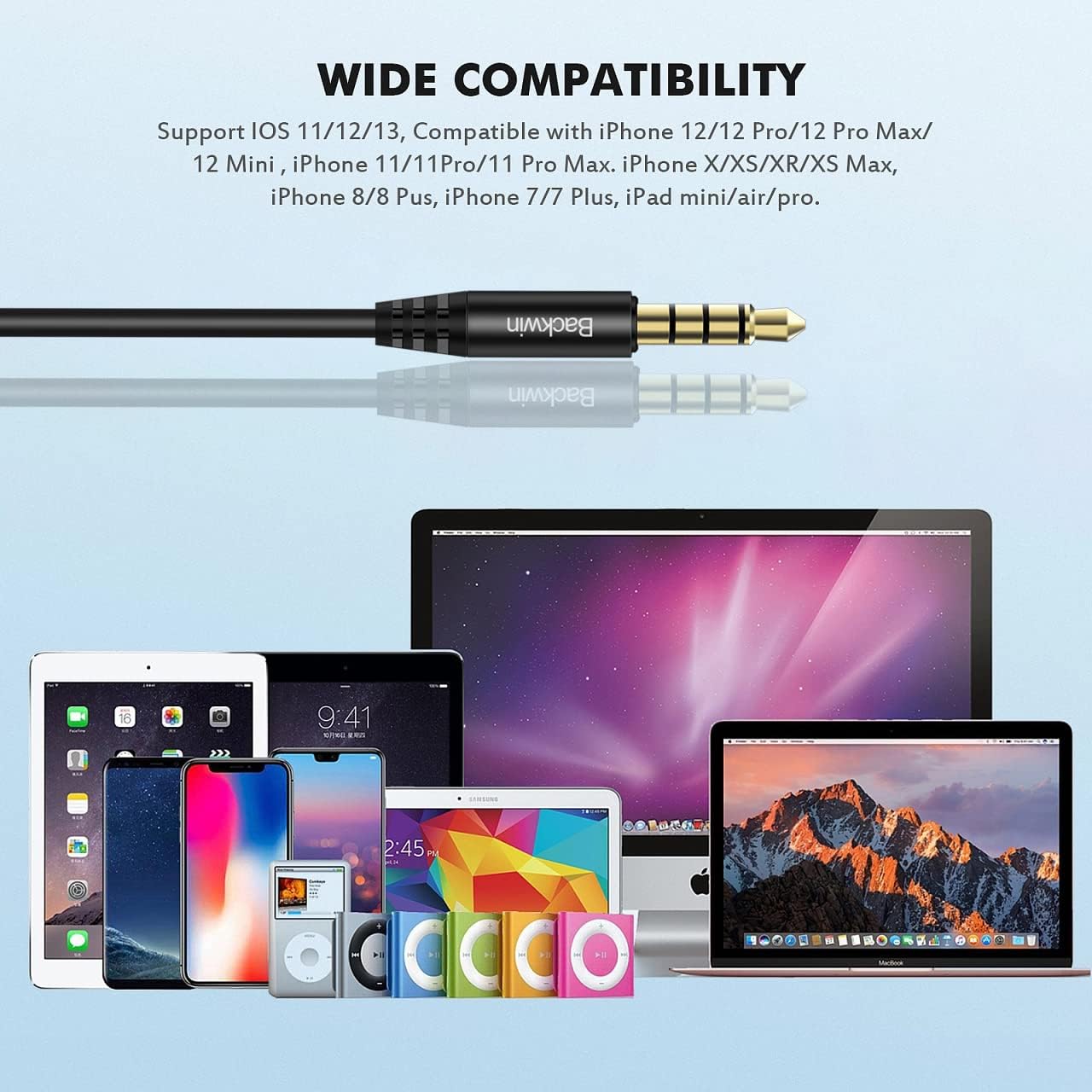
Image: A detailed illustration demonstrating the ergonomic fit of the earbud within the ear canal, designed for comfort and stability.
내구성이 뛰어나고 엉키지 않는 케이블
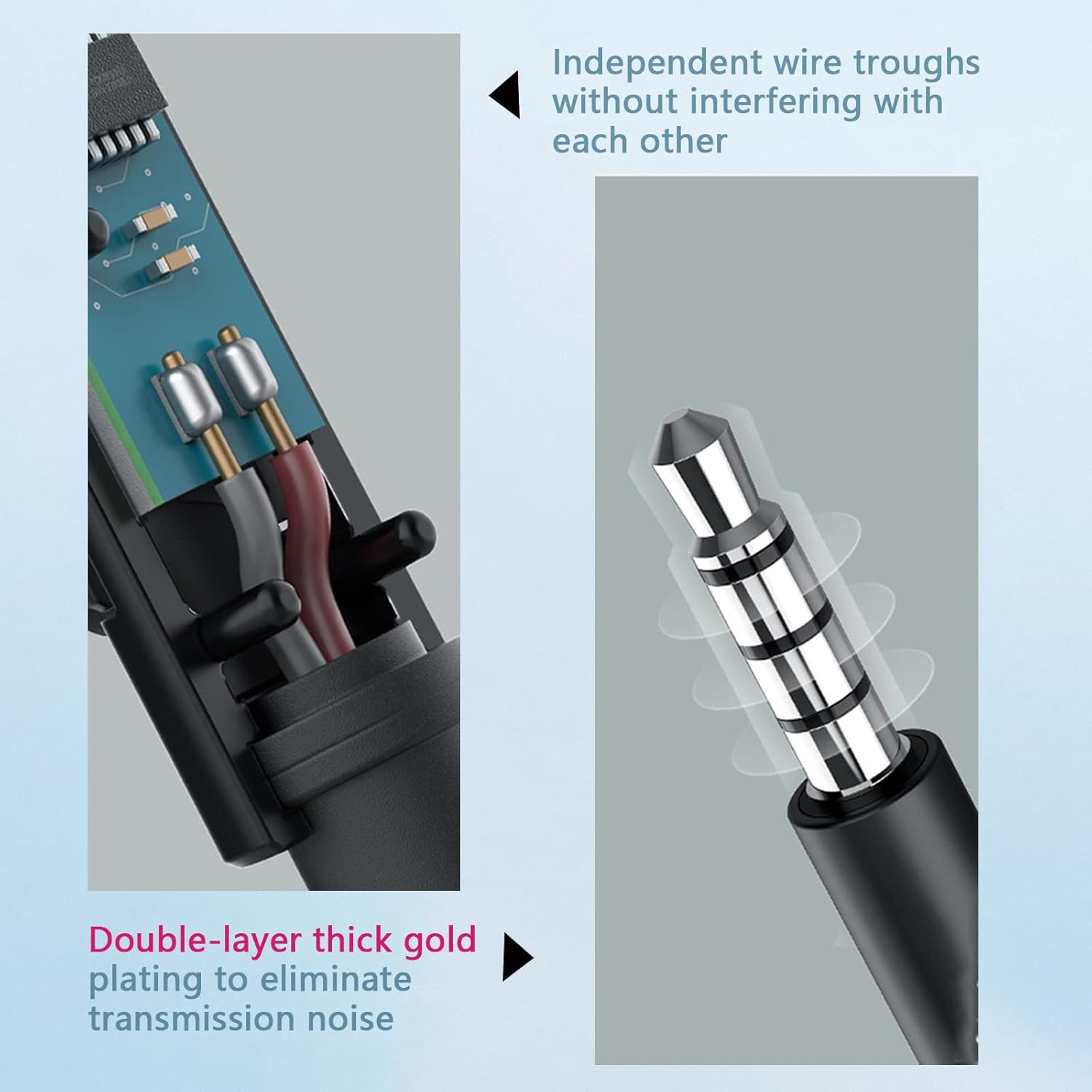
The cable utilizes a hollow tube material technology, making it soft, comfortable to handle, and resistant to tangling. This design allows for easy portability without the hassle of knots, ensuring continuous and convenient use.

Image: Cross-section of the cable, illustrating independent wire troughs to prevent interference.

Image: The 3.5mm jack, featuring double-layer thick gold plating for improved signal transmission and reduced noise.

Image: Hands stretching the earbud cable, highlighting its flexible and durable construction.
통합 마이크
The built-in microphone is positioned to be close to your mouth for clear communication. Its multi-functionality simplifies call management (receive/end calls) and music control (play/pause/next/last song), making communication convenient.
호환성
The BACKWIN B580S Wired Earbuds are compatible with any audio device featuring a standard 3.5mm jack. This includes, but is not limited to:
- iPhone devices (models with 3.5mm jack or adapter)
- 안드로이드 스마트폰
- iPod and other MP3 players
- iPad and other tablets
- Mac and other laptops/computers

Image: The 3.5mm audio jack positioned above a collection of compatible devices, including various smartphones, tablets, and laptops.
유지
이어버드의 수명과 최적의 성능을 보장하려면 다음 유지 관리 지침을 따르세요.
- 청소: 이어버드와 케이블은 부드럽고 마른 천으로 가볍게 닦아주세요. 강한 화학 약품이나 연마제를 사용하지 마세요.
- 귀 쿠션: 이어쿠션을 주기적으로 분리하여 세척하십시오.amp 천으로 닦아주세요. 다시 부착하기 전에 완전히 말랐는지 확인하세요.
- 저장: When not in use, store the earbuds in the provided protective case to prevent tangling and damage.
- 습기를 피하세요: While the earbuds have some water resistance, avoid prolonged exposure to water or high humidity. Do not submerge them.
문제 해결
If you encounter any issues with your BACKWIN B580S Wired Earbuds, please refer to the following common solutions:
| 문제 | 가능한 원인 | 해결책 |
|---|---|---|
| 소리가 나지 않거나 볼륨이 작음 |
|
|
| 마이크가 작동하지 않습니다 |
|
|
| 음향 왜곡 |
|
|
명세서
| 특징 | 세부 사항 |
|---|---|
| 모델명 | B580S |
| 연결 기술 | 열광한 |
| 헤드폰 잭 | 3.5 mm 잭 |
| 귀 위치 | 귀에 |
| 소음 제어 | 소리 차단 |
| 주파수 응답 | 20000Hz |
| 임피던스 | 32옴 |
| 제어 유형 | 볼륨 조절, 다기능 버튼 |
| 케이블 기능 | 엉킴 프리 |
| 특별 기능 | 마이크 포함, 방수 |
| 재료 | 플라스틱 |
| 품목 무게 | 3.69온스(104.55그램) |
| 제품 치수 | 0.47 x 0.39 x 0.39 인치 |
| 제조업체 | GUANGZHOU BACKWIN TECHNOLOGY CO.,LIMITED |
보증 및 지원
BACKWIN provides a 365-day quality assurance for this product. If you encounter any issues or require support, please contact our customer service. We are committed to ensuring your satisfaction and will assist with replacements or refunds as needed.

Image: A visual representation of BACKWIN's commitment to quality assurance and customer satisfaction.


