소개
The Sofirn SP35 is a high-performance, versatile EDC (Everyday Carry) flashlight designed for various outdoor activities, emergency situations, and general illumination needs. It features a powerful SST40 LED, USB-C rechargeable battery, and multiple brightness modes, making it a reliable tool for camping, hiking, hunting, fishing, and more.

Image: The Sofirn SP35 flashlight, showcasing its compact design and side switch.
상자 안에 무엇이 들어있나요?
- 1 x Sofirn SP35 Flashlight
- 1 x 21700 Lithium Ion Battery (inserted)
- 1 x USB-C 충전 케이블
- 1 x 사용자 설명서
설정
Initial Use: Battery Preparation
Before first use, the insulating paper must be removed from the battery compartment. Follow these steps:
- 손전등의 테일 캡을 푸십시오.
- Remove the insulating paper located between the battery and the spring.
- 테일 캡을 다시 단단히 조이십시오.

Image: Diagram showing how to unscrew the tail cap and remove the insulation paper from the battery.
배터리 충전
The Sofirn SP35 features a convenient USB-C charging port. To charge the flashlight:
- 제공된 USB-C 케이블을 손전등의 충전 포트에 연결하십시오.
- 케이블의 다른 쪽 끝을 5V/2A USB 전원 어댑터(별도 구매)에 연결하십시오.
- The switch LED will flash red during charging and turn steady green when charging is complete. A full charge takes approximately 3 hours.

Image: Close-up of the Sofirn SP35 showing the USB-C charging port.
작동 지침
기본 동작
- 켜기/끄기: 측면 스위치를 한 번 클릭하면 손전등이 켜지거나 꺼집니다.
- 밝기 모드 변경: When the flashlight is on, press and hold the side switch to cycle through Eco, Low, Medium, and High modes. Release the switch to select the desired mode.
- 터보 모드: Double-click the side switch from any mode (on or off) to activate Turbo mode (2000 lumens). Double-click again to return to the previous mode.
- 스트로브 모드: Triple-click the side switch from any mode (on or off) to activate Strobe mode. Triple-click again to cycle through SOS and Beacon modes. Single click to return to the previous mode.
- 잠금 기능: From OFF, four quick clicks will activate the lockout function. The main LED will flash once to confirm. To unlock, four quick clicks again.

Image: Illustration demonstrating the different brightness levels (Low, Medium, High, Turbo) of the Sofirn SP35 flashlight.
고급 온도 조절(ATR)
The SP35 incorporates ATR technology, which automatically adjusts the brightness level when the driver temperature reaches 55°C (131°F) to prevent overheating. This ensures stable performance and extends the lifespan of the flashlight. Once the temperature decreases, the brightness will automatically increase again.
전원 표시기
측면 스위치의 LED 표시등은 실시간 배터리 상태를 보여줍니다.
- 솔리드 그린: Battery is between 50% and 100% charged.
- 단색 빨간색: Battery is between 25% and 49% charged.
- 빨간색으로 깜박임: Battery is below 25% charged and needs recharging.
유지
- Clean the threads and O-rings regularly with a clean cloth. Lubricate them with silicone grease to maintain water resistance.
- 손전등을 장기간 사용하지 않을 경우, 누액을 방지하기 위해 배터리를 제거하십시오.
- 손전등은 직사광선과 극한의 온도를 피해 시원하고 건조한 곳에 보관하세요.
- Avoid dropping the flashlight or subjecting it to strong impacts, as this may damage internal components.
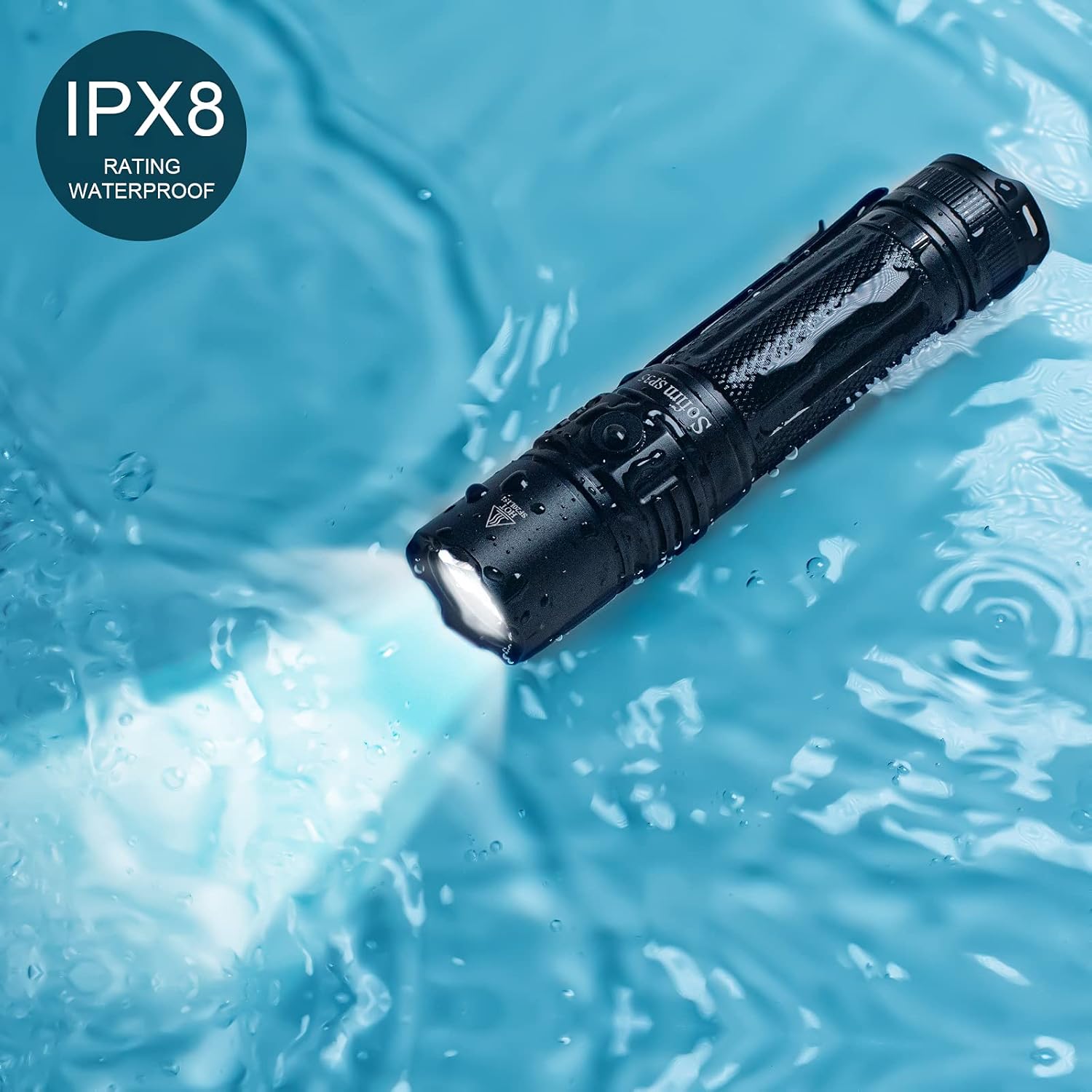
Image: The Sofirn SP35 flashlight submerged in water, demonstrating its IPX8 water resistance rating.
문제 해결
| 문제 | 가능한 원인 | 해결책 |
|---|---|---|
| 손전등이 켜지지 않습니다 | Battery not inserted correctly or insulating paper not removed. | Ensure battery is inserted with positive (+) end towards the head. Remove insulating paper if present. |
| Flashlight flickers or turns off unexpectedly | Low battery, loose tail cap, or dirty contacts. | Recharge the battery. Tighten the tail cap. Clean battery contacts and threads. |
| 밝기 모드를 변경할 수 없습니다. | 손전등이 잠금 모드에 있습니다. | Triple-click the side switch to exit lockout mode. |
| 손전등이 금방 뜨거워집니다 | 장시간 터보 모드로 작동. | This is normal due to ATR (Advanced Temperature Regulation). The flashlight will reduce brightness to prevent damage. Reduce brightness manually if desired. |
명세서
| 특징 | 세부 사항 |
|---|---|
| 모델 | SP35-6500K |
| 광원 | SST40 LED |
| 최대 밝기 | 2000루멘 |
| 최대 빔 거리 | 332미터(1089피트) |
| 전원 | 21700 리튬 이온 배터리 1개 (포함) |
| 충전 포트 | USB-C |
| 충전 시간 | 약 3시간 (2A 어댑터 사용 시) |
| 최대 런타임 | 7 hours (on Medium mode, 400LM) |
| 방수성 | IPX8 (Submersible up to 2 meters for 30 minutes) |
| 재료 | 항공우주 등급 알루미늄 합금 |
| 치수 | 5.04인치 깊이 x 1.1인치 너비 x 1.1인치 높이 |
| 무게 | 220그램(7.8온스) |
보증 및 지원
Sofirn provides a 1-year warranty for the SP35 flashlight from the date of purchase. This warranty covers manufacturing defects and workmanship. It does not cover damage caused by misuse, unauthorized modification, or normal wear and tear.
For technical support, warranty claims, or any inquiries, please contact Sofirn customer service through their official website or the platform where you purchased the product. Please have your purchase receipt and product model number ready.
자세한 내용은 공식을 방문하세요. Sofirn Store on Amazon.


