1. 소개 및 이상view
The Lexar 128GB Micro SD Card E-Series is a high-speed flash memory card designed for reliable storage and fast data transfer. This microSDXC UHS-I card features read speeds of up to 100MB/s and write speeds of up to 30MB/s, making it suitable for capturing Full HD and 4K video, high-resolution photos, and improving app performance on compatible devices. It comes with an SD adapter for enhanced versatility.

Image: Lexar E-series microSDXC UHS-I Card, designed for capturing high-quality moments.
2. 설정 및 설치
To begin using your Lexar 128GB Micro SD Card, follow these steps for proper installation:
- 마이크로 SD 카드를 삽입하세요: Locate the microSD card slot on your compatible device (e.g., smartphone, tablet, camera, drone). Gently push the microSD card into the slot until it clicks into place. Ensure the card is oriented correctly according to your device's instructions.
- SD 어댑터 사용 방법: For devices that use a standard SD card slot (e.g., laptops, DSLR cameras), insert the microSD card into the provided SD adapter. Then, insert the adapter into the device's SD card slot.
- Formatting the Card: Many devices will prompt you to format the new memory card upon first insertion. It is recommended to format the card using your device's internal formatting function to ensure optimal compatibility and performance. Do NOT format the card on a computer or using third-party software unless specifically instructed by your device manufacturer.

Image: Illustrates the insertion of the Lexar Micro SD card into an SD adapter and then into a laptop for high-speed data transfer.
Video: A user demonstrates unboxing the Lexar 128GB E-Series Micro SD Card, inserting it into a dash cam, and formatting it for use.
3. 사용 설명서
The Lexar 128GB Micro SD Card is designed for seamless integration and high performance across various devices. Once installed and formatted, it is ready for use.
- 고속 데이터 전송: Benefit from read speeds up to 100MB/s and write speeds up to 30MB/s for quick file 데이터 전송 및 효율적인 워크플로우.
- 4K and Full HD Video Recording: Capture high-quality 4K and 1080P video without dropped frames, thanks to its UHS-I, U3, Speed Class 10, and V30 ratings. The 128GB capacity supports approximately 6 hours of 4K video or 20 hours of 1080P video.
- 앱 성능 향상: With an A1 (App 1) performance rating, the card provides continuous 1500 read IOPS and 500 write IOPS, allowing applications to load and run faster on smartphones and tablets, while also saving internal storage.
- 다양한 호환성: This card is compatible with a wide range of devices including smartphones, tablets, drones, cameras, and other Android devices, providing ample speed and storage for various adventures and gaming experiences.

Image: The Lexar Micro SD card is shown compatible with a variety of devices, highlighting its versatility.
4. 유지관리
To ensure the longevity and optimal performance of your Lexar 128GB Micro SD Card, adhere to the following maintenance guidelines:
- 물리적 보호: The card is designed to be waterproof (up to 30 minutes in 1 meter of water), shockproof, X-ray radiation proof, anti-static, and resistant to mechanical impact of 500G acceleration. While durable, avoid unnecessary exposure to extreme conditions or physical stress.
- 온도 저항성: The card operates reliably in temperatures ranging from 0°C to 70°C and can be stored between -25°C and 85°C. Avoid prolonged exposure to temperatures outside this range.
- 일반 서식: Periodically formatting the card (after backing up all data) can help maintain its performance and prevent data corruption.
- 안전한 제거: Always safely eject the card from your device before physically removing it to prevent data loss or damage to the card.

Image: Visual representation of the Lexar Micro SD card's robust durability features.
5. 문제 해결
If you encounter issues with your Lexar 128GB Micro SD Card, consider the following troubleshooting steps:
- 카드가 감지되지 않음:
- 카드가 기기 또는 어댑터에 완전히 올바르게 삽입되었는지 확인하십시오.
- 기기 자체의 문제인지 확인하기 위해 다른 호환 기기나 카드 리더기에 카드를 삽입해 보세요.
- Clean the card's gold contacts gently with a soft, dry cloth.
- 느린 성능:
- Verify that your device supports UHS-I speeds. If not, performance will be limited by the device's interface.
- Ensure the card is not nearly full, as this can impact write speeds.
- Reformat the card (after backing up data) to optimize its file 체계.
- 데이터 손상/오류:
- 카드를 제거하기 전에 항상 안전하게 꺼내십시오.
- Avoid interrupting data transfers or formatting processes.
- If issues persist, the card may be faulty. Refer to the warranty information.
6. 사양
| 특징 | 세부 사항 |
|---|---|
| 모델명 | E-시리즈 |
| 품목 모델 번호 | LMSESXX128G-BNAEU |
| 플래시 메모리 유형 | 마이크로 SDXC |
| 메모리 저장 용량 | 128GB (XNUMX기가바이트) |
| 읽기 속도 | 최대 100MB/s |
| 쓰기 속도 | 최대 30MB/s |
| 보안 디지털 협회 속도 등급 | 클래스 10, U3, V30, A1 |
| 하드웨어 인터페이스 | 마이크로SDXC |
| 호환 장치 | Camera, Personal Computer, Smartphone, Tablet, Drone |
| 특별 기능 | Drop Proof, Dust Proof, Magnetic Proof, Temperature Proof, X-Ray Proof |
| 작동 온도 | 0°C ~ 70°C |
| 보관 온도 | -25°C ~ 85°C |
| 제품 치수 | 0.59인치 길이 x 0.43인치 너비 |
| 품목 무게 | 0.2그램(0.007온스) |
7. 보증 및 지원
Lexar products are designed for reliability and undergo extensive testing. This product is covered by a limited warranty.
- 보증: The Lexar microSD card comes with a 10-year limited warranty. The included SD adapter has a 1-year limited warranty.
- 지원하다: For technical assistance, troubleshooting, or warranty claims, please visit the official Lexar website or contact Lexar customer support. Keep your proof of purchase for warranty validation.
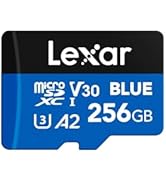
Image: Lexar Quality Labs logo, symbolizing product reliability and rigorous testing.


