1. 제품 오버view
The Cable Matters 8K DisplayPort 1.4 to HDMI 2.1 Adapter is designed to connect a DisplayPort-enabled source device to an HDMI 2.1 compatible display. This adapter supports high resolutions and refresh rates, making it suitable for demanding visual applications such as gaming and professional multimedia editing.

Image 1: The Cable Matters 8K DisplayPort 1.4 to HDMI 2.1 Adapter, showcasin컴팩트한 디자인과 꼬인 케이블이 특징입니다.
2. 설정 지침
Follow these steps to correctly set up your Cable Matters DisplayPort to HDMI adapter:
- 포트 식별: Locate the DisplayPort output on your source device (e.g., computer, laptop, graphics card) and an available HDMI input on your display (e.g., TV, monitor, projector).
- DisplayPort를 연결하세요: Plug the DisplayPort (male) end of the adapter into the DisplayPort output on your source device. Ensure it clicks securely into place.
- HDMI 케이블을 연결하십시오: Connect a Certified HDMI 2.1 cable (sold separately) to the HDMI (female) port of the adapter.
- 디스플레이에 연결: Plug the other end of the HDMI 2.1 cable into an HDMI input on your display.
- 전원 켜기: Power on both your source device and your display. Select the correct HDMI input on your display.
중요 참고 사항:
- 이 어댑터는 단방향 and only works from a DisplayPort source to an HDMI display. It will not convert HDMI to DisplayPort.
- Not compatible with PS5 or Xbox consoles.
- A Certified HDMI 2.1 cable is required to achieve optimal performance and supported resolutions.

Image 2: Diagram illustrating the uni-directional connection from DisplayPort sources (Desktop, Mini PC) to HDMI targets (Monitor, TV, Projector), explicitly noting PS5 and Xbox are not supported.
Video 1: An official Cable Matters video demonstrating the connection of a DisplayPort to HDMI adapter to a computer and display.
3. 사용 설명서
The adapter supports advanced video and audio features:
- 고해상도 지원: Enjoy video resolutions up to 8K@60Hz, 4K@120Hz, and 4K@240Hz.
- Immersive HDR: Supports High Dynamic Range (HDR) for vibrant visuals and enhanced contrast.
- 오디오 경험: Supports surround sound for a complete audio-visual experience.
- 게임에 최적화됨: Ideal for connecting high-end graphics cards (e.g., NVIDIA RTX 4090/4080/4070, AMD RX 7900/6900) to 8K or 4K Smart TVs and 120Hz/240Hz gaming monitors.
제한 사항:
- Variable Refresh Rate (VRR), G-Sync, or FreeSync technologies are 지원되지 않음 by this adapter.

Image 3: A skier on a snowy mountain, illustrating a smooth 8K video experience with the adapter.
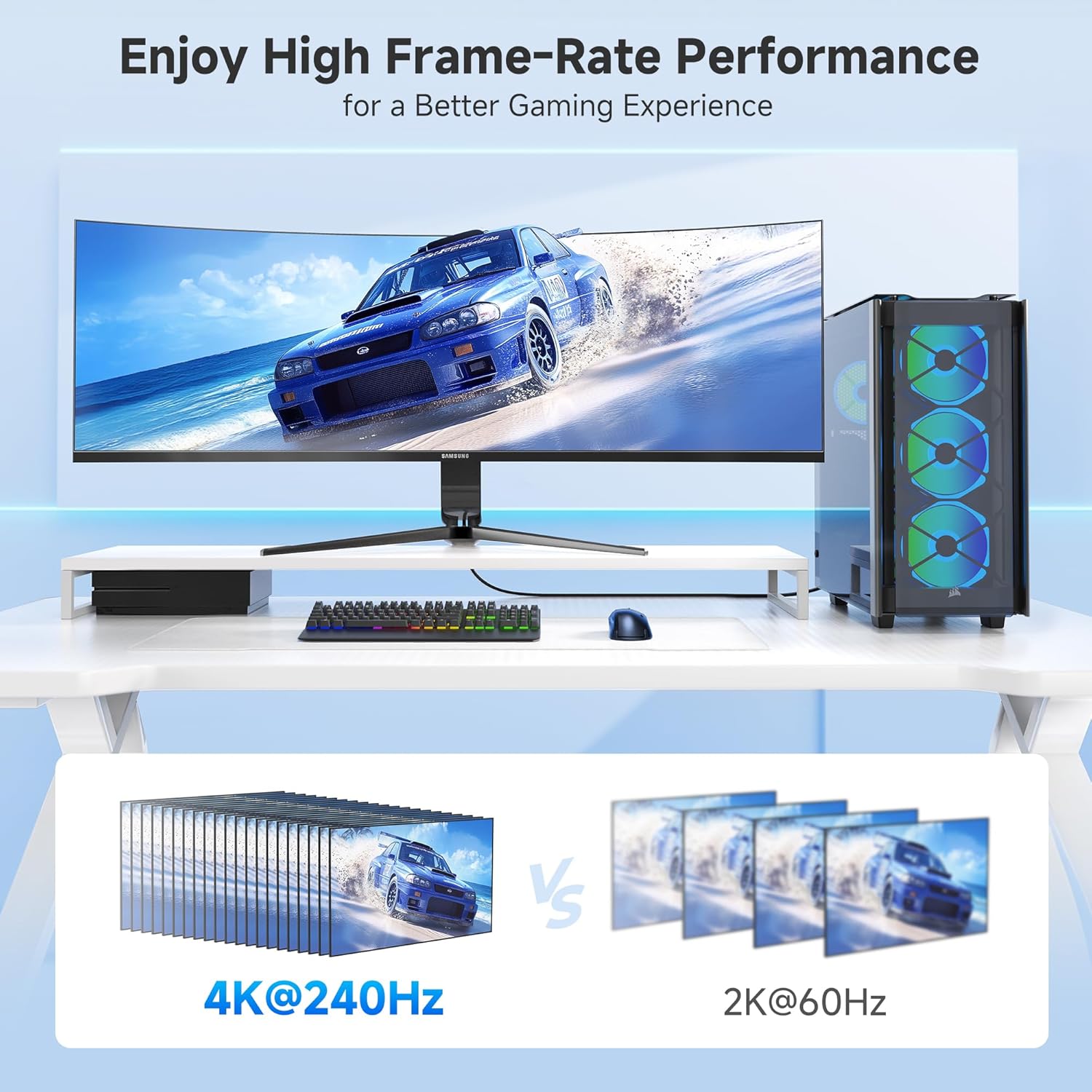
Image 4: A gaming setup featuring a monitor displaying a racing game, highlighting high frame-rate performance at 4K@240Hz compared to 2K@60Hz.
4. 유지관리
To ensure the longevity and optimal performance of your adapter, consider the following maintenance tips:
- 조심스럽게 다루십시오: Avoid excessive bending or pulling on the cable, especially near the connectors. The braided cable jacket and molded strain relief are designed for durability, but proper handling extends product life.
- 커넥터를 깨끗하게 유지하세요: Periodically inspect the DisplayPort and HDMI connectors for dust or debris. Use a soft, dry cloth or compressed air to clean them if necessary.
- 저장: When not in use, store the adapter in a cool, dry place away from direct sunlight and extreme temperatures. Use the included Velcro straps for tidy storage.
- LED 표시등: The integrated LED indicator confirms an active connection. If the LED is not lit, check all connections and ensure both source and display devices are powered on.

이미지 5: 클로즈업 view of the adapter highlighting the Power LED and the premium nylon braided cable for enhanced durability.
5. 문제 해결
어댑터에 문제가 발생하면 다음 문제 해결 단계를 시도해 보세요.
- 디스플레이/신호 없음:
- 모든 연결이 안전한지 확인하세요.
- Verify that your source device's DisplayPort output, HDMI display, and HDMI cable all support the desired resolution and refresh rate.
- Confirm the display is set to the correct HDMI input.
- Check the adapter's LED indicator for an active connection.
- 깜박이거나 간헐적인 신호:
- Ensure you are using a high-quality, Certified HDMI 2.1 cable.
- Reduce the resolution or refresh rate in your source device's display settings to see if stability improves.
- 그래픽 카드 드라이버를 최신 버전으로 업데이트하세요.
- 오디오 없음:
- Check your computer's sound settings to ensure the HDMI output is selected as the default audio device.
- Verify that your display's audio is not muted or set to a very low volume.
- 예상과 다른 해상도/새로 고침 빈도:
- Confirm that your source device's DisplayPort version (1.4 required for 8K/4K high refresh rates), graphics card, HDMI cable, and display all support the desired specifications.
- Some 8K TVs or monitors may require manual enabling of 4K@120Hz or 8K support in their settings.
6. 사양
| 특징 | 세부 사항 |
|---|---|
| 제품 치수 | 4.17 x 2.76 x 0.59 인치 |
| 품목 무게 | 2.11 온스 |
| 모델 번호 | 102101-블랙 |
| 커넥터 유형 | DisplayPort Male to HDMI Female |
| 색상 | 검은색 |
| 최대 해상도 | 8K@60Hz, 4K@240Hz |
| HDR 지원 | 예 |
| VRR/G-Sync/FreeSync | 지원되지 않음 |
| 단방향 | Yes (DP Source to HDMI Display) |
| 케이블 자켓 | 꼰 |
| LED 표시등 | 예 |
7. 보증 및 지원
For warranty information and technical support, please refer to the official Cable Matters web사이트를 방문하거나 고객 서비스에 직접 문의하세요. 보증 청구를 위해 구매 영수증을 보관하세요.
추가 지원이 필요하면 다음을 방문하세요. Cable Matters Store on Amazon.