1. 서론
This manual provides essential instructions for the safe and efficient operation of your Itel TV A3210IE 80cm (32-inch) HD Ready Smart TV. Please read this manual thoroughly before using your television and retain it for future reference.
2. 안전 정보
안전한 작동을 보장하고 손상을 방지하려면 다음 예방 조치를 준수하세요.
- 화재나 감전을 예방하려면 TV를 비나 습기에 노출시키지 마세요.
- 통풍구를 막지 마세요. TV 주변에 충분한 공간을 확보하여 공기가 원활하게 흐르도록 하세요.
- TV가 떨어지는 것을 방지하려면 안정적이고 평평한 표면에 놓으세요.
- 전원 코드가 밟히거나 끼지 않도록 보호하세요.
- 번개가 칠 때나 장기간 사용하지 않을 때는 TV의 플러그를 뽑아 두세요.
- 모든 서비스는 자격을 갖춘 서비스 담당자에게 의뢰하세요.
3. 패키지 내용
패키지에 모든 품목이 들어 있는지 확인하세요.
- Itel TV A3210IE 80cm (32-inch) HD Ready Smart TV
- 원격 제어
- TV Stand (if applicable for desktop placement)
- 전원 코드
- 사용 설명서 (본 문서)
- Screws for stand assembly (if applicable)
4. 설정
4.1 물리적 설정
Your Itel TV A3210IE can be placed on a stand or wall-mounted. Ensure the TV is placed on a stable surface or securely mounted to a wall.
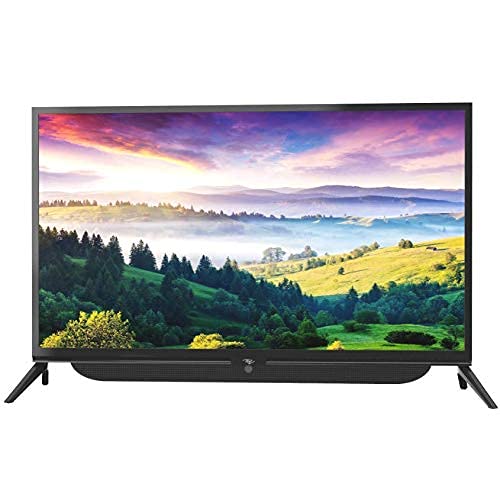
그림 4.1: 전면 view of the Itel TV A3210IE with its stand. The television features a slim bezel design and a central stand for stable placement on a flat surface.
For wall mounting, use a compatible VESA mount (not included) and follow the instructions provided with the mount. The TV's sleek design with slim bezels allows for a modern aesthetic in any room.
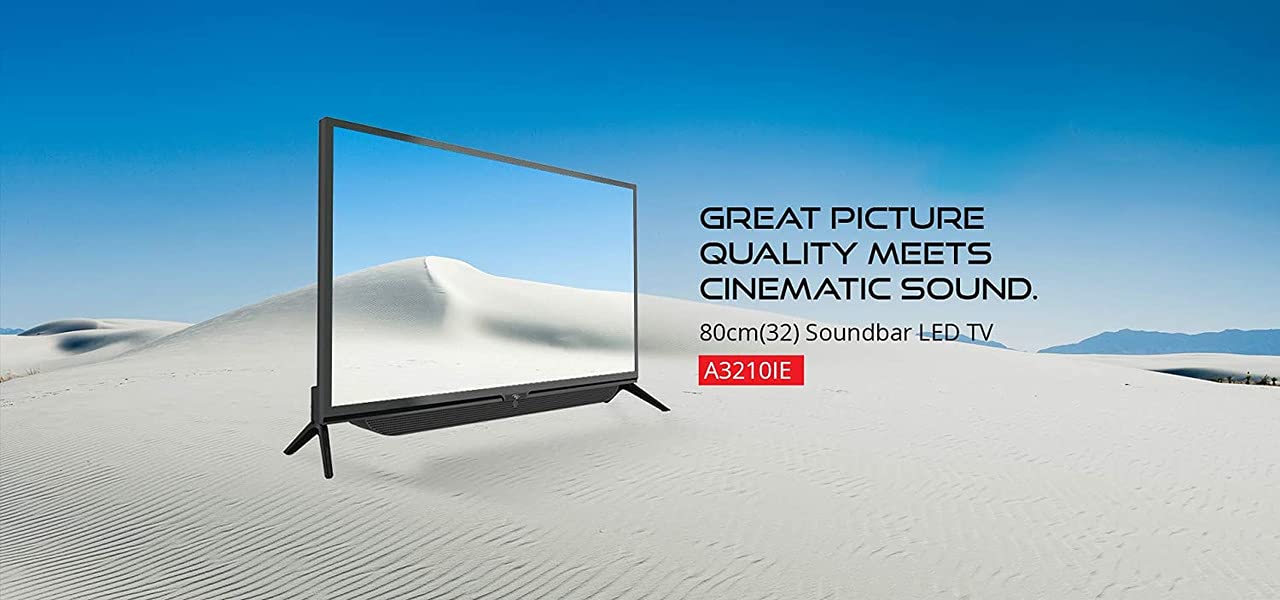
그림 4.2: 측면 view of the Itel TV A3210IE, highlighting its slim profile. 이것 view demonstrates the television's compact design, suitable for various living spaces.
4.2 초기 전원 켜기
- 전원 코드를 TV에 연결한 다음 전원 콘센트에 연결하세요.
- 리모컨이나 TV 본체의 전원 버튼을 누르세요.
- Follow the on-screen instructions to complete the initial setup, including language selection and time zone.
4.3 네트워크 연결
스마트 TV 기능을 사용하려면 TV를 인터넷에 연결하세요.
- Navigate to the "Settings" menu on your TV.
- "네트워크" 또는 "Wi-Fi 설정"을 선택하세요.
- 목록에서 Wi-Fi 네트워크를 선택하고 비밀번호를 입력하세요.
- Once connected, the TV will indicate a successful internet connection.
5. TV 작동
5.1 기본 기능
- 전원 켜기/끄기: 리모컨이나 TV의 전원 버튼을 사용하세요.
- 볼륨 조절: 리모컨의 볼륨 높이기/낮추기 버튼을 사용하세요.
- 입력 소스: Press the "Source" or "Input" button on the remote to switch between HDMI, USB, and other connected devices.
- 항해: Use the arrow keys and "OK" button on the remote to navigate menus.
5.2 스마트 TV 기능
The Itel TV A3210IE runs on Android OS, providing access to a range of smart features:
- 스트리밍 서비스: Access popular streaming applications directly from the TV's home screen.
- Web 브라우저: Use the built-in browser to surf the internet.
- 앱 스토어: 내장된 앱 스토어에서 추가 애플리케이션을 다운로드하고 설치하세요.
- 화면 미러링: Share content from compatible smartphones or tablets to the TV screen.
5.3 외부 장치 연결
이 TV는 다양한 연결 옵션을 제공합니다.
- HDMI 포트: Connect gaming consoles, Blu-ray players, set-top boxes, or laptops.
- USB 포트: 미디어를 재생하려면 USB 드라이브를 연결하세요. file(사진, 동영상, 음악).
- VGA 포트: 구형 컴퓨터나 노트북을 연결하세요.

Figure 5.1: A user engaged in gaming on the Itel TV A3210IE. This illustrates the TV's capability to connect with gaming consoles for an immersive entertainment experience.
6. 유지관리
적절한 유지 관리는 TV의 수명을 연장시켜 줍니다.
- 화면 청소: 부드럽고 마른 보풀 없는 천으로 화면을 부드럽게 닦으세요. 잘 지워지지 않는 얼룩은 가볍게 닦아주세요.amp천에 물이나 TV용 화면 세척제를 묻혀 닦아주세요. 화면에 직접 액체를 분사하지 마세요.
- 캐비닛 청소: TV 캐비닛을 닦을 때는 부드럽고 마른 천을 사용하세요. 연마성 세제나 용제는 사용하지 마세요.
- 통풍: 환기구에 먼지나 이물질이 없는지 확인하세요.
- 전원 코드: 정기적으로 전원 코드를 점검하여 손상 여부를 확인하세요.
7. 문제 해결
일반적인 문제와 해결 방법은 이 섹션을 참조하세요.
| 문제 | 가능한 원인 | 해결책 |
|---|---|---|
| 전원이 없습니다 | 전원 코드가 분리되어 있습니다. 전원 콘센트가 작동하지 않습니다. | 전원 코드 연결을 확인하세요. 다른 장치로 콘센트를 테스트하세요. |
| 화면은 나오지 않지만 소리는 나옵니다 | Incorrect input source selected; Backlight issue | Press "Source" button to select correct input; Contact support if backlight is faulty |
| 소리는 나지 않지만 화면은 나옵니다 | 음량이 음소거되었거나 너무 작음; 외부 오디오 장치 문제 | 음소거를 해제하거나 볼륨을 높이세요. 외부 오디오 장치와의 연결 상태를 확인하세요. |
| 리모컨이 작동하지 않습니다 | 배터리가 소진되었습니다. 리모컨과 TV 사이에 방해물이 있습니다. | Replace batteries; Remove obstructions; Ensure remote is pointed at TV sensor |
| Wi-Fi에 연결할 수 없습니다 | 비밀번호가 잘못되었습니다. 라우터 문제입니다. TV가 라우터에서 너무 멀리 떨어져 있습니다. | Verify password; Restart router; Move TV closer to router or use a Wi-Fi extender |
8. 사양
Key technical specifications for the Itel TV A3210IE:
- 상표: 이텔
- 모델 이름: A3210IE
- 화면 크기: 80cm (32-inch)
- 해결: HD 지원(1366 x 768픽셀)
- 운영 체제: 기계적 인조 인간
- 특별 기능: Smart TV, Android OS
- 연결 기술 : HDMI, USB, VGA
- 하드웨어 인터페이스: USB, USB 타입 C
- 오디오 출력 모드: 스테레오 재생
- 왓tage: 16 와트
- View각도: 178도
- 종횡비: 16시 9분
- 장착 유형: 벽걸이형
- 품목 무게: 6kg 500g
- 패키지 크기: 74.2 x 56.5 x 34.5cm
9. 보증 및 지원
For warranty information and technical support, please refer to the warranty card included with your product or visit the official Itel customer support web사이트. 보증 청구를 위해 구매 증빙 자료로 구매 영수증을 보관하세요.