1. 서론
The CYCPLUS C3 is a versatile speed and cadence sensor designed to provide accurate data for your cycling activities. It supports both ANT+ and Bluetooth 5.0 connectivity, making it compatible with a wide range of cycling computers and smartphone applications. This manual will guide you through the installation, operation, and maintenance of your C3 sensor.

Image 1.1: The CYCPLUS C3 Speed and Cadence Sensor.
2. 상자 안에 무엇이 들어있나요?
Upon opening your CYCPLUS C3 package, please ensure all the following items are present:
- CYCPLUS C3 Sensor Unit
- Curved Rubber Mat (for cadence installation)
- Flat Rubber Mat (for speed installation)
- 고무 밴드 (고정용)
- CR2032 배터리 (사전 설치 또는 포함)
- 사용 설명서 (본 문서)
3. 제품 특징
- 듀얼 모드 기능: Easily switch between speed and cadence modes by rotating the sensor.
- 보편적 인 호환성 : Supports both Bluetooth 5.0 and ANT+ protocols for seamless connection with various devices.
- 방수 디자인 : IP67 rated, providing protection against water splashes and rain.
- 긴 배터리 수명: Optimized power consumption for extended usage.
- 소형 및 경량: Small form factor for discreet installation.

Image 3.1: The CYCPLUS C3 sensor is IP67 waterproof, suitable for various weather conditions.
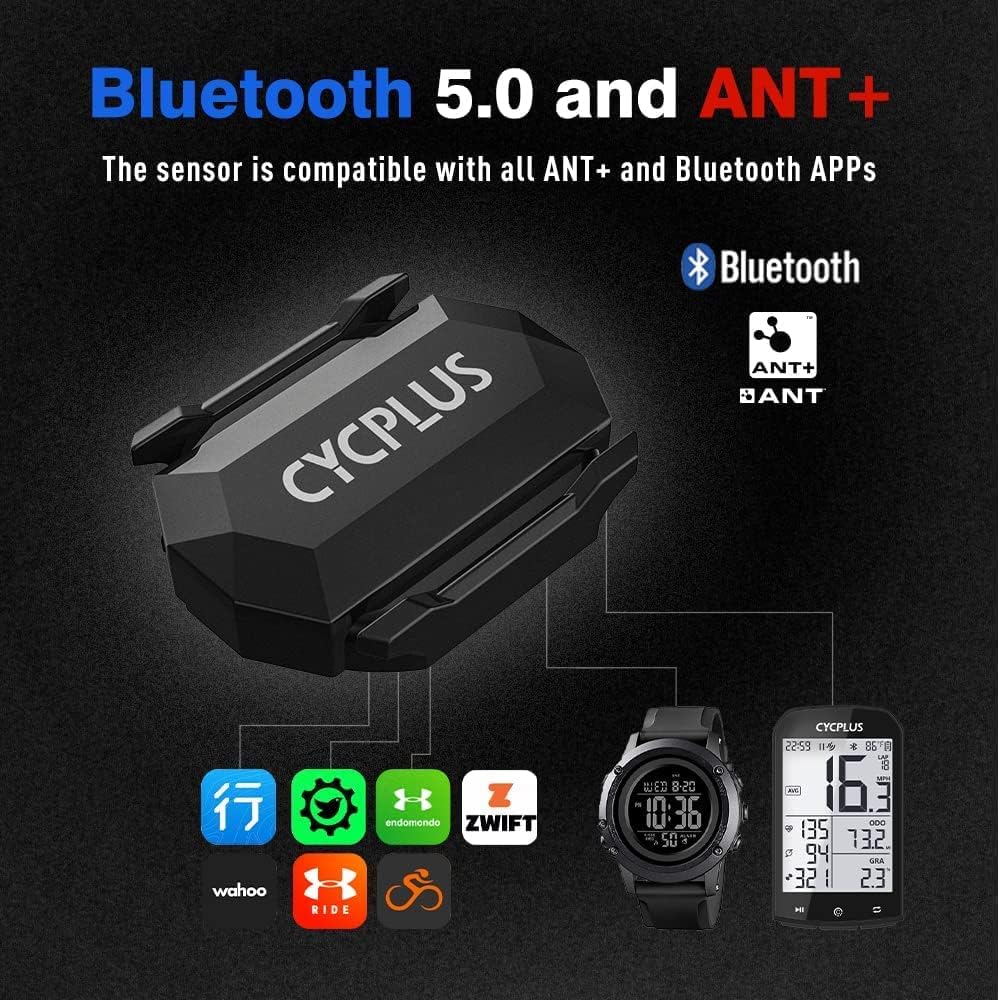
Image 3.2: The CYCPLUS C3 supports both Bluetooth 5.0 and ANT+ for broad compatibility.
4. 설치 및 설정
4.1. 모드 선택
The CYCPLUS C3 sensor can operate in two modes: Speed or Cadence. To switch between modes, simply rotate the battery cover 90 degrees. The indicator light will show the current mode:
- 녹색불: 케이던스 모드
- 블루 라이트: 속도 모드
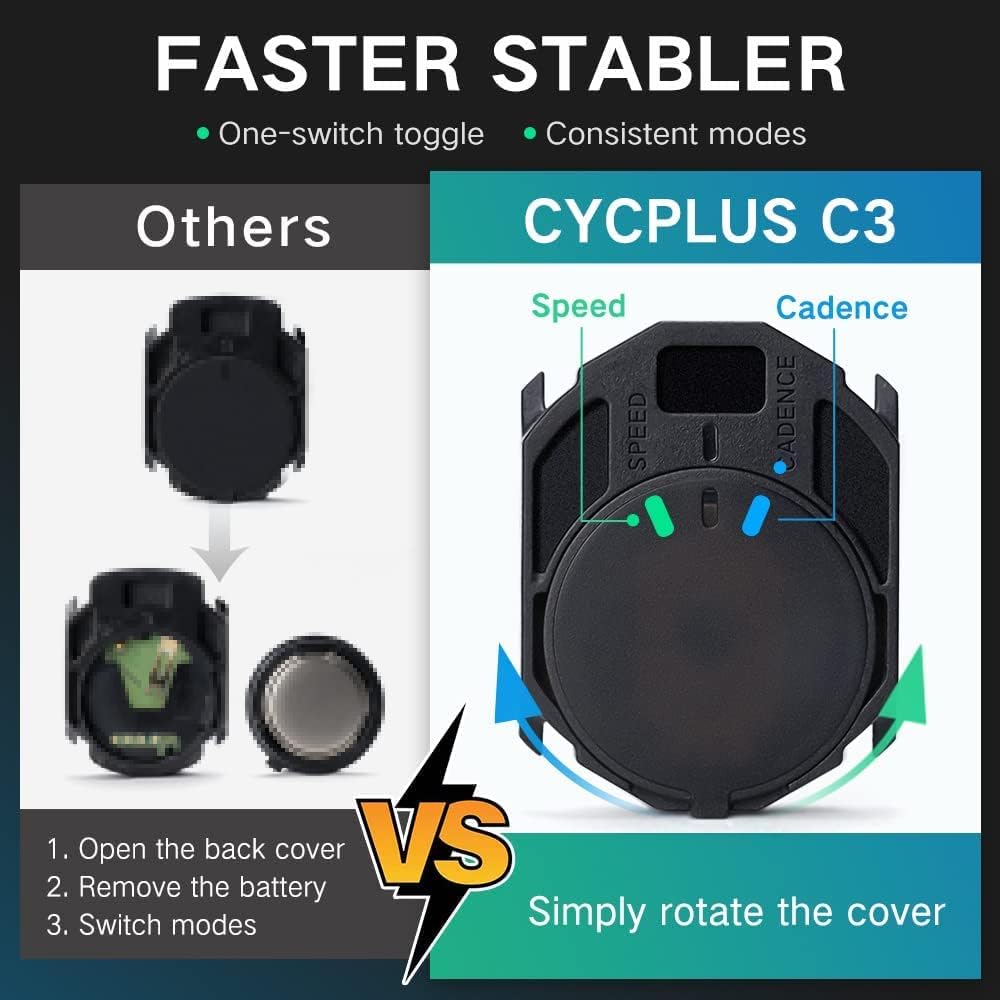
Image 4.1: Rotate the sensor cover to switch between Speed (blue light) and Cadence (green light) modes.
4.2. 케이던스 센서 설치
To use the C3 as a cadence sensor:
- 센서가 케이던스 모드(녹색 표시등)인지 확인하십시오.
- Attach the curved rubber mat to the back of the sensor.
- Securely mount the sensor to the inside of your bicycle's crank arm using the provided rubber bands. Ensure it is firm and does not interfere with pedaling.
4.3. 속도 센서 설치
To use the C3 as a speed sensor:
- 센서가 속도 모드(파란색 불빛)인지 확인하십시오.
- Attach the flat rubber mat to the back of the sensor.
- Securely mount the sensor to the hub of your bicycle's front or rear wheel using the provided rubber bands. Ensure it is firm and does not interfere with wheel rotation.

Image 4.2: Detailed installation steps for both Cadence and Speed modes.
5. 사용 설명서
5.1. Pairing with a Cycling Computer (ANT+)
To pair your C3 sensor with an ANT+ compatible cycling computer:
- Ensure the C3 sensor is in the desired mode (Speed or Cadence).
- Activate the sensor by spinning the wheel (for speed) or crank arm (for cadence) a few times. The indicator light will flash.
- 자전거 컴퓨터에서 센서 페어링 메뉴로 이동하세요.
- 새로운 속도 또는 케이던스 센서를 추가하려면 선택하세요.
- The computer should detect the C3 sensor. Select it to pair.
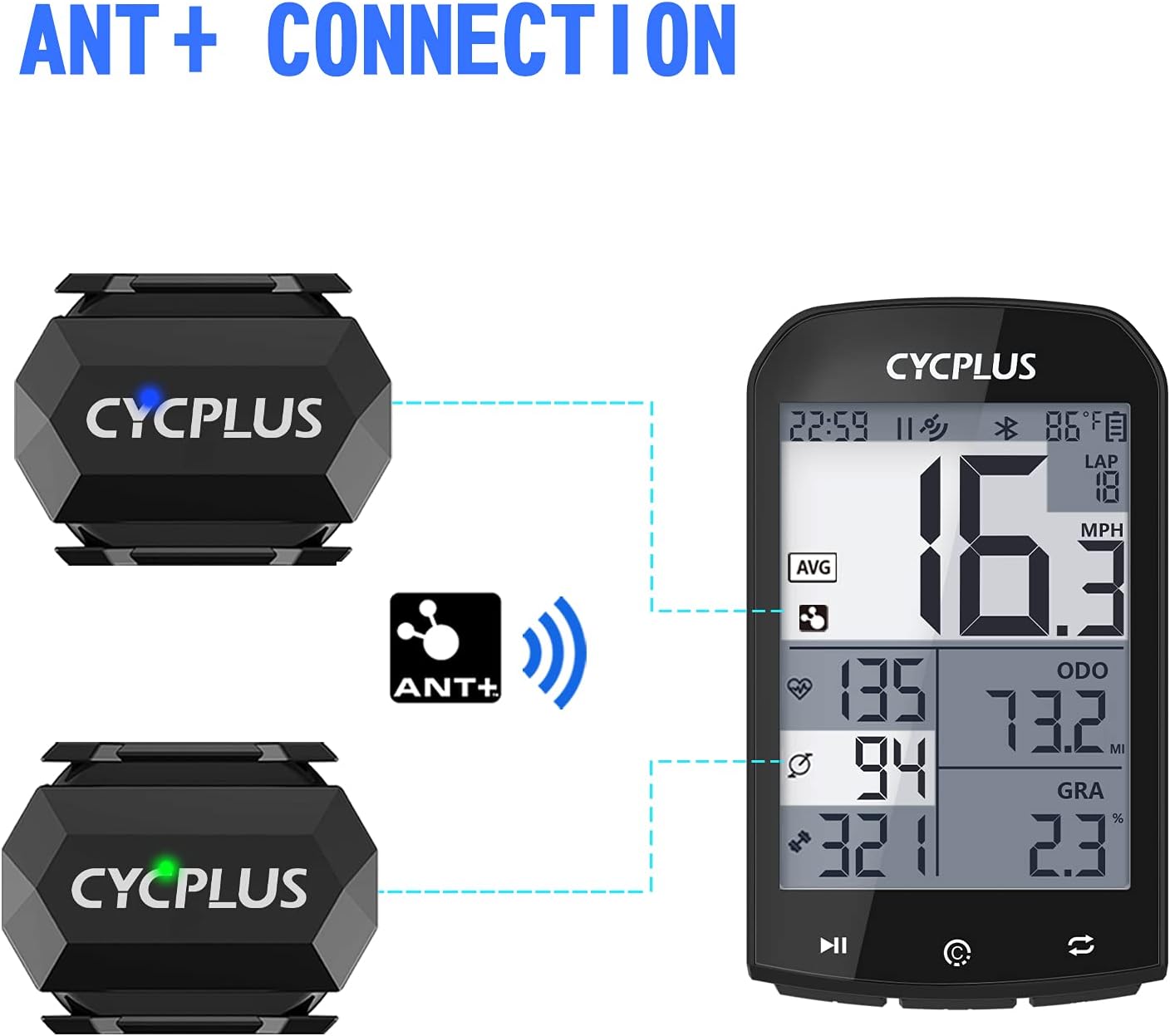
Image 5.1: Connecting the CYCPLUS C3 sensor to a cycling computer via ANT+.
5.2. Pairing with a Smartphone App (Bluetooth)
To pair your C3 sensor with a Bluetooth-enabled smartphone app (e.g., Zwift, Wahoo Fitness, Endomondo):
- 스마트폰에서 Bluetooth가 활성화되어 있는지 확인하세요.
- Ensure the C3 sensor is in the desired mode (Speed or Cadence).
- Activate the sensor by spinning the wheel or crank arm a few times. The indicator light will flash.
- Open your preferred cycling app and navigate to the sensor pairing section.
- The app should detect the C3 sensor. Select it to pair.
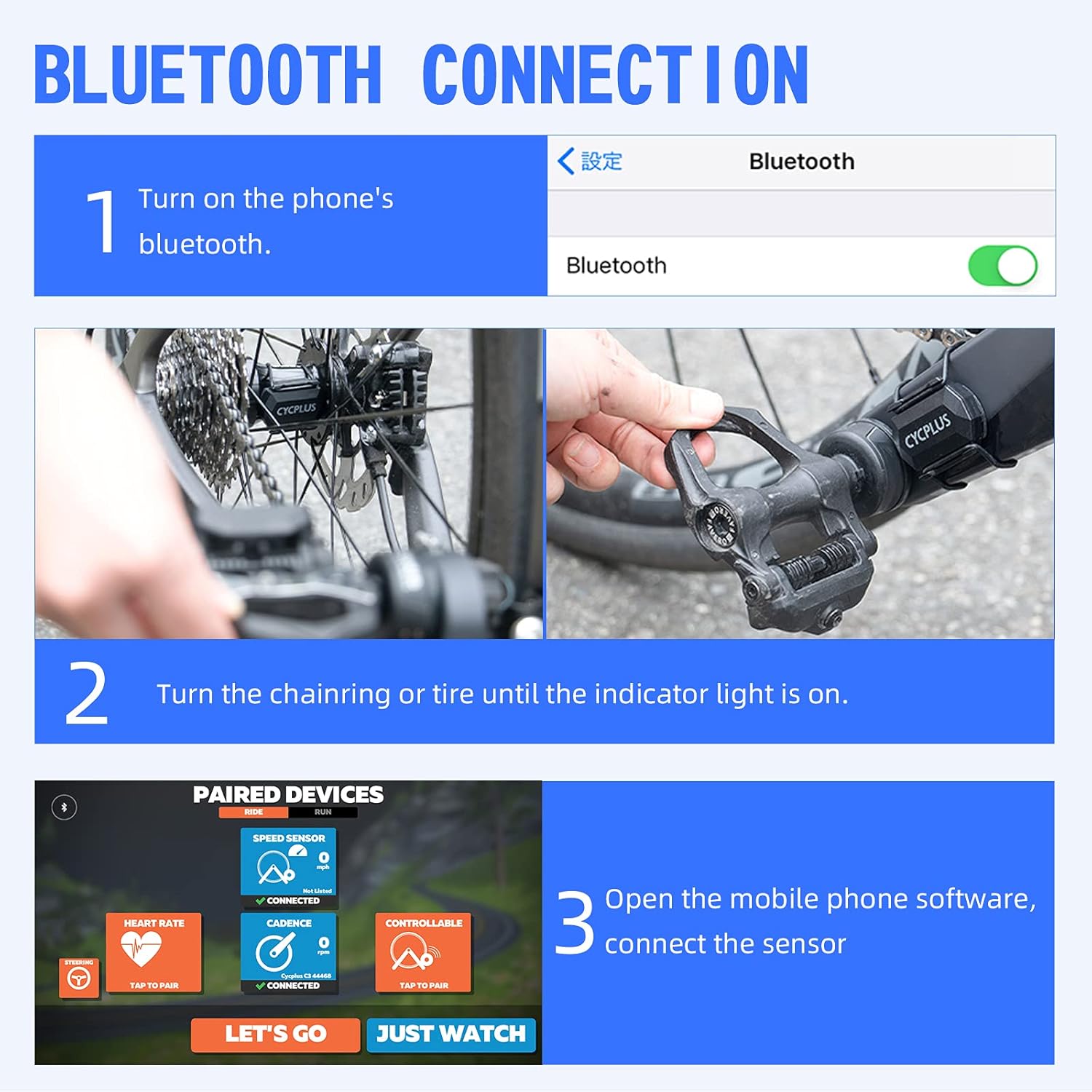
Image 5.2: Steps for connecting the CYCPLUS C3 sensor to a smartphone app via Bluetooth.
6. 사양
| 특징 | 사양 |
|---|---|
| 모델 번호 | C3 |
| 치수 | 38L x 29W x 9H mm (approx. 3.78 x 2.95 x 0.94 cm) |
| 무게 | 9.07그램 |
| 연결성 | 블루투스 5.0, ANT+ |
| 방수 등급 | IP67 |
| 배터리 유형 | 1 x CR2032 (포함) |
| Battery Life (Cadence Mode) | 약 600시간 |
| Battery Life (Speed Mode) | 약 400시간 |
| 대기 시간 | 약. 300 일 |
| 재료 | 플라스틱 |

Image 6.1: Battery life and type for the CYCPLUS C3 sensor.
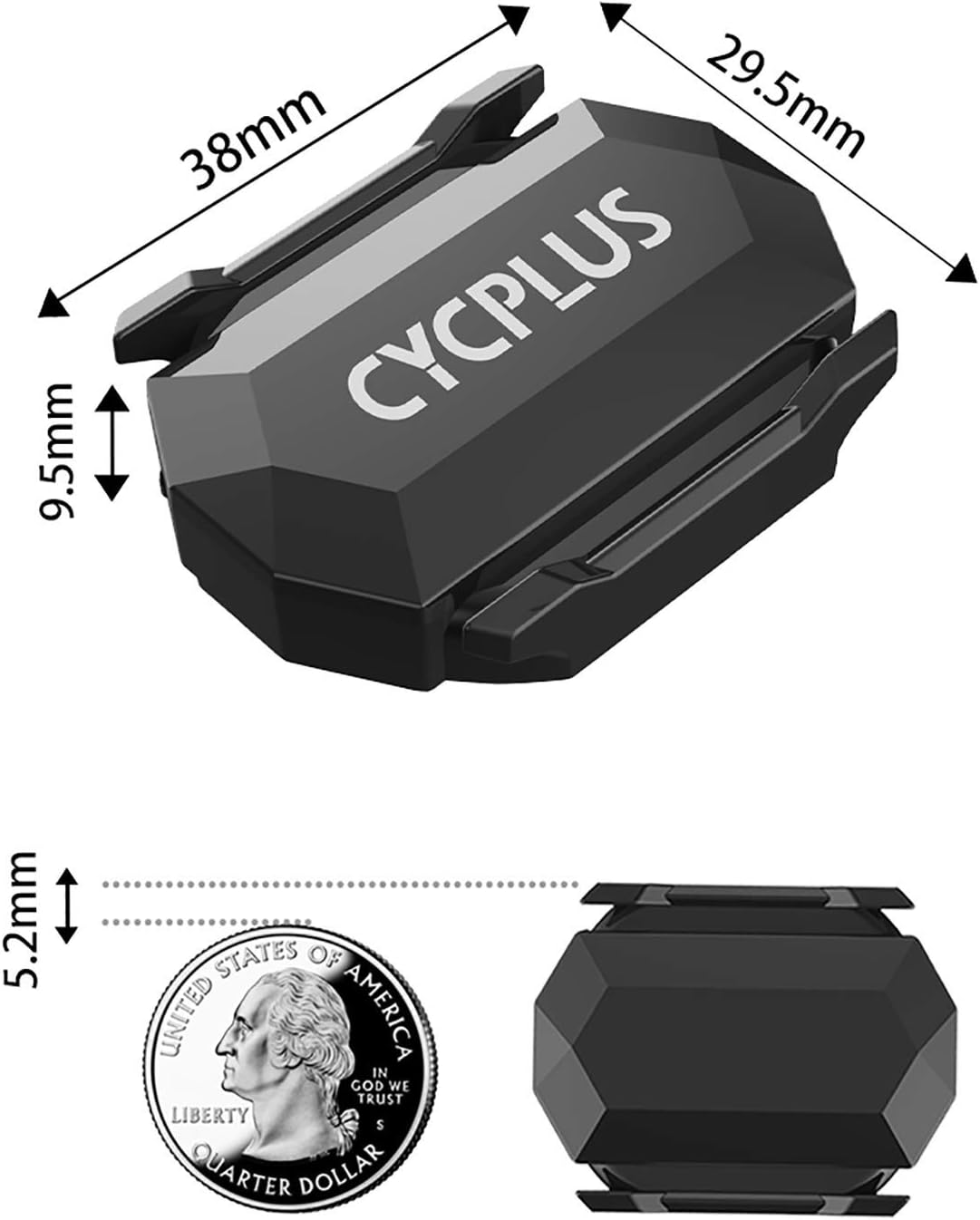
Image 6.2: Physical dimensions of the CYCPLUS C3 sensor.
7. 유지관리
To ensure the longevity and optimal performance of your CYCPLUS C3 sensor, follow these maintenance guidelines:
- 청소: 센서를 부드러운 천으로 깨끗이 닦아주세요.amp cloth after use, especially if it has been exposed to dirt, sweat, or rain. Avoid using harsh chemicals or abrasive materials.
- 배터리 교체: When the battery is low, the indicator light may not flash or the sensor may disconnect frequently. To replace the CR2032 battery, carefully open the battery cover, remove the old battery, and insert a new one with the positive (+) side facing up. Ensure the cover is securely closed to maintain waterproofing.
- 저장: 센서를 사용하지 않을 때는 서늘하고 건조한 곳에 보관하십시오. 장기간 보관할 경우 누액 방지를 위해 배터리를 제거하는 것이 좋습니다.
8. 문제 해결
If you encounter issues with your CYCPLUS C3 sensor, refer to the following common problems and solutions:
- 센서가 감지되지 않았습니다:
- Ensure the sensor is active by spinning the wheel or crank arm.
- 배터리 수준을 확인하고, 필요한 경우 교체하세요.
- 수신 장치에서 블루투스 또는 ANT+가 활성화되어 있는지 확인하십시오.
- Ensure the sensor is in the correct mode (Speed or Cadence) for the data you are trying to receive.
- 페어링하는 동안 센서를 수신 장치에 더 가까이 이동하십시오.
- 부정확한 판독:
- Confirm the sensor is securely mounted and not shifting during use.
- For speed mode, ensure your wheel circumference setting in your cycling computer or app is correct.
- Check for any physical obstructions or interference near the sensor.
- 잦은 연결 끊김:
- 배터리를 교체하세요.
- 주변에 강력한 전자기 간섭원이 없는지 확인하십시오.
- Keep the sensor within close proximity to the receiving device.
9. 보증 및 지원
The CYCPLUS C3 Speed and Cadence Sensor comes with a standard manufacturer's warranty. For specific warranty details, return policies, or technical support, please refer to the documentation provided with your purchase or visit the official CYCPLUS web사이트. 판매자에게 직접 연락하여 도움을 받으실 수도 있습니다.


