1. 서론
This manual provides comprehensive instructions for the installation, operation, and maintenance of your PANTUM PB-211 Black Toner Cartridge. Please read this manual carefully before use to ensure proper installation and optimal performance.
1.1개 제품 이상view
The PANTUM PB-211 is an all-in-one black toner cartridge designed for reliable and high-quality printing. It integrates the drum unit and toner cartridge into a single structure, simplifying installation and maintenance.

Image: PANTUM PB-211 Black Toner Cartridge in its retail packaging, showing the product name and key features.
1.2 Compatible Printer Models
The PANTUM PB-211 Black Toner Cartridge is compatible with the following PANTUM printer series:
- PANTUM P2200 Series
- PANTUM P2500W Series
- PANTUM P2502W Series
- PANTUM M6500NW Series
- PANTUM M6550NW Series
- PANTUM M6552NW Series
- PANTUM M6600NW Series
- PANTUM M6602NW Series

Image: Visual representation of various PANTUM printer models (P2500W, M6550NW, M6600NW) that are compatible with the PB-211 toner cartridge.
Please verify your printer model before purchasing or installing the toner cartridge.
2. 설정
2.1 상자 내용물
Your PANTUM PB-211 Black Toner Cartridge package should contain the following item:
- One (1) PANTUM PB-211 Black Toner Cartridge

Image: A hand holding the PANTUM PB-211 toner cartridge, illustrating the product as it appears out of the box.
2.2 풀기 및 준비
Before installation, ensure you have a clean, flat surface to work on. Remove the toner cartridge from its packaging carefully. Avoid touching the green drum surface or the electrical contacts on the cartridge to prevent damage or print quality issues.
3. 설치 가이드
Follow these steps to install the PANTUM PB-211 Black Toner Cartridge into your compatible printer:
- 프린터 덮개를 여세요: Locate and open the front cover or access panel of your PANTUM printer to expose the toner cartridge slot. Refer to your printer's specific manual if you are unsure.
- 기존 카트리지를 제거합니다(해당되는 경우): If replacing an existing cartridge, gently pull it out of the printer. Place it aside for proper disposal.
- Prepare the New Cartridge:
- Remove the Protective Cover: Carefully remove any orange or black protective covers or packing materials from the new toner cartridge.
- Pull Out the Seal: Locate the sealing tape (often orange or yellow) with a pull tab. Pull the tape completely out of the cartridge in a straight, steady motion. Do not tear the tape.
- 살살 흔들어 주세요: Hold the cartridge horizontally and gently shake it from side to side 5-6 times. This distributes the toner evenly inside the cartridge for consistent print quality.
- Install the Toner Cartridge: Align the new toner cartridge with the guides inside the printer. Gently push the cartridge firmly into the slot until it clicks into place. Ensure it is seated securely.
- 프린터 덮개를 닫습니다. Close the printer's front cover or access panel. The printer may perform a self-test or calibration after installation.
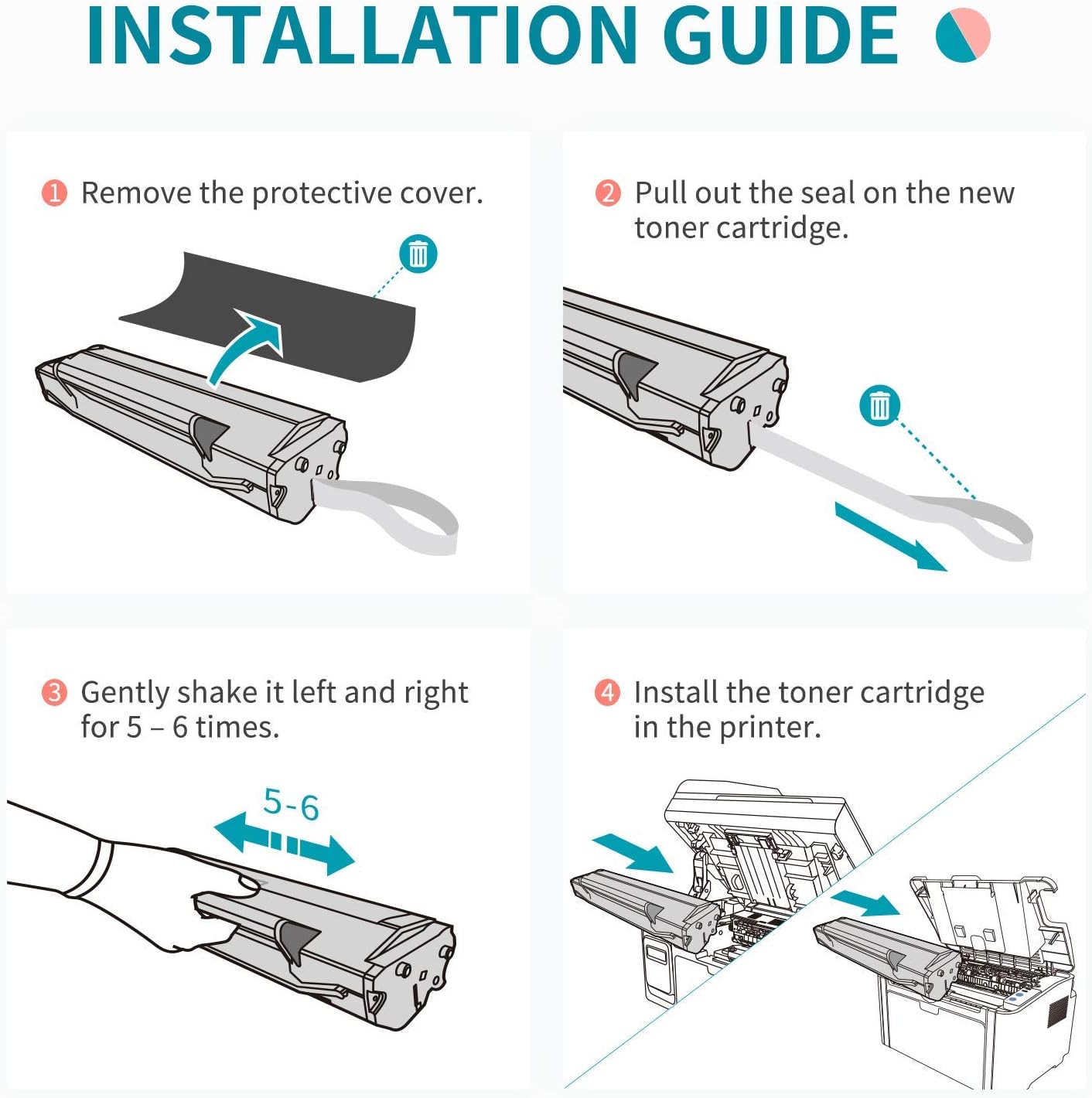
Image: A four-step visual guide demonstrating the installation process: 1) Removing protective cover, 2) Pulling the seal, 3) Shaking the cartridge, and 4) Installing into the printer.
Your printer should now recognize the new toner cartridge and be ready for printing.
4. 운영
4.1 Printing Performance
The PANTUM PB-211 toner cartridge is designed to deliver crisp, clear black printouts. Its professional toner technology ensures consistent and reliable results for various document types.
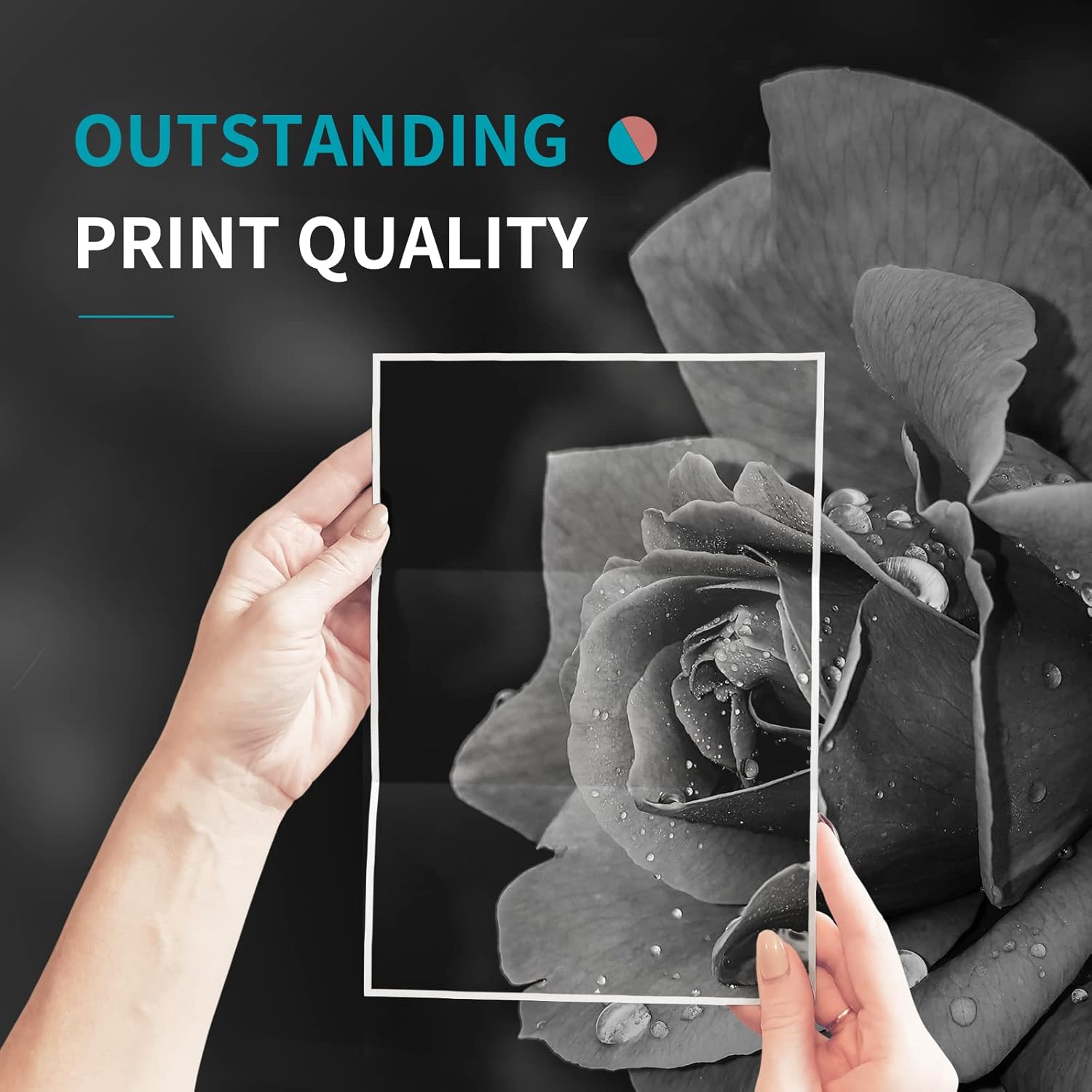
Image: A close-up of a printed image, highlighting the sharp details and deep blacks achievable with PANTUM toner, indicating outstanding print quality.
4.2페이지 출력량
This standard-yield black toner cartridge is rated to produce approximately 1600페이지. This yield is based on ISO/IEC 19752 standards, with 5% coverage on an A4 page. Actual page yield may vary significantly depending on print content (e.g., text, graphics, images), print settings, and environmental conditions.

Image: A graphic illustrating the print yield of the PB-211 toner cartridge, stating "YIELD: Up to 1600 Pages" for black printouts.
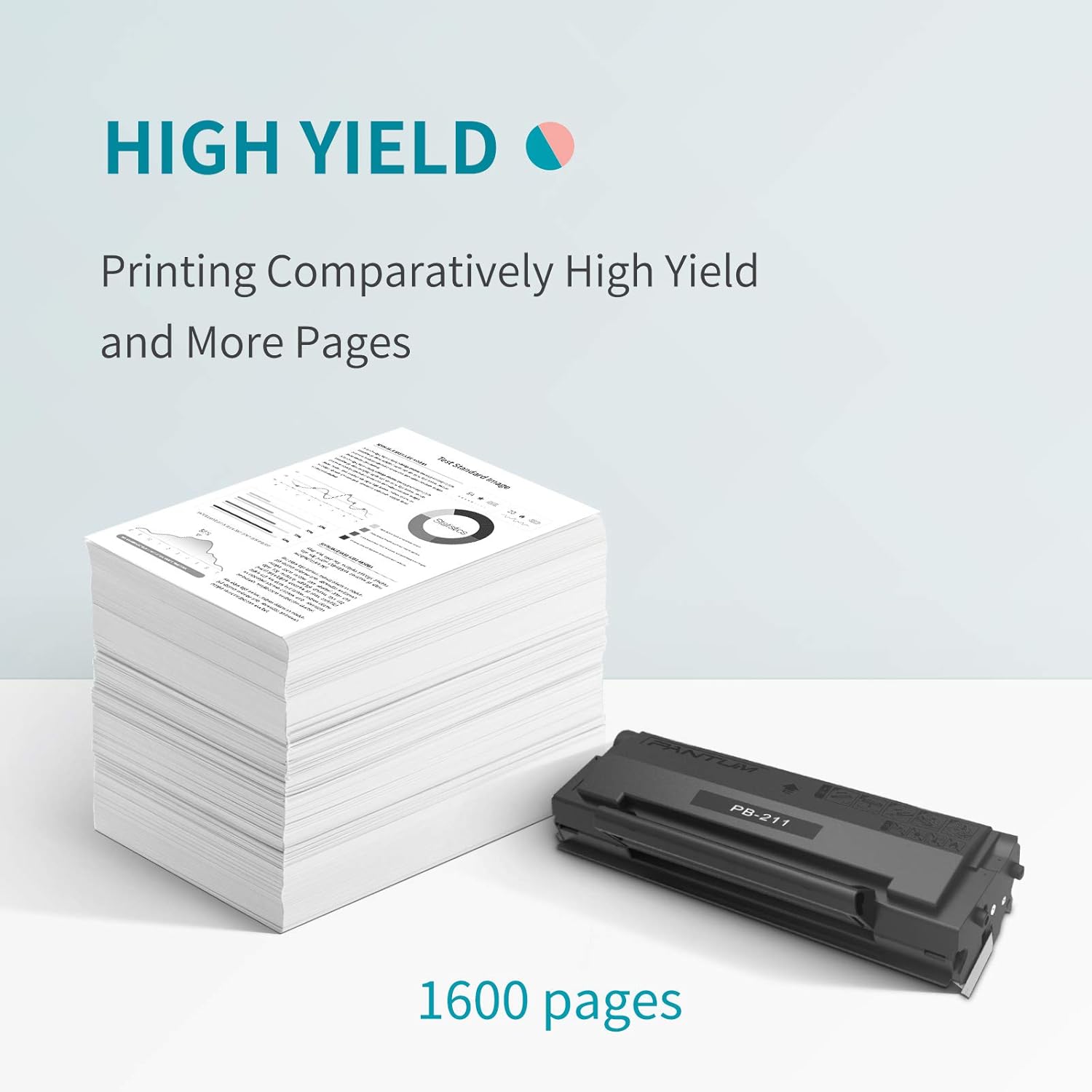
Image: A visual representation of a large stack of printed pages next to a PB-211 toner cartridge, emphasizing the "High Yield" of 1600 pages.
5. 유지관리
5.1 Cartridge Care
The PANTUM PB-211 toner cartridge is an all-in-one unit, meaning the drum is integrated. To maintain optimal print quality and extend the life of your cartridge:
- 사용하지 않은 카트리지는 원래의 밀봉 포장 상태로 서늘하고 건조한 곳에 직사광선과 극한 온도 변화를 피해 보관하십시오.
- Avoid touching the photosensitive drum surface (usually green) of the cartridge, as fingerprints or scratches can cause print defects.
- Do not expose the cartridge to light for extended periods once removed from its protective packaging.
5.2 프린터 청소
Regularly clean the inside of your printer according to your printer's user manual. Dust and toner residue can accumulate and affect print quality. Use a dry, lint-free cloth to wipe accessible areas. Do not use water or liquid cleaners directly on printer components.
6. 문제 해결
This section addresses common issues you might encounter with your PANTUM PB-211 toner cartridge.
| 문제 | 가능한 원인 | 해결책 |
|---|---|---|
| "Toner Empty" or "Replace Cartridge" message after installation |
|
|
| Faint or inconsistent printouts |
|
|
| Smudges or streaks on prints |
|
|
If problems persist, consult your printer's user manual or contact PANTUM customer support.
7. 사양
| 특징 | 세부 사항 |
|---|---|
| 모델명 | PB-211 |
| 제품 유형 | Black Toner Cartridge |
| 호환성 | PANTUM P2200, P2500W, P2502W, M6500NW, M6550NW, M6552NW, M6600NW, M6602NW Series Printers |
| 페이지 수율 | Up to 1600 pages (ISO/IEC 19752 Standard, 5% coverage) |
| 색상 | 검은색 |
| 특징 | All-in-one toner cartridge (integrated drum unit) |
| 품목 무게 | 2.01파운드(약 0.91kg) |
| 패키지 크기 | 12.76 x 5.57 x 4.29 인치 |
8. 보증 및 지원
8.1 보증 정보
PANTUM toner cartridges are manufactured to high-quality standards. For specific warranty details regarding your PB-211 toner cartridge, please refer to the warranty information provided with your product packaging or visit the official PANTUM website. Typically, toner cartridges are covered against manufacturing defects.
8.2 고객 지원
If you encounter any issues or have questions regarding your PANTUM PB-211 toner cartridge that are not covered in this manual, please contact PANTUM customer support. Contact information can usually be found on the PANTUM official web사이트 또는 제품 포장에 표시하세요.
For general inquiries or to find more information about PANTUM products, you may visit the PANTUM Store on Amazon.


