1. 서론
구매해주셔서 감사합니다asing the SLuB Bluetooth Earphones Model T16. These true wireless stereo earphones are designed to provide a high-quality audio experience with convenient features such as Bluetooth 5.1 connectivity, Hi-Fi sound, automatic pairing, and touch controls. This manual will guide you through the setup, operation, and maintenance of your new earphones to ensure optimal performance and longevity.
2. 안전 정보
- 제품을 분해, 수리 또는 개조하지 마십시오. 화재, 감전 또는 제품 완전 손상의 원인이 될 수 있습니다.
- 제품을 극한 온도, 습도 및 부식성 환경에 노출시키지 마십시오.
- 제품을 떨어뜨리거나 강한 충격을 가하지 마세요.
- 어린이와 애완동물의 손이 닿지 않는 곳에 보관하세요.
- 충전 시에는 제공된 충전 케이블이나 인증된 Type-C 케이블만 사용하세요.
- 큰 소리에 장시간 노출되면 청력 손상이 발생할 수 있습니다. 음량을 적당한 수준으로 조절하십시오.
3. 패키지 내용
모든 품목이 들어 있는지 확인하려면 패키지 내용물을 확인하세요.
- SLuB T16 Earbuds (Left and Right)
- 충전 케이스
- USB Type-C 충전 케이블
- 사용 설명서
4. 제품 오버view
The SLuB T16 earphones feature a compact and lightweight design, making them easy to carry and comfortable for extended wear. The charging case provides additional battery life on the go.
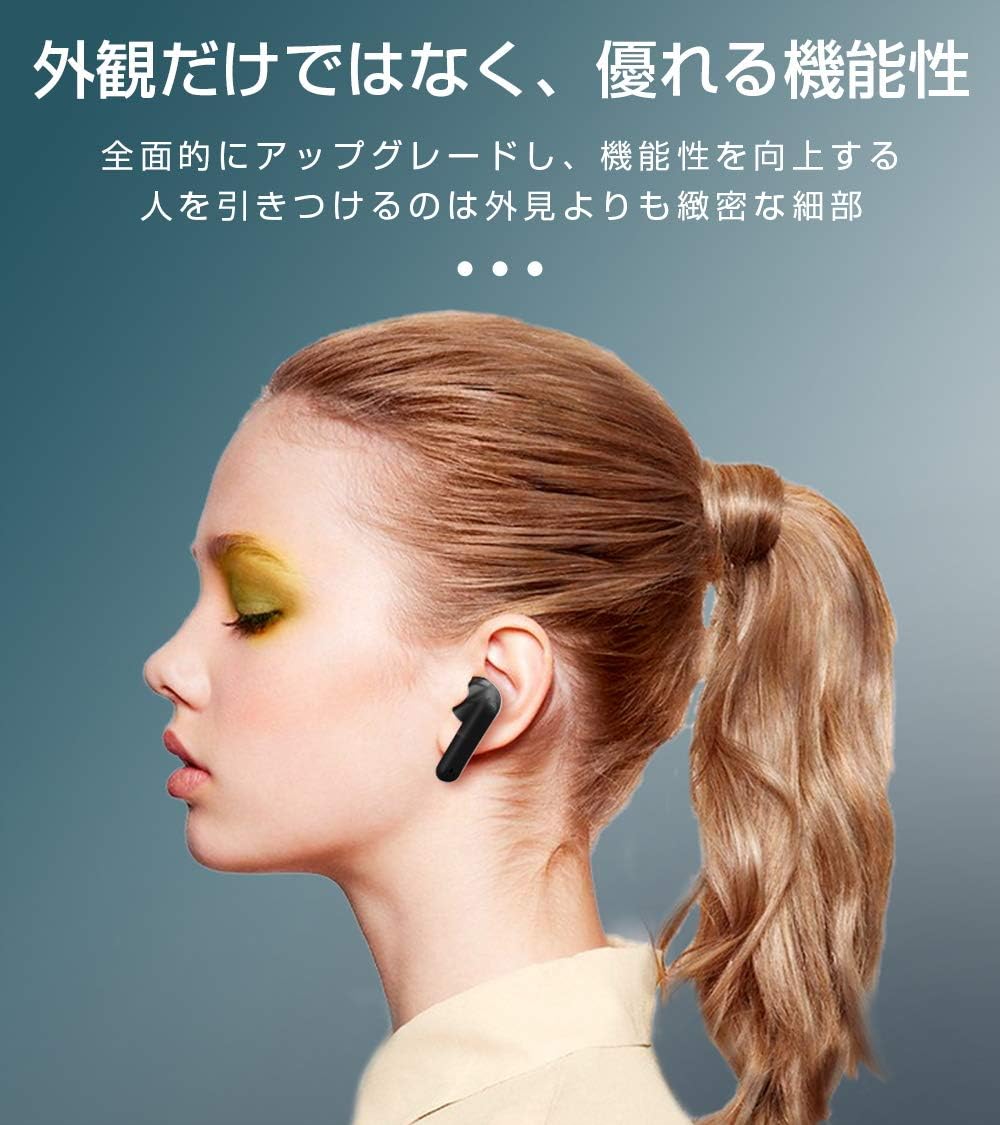
Image: SLuB T16 Earbuds securely placed in their charging case.
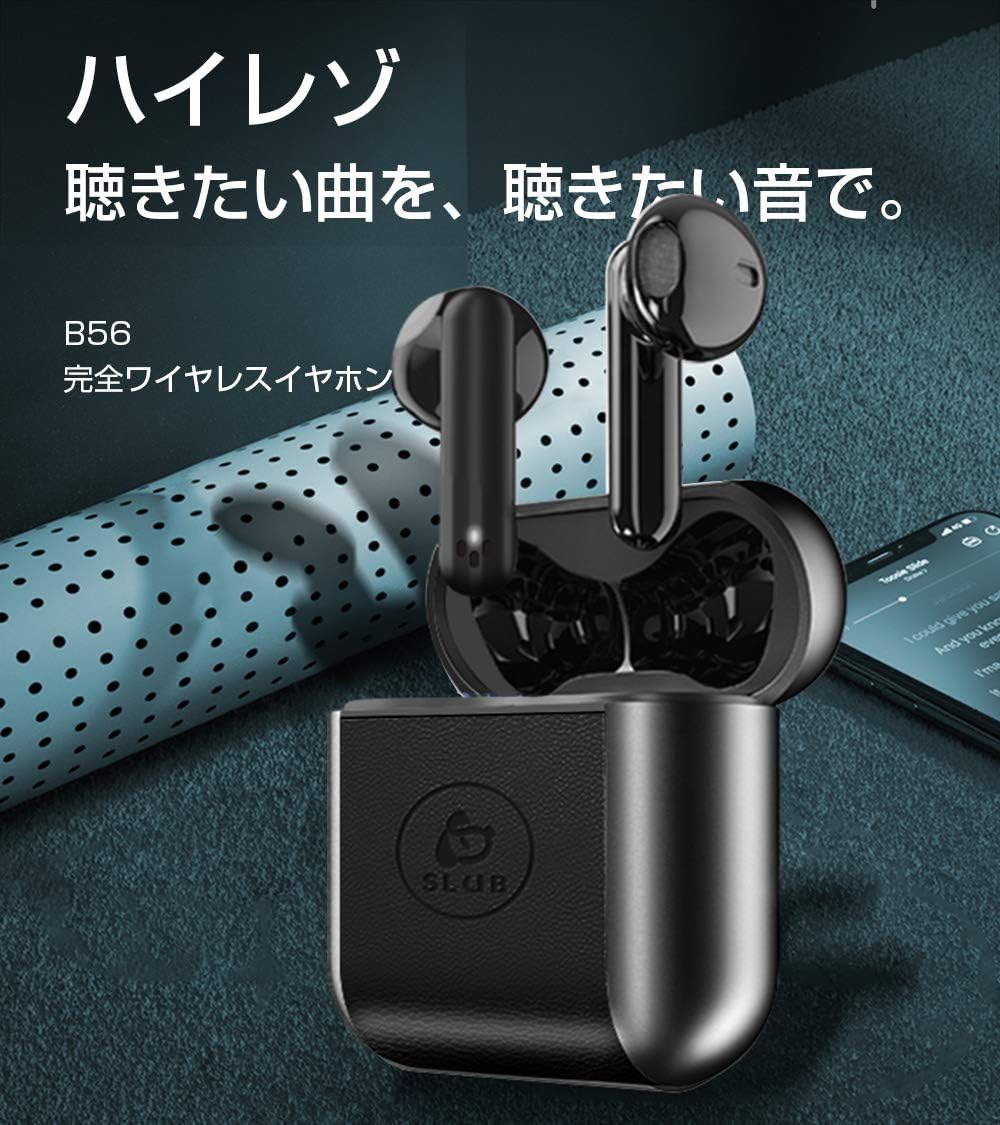
Image: A single SLuB T16 earbud comfortably fitted in a user's ear, highlighting its ergonomic design.
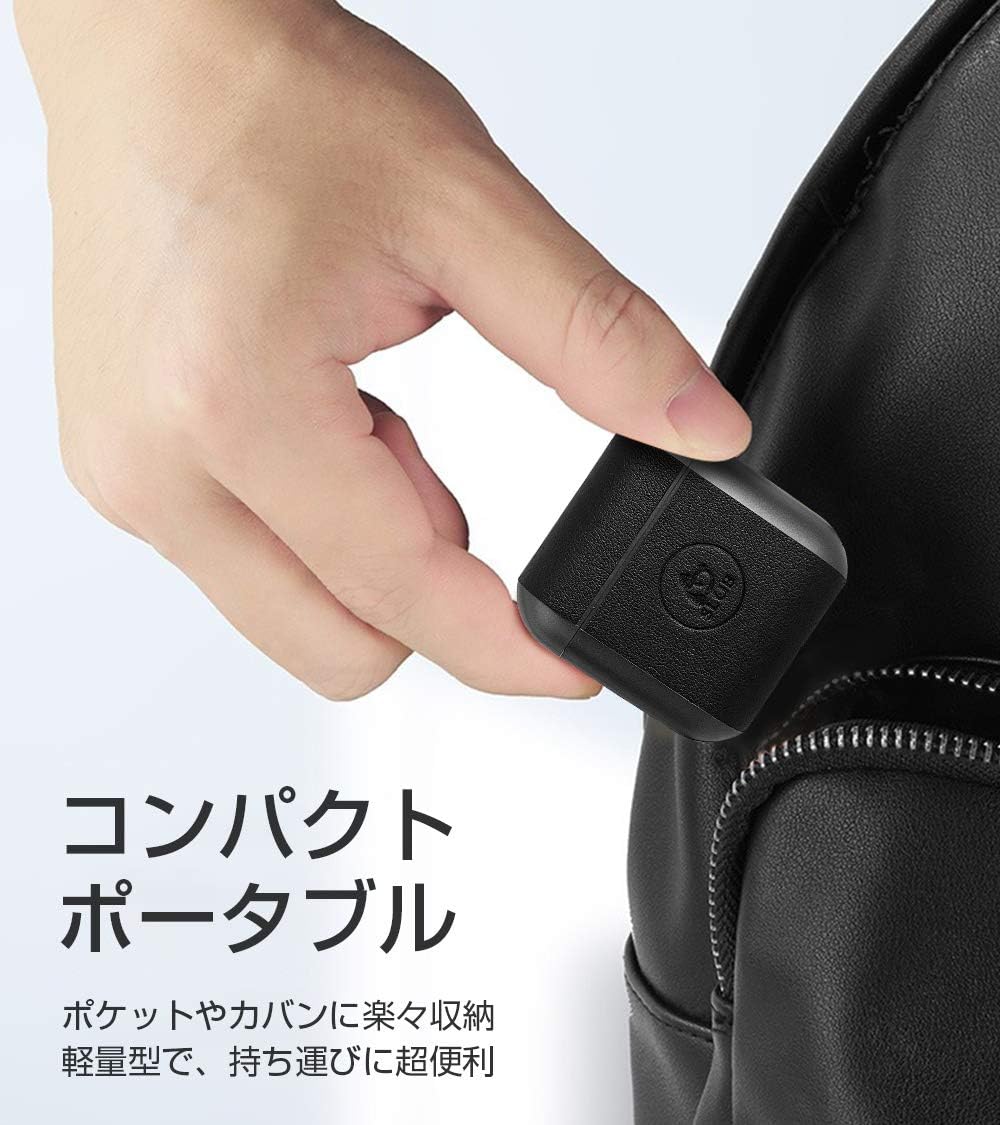
Image: A hand holding the compact SLuB T16 charging case, demonstrating its portability.
5. 설정
5.1. 이어버드와 케이스 충전
처음 사용하기 전에 이어폰과 충전 케이스를 완전히 충전하세요.
- 이어버드를 충전 케이스에 넣으세요. 이어버드가 제대로 장착되었는지 확인하세요.
- Connect the provided USB Type-C cable to the charging port on the case and plug the other end into a USB power adapter (not included) or a computer's USB port.
- 케이스의 표시등은 충전 상태를 나타냅니다. 완전히 충전되면 표시등이 완료를 나타내거나 꺼집니다.
A full charge for the earbuds takes approximately 1.5 hours, providing 2-3 hours of playback. The charging case takes about 2 hours to fully charge and can provide 5-6 full charges for the earbuds.
5.2. 초기 페어링
The SLuB T16 earphones feature automatic pairing for ease of use.
- 충전 케이스를 여세요. 이어버드가 자동으로 켜지고 페어링 모드로 진입합니다.
- 기기(스마트폰, 태블릿 등)에서 Bluetooth를 활성화하고 사용 가능한 기기를 검색하세요.
- 검색된 장치 목록에서 "T16"을 선택하여 연결하십시오.
- Once successfully paired, you will hear a confirmation sound, and the earbud indicator lights will change.
After the initial pairing, the earbuds will automatically reconnect to your last paired device when taken out of the charging case, provided Bluetooth is enabled on your device.
6. 사용 설명서
6.1. 터치 컨트롤
The SLuB T16 earphones utilize touch-sensitive areas for various functions. Refer to the diagram below for specific actions:

Image: Visual guide detailing the touch control functions for the SLuB T16 earbuds.
- 음악 재생/일시 중지: Single touch on either earbud's touch area.
- 전화 받기/종료: Single touch on either earbud's touch area.
- 전화 거부: Long press on either earbud's touch area.
- 다음 트랙: Double touch the right earbud's touch area.
- 이전 트랙 : Double touch the left earbud's touch area.
- 볼륨 업: Triple touch the left earbud's touch area.
- 볼륨 작게 : Triple touch the right earbud's touch area.
- Voice Assistant 활성화 : Long press for 3 seconds on either earbud's touch area.
6.2. Single and Twin Earbud Mode
The SLuB T16 earphones support both single and twin earbud usage modes.
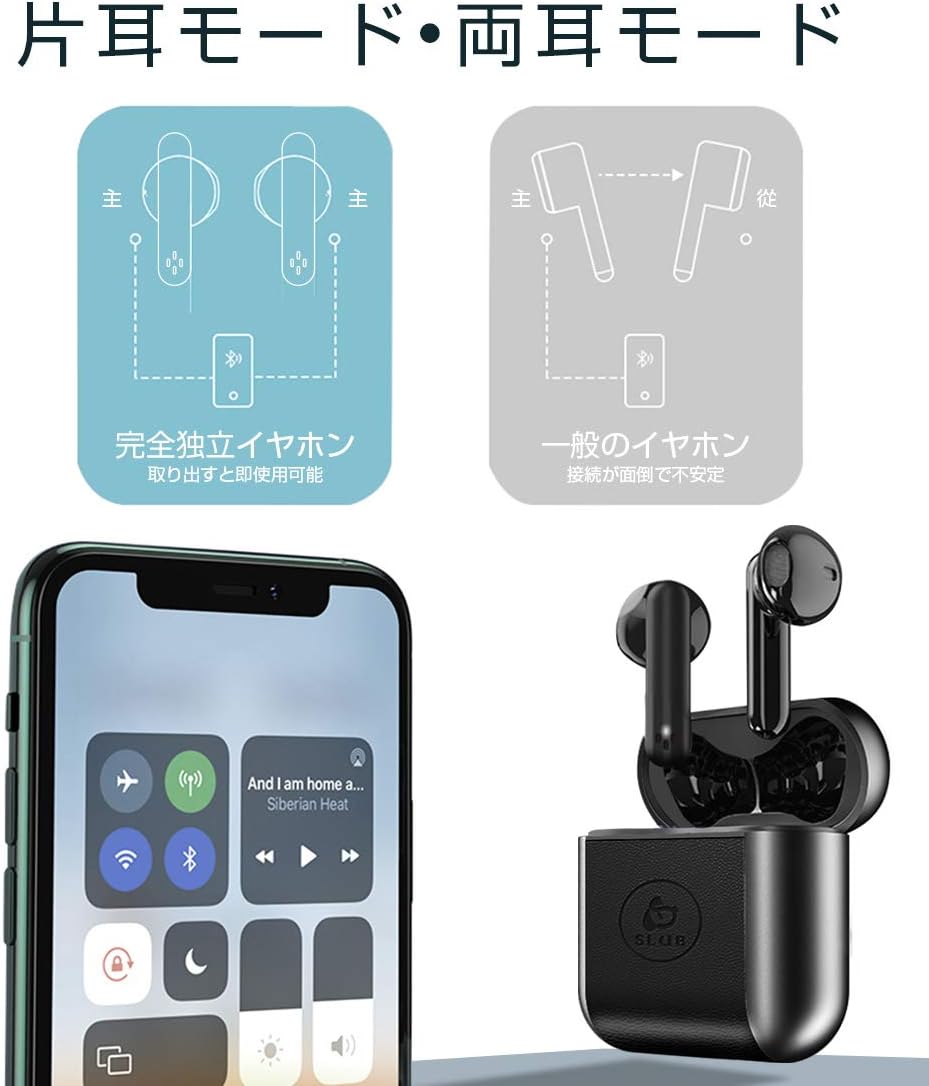
Image: Diagram showing how to use the earbuds in both single (mono) and twin (stereo) modes.
- 트윈 모드: Take both earbuds out of the charging case. They will automatically connect to each other and then to your device for stereo sound.
- 단일 모드: Take only one earbud out of the charging case. It will automatically connect to your device and function independently. The other earbud can remain in the case or be used later.
7. 유지관리
- 청소: 부드럽고 마른 보풀 없는 천을 사용하여 이어버드와 충전 케이스를 닦으세요. 강한 화학 물질이나 연마재를 사용하지 마세요.
- 저장: 사용하지 않을 때는 이어버드를 충전 케이스에 넣어 보호하고 충전 상태를 유지하세요. 서늘하고 건조한 곳에 보관하세요.
- 배터리 관리 : 배터리 수명을 연장하려면 배터리를 자주 완전히 방전하지 마십시오. 장시간 사용하지 않더라도 정기적으로 충전하십시오.
8. 문제 해결
| 문제 | 가능한 원인 | 해결책 |
|---|---|---|
| 이어폰의 전원이 켜지지 않습니다. | 배터리가 부족합니다. | 이어버드와 충전 케이스를 충전하세요. |
| 기기와 페어링할 수 없습니다. | 기기의 블루투스가 꺼져 있습니다. 이어버드가 페어링 모드가 아닙니다. 기기와의 거리가 너무 멀습니다. | Bluetooth가 켜져 있는지 확인하세요. 이어버드를 케이스에 넣고 닫았다가 다시 열어 페어링 모드로 다시 들어가세요. 기기에 더 가까이 다가가세요. |
| 한쪽 이어버드만 작동합니다. | Earbuds not properly connected to each other; one earbud has low battery. | 이어버드 두 개를 모두 충전 케이스에 넣고 뚜껑을 닫았다가 다시 여세요. 두 이어버드가 모두 충전되었는지 확인하세요. |
| 음질이 좋지 않거나 소리가 끊깁니다. | 간섭, 장치가 너무 멀리 있음, 배터리 부족. | Move closer to your device. Avoid environments with strong Wi-Fi or other Bluetooth signals. Charge earbuds. |
9. 사양
Detailed technical specifications for the SLuB T16 Bluetooth Earphones:

Image: A table displaying the detailed technical specifications of the SLuB T16 earphones and charging case.
| 특징 | 세부 사항 |
|---|---|
| 제품 이름 | 트루 와이어리스 스테레오 이어폰 |
| 모델 번호 | T16 |
| 블루투스 버전 | 5.1 (Low Power Consumption) |
| Call/Playback Time | Approx. 2-3 hours (with one full charge) |
| 입력 | 5.0V / 200mA |
| 운영 환경 | 온도: -10°C ~ 40°C, 습도: 10% ~ 85% |
| 충전 포트 | C타입 |
| 이어버드 배터리 용량 | 30mAh |
| 이어버드 충전 시간 | 약 1.5시간 |
| 대기 시간 | 약 120시간 |
| 충전 케이스 배터리 용량 | 300mAh |
| 충전 케이스 충전 시간 | 약 2시간 |
| 싱글 이어버드 무게 | 약 3.1g |
| 이어버드 크기 | 34 x 16.9 x 16.7mm |
| 충전 케이스 치수 | 51 x 49.1 x 24mm |
| 충전 케이스 무게 | 약 31.6g |
| 호환 장치 | iOS and Android devices with Bluetooth functionality |
10. 보증 및 지원
보증 정보 및 고객 지원은 구매 시 동봉된 설명서를 참조하거나 판매점에 문의하십시오. 보증 청구를 위해서는 구매 증빙 자료를 보관하십시오.


