소개
This manual provides essential information for the safe and effective use of your Zipro Flame Exercise Bike. Training on the ZIPRO FLAME stationary bike strengthens abdominal and leg muscles and promotes weight loss. It features an advanced computer that connects to your phone via Bluetooth, offering a reliable and quiet fitness experience thanks to reinforced bearings and a robust resistance system. For an enhanced experience, download the iConsole+ and Kinomap applications.

그림 1: 전면 view of the Zipro Flame Exercise Bike.
안전 정보
본 제품을 사용하기 전에 모든 지침을 꼼꼼히 읽어 주십시오. 나중에 참조할 수 있도록 이 설명서를 보관하십시오.
- 운동 프로그램을 시작하기 전에 의사와 상담하십시오.
- 매 사용 전에 모든 부품이 올바르게 조립되고 단단히 조여졌는지 확인하십시오.
- 운동용 자전거를 평평하고 안정적인 표면에 놓으십시오.
- 작동 중에는 어린이와 애완동물을 장비에 가까이 두지 마십시오.
- 최대 사용자 체중은 150kg을 초과하지 마십시오.
- 적절한 운동복과 신발을 착용하세요.
- 실신, 현기증, 통증을 느끼면 즉시 운동을 중단하세요.
- 장비의 마모 및 손상 여부를 정기적으로 점검하십시오. 손상된 경우 사용하지 마십시오.
패키지 내용
모든 구성품이 있는지, 손상되지 않았는지 확인하십시오. 누락되거나 손상된 부품이 있는 경우 고객 지원팀에 문의하십시오.
- 메인 프레임 어셈블리
- 핸들바 및 콘솔 어셈블리
- 안장 및 시트 포스트
- 페달(왼쪽 및 오른쪽)
- 전면 및 후면 안정기
- 하드웨어 키트(볼트, 와셔, 너트, 공구)
- 전원 어댑터
- 사용자 설명서
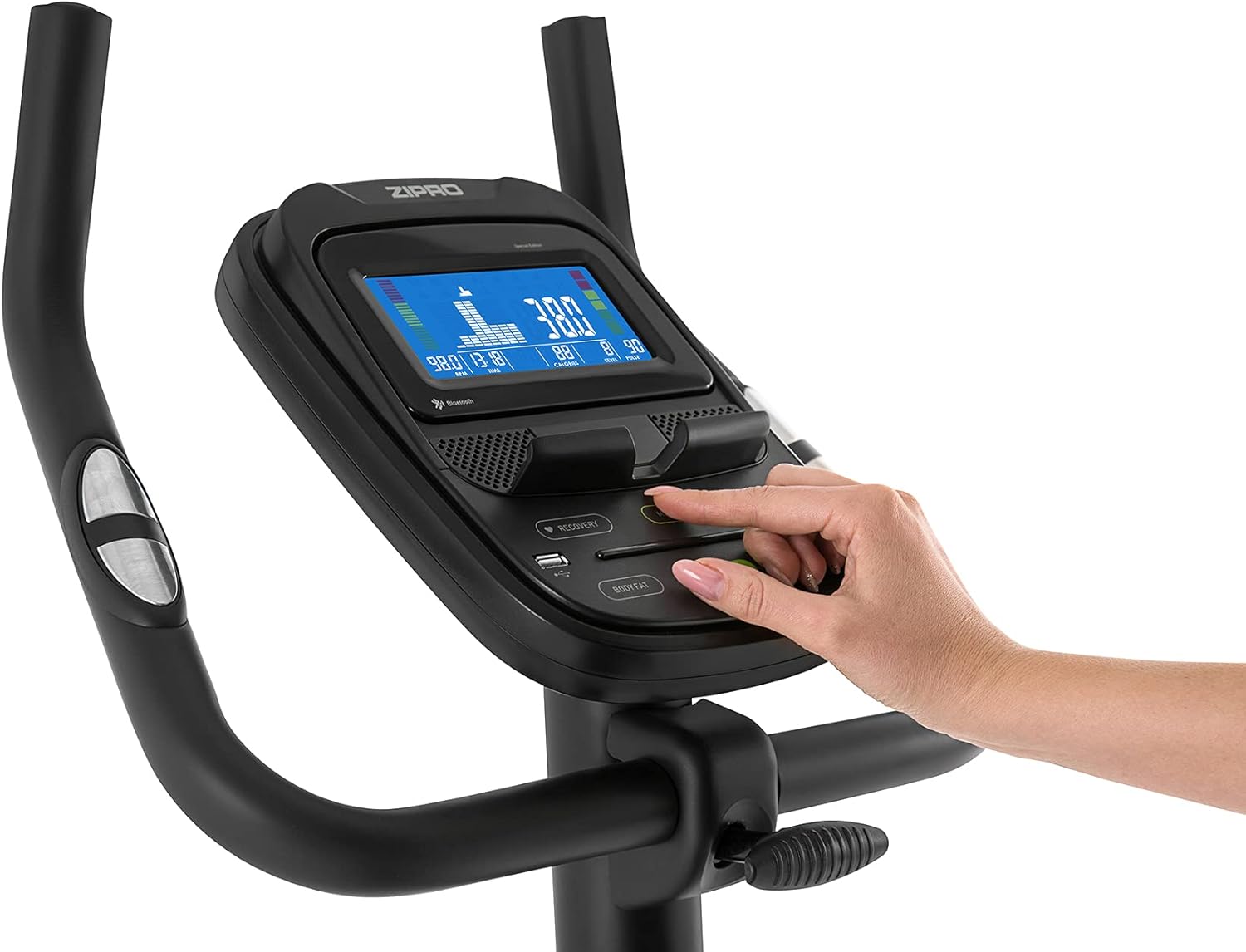
Figure 2: User manual and power adapter.
설정 및 조립
Follow these steps to assemble your Zipro Flame Exercise Bike. It is recommended to have two people for assembly.
- 제공된 볼트와 와셔를 사용하여 앞뒤 안정 장치를 본체 프레임에 부착하십시오.
- Secure the seat post and saddle to the main frame. Adjust the saddle height and distance for comfort.
- Install the handlebar and console assembly onto the main frame. Ensure all cables are connected properly.
- Attach the left and right pedals. Note that the left pedal is reverse-threaded.
- Connect the power adapter to the bike and a suitable power outlet.

Figure 3: Saddle adjustment for personalized comfort.

Figure 4: Non-slip pedals with adjustable straps for secure footing.
작동 지침
콘솔 기능
The advanced computer console provides real-time workout data and various programs.
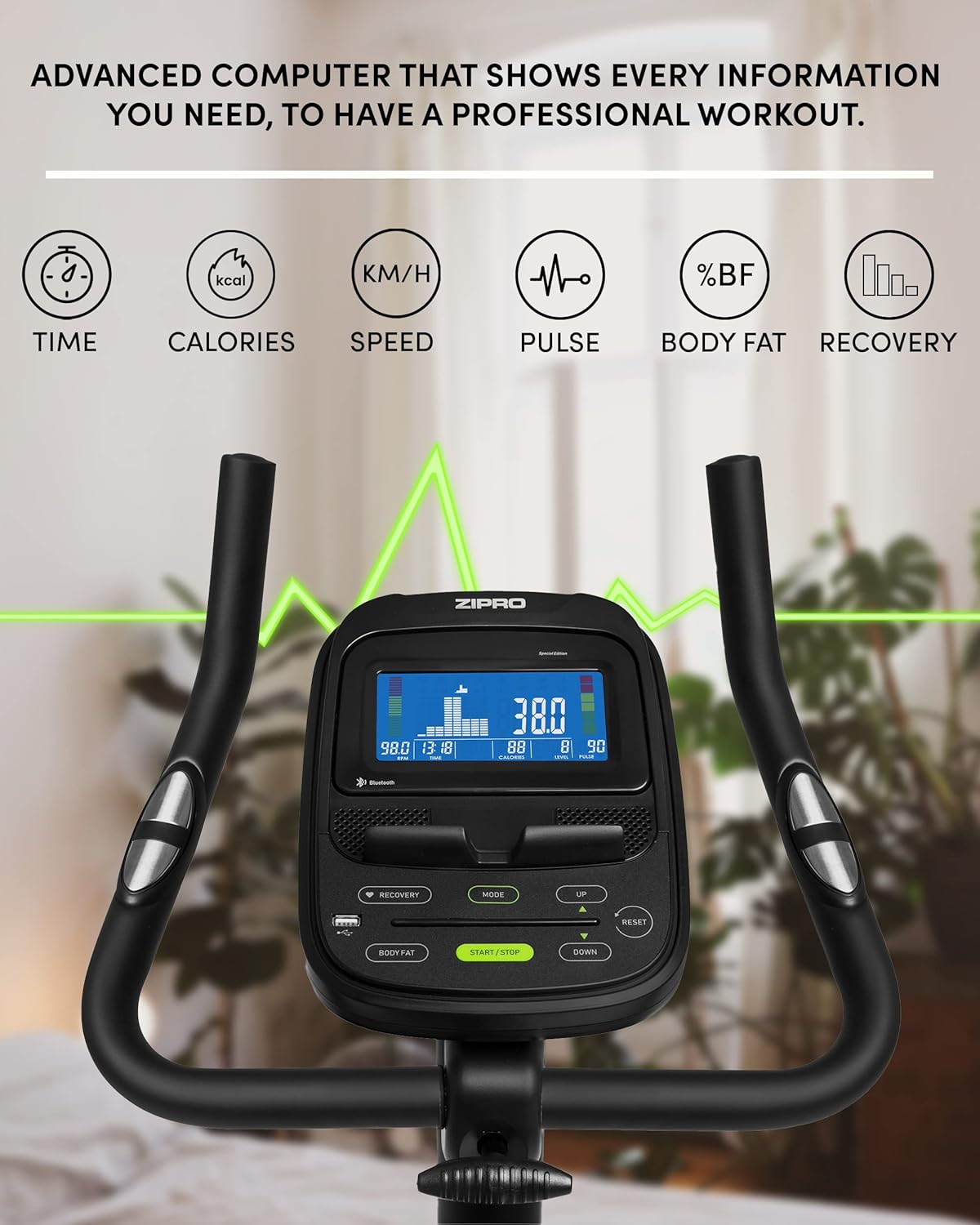
Figure 5: Advanced computer display showing workout metrics.

Figure 6: User interacting with the console controls.
- 전원 켜기/끄기: Press the START/STOP button to turn the console on or off.
- 방법: Press the MODE button to cycle through display functions (Time, Calories, Speed, Pulse, Body Fat, Recovery).
- 저항 조정: Use the UP/DOWN buttons to adjust the 32-step electric-magnetic resistance level.
- 맥박 측정: Grip the pulse sensors on the handlebars to measure your heart rate.
- 체지방 측정: Follow the instructions on the console to perform a body fat measurement.
- HRC Training: The bike supports Heart Rate Control (HRC) training, automatically adjusting resistance based on your target heart rate.
Mobile Device Integration
The Zipro Flame Exercise Bike is designed for seamless integration with your mobile devices and fitness applications.

Figure 7: Integrated stand for mobile devices.
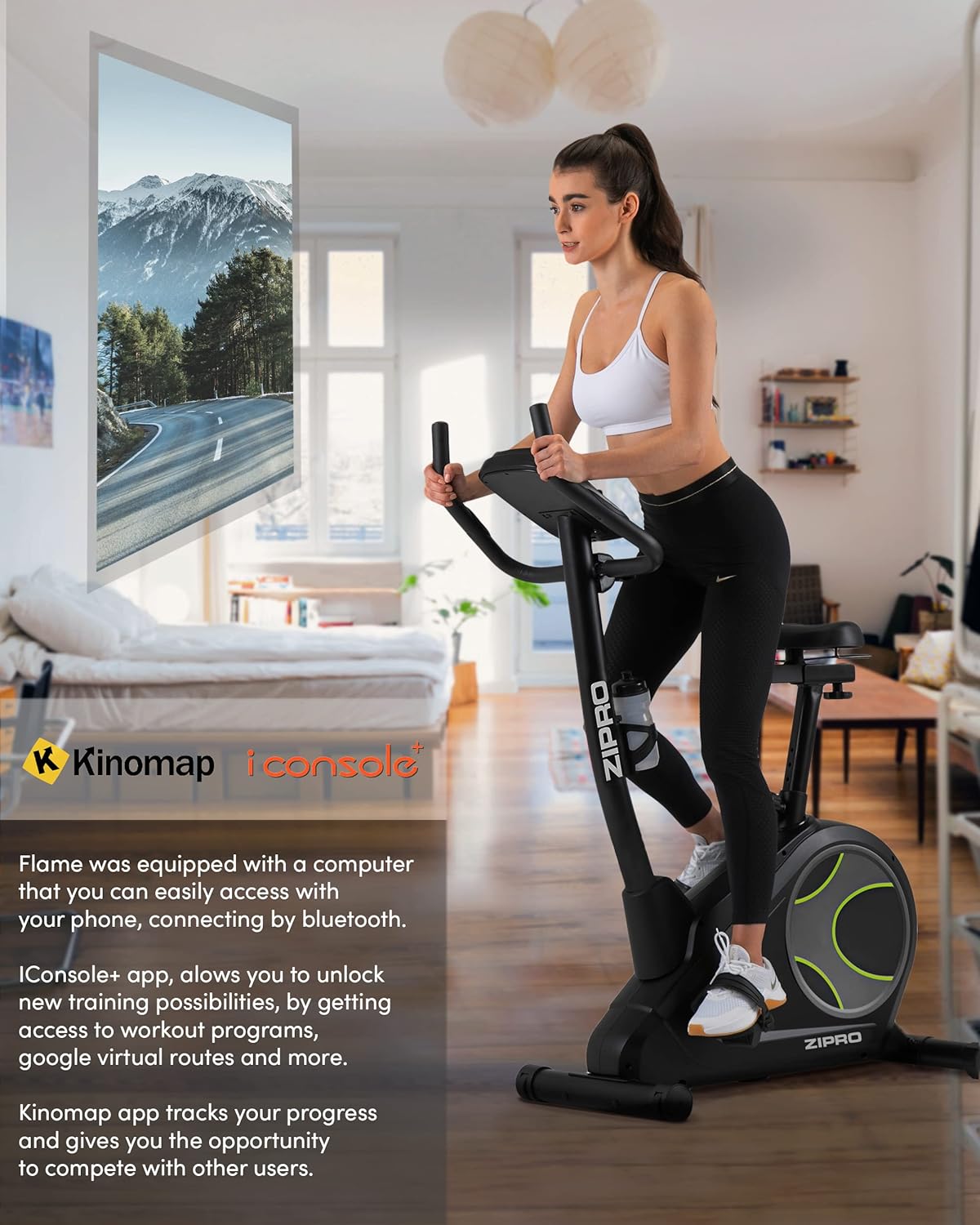
Figure 8: Bluetooth connectivity with Kinomap and iConsole+ apps.
- 블루투스 연결: Connect your smartphone or tablet to the bike via Bluetooth to use compatible fitness apps.
- iConsole+ App: Download the iConsole+ app to unlock new training possibilities, access workout programs, and track your progress.
- Kinomap App: The Kinomap app allows you to experience virtual routes and compete with other users, enhancing your workout engagement.
- Mobile Device Stand: Utilize the integrated stand on the console to securely hold your mobile device while exercising.
제품 끝view 동영상
Watch this video for a general presentation of the ZIPRO product range, showcasing the brand's commitment to quality fitness equipment.
Video 1: Presentation of the ZIPRO product range. This video provides a general overview of the brand's fitness equipment, including various exercise types.
유지
정기적인 유지 관리는 실내 자전거의 수명과 최적의 성능을 보장합니다.
- 청소: 광고로 자전거를 닦으십시오amp 사용 후에는 천으로 닦아 땀과 먼지를 제거하세요. 연마성 세제는 사용하지 마세요.
- 매끄럽게 하기: Periodically check and lubricate moving parts as recommended in the full manual (if applicable).
- 조임: Check all bolts and nuts regularly and tighten them if necessary to ensure stability and safety.
- 저장: When not in use, store the bike in a cool, dry place. The integrated transport wheels facilitate easy relocation.

Figure 9: Compact dimensions for easy storage and transport.
문제 해결
| 문제 | 가능한 원인 | 해결책 |
|---|---|---|
| 위로할 힘이 없다 | Power adapter not connected; outlet issue | Ensure adapter is fully plugged in; try a different outlet. |
| 불안정하거나 흔들리는 자전거 | Loose bolts; uneven surface | Tighten all assembly bolts; adjust leveling feet on stabilizers. |
| 삐걱거리거나 갈리는 소리 | Loose parts; lack of lubrication | Check and tighten all connections; apply lubricant to moving parts as per manual. |
| Pulse reading inaccurate | 센서에 손이 제대로 닿지 않음; 손이 건조함 | Ensure firm, consistent contact with both sensors; moisten hands slightly if dry. |
| 블루투스 연결 문제 | Bluetooth off on device; app not updated | Ensure Bluetooth is enabled; restart bike and device; update fitness app. |
명세서
| 특징 | 세부 사항 |
|---|---|
| 모델 번호 | 6299206 |
| 상표 | 지프로 |
| 색상 | 검은색 |
| 스타일 | 불꽃 |
| 드라이브 시스템 | 벨트 |
| 주요소재 | 플라스틱 |
| 전원 | Requires external power for console and electromagnetic resistance control. |
| 특별 기능 | Modern computer with clear screen, wide feet with stabilizing pads, two-level saddle adjustment, mobile device tray, continuous handlebar adjustment, iConsole+ and Kinomap compatibility, integrated transport wheels, soft non-slip foam handlebars, cup holder, reinforced bearing, noise-dampening casing, touch-sensitive pulse sensors, non-slip pedals with straps. |
| 최대 중량 용량 | 150 킬로그램 |
| 제품 크기(L x W x H) | 118 x 49 x 140cm |
| 품목 무게 | 27.3 킬로그램 |
| 저항 메커니즘 | 자기 |
| 추천 용도 | Home, Gym, Studio, Indoor |
보증 및 지원
보증 정보, 기술 지원 또는 교체 부품 주문은 ZIPRO 고객 서비스 센터로 문의하십시오. 구체적인 보증 조건 및 연락처 정보는 구매 서류를 참조하십시오.
온라인 지원: ZIPRO 공식 웹사이트를 방문하세요. webFAQ, 문제 해결 가이드, 문의 양식을 제공하는 사이트입니다.
제조업체: Morele.net Sp. 즈오


