1. 서론
Thank you for choosing the ZIPRO iCONSOLE+ HEAT Elliptical Crosstrainer. This manual provides essential information for the safe and effective assembly, operation, and maintenance of your new fitness equipment. Please read this manual thoroughly before using the crosstrainer to ensure proper usage and to maximize your workout experience.
The ZIPRO iCONSOLE+ HEAT is an advanced electromagnetic elliptical trainer designed for comprehensive cardio workouts at home. It features an integrated computer with connectivity to popular fitness applications like iConsole and Kinomap, offering a wide range of training programs and interactive experiences.
2. 안전 정보
경고: 운동 프로그램을 시작하기 전에 반드시 의사와 상담하십시오. 특히 35세 이상이거나 기존 질환이 있는 분들은 더욱 중요합니다.
- Always place the crosstrainer on a stable, level surface. Ensure adequate space around the equipment for safe operation.
- 사용 중에는 어린이와 애완동물을 장비에 가까이 두지 마십시오.
- The maximum user weight capacity for this device is 120kg(264파운드). 이 한도를 초과하지 마십시오.
- 운동 시에는 적절한 운동화와 운동복을 착용하십시오.
- Inspect the crosstrainer for loose or worn parts before each use. Do not use if any damage is present.
- Do not attempt to service the equipment beyond the maintenance steps described in this manual. Contact qualified service personnel for repairs.
- Always hold onto the handlebars for balance during exercise.
3. 조립
The ZIPRO iCONSOLE+ HEAT Crosstrainer requires assembly. Please refer to the detailed assembly instructions provided in the separate assembly guide included with your product. Ensure all components are present and undamaged before beginning assembly.

Figure 3.1: Fully assembled Zipro Heat Crosstrainer.

Figure 3.2: Dimensions of the Zipro Heat Crosstrainer: 128 cm length, 66 cm width, 158 cm height.
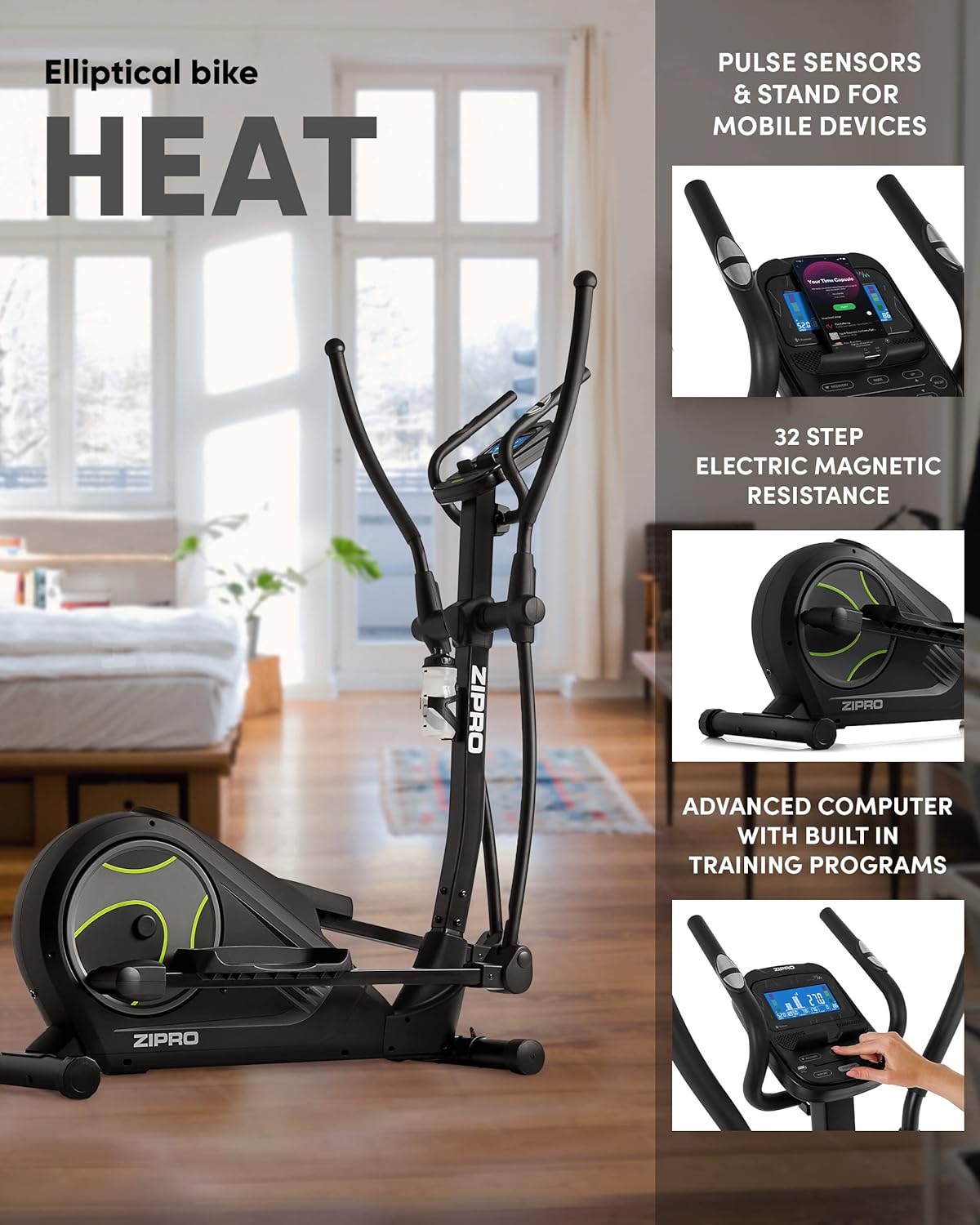
Figure 3.3: Key features including pulse sensors, mobile device stand, 32-step electric magnetic resistance, and advanced computer.
주요 조립 팁:
- 작업을 시작하기 전에 모든 부품과 하드웨어를 배치하세요.
- Follow the numbered steps in the assembly guide precisely.
- Do not fully tighten all bolts until instructed, as some components may need slight adjustment.
- It is recommended to have two people for assembly due to the size and weight of some components.
4. 사용 설명서
4.1 전원 켜기 및 끄기
Connect the power adapter to the crosstrainer and then to a suitable power outlet. The console will automatically power on. To power off, simply disconnect the power adapter.
4.2 Console Features and Display
The advanced computer console provides real-time feedback on your workout. It displays various metrics to help you track your progress and optimize your training.

그림 4.1: 상세 view of the console display showing various workout metrics.

Figure 4.2: The advanced computer console displaying workout information such as time, calories, speed, pulse, body fat, and recovery.
Displayed Metrics:
- 시간: 운동 시간.
- 칼로리 : 추정 칼로리 소모량
- 속도: 현재 속도(km/h)
- 펄스: Your heart rate, measured by hand pulse sensors.
- %BF (Body Fat): 체지방률tage (requires specific input).
- 회복: Heart rate recovery test result.
4.3 저항 조절
The ZIPRO iCONSOLE+ HEAT features 32 levels of electric magnetic resistance. You can adjust the resistance level directly from the console using the UP/DOWN buttons. Higher levels increase the workout intensity.

Figure 4.3: The quiet and smooth operation of the electromagnetic resistance system.
4.4 심박수 모니터링
Grip the pulse sensors on the stationary handlebars to measure your heart rate. Ensure both hands are firmly on the sensors for an accurate reading. Your pulse will be displayed on the console.
4.5 App Connectivity (iConsole+, Kinomap)
Enhance your training experience by connecting your smartphone or tablet to the crosstrainer via Bluetooth. The console includes a dedicated stand for your mobile device.
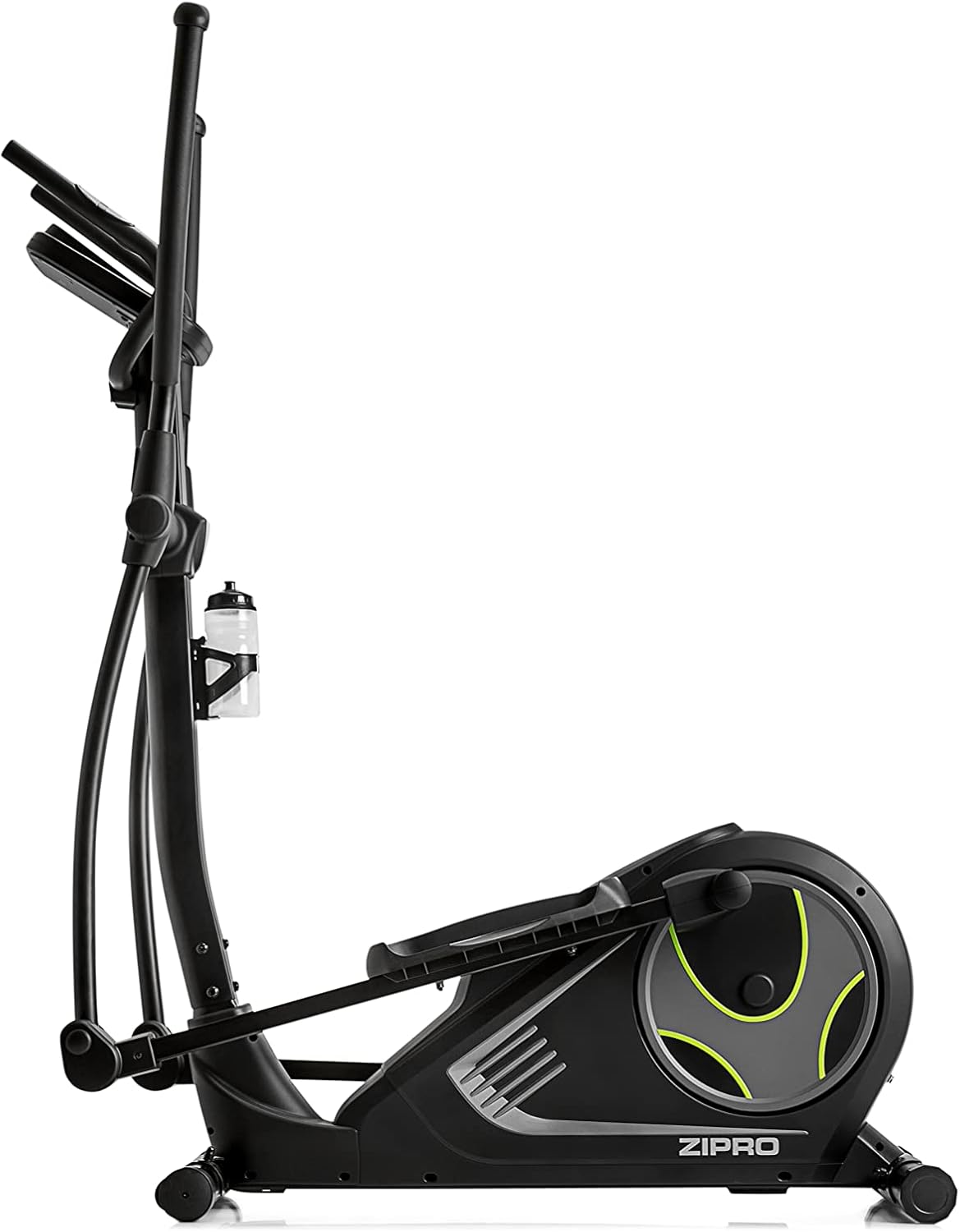
Figure 4.4: Mobile phone placed on the integrated stand, connected via Bluetooth for app use.

Figure 4.5: Tablet device securely placed on the console stand, enhancing the interactive training experience.

Figure 4.6: The Kinomap app interface displayed on a screen, showing virtual routes and training possibilities.
Download the iConsole+ and Kinomap applications from your device's app store. Follow the in-app instructions to pair your device with the crosstrainer via Bluetooth. These apps offer additional training programs, virtual routes, and the ability to track your progress and compete with others.
4.6개 제품 이상view 동영상
시각적으로 살펴보려면view of the ZIPRO product range and the types of workouts supported, please watch the official video below.
Video 4.1: A presentation video showcasing the ZIPRO product range and various fitness activities, including elliptical training. This video provides a general overview of the brand's commitment to home fitness equipment.
5. 유지관리
Regular maintenance ensures the longevity and optimal performance of your crosstrainer.
- 청소: 크로스트레이너를 광고용 천으로 닦으세요amp 사용 후에는 땀과 먼지를 닦아낼 수 있도록 천으로 닦아주십시오. 연마성 세제나 용제를 사용하지 마십시오.
- 점검: Periodically check all bolts and nuts for tightness. Tighten any loose fasteners. Inspect moving parts for signs of wear or damage.
- 매끄럽게 하기: Refer to your assembly guide for specific lubrication points and recommended lubricants. Generally, moving joints may require occasional lubrication to ensure smooth operation.
- 저장: If storing the crosstrainer for an extended period, ensure it is clean and dry. Store in a cool, dry place away from direct sunlight and extreme temperatures. The integrated transport wheels allow for easy relocation.
6. 문제 해결
This section addresses common issues you might encounter with your ZIPRO iCONSOLE+ HEAT Crosstrainer.
| 문제 | 가능한 원인 | 해결책 |
|---|---|---|
| 위로할 힘이 없다 | 전원 어댑터가 연결되지 않았습니다. 콘센트에 문제가 있습니다. 케이블이 손상되었습니다. | Ensure power adapter is fully plugged into the crosstrainer and a working outlet. Check for cable damage. |
| 작동 중 이상한 소음 | Loose bolts; worn parts; lack of lubrication. | Check and tighten all assembly bolts. Lubricate moving joints as per the assembly guide. Inspect for worn components. |
| 저항이 변하지 않음 | 콘솔 오작동; 내부 메커니즘 문제. | Ensure the console is powered correctly. If the issue persists, contact customer support. |
| 심박수 측정값이 부정확하거나 표시되지 않음 | 센서에 손이 제대로 닿지 않았거나, 손이 건조하거나, 센서가 오작동하는 경우입니다. | Ensure firm and consistent contact with both sensors. Lightly moisten hands if too dry. |
| 블루투스 연결 문제 | Bluetooth off on device; app not updated; interference. | Ensure Bluetooth is enabled on your mobile device. Restart the app and crosstrainer. Move closer to the crosstrainer. |
If you encounter a problem not listed here or if the suggested solutions do not resolve the issue, please contact ZIPRO customer support for assistance.
7. 사양
| 특징 | 세부 사항 |
|---|---|
| 모델명 | 열 |
| 모델 번호 | 6299207 |
| 상표 | 지프로 |
| 색상 | 검은색 |
| 치수(길이 x 너비 x 높이) | 128 x 67 x 158cm(50.4 x 26.4 x 62.2인치) |
| 품목 무게 | 39.7kg(87.5파운드) |
| 재료 | 알루미늄, 폴리에틸렌, 금속 |
| 저항 메커니즘 | 자기 |
| 저항 수준 수 | 32 |
| 최대 중량 권장 사항 | 120킬로그램(264파운드) |
| 최대 보폭 길이 | 30센티미터(11.8인치) |
| 연결성 | USB, 블루투스 |
8. 보증 및 지원
Your ZIPRO iCONSOLE+ HEAT Crosstrainer comes with a manufacturer's warranty. Please refer to the warranty card included with your product for specific terms and conditions. Keep your proof of purchase for warranty claims.
For technical support, spare parts, or any questions not covered in this manual, please contact ZIPRO customer service. Contact information can typically be found on the manufacturer's web사이트 또는 제품 포장에 표시하세요.


