1. 서론
This manual provides essential information for the safe and efficient operation of your Philips Airfryer 5000 Series XL, model HD9280/90. This appliance is designed to prepare a variety of dishes using hot air, resulting in healthier meals with significantly less fat compared to traditional frying methods. Please read this manual thoroughly before first use and retain it for future reference.

그림 1: 전면 view of the Philips Airfryer 5000 Series XL (HD9280/90).
2. 안전 정보
2.1 일반 안전
- 항상 안정되고 수평이며 평평한 표면에 제품을 놓으십시오.
- 제품을 벽이나 다른 제품에 기대어 놓지 마십시오. 뒷면과 측면에 최소 10cm, 위쪽에 10cm의 여유 공간을 남겨 두십시오.
- 기기가 작동하는 동안 공기 흡입구와 공기 배출구를 막지 마십시오.
- 전기 부품과 발열체가 포함된 하우징을 절대로 물에 담그거나 수돗물로 헹구지 마십시오.
- 팬에 기름이나 다른 액체를 채우지 마세요.
- 튀길 재료는 항상 바구니에 담아두어 발열체에 닿지 않도록 하세요.
- 제품이 작동하는 동안 내부를 만지지 마십시오.
- Unplug the appliance from the wall socket when not in use and before cleaning.
- 본 기기는 신체적, 감각적 또는 정신적 능력이 저하된 사람(어린이 포함)이나 경험 및 지식이 부족한 사람이 사용하도록 의도된 것이 아니며, 안전을 책임질 사람으로부터 기기 사용에 관한 감독이나 지시를 받은 경우에만 사용할 수 있습니다.
2.2 전기 안전
- 볼륨을 확인하세요tag기기에 표시된 e는 현지 주전원에 해당합니다.tag기기를 연결하기 전에 확인하세요.
- 플러그, 전원 코드 또는 제품 자체가 손상된 경우 제품을 사용하지 마십시오.
- 제품이 놓여 있는 테이블이나 조리대의 가장자리에 전원 코드가 걸리지 않도록 하세요.
- 젖은 손으로 제품의 플러그를 꽂거나 제어판을 작동하지 마세요.
3. 제품 오버view
The Philips Airfryer 5000 Series XL (HD9280/90) is a versatile kitchen appliance designed for healthy cooking. It features a 6.2-liter capacity pan and a 1.2 kg basket, suitable for preparing up to 5 portions. The appliance utilizes Rapid Air Technology for optimal hot air circulation, ensuring crispy and tender results.
3.1 주요 구성 요소
- 디지털 터치 디스플레이: For easy control of settings and programs.
- 바구니: Holds ingredients during cooking.
- 팬: 지방과 음식 입자를 수집합니다.
- 가열 요소: Generates hot air.
- 공기 흡입구 및 배출구: 공기 순환을 위해.
- 전원 코드: Connects to mains supply.
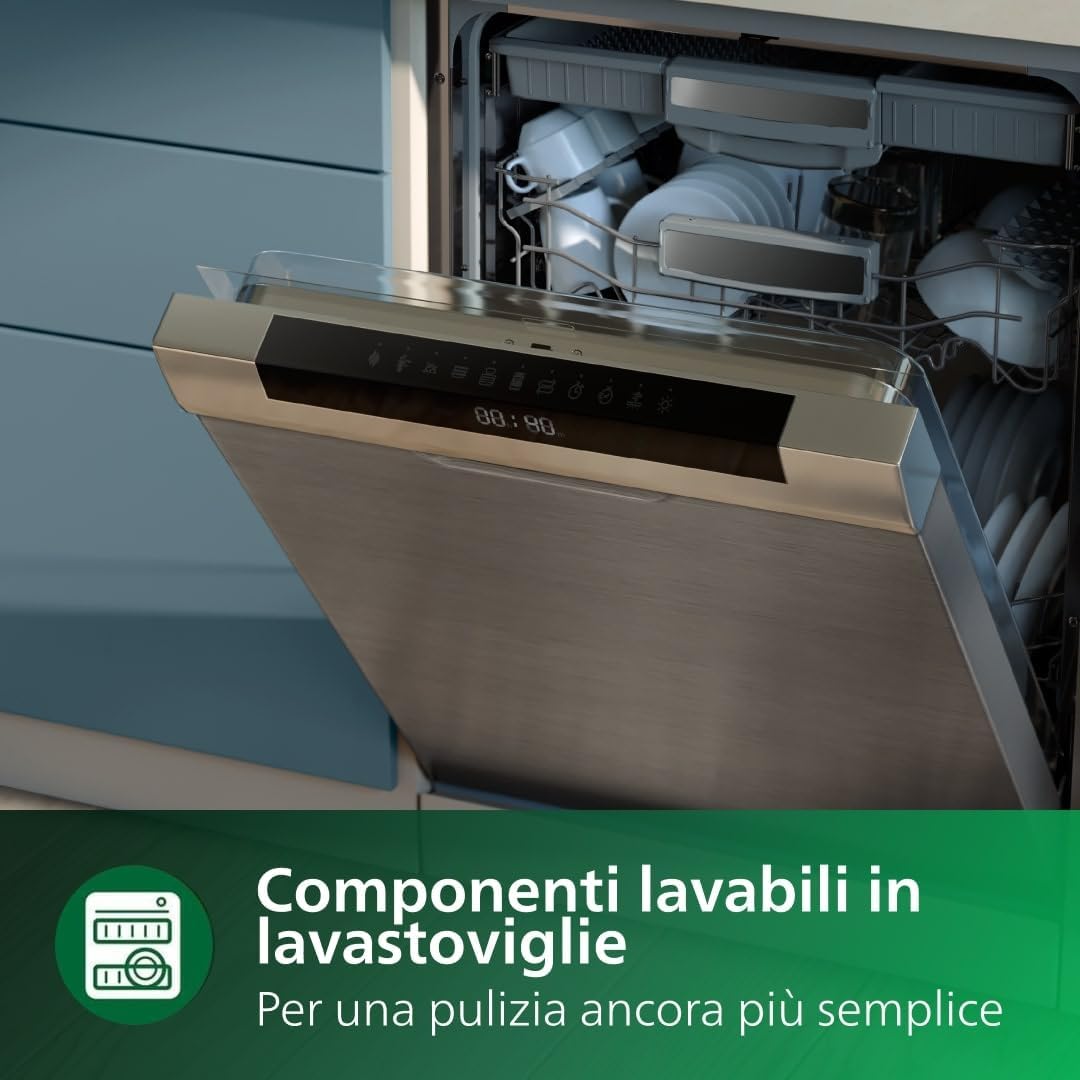
Figure 2: The digital touchscreen display with various preset cooking programs.
3.2 Rapid Air Technology
The unique "starfish" design of the Rapid Air Technology creates optimal hot air circulation, allowing you to fry, bake, roast, and grill with little to no oil. This technology ensures food is crispy on the outside and tender on the inside.

Figure 3: Visual representation of Rapid Air Technology ensuring even heat distribution.
4. 설정
4.1 처음 사용하기 전에
- 모든 포장재를 제거하세요.
- 제품에 붙은 스티커나 라벨을 제거하세요.
- 뜨거운 물, 약간의 식기 세척액, 비연마성 스폰지로 바구니와 팬을 철저히 청소하십시오.
- 젖은 천으로 기기의 내부와 외부를 닦으세요.
4.2 Connecting to the HomeID App (Wi-Fi)
Your Philips Airfryer HD9280/90 can be connected to the HomeID app for enhanced functionality, including access to numerous recipes and remote control. Follow these steps to connect:
- Download the HomeID app from your smartphone's app store.
- 계정을 만들거나 로그인하세요.
- Follow the in-app instructions to add your Airfryer model (HD9280/90).
- 에어프라이어가 전원에 연결되어 있고 켜져 있는지 확인하세요.
- The app will guide you through connecting the Airfryer to your home Wi-Fi network.
- Once connected, you can explore recipes, send cooking instructions to your Airfryer, and monitor cooking progress remotely.

Figure 4: The HomeID app interface on a smartphone, showing cooking progress and settings.
5. 사용 설명서
5.1 기본 작업
- Place the Airfryer on a stable, heat-resistant surface.
- 에어프라이어에서 냄비를 꺼내세요.
- 재료를 바구니에 넣으세요. MAX 표시를 초과하지 않도록 하세요.
- 팬을 다시 에어프라이어에 밀어 넣습니다.
- 전원 플러그를 접지된 벽면 소켓에 꽂습니다.
- 전원 버튼을 눌러 기기를 켜세요.
- 온도와 시간 조절 버튼을 사용하여 원하는 조리 매개변수를 설정하세요.
- 시작/일시정지 버튼을 눌러 요리를 시작하세요.
5.2 사전 설정 프로그램 사용
The Airfryer HD9280/90 comes with 7 preset cooking programs for common dishes. These programs automatically set the optimal time and temperature.
- 기기를 켜세요.
- Press the preset program selection button (often indicated by a menu icon or specific food icons).
- Scroll through the available programs (e.g., frozen snacks, fries, meat, fish, chicken drumsticks, cake, grilled vegetables).
- Select your desired program. The display will show the default time and temperature.
- Press the start/pause button to begin. You can manually adjust time and temperature even after selecting a preset program if needed.
5.3 Cooking Functions (14-in-1)
Beyond the presets, the Airfryer offers a wide range of cooking capabilities:
- 전유: 기름을 최소한으로 사용하여 바삭한 결과를 얻으세요.
- 빵 굽기: Ideal for cakes, muffins, and pastries.
- 굽는 데 알맞은: 고기와 야채에 적합합니다.
- 그릴링: 구운 듯한 식감과 풍미를 구현하세요.
- 재가열: Warm up leftovers efficiently.
- 탈수: 말린 과일이나 육포를 만드세요.
- 토스트: For bread and other items.
- 제상 : Thaw frozen foods.
- And more, accessible through manual settings or the HomeID app.
6. 청소 및 유지 관리
Regular cleaning ensures optimal performance and extends the lifespan of your Airfryer. Always unplug the appliance and allow it to cool down completely before cleaning.
6.1 Dishwasher-Safe Components
The removable parts of your Philips Airfryer, including the pan and basket, are dishwasher-safe for easy cleaning.
- Remove the pan and basket from the Airfryer.
- Place them in the dishwasher.
- Use standard dishwasher detergent.
- Ensure they are completely dry before reassembling.

Figure 5: The Airfryer pan and basket are designed for easy cleaning in a dishwasher.
6.2 일반 청소
- Inside of the appliance: Wipe with a moist cloth. For stubborn food residues, use a soft brush.
- Outside of the appliance: Wipe with a moist cloth. Do not use abrasive cleaning agents.
- 가열 요소: 청소 브러시로 가열 소자를 청소하여 음식 찌꺼기를 제거하세요.
7. 문제 해결
필립스 에어프라이어 사용 중 문제가 발생하면 다음의 일반적인 문제 및 해결 방법을 참조하십시오.
| 문제 | 가능한 원인 | 해결책 |
|---|---|---|
| 에어프라이어가 작동하지 않습니다. | 기기의 전원이 꽂혀 있지 않습니다. | 전원 플러그를 접지된 벽면 소켓에 꽂습니다. |
| 음식이 고르게 익지 않습니다. | Too much food in the basket; food not shaken/turned. | 음식의 양을 줄이고, 조리 중간에 음식을 흔들거나 뒤집어 주세요. |
| 기기에서 흰 연기가 나옵니다. | Fat from fatty ingredients; pan contains grease residue. | 사용 후에는 냄비와 바구니를 깨끗이 세척하십시오. |
| 갓 튀긴 감자는 바삭하지 않다. | 기름 사용량이 부족하고, 감자 종류가 적합하지 않습니다. | Add a little oil; use fresh potatoes suitable for frying. |
| 앱 연결 문제. | Incorrect Wi-Fi password; poor signal; app not updated. | Verify Wi-Fi password; move Airfryer closer to router; update HomeID app. |
8. 사양
| 특징 | 세부 사항 |
|---|---|
| 상표 | 필립스 |
| 모델 | HD9280/90 |
| 용량 | 6.2 Liters (1.2 kg basket) |
| 왓tage | 2000 와트 |
| 재료 | 스테인리스 스틸 |
| 색상 | 검은색 |
| 제품 치수 | 31.5 x 40.31 x 30.71cm |
| 품목 무게 | 1.4 킬로그램 |
| 특별 기능 | Temperature control, Automatic shut-off, Wi-Fi connectivity, Digital Touch Display, Rapid Air Technology |
9. 보증 및 지원
보증 정보, 제품 등록 또는 기술 지원에 대한 자세한 내용은 공식 Philips 웹사이트를 방문하세요. web해당 웹사이트를 방문하거나 지역 필립스 고객 서비스 센터에 문의하십시오. 보증 청구를 위해 구매 영수증을 구매 증빙 자료로 보관하십시오.
You can find additional support and frequently asked questions on the Philips support page: www.philips.com/support


