1. 서론
This manual provides detailed instructions for the installation and care of your VASTKING SA8 Tempered Glass Screen Protector. Designed specifically for the VASTKING SA8 Tablet, this protector offers enhanced durability and clarity for your device's screen.
제품 특징:
- 재료: High-quality Tempered Glass
- 경도: 9H (highly scratch-resistant)
- 두께: Ultra Thin (approximately 0.5mm)
- 명쾌함: HD Screen, High Transmittance for original color retention
- 보호: Anti-Scratch, Anti-Shatter
- 표면: Anti-Fingerprint, Super Sensitive touch response
- 설치: Designed for Bubble-Free application
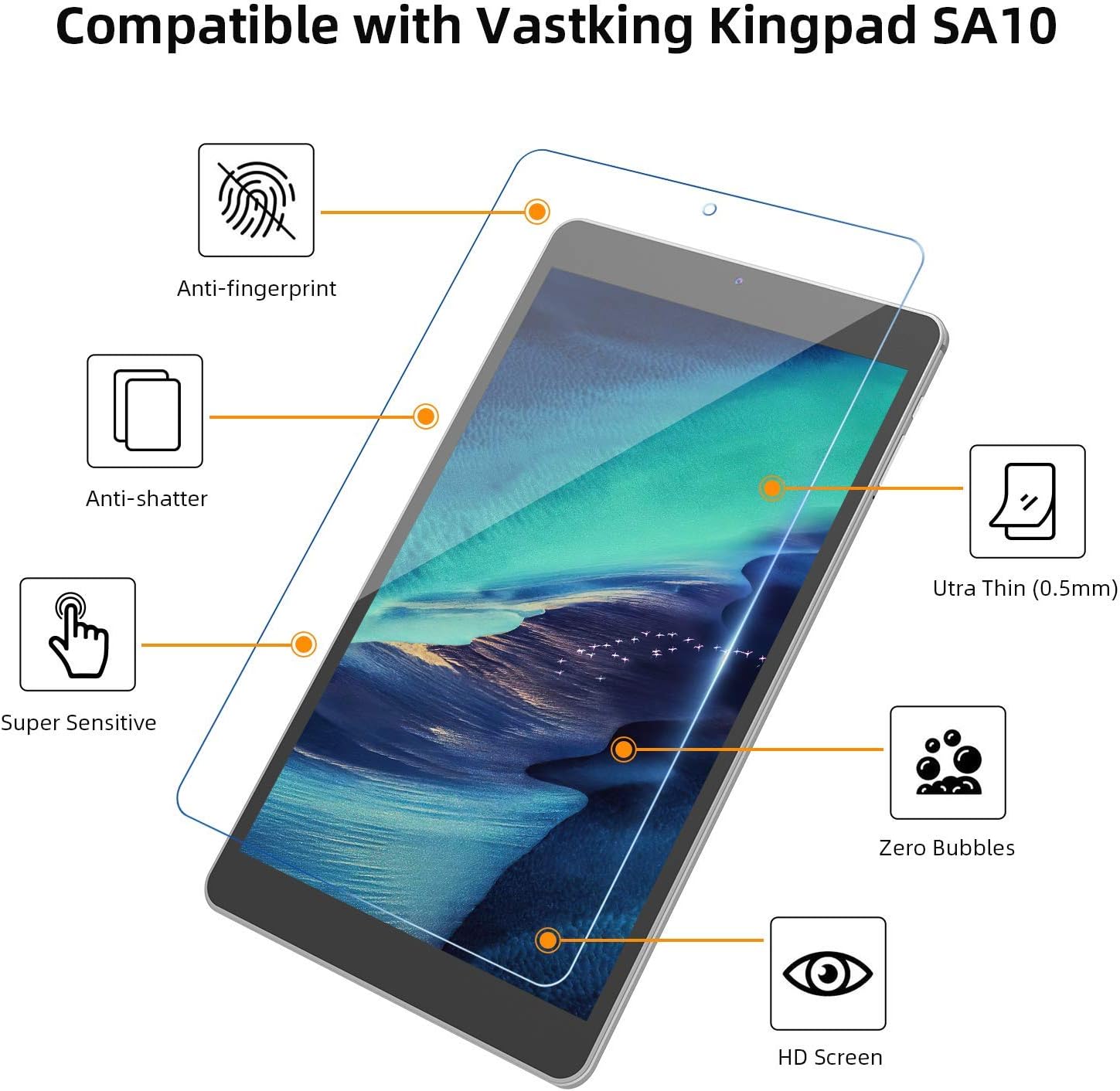
이미지 1.1: 이상view of VASTKING Screen Protector features. Note: This image illustrates features and may show a different tablet model (SA10) for demonstration purposes. The product is compatible with VASTKING SA8.
2. 설정 및 설치
Careful installation is key to achieving a bubble-free and perfectly aligned screen protector. Please follow these steps precisely.
패키지 내용:
- 1 x VASTKING SA8 Tempered Glass Screen Protector
- 1 x Alcohol Prep Pad
- 1 x Lint-Free Cloth
- 1 x Dust Absorbent Sticker
- Guide Stickers (optional for alignment)
설치 단계:
- 작업 공간 준비: 깨끗하고 먼지 없는 환경을 선택하세요. 손에 묻은 기름이나 먼지가 화면에 묻지 않도록 손을 깨끗이 씻으세요.
- Clean the Tablet Screen: Use the provided alcohol prep pad to thoroughly clean the tablet screen. Ensure all smudges, fingerprints, and dirt are removed.
- 화면을 말리세요: Immediately use the lint-free cloth to dry the screen completely. Ensure no moisture or streaks remain.
- 먼지 입자 제거: Use the dust absorbent sticker to gently dab the screen and lift any remaining dust particles. Inspect the screen carefully under light to ensure it is completely dust-free.
- 보호 필름 벗기기: Carefully peel off the protective film from the adhesive side of the tempered glass screen protector. Avoid touching the adhesive surface.
- 보호 장치를 정렬하세요: Hold the screen protector by its edges and carefully align it with your tablet screen. Pay close attention to the cutouts for the camera and sensors. You may use the guide stickers to help with precise alignment before fully lowering the protector.
- 보호제를 바르세요: Once aligned, gently lower the screen protector onto the tablet screen. Press lightly on the center of the protector. The adhesive will begin to spread automatically.
- 기포 제거: If any bubbles appear, gently push them towards the edges of the screen using the lint-free cloth or a soft card (not included). Small bubbles should dissipate over 24-48 hours.

Image 2.1: Illustration of the screen protector installation process, emphasizing quick and bubble-free application.
3. 작동 및 특징
Once installed, your VASTKING SA8 Screen Protector enhances your tablet experience with several protective and functional features.
강화된 보호:
- Scratch Resistance (9H): The tempered glass provides superior resistance against scratches from keys, coins, and other sharp objects, maintaining the pristine condition of your tablet's display.
- Anti-Shatter: In case of impact, the screen protector is designed to absorb the shock and break into small, blunt pieces, preventing dangerous shards and protecting your tablet's original screen.

Image 3.1: Demonstration of the screen protector's anti-scratch properties.
Optimized User Experience:
- 지문 방지: The oleophobic coating reduces fingerprints and smudges, keeping your screen cleaner and clearer.
- Super Sensitive Touch: The ultra-thin design ensures that touch sensitivity is maintained, providing a smooth and responsive interaction with your tablet.
- HD Clarity: High light transmittance ensures that the original colors and brightness of your tablet's display are preserved, offering an uncompromised view경험.

Image 3.2: Illustration of the anti-fingerprint and super sensitive touch features.

Image 3.3: The screen protector maintains ultra-clear display quality with high light transmittance.
4. 유지관리
To ensure the longevity and optimal performance of your screen protector, follow these simple maintenance guidelines:
- 정기 청소: Gently wipe the screen protector with a soft, lint-free cloth to remove dust and smudges.
- 고집스러운 표시: 잘 지워지지 않는 얼룩은 가볍게 닦아내세요.ampen the lint-free cloth with water or a screen-specific cleaning solution. Avoid using harsh chemicals, abrasive materials, or alcohol-based cleaners (other than the initial installation pad) as they may damage the oleophobic coating.
- 과도한 힘을 피하세요: While the protector is durable, avoid applying excessive force or sharp objects directly to the screen to prevent damage.
5. 문제 해결
일반적으로 발생할 수 있는 문제에 대한 해결책은 다음과 같습니다.
설치 후 기포 발생:
- 작은 거품: Minor bubbles often disappear naturally within 24-48 hours as the adhesive settles.
- 큰 거품: If large bubbles persist, gently lift the nearest edge of the screen protector (using a thin, non-sharp object like a credit card edge, if necessary) and slowly re-apply, pushing the bubble out towards the edge with a lint-free cloth. Ensure no dust is trapped underneath.
아래쪽에 먼지 입자들이 있습니다:
- Dust particles are the primary cause of persistent bubbles. If dust is trapped, carefully lift the screen protector from the nearest corner and use the dust absorbent sticker to gently remove the particle from both the screen and the adhesive side of the protector. Re-apply as per installation steps.
Screen Protector Not Sticking Properly:
- Ensure the screen was thoroughly cleaned and dried before application. Any oils or residue can prevent proper adhesion.
- If the protector has been removed and re-applied multiple times, the adhesive may lose effectiveness. Consider using a new protector.
6. 사양
| 특징 | 사양 |
|---|---|
| 상표 | 바스트킹 |
| 모델 | SA8 |
| 호환 장치 | VASTKING SA8 Tablet |
| 재료 | 강화 유리 |
| 항목 경도 | 9H |
| 특징 | 긁힘 방지 |
| 마무리 유형 | 광택있는 |
| 화면 크기 | 8 인치 |
| 항목 수 | 1 |
7. 보증 및 지원
For specific warranty information regarding your VASTKING SA8 Tablet Screen Protector, please refer to the product packaging or the official VASTKING web사이트. 보증 약관은 다를 수 있습니다.
If you encounter any issues or require further assistance, please contact VASTKING customer support through their official channels. Keep your purchase receipt or order number handy for faster service.


