제품 끝view
The omthing True Wireless Earbuds are designed to provide a high-quality audio experience with convenience and portability. Featuring Bluetooth 5.0, a 13mm dynamic driver, and cVc 8.0 noise cancellation, these earbuds are suitable for various activities including exercise, driving, and home office use.

Figure 1: The omthing True Wireless Earbuds come with a compact charging case and a convenient strap for portability.
설정
1. 초기 충전
Before first use, fully charge the earbuds and the charging case. Connect the provided Type-C charging cable to the charging port on the case and a power source. The indicator lights on the case will show the charging status. The case also supports Qi wireless charging.

Figure 2: The charging case supports both USB-C and Qi wireless charging, providing up to 25 hours of total playtime.
2. 기기와 페어링
- 이어버드가 충전되어 있는지 확인하세요.
- 충전 케이스를 여세요. 이어버드가 자동으로 페어링 모드로 진입합니다.
- 기기(스마트폰, 태블릿 등)에서 Bluetooth를 활성화하세요.
- 검색 "omthing AirFree Pods" in the list of available Bluetooth devices and select it to connect.
- 연결되면 음성으로 확인음이 들립니다.
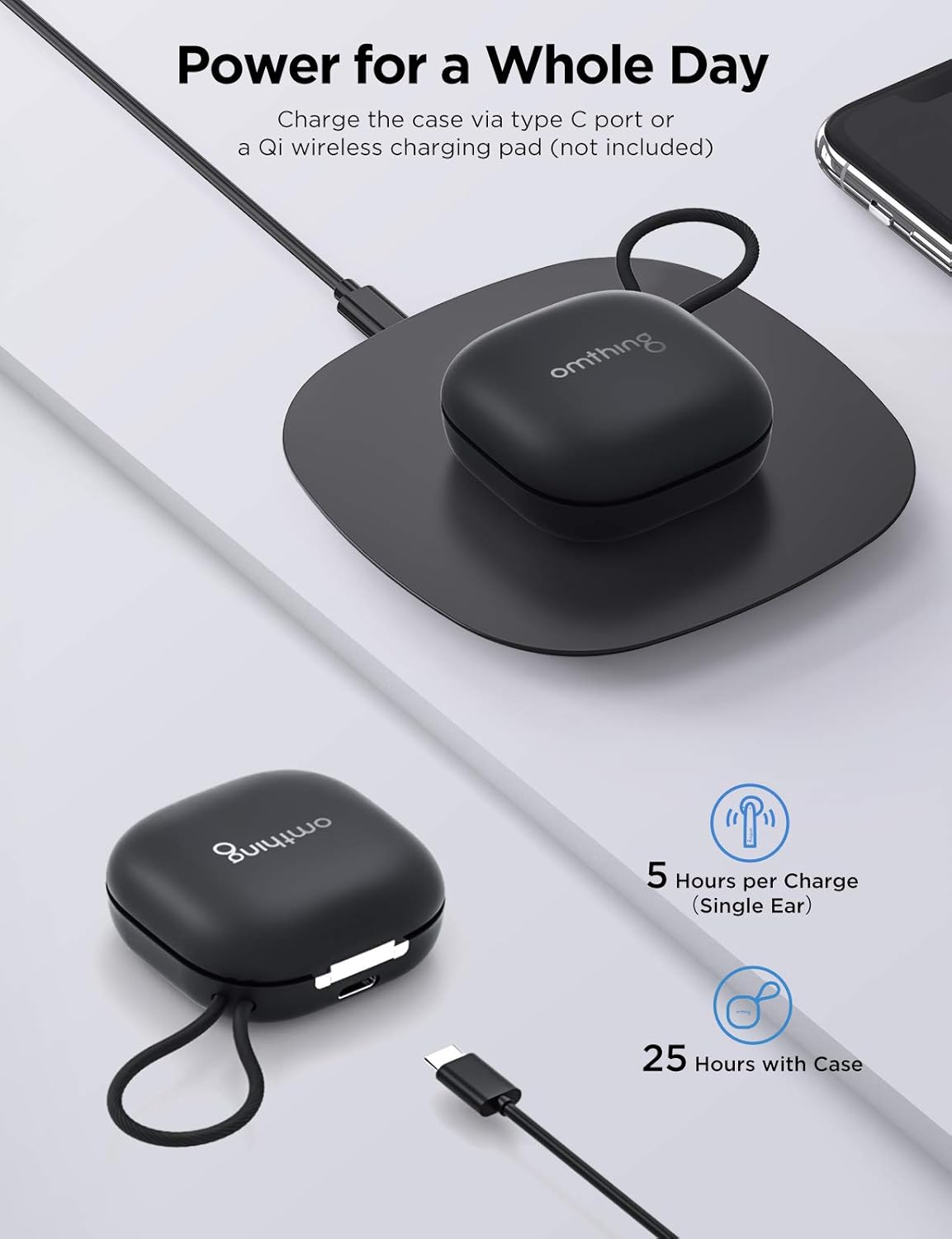
Figure 3: Easily power on and connect your earbuds to your device via Bluetooth.
영상 1: 공식 제품 영상 쇼asing the features and design of the omthing AirFree Pods.
작동 지침
터치 컨트롤
The omthing True Wireless Earbuds feature intuitive touch controls on each earbud for easy management of audio and calls.

Figure 4: The earbuds feature intuitive touch controls for managing calls, music, and voice assistant.
- Answer Phone Call / Pause Music: 한쪽 이어폰을 한 번 탭하세요.
- Hang up / Decline Phone Call: 이어버드 중 하나를 두 번 탭하세요.
- 볼륨 + : 왼쪽 이어버드를 두 번 탭합니다.
- 볼륨 -: 오른쪽 이어버드를 두 번 탭하세요.
- 이전 트랙 : Tap and hold the left earbud for 1 second.
- 다음 트랙: Tap and hold the right earbud for 1 second.
- Voice Assistant 활성화 : 이어버드 중 하나를 세 번 탭하세요.
- 켜기/끄기: Tap and hold the touch control for 5 seconds.
Note: Custom operations may be modified in the "omthing" APP.
통화 관리
The earbuds are equipped with 4 ENC microphones (2 per earbud) and Qualcomm cVc 8.0 noise cancelling technology to ensure clear phone calls by suppressing environmental noise.

Figure 5: The built-in microphones with cVc 8.0 noise cancellation ensure clear phone calls by suppressing environmental noise.
오디오 품질
A 13mm dynamic driver reproduces authentic sound with fine details. aptX and AAC compatibility ensures optimal Bluetooth sound for both Android and iOS devices.

Figure 6: Equipped with a 13mm dynamic driver, these earbuds deliver clear sound with rich details.
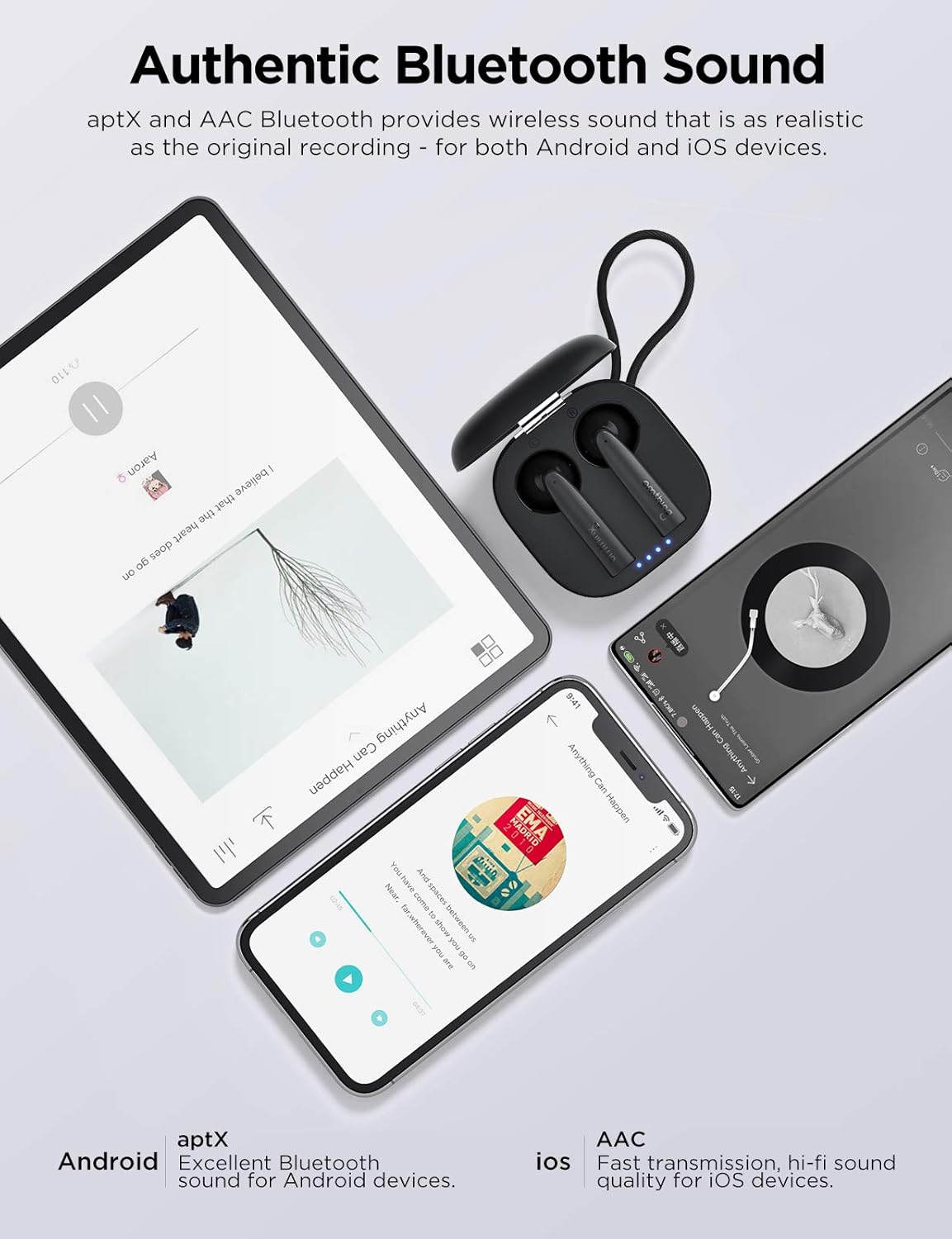
Figure 7: Enjoy authentic Bluetooth sound with aptX and AAC compatibility for both Android and iOS devices.
편안함과 핏
The ergonomically crafted semi in-ear design ensures a snug and secure fit, providing comfort during extended listening sessions and physical activities.

Figure 8: The semi in-ear design ensures a comfortable and secure fit for extended wear.
유지
이어버드 청소
- 부드럽고 마른 보푸라기 없는 천으로 이어버드, 특히 이어팁과 충전 접점을 정기적으로 청소하세요.
- 연마성 세척제, 알코올, 화학 용제는 사용하지 마세요.
- 습기가 구멍으로 들어가지 않도록 주의하세요.
저장
- 사용하지 않을 때는 이어버드를 충전 케이스에 보관하여 보호하고 충전 상태를 유지하세요.
- 극한의 온도와 직사광선을 피해 서늘하고 건조한 곳에 보관하세요.
배터리 관리
- 배터리 수명을 연장하려면 이어버드와 충전 케이스를 자주 완전히 방전시키지 마세요.
- 자주 사용하지 않더라도 기기를 정기적으로 충전하세요.
문제 해결
| 문제 | 가능한 원인 | 해결책 |
|---|---|---|
| 이어폰이 켜지지 않습니다. | 배터리가 부족합니다. | 이어버드를 충전 케이스에 넣고 완전히 충전하세요. |
| 기기와 페어링할 수 없습니다. | 이어버드가 페어링 모드가 아닙니다. 기기의 블루투스가 꺼져 있습니다. 이전에 페어링된 기기가 간섭을 일으키고 있습니다. |
|
| 한쪽 이어폰에서 소리가 나지 않습니다. | Low battery; connection issue; earbud not properly seated in ear. |
|
| 통화 품질이 좋지 않습니다. | 주변 소음; 마이크 장애물. |
|
이어버드 재설정
If you experience persistent issues, a factory reset may resolve them. Refer to the official omthing app or web재설정 절차는 다를 수 있으므로 자세한 재설정 지침은 해당 사이트를 참조하십시오.
명세서
| 특징 | 세부 사항 |
|---|---|
| 모델명 | EO005-Black |
| 연결 기술 | 무선(블루투스 5.0) |
| 오디오 드라이버 유형 | 13mm 다이나믹 드라이버 |
| 마이크 | 4 ENC Microphones (with Qualcomm cVc 8.0 Noise Cancellation) |
| 플레이타임(이어버드) | 충전당 최대 5시간 |
| 총 재생 시간(케이스 포함) | 최대 25시간 |
| 충전 케이스 | Type-C and Qi Wireless Charging compatible |
| 제어 유형 | 터치 컨트롤(미디어 컨트롤) |
| 방수 레벨 | 방수 |
| 품목 무게 | 0.15 Kilograms (earbuds + case) / 5.3 ounces |
| 제품 치수 | 3.98 x 4.72 x 1.54 인치 |
| 한국어: | 190280000040 |
보증 및 지원
This product is covered by a manufacturer's warranty. For detailed warranty information, including terms, conditions, and duration, please refer to the warranty card included in your product packaging or visit the official 1MORE web대지.
고객 지원
For technical assistance, troubleshooting, or warranty claims, please contact 1MORE customer support through their official web사이트 또는 제품 설명서에 제공된 연락처 정보를 참조하세요.
Web대지: www.1more.com (Note: This is a general placeholder. Please refer to your product's specific support contact.)


