1. 중요 안전 지침
전동 공구를 사용할 때는 화재, 감전 및 부상의 위험을 줄이기 위해 항상 기본적인 안전 수칙을 준수하십시오. 이 공구를 작동하기 전에 모든 사용 설명서를 읽으십시오.
- 눈 보호 장비 착용: 항상 보안경 또는 측면 실드가 있는 보안경을 착용하십시오.
- 청력 보호 장비를 착용하세요: 전동 공구의 소음에 장시간 노출되면 청력이 손상될 수 있습니다.
- 호흡기 보호구를 착용하십시오: When drilling or chiseling, dust can be generated. Use a dust mask.
- 안전한 작업물: 작업 중 움직임을 방지하기 위해 항상 공작물을 단단히 고정하십시오.
- Check for Hidden Wires/Pipes: Before drilling into walls, floors, or ceilings, check for hidden electrical wires, gas pipes, or water pipes.
- 올바른 그립을 사용하십시오: Maintain a firm grip on the tool with both hands, especially when using the hammer function.
- 과도한 확장을 피하세요: 항상 적절한 발판과 균형을 유지하십시오.
- 전원 분리: 조정, 액세서리 교체 또는 유지 보수를 하기 전에 항상 공구의 전원을 차단하십시오.
- 안전 클러치: This tool is equipped with a safety clutch mechanism to protect the user in case the drill bit jams.
2. 제품 오버view
The Ryobi RSDS1050-K is a powerful SDS-Plus rotary hammer drill designed for drilling, hammer drilling, and chiseling in various materials including concrete, masonry, wood, and metal.
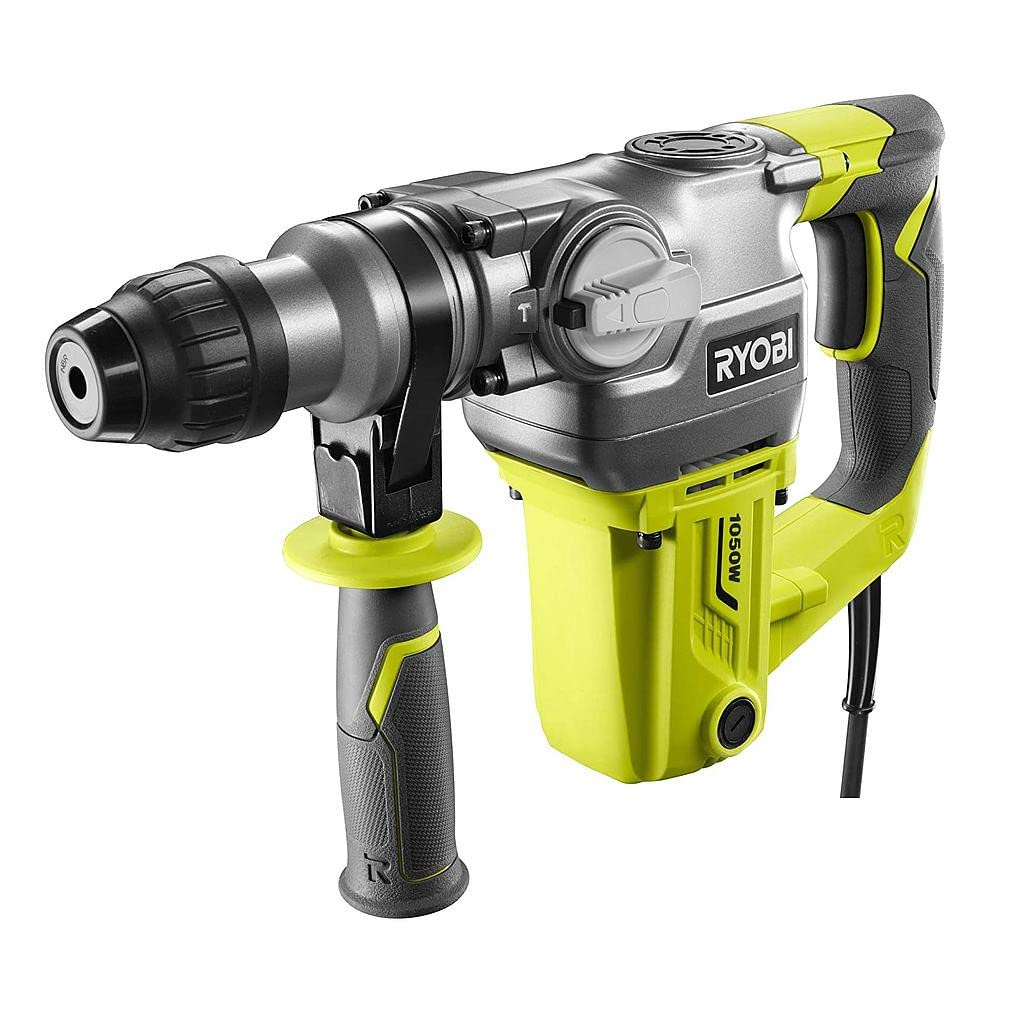
Figure 2.1: Ryobi SDS-Plus Rotary Hammer Drill RSDS1050-K in operation.
주요 특징:
- 강력한 1050W 모터: Delivers optimal performance for demanding drilling and chiseling tasks.
- SDS-Plus 척 시스템: Allows for quick and tool-free bit changes, enhancing efficiency.
- 3가지 작동 모드: Drilling, Hammer Drilling, and Chiseling for versatility across different applications.
- 인체공학적 디자인: Features a non-slip handle (GripZone micro-alveolated) for comfortable and precise handling during extended use.
- 안전 클러치: Protects the user in case of bit jamming, improving safety and tool durability.
- 보조 핸들: 360-degree adjustable for improved control and safety.
3. 포함된 구성 요소
The following items are included with your Ryobi RSDS1050-K rotary hammer drill:
- Ryobi SDS-Plus Rotary Hammer Drill (RSDS1050-K)
- 3 SDS+ Drill Bits: 8x150mm, 10x150mm, 12x150mm
- 1 Point Chisel (13.5x250mm)
- 1 Flat Chisel (20x250mm)
- 1 렌치
- 1 Depth Guide
- 40ml Lubricant
- Replacement Carbon Brushes
- 먼지 보호 캡
- 보조 핸들
4. 설정
4.1 보조 핸들 부착
The auxiliary handle provides additional control and stability during operation. It can be rotated 360 degrees to suit your working position.
- 보조 핸들을 시계 반대 방향으로 돌려서 풀어줍니다.
- 손잡이를 공구 본체 앞쪽에 끼우세요.
- 핸들을 원하는 위치로 돌립니다.
- Tighten the handle by twisting it clockwise until secure.
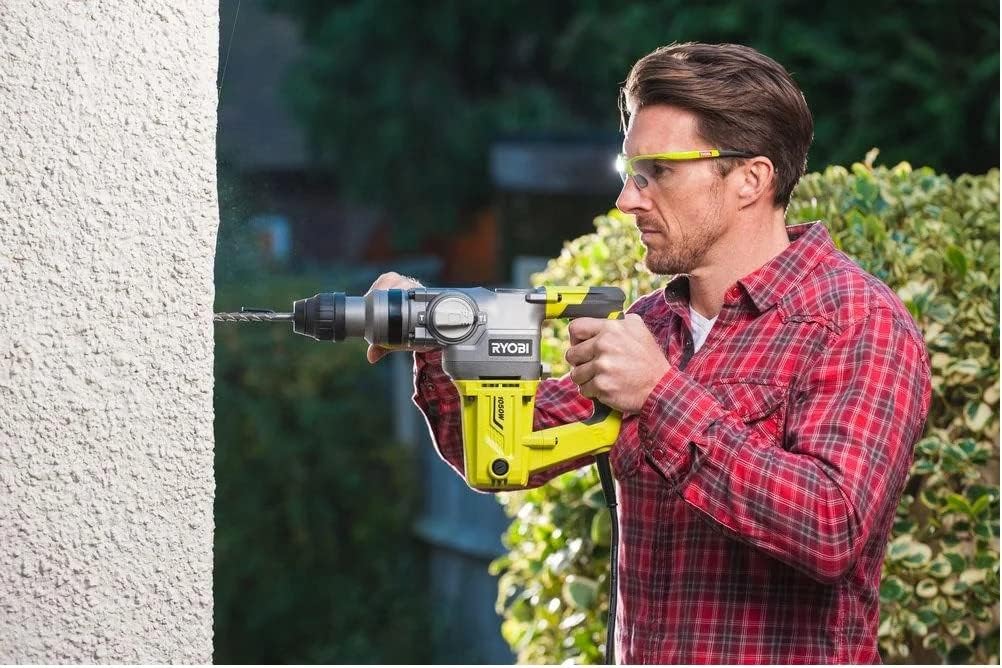
Figure 4.1: Auxiliary handle attachment point.
4.2 SDS-Plus 비트 삽입
The SDS-Plus chuck allows for quick and secure insertion of drill bits and chisels.
- 공구가 전원 공급 장치에서 분리되어 있는지 확인하십시오.
- Clean the shank of the SDS-Plus bit and apply a small amount of the provided lubricant.
- Pull back the chuck sleeve and insert the bit into the chuck until it clicks into place.
- Release the chuck sleeve. The bit should be held securely but will have a slight axial play, which is normal for SDS-Plus systems.
- To remove the bit, pull back the chuck sleeve and pull the bit out.
5. 작동 모드
The RSDS1050-K offers three operating modes, selected via the mode selector switch located on the side of the tool.
- Drilling Mode (Rotation Only): For drilling in wood, metal, and plastics. No hammer action.
- Hammer Drilling Mode (Rotation with Hammer Action): 콘크리트, 벽돌 및 석조물 드릴링용.
- Chiseling Mode (Hammer Action Only): For light chiseling, chipping, and demolition work. Rotation is locked.
일반 작업:
- Select the appropriate operating mode for your task.
- Insert the correct drill bit or chisel for the material.
- 공구를 적절한 전원 콘센트에 꽂으세요.
- Hold the tool firmly with both hands, ensuring the auxiliary handle is properly positioned.
- Place the tip of the bit on the workpiece.
- Press the trigger switch to start the tool. Apply steady, even pressure. Do not force the tool.
- 공구를 중지하려면 트리거 스위치를 놓습니다.
6. 유지관리
Regular maintenance ensures the longevity and optimal performance of your tool. Always disconnect the tool from the power supply before performing any maintenance.
6.1 청소
- Keep the ventilation openings clean and free from obstructions to prevent overheating.
- 도구 하우징을 부드러운 천으로 닦으세요.amp 옷감. 강한 화학 물질이나 연마성 세제를 사용하지 마십시오.
- Regularly clean the SDS-Plus chuck to ensure smooth bit insertion and removal.
6.2 윤활
Apply a small amount of the provided lubricant to the shank of SDS-Plus bits before insertion to reduce wear and improve performance.
6.3 카본 브러시 교체
The tool is supplied with replacement carbon brushes. Worn carbon brushes can lead to reduced performance or tool failure. Refer to the detailed diagram in the full manual for the location of the brush caps. Typically, brush caps can be unscrewed to replace the brushes. If unsure, consult a qualified service technician.
7. 문제 해결
이 섹션에서는 로터리 해머 드릴을 사용할 때 발생할 수 있는 일반적인 문제에 대해 설명합니다.
| 문제 | 가능한 원인 | 해결책 |
|---|---|---|
| 도구가 시작되지 않습니다. | 전원 공급이 없습니다. 전원 코드/플러그에 결함이 있습니다. 마모된 카본 브러시. | 전원 콘센트와 연결 상태를 확인하십시오. 코드에 손상이 있는지 검사하고, 필요한 경우 교체하세요. 카본 브러시를 교체하십시오. |
| 전력 감소 또는 간헐적 작동. | 마모된 카본 브러시. 과열. 느슨한 연결. | 카본 브러시를 교체하십시오. Allow tool to cool down. Ensure ventilation is clear. Check power cord and internal connections (professional service recommended). |
| Bit not rotating or hammering effectively. | 잘못된 모드를 선택했습니다. Bit not properly inserted. 닳은 부분. | Ensure correct mode (Drilling, Hammer Drilling, Chiseling) is selected. Re-insert bit, ensuring it clicks into place. 날카롭고 적절한 비트로 교체하십시오. |
| 과도한 진동이나 소음. | 느슨한 구성 요소. Damaged internal parts. 닳은 부분. | Check auxiliary handle and other external components for tightness. Discontinue use and seek professional service. 비트를 교체하세요. |
For issues not listed here or if solutions do not resolve the problem, contact Ryobi customer support or an authorized service center.
8. 사양
Technical specifications for the Ryobi RSDS1050-K Rotary Hammer Drill.
| 모델 번호 | RSDS1050-K (5133004350) |
| 전원 입력 | 1050와트 |
| 무부하 속도 | 950 분당 |
| 임팩트 에너지(EPTA) | 3.6 줄 |
| 충격 속도 | 분당 4400회 타격 |
| Drilling Capacity - Wood | 40mm (XNUMXmm) |
| Drilling Capacity - Metal | 13mm (XNUMXmm) |
| Drilling Capacity - Concrete | 26mm (XNUMXmm) |
| 척 타입 | SDS-플러스 |
| 무게 | 4.75kg (공구만 해당) |
| 치수(길이 x 너비 x 높이) | 33.1 x 43.3 x 12.2cm |
| 전원 | 코드식 전기 |
9. 보증 및 지원
9.1 보증 정보
This Ryobi tool comes with a standard 2년 보증추가적인 1-year extension is available upon product registration. This warranty covers all Ryobi corded and cordless tools, batteries, and chargers. Please refer to the official Ryobi website or your purchase documentation for full warranty terms and conditions and registration details.
To register your product for the warranty extension, visit the official Ryobi web사이트를 방문하고 제공된 지침을 따르십시오.
9.2 고객 지원
For technical assistance, spare parts, or service inquiries, please contact Ryobi customer support. Contact information can typically be found on the official Ryobi web사이트 또는 제품 포장에 포함되어 있습니다.
When contacting support, please have your model number (RSDS1050-K) and serial number (if applicable) ready.


