1. 서론
This document serves as a comprehensive user manual for the Sonicwall TZ370W Wireless Network Security Appliance. It provides essential information for the proper installation, configuration, operation, and maintenance of your device. The TZ370W is a next-generation firewall (NGFW) designed to deliver robust network security and wireless connectivity for various environments.
2. 제품 오버view
The Sonicwall TZ370W is a desktop-form-factor network security appliance featuring 10 or 5 Gigabit Ethernet interfaces and integrated wireless capabilities. It is designed to provide advanced threat protection and network management.
2.1 주요 특징
- Next-Generation Firewall (NGFW): Provides advanced security features for comprehensive threat protection.
- 무선 연결 : Integrated 802.11ac Wave 2 wireless support for secure Wi-Fi networks.
- Multi-Gigabit Ethernet Interfaces: Equipped with 8x1GbE interfaces, 2 USB 3.0 ports, and 1 Console port for flexible connectivity.
- Threat Protection Service Suite (TPSS): Includes Capture Advanced Threat Protection, Gateway Anti-Virus, Anti-Spyware, Intrusion Prevention, Application Firewall Service, Content Filtering Services, and Comprehensive Anti-Spam.
- 간소화된 관리: Supports easy onboarding via SonicExpress App and Zero-Touch Deployment, with management through Network Security Manager, CLI, SSH, Web UI, and REST APIs.
2.2 전면 패널

Figure 2.2.1: Sonicwall TZ370W Front Panel. 이 이미지는 앞면을 표시합니다. view of the Sonicwall TZ370W Wireless Network Security Appliance, showing the status LEDs, USB 3.0 SuperSpeed ports, and the Sonicwall logo.

Figure 2.2.2: Labeled Front Panel of TZ370W. 이 자세한 view highlights the Power LED, Test LED, Security LED, Wireless W0 WLAN LED, Storage LED, U0 WWAN LEDs for USB 5G/LTE, WAN X1 and X2 Port LEDs, LAN/MGMT X0 Port LED, RJ45 Port LEDs, and USB 3.0 SuperSpeed ports.
2.3 후면 패널

Figure 2.3.1: Sonicwall TZ370W Rear Panel. 이 이미지는 후면을 보여줍니다 view of the Sonicwall TZ370W, displaying the various Ethernet ports, console port, power input, and antennas.

Figure 2.3.2: Labeled Rear Panel of TZ370W. 이 자세한 view identifies the RJ45 Console Port, X3 RJ45 Port, X4/X5/X6/X7 RJ45 Ports, X2 WAN RJ45 Port, X1 WAN RJ45 Port, X0 LAN RJ45 Port, SafeMode Button, Power Input, and Grounding Screw.
3. 설정
This section outlines the basic steps for setting up your Sonicwall TZ370W appliance.
3.1 초기 배치 및 연결
- 전원 연결: 제공된 전원 어댑터를 후면 패널의 '12V=' 전원 입력 단자에 연결한 다음 전원 콘센트에 연결하십시오.
- 네트워크 연결 :
- 인터넷 서비스 제공업체의 모뎀/라우터를 X1 WAN RJ45 포트에 연결하십시오.
- Connect your internal network switch or a computer directly to the X0 LAN RJ45 Port.
- Utilize other LAN/WAN ports (X2, X3, X4/X5/X6/X7) as required for additional network segments or WAN connections.
- 콘솔 연결(선택 사항): For command-line interface (CLI) access, connect a serial cable from your computer to the RJ45 Console Port.
- USB 장치 (선택 사항): Connect compatible USB devices, such as 5G/LTE modems, to the USB 3.0 ports on the front panel.
3.2 초기 구성
The Sonicwall TZ370W supports simplified initial configuration:
- SonicExpress 앱: Download the SonicExpress mobile application for guided setup and Zero-Touch Deployment.
- Web 사용자 인터페이스: 장치의 web-based management interface by connecting a computer to the X0 LAN port and navigating to the default IP address (refer to the Quick Start Guide for the specific IP).
- Follow the on-screen prompts to complete the initial network configuration, security settings, and registration.
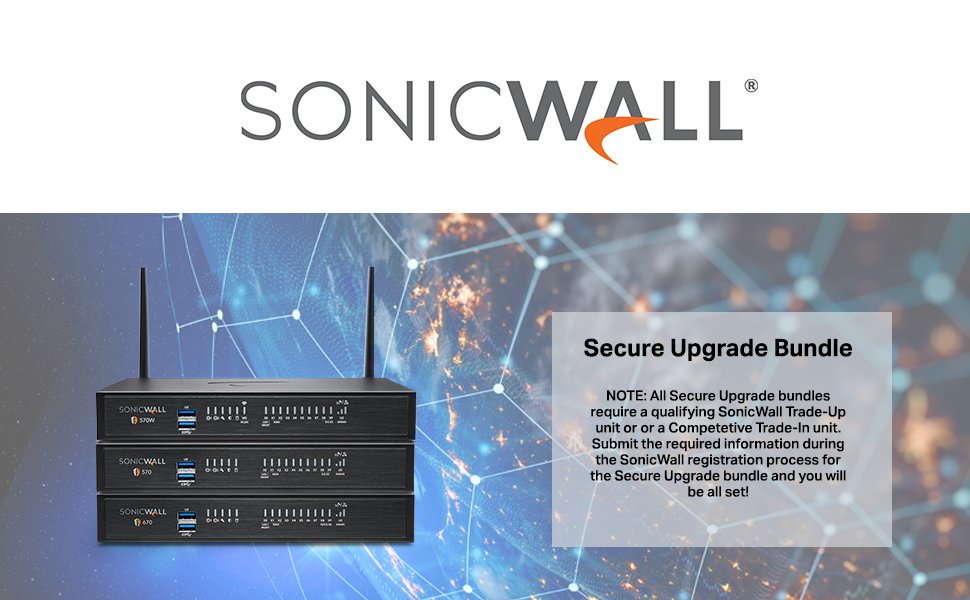
Figure 3.2.1: Secure Upgrade Bundle Information. This image provides important details regarding the Sonicwall Secure Upgrade Bundle, noting that a qualifying SonicWall Trade-Up unit or a Competitive Trade-In unit is required for registration. Users must submit the necessary information during the SonicWall registration process for the Secure Upgrade bundle.
4. 사용 설명서
Once configured, the Sonicwall TZ370W operates as your primary network security gateway. This section covers general operational aspects.
4.1 관리 인터페이스
The device can be managed through several interfaces:
- 네트워크 보안 관리자(NSM): A cloud-based platform for centralized management of multiple Sonicwall devices.
- Web 사용자 인터페이스(Web 사용자 인터페이스): The primary graphical interface for local device configuration and monitoring.
- 명령줄 인터페이스(CLI): Accessible via SSH or the Console port for advanced configuration and troubleshooting.
4.2 보안 서비스
The Threat Protection Service Suite (TPSS) provides a range of security features:
- 고급 위협 방지(ATP) 캡처: Cloud-based multi-engine sandbox for detecting and preventing unknown threats.
- 게이트웨이 안티바이러스 및 안티스파이웨어: Real-time protection against malware, viruses, and spyware at the gateway.
- 침입 방지 시스템(IPS): 네트워크 기반 공격 및 악용으로부터 보호합니다.
- 애플리케이션 방화벽 서비스: 네트워크 상에서 애플리케이션 사용을 제어하고 관리합니다.
- Content Filtering Services (CFS): 부적절하거나 비생산적인 콘텐츠에 대한 접근을 차단합니다. web사이트.
- Comprehensive Anti-Spam: Filters out spam and phishing emails.
5. 유지관리
정기적인 유지보수를 통해 Sonicwall TZ370W의 최적 성능과 보안을 보장할 수 있습니다.
- 펌웨어 업데이트: Regularly check for and apply the latest firmware updates to ensure your device has the most current security patches and features. This can be done through the Web UI or Network Security Manager.
- 구성 백업: 기기 설정을 주기적으로 백업하세요. 이렇게 하면 예상치 못한 문제가 발생할 경우 신속하게 복원할 수 있습니다.
- 보안 서비스 구독: Ensure that your Threat Protection Service Suite (TPSS) and other security service subscriptions are active and up-to-date.
- 물리적 검사: Ensure the device is in a well-ventilated area, free from dust and obstructions to airflow.
6. 문제 해결
이 섹션에서는 일반적인 문제에 대한 기본적인 문제 해결 단계를 제공합니다.
6.1 일반적인 문제 및 해결 방법
- 전원 없음:
- 전원 어댑터가 기기와 정상적으로 작동하는 전원 콘센트에 제대로 연결되어 있는지 확인하십시오.
- 전면 패널의 전원 LED를 확인하십시오. LED가 꺼져 있으면 다른 전원 콘센트나 어댑터를 사용해 보십시오.
- 네트워크 연결 없음:
- Check cable connections to WAN and LAN ports. Ensure link lights are active.
- Verify IP address settings on connected devices.
- Restart the Sonicwall appliance and connected network devices.
- 느린 성능:
- Check network utilization through the Web UI.
- 펌웨어가 최신 버전인지 확인하십시오.
- Review security service logs for any unusual activity.
- 접근할 수 없습니다 Web 사용자 인터페이스:
- Ensure your computer's IP address is in the same subnet as the TZ370W's LAN interface.
- Try accessing via HTTPS.
- 브라우저 캐시를 지우거나 다른 브라우저를 사용해 보세요.
For more complex issues or persistent problems, refer to the official Sonicwall support documentation or contact technical support.
7. 사양
Detailed technical specifications for the Sonicwall TZ370W.

Figure 7.1.1: Sonicwall TZ Series Quick Glance Specification Table. This table provides a quick comparison of key specifications across various Sonicwall TZ series models, including multi-gig interfaces, storage, firewall inspection, DPI performance, maximum connections, VPN tunnels, VLAN interfaces, WiFi technology, and SonicOS 7.0 support.

Figure 7.1.2: Sonicwall Gen 7 TZ Series System Specifications Table. A comprehensive table detailing system specifications for the Sonicwall Gen 7 TZ series, covering operating system, interfaces, wireless support, Power over Ethernet (PoE) support, storage expansion, management options, redundant power supply, Single Sign-On (SSO) users, VLAN interfaces, and maximum access points supported.
7.1 General Specifications (TZ370W)
| 특징 | 세부 사항 |
|---|---|
| 제품 치수 | 9.1 x 9.1 x 3 인치 |
| 품목 무게 | 3.15파운드 |
| 운영 체제 | 소닉OS 7.0 |
| 인터페이스 | 8개의 1GbE 포트, 2개의 USB 3.0 포트, 1개의 콘솔 포트 |
| VLAN 인터페이스 | 128 |
| 지원되는 액세스 포인트(최대) | 16 |
| 무선 표준 | 802.11ac Wave 2 (TZ370W) |
| 방화벽 검사 처리량 | 3Gbps |
| 위협 방지 처리량 | 1.5Gbps |
| DPI SSL Inspection Throughput | 500Mbps |
| VPN Clients (Maximum) | 2 (100) |
| 관리 | 네트워크 보안 관리자, CLI, SSH Web UI, GMS, REST API |
| 색상 | 검은색 |
8. 보증 및 지원
Sonicwall provides comprehensive support and warranty services for its products.
8.1 기술 지원
Your Sonicwall TZ370W includes 24x7 support with firmware updates as part of the Threat Protection Service Suite. For technical assistance, please contact Sonicwall support through their official web구매 시 제공된 사이트 또는 연락처 정보.
8.2 제품 보증
Sonicwall products are covered by a limited hardware warranty. Specific warranty terms and conditions may vary based on region and purchase agreement. Please refer to the warranty documentation included with your product or visit the official Sonicwall web자세한 내용은 사이트를 참조하세요.


