1. 서론
Thank you for choosing the Greadio Retro Bluetooth Speaker and FM Radio. This device combines vintage design with modern audio technology, offering versatile playback options including Bluetooth, FM radio, TF card, and AUX input. This manual provides essential information for safe and optimal use of your speaker.
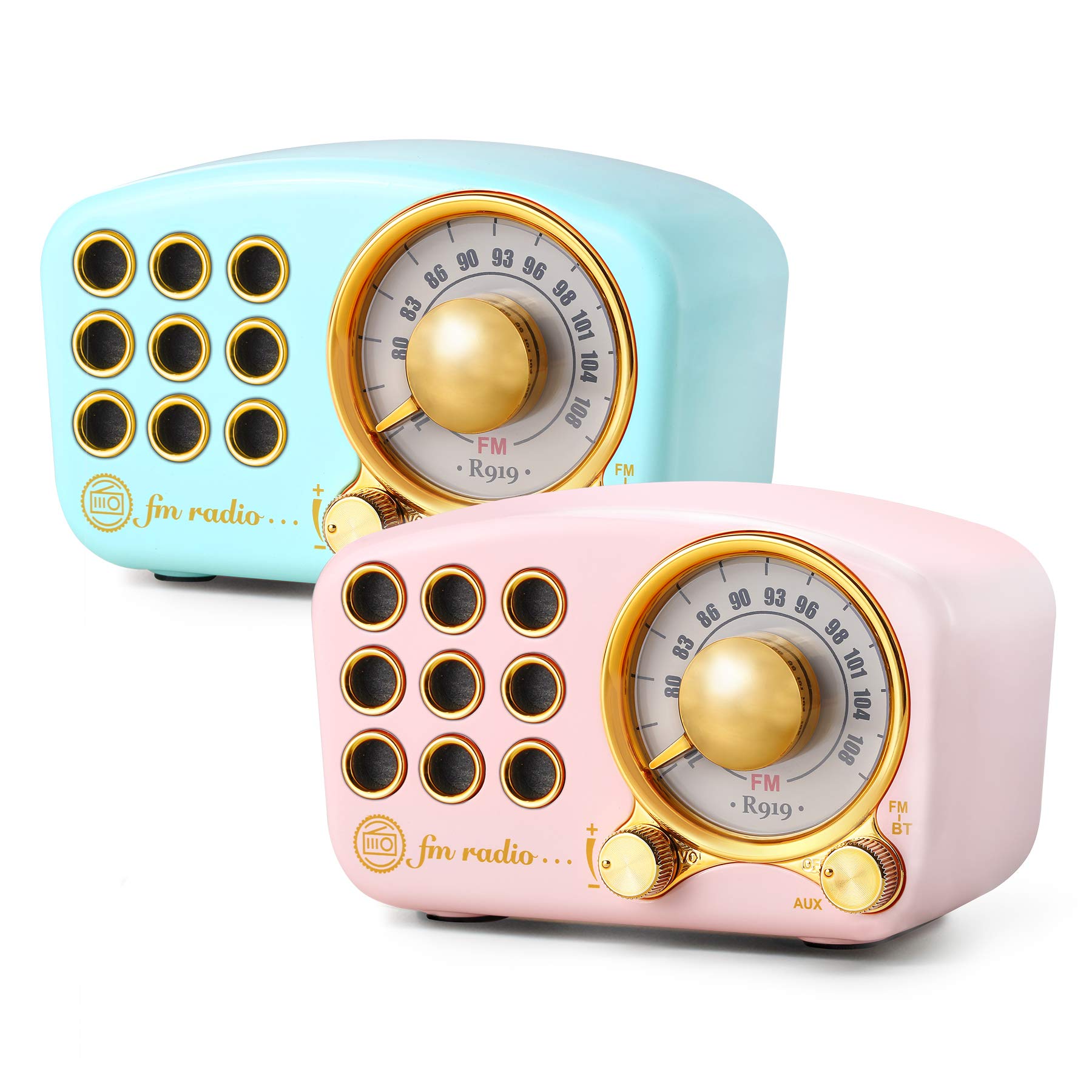
Image: The Greadio Retro Bluetooth Speaker, showcasing its compact size and retro design.
2. 패키지 내용
다음 품목이 패키지에 포함되어 있는지 확인하세요.
- Greadio Retro Bluetooth Speaker (Main Unit)
- AUX 코드
- 사용자 매뉴얼(이 문서)
3. 장치 레이아웃
Familiarize yourself with the buttons and ports on your speaker.

Image: Front panel of the speaker, highlighting the tuning dial, mode switch, and control buttons.
Note: Specific button functions are detailed in the "Operating Instructions" section.
4. 설정
4.1 스피커 충전
The speaker is equipped with a built-in 1100mAh rechargeable battery. Before first use, fully charge the speaker.
- Connect the provided charging cable (not explicitly listed as included, but implied for rechargeable battery) to the speaker's charging port.
- 충전 케이블의 다른 쪽 끝을 USB 전원 어댑터(별도 구매) 또는 컴퓨터의 USB 포트에 연결하십시오.
- 충전 표시등이 켜집니다. 충전이 완료되면 표시등이 꺼지거나 색상이 변경됩니다.
A full charge typically provides up to 9 hours of playback time, depending on volume and usage.
4.2 전원 켜기/끄기
- To power on: Rotate the volume knob clockwise or press and hold the power button (refer to device layout for exact control).
- To power off: Rotate the volume knob counter-clockwise until it clicks, or press and hold the power button.
5. 사용 설명서
5.1 블루투스 모드
이 스피커는 무선 연결을 위해 블루투스 4.2를 사용합니다.
- 스피커의 전원을 켜세요. 자동으로 블루투스 페어링 모드로 전환되며, LED 표시등이 깜빡입니다.
- 모바일 기기(스마트폰, 태블릿 등)에서 Bluetooth를 활성화하고 사용 가능한 기기를 검색하세요.
- Select "Greadio Speaker" (or similar name) from the list of devices.
- Once connected, the LED indicator will stop flashing and remain solid. You can now play audio from your device through the speaker.

Image: Speaker connected via Bluetooth to a smartphone, demonstrating wireless audio playback.
5.2 FM 라디오 모드
Enjoy FM radio broadcasts with the built-in tuner.
- 스피커의 전원을 켭니다.
- Switch the mode selector to "FM" (or press the Mode button until FM is selected).
- Use the tuning dial to scan for radio stations. Rotate the dial slowly to find clear signals.
- 볼륨 노브를 사용하여 볼륨을 조정합니다.
Tip: For better FM reception, extend the antenna if available, or reposition the speaker.
5.3 TF 카드 재생
MP3 오디오 재생 fileTF(MicroSD) 카드에서 직접 가져옵니다.
- Insert a TF card (up to 32GB, formatted to FAT32) with MP3 fileTF 카드 슬롯에 넣습니다.
- Power on the speaker. The speaker should automatically switch to TF card mode or you may need to select it using the Mode button.
- Playback will begin automatically. Use the control buttons (e.g., Play/Pause, Next/Previous) to manage playback.
5.4 AUX 입력 모드
Connect external audio devices using the provided AUX cord.
- Connect one end of the AUX cord to the speaker's AUX input port.
- Connect the other end of the AUX cord to the headphone jack or audio output of your external device (e.g., MP3 player, computer).
- Switch the speaker's mode selector to "AUX" (or press the Mode button until AUX is selected).
- Play audio from your external device. Adjust volume on both the speaker and the external device.
6. 유지관리
- 청소: Use a soft, dry cloth to clean the speaker's surface. Do not use abrasive cleaners, alcohol, or solvents.
- 저장: 스피커는 직사광선과 극한의 온도를 피해 시원하고 건조한 곳에 보관하세요.
- 배터리 관리 : 배터리 수명을 연장하려면 배터리를 자주 완전히 방전하지 마세요. 장시간 사용하지 않더라도 스피커를 정기적으로 충전하세요.
- 물 노출: 이 스피커는 방수가 되지 않습니다. 물이나 습도가 높은 곳에 노출되지 않도록 하세요.
7. 문제 해결
| 문제 | 가능한 원인 | 해결책 |
|---|---|---|
| 스피커의 전원이 켜지지 않습니다. | 배터리가 소진되었습니다. | 스피커를 완전히 충전하세요. |
| 소리가 나지 않습니다. | 볼륨이 너무 낮습니다. 잘못된 모드를 선택했습니다. 장치가 제대로 연결되지 않았습니다. | Increase volume; ensure correct mode (Bluetooth, FM, TF, AUX) is selected; re-pair Bluetooth or re-connect AUX cable. |
| 블루투스 연결에 실패했습니다. | Speaker is too far from device; speaker not in pairing mode; interference. | Ensure speaker is within 10 meters of device; restart speaker and device; try pairing again. |
| FM 라디오 수신이 좋지 않습니다. | 신호가 약함; 환경적 간섭. | Reposition the speaker; extend the antenna if applicable. |
8. 사양
- 모델 번호: 5acc8bb8-96b8-41bc-9445-b84cbdcaadb7
- 상표: 그레디오
- 치수(길이 x 너비 x 높이): 4.4인치 x 2.7인치 x 2인치
- 연결성: Bluetooth 4.2, Auxiliary (AUX)
- 특징: 충전식
- 튜너 기술: FM
- 전원: 배터리 구동식 (1100mAh 내장형 충전식 배터리)
- 지원되는 라디오 대역: FM
- 오디오 출력: 5와트 amp리퍼
- 재생 시간: 최대 9시간 (사용량 및 사용량에 따라 다름)
- 포함된 구성 요소: AUX 코드
9. 보증 및 지원
The Greadio Retro Bluetooth Speaker comes with a 1-year money-back warranty. Greadio also provides lifetime customer service for this product (excluding wear and tear).
For technical support, warranty claims, or any inquiries, please contact Greadio customer service through the retailer's platform or the official Greadio web대지.


