1. 서론
Thank you for choosing the Car and Driver Bluetooth 5.0 FM Transmitter Charger. This device allows you to stream audio from your Bluetooth-enabled devices to your car's FM radio, make hands-free calls, and charge multiple devices simultaneously with its fast-charging USB-A and USB-C ports. It is designed to enhance your driving experience by providing modern connectivity and charging capabilities in vehicles with a standard 12V/24V socket.
2. 패키지 내용
패키지에 모든 품목이 들어 있는지 확인하세요.
- Car and Driver Bluetooth 5.0 FM Transmitter Charger
- 사용자 설명서
3. 제품 오버view
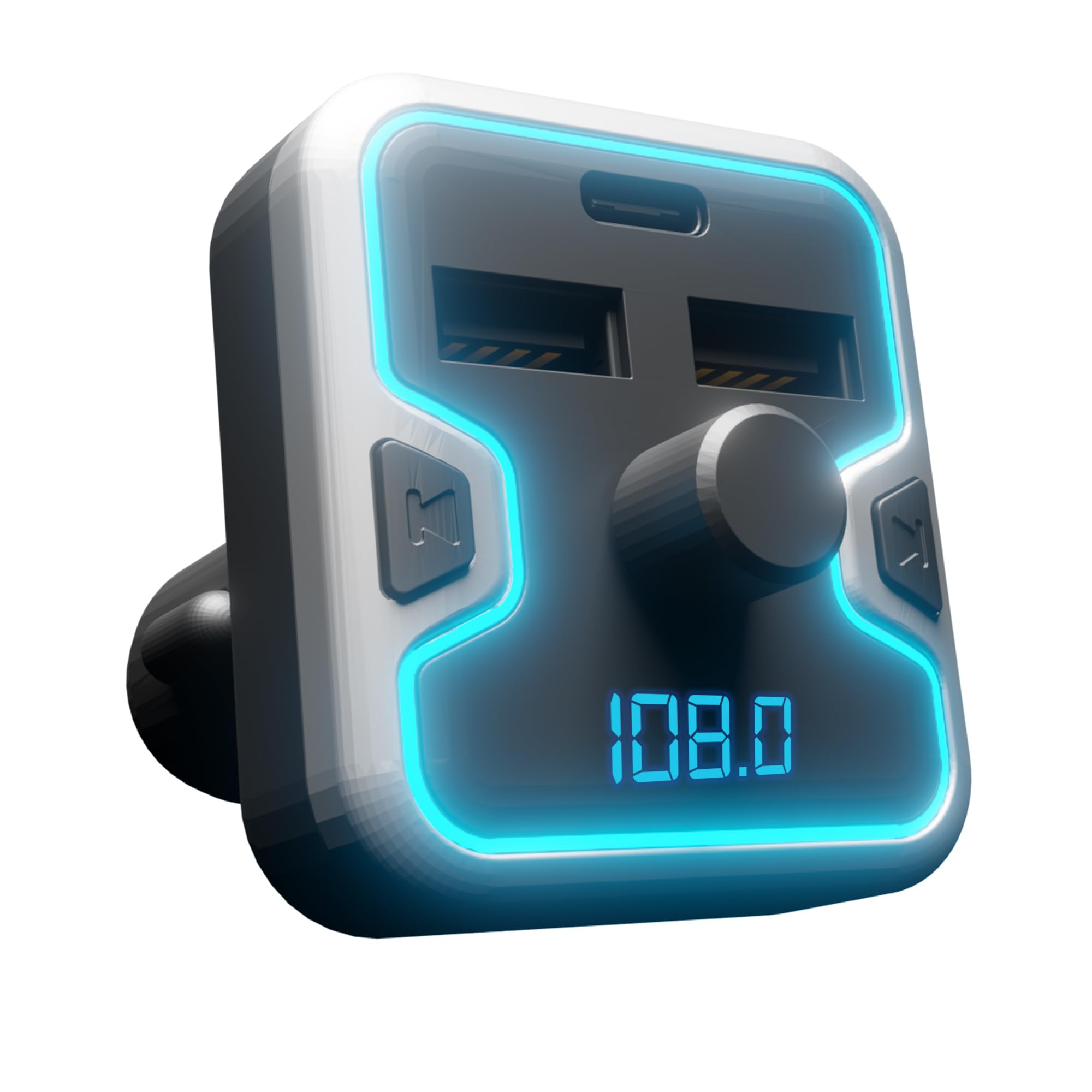
The Car and Driver FM Transmitter Charger features a compact design with multiple ports and intuitive controls. Familiarize yourself with the device's components:
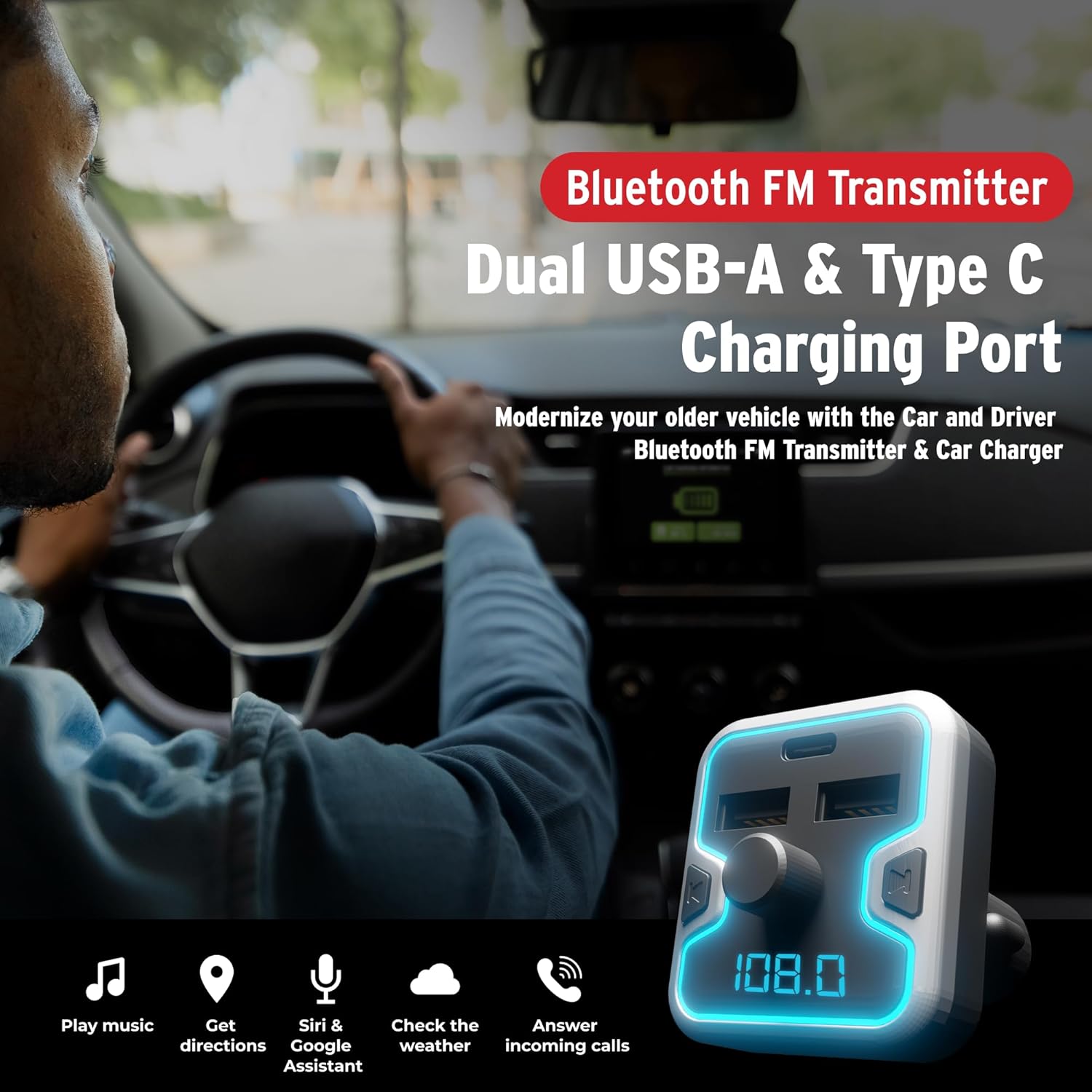
이미지 3.1: 앞쪽 view of the Car and Driver Bluetooth FM Transmitter Charger. This image shows the device with its dual USB-A ports, one USB-C port, central control knob, and LED display.
주요 특징:
- 블루투스 5.0 : For stable wireless connection and audio streaming.
- 트리플 포트 충전: Includes two USB-A ports (5V-2.4A and 5V-1A) and one USB-C PD 18W port for fast charging.
- 핸즈프리 통화: Built-in microphone with Noise Suppression (CVC) technology.
- Multiple Music Sources: Supports Bluetooth, USB flash drive, and microSD card.
- 음성 지원 호환성: Access Mobile Alexa, Siri, or Google Assistant.
- Illuminated LED Accent & Display: 7 neon-color backlit options and an LED display for FM frequency and car battery voltage.
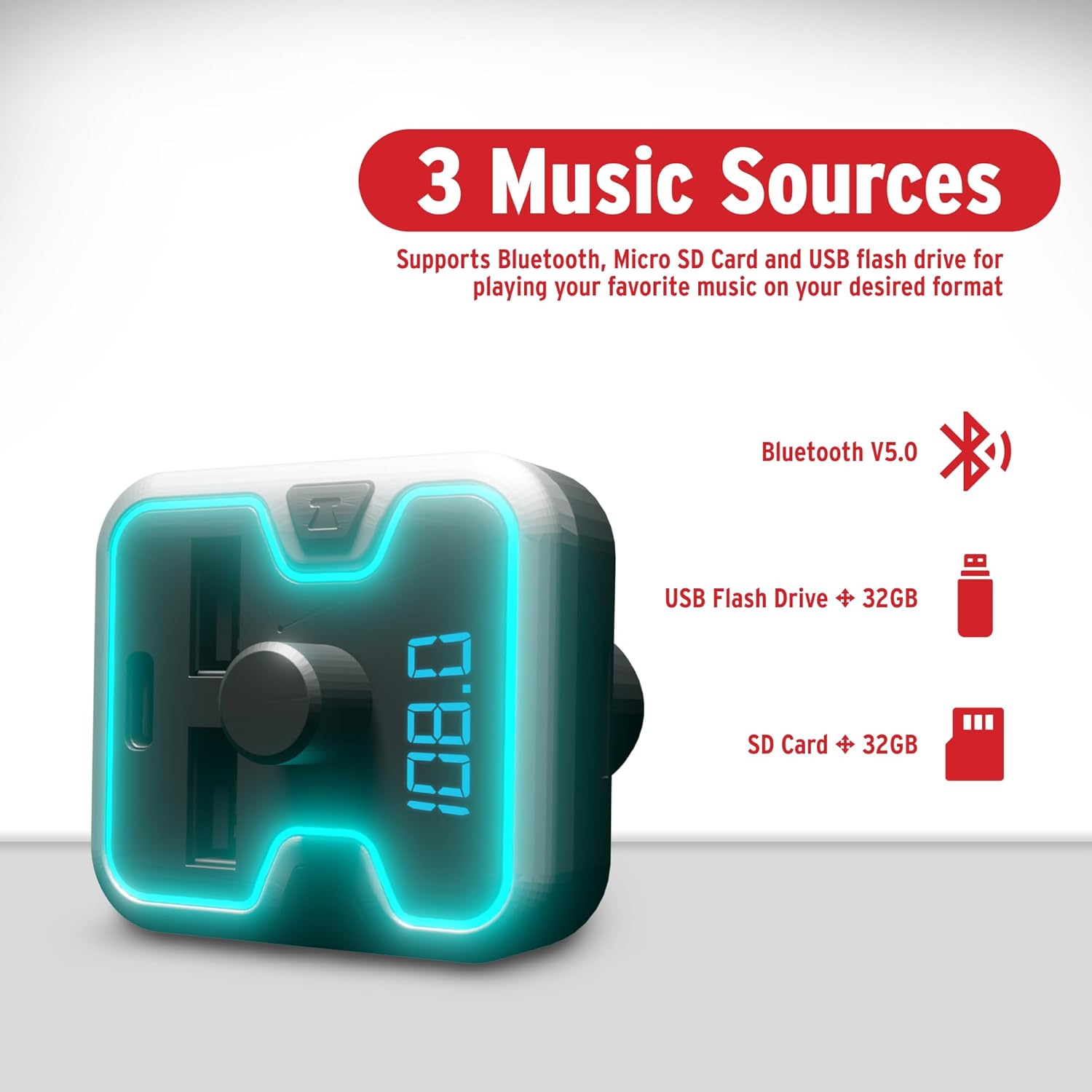
이미지 3.2: The FM Transmitter highlighting its three music sources: Bluetooth V5.0, USB Flash Drive (up to 32GB), and SD Card (up to 32GB).
제어 및 표시기:
- 다기능 노브: Used for adjusting FM frequency, volume, and answering/ending calls.
- LED 디스플레이: Shows current FM frequency and car battery voltage.
- USB-A 포트: For charging devices and playing music from USB flash drives.
- USB-C PD 포트: 빠른 충전이 가능한 기기용입니다.
- MicroSD 카드 슬롯: For playing music from microSD cards.
4. 설정
Follow these steps to set up your FM Transmitter Charger:
- 자동차 소켓에 삽입: Plug the FM transmitter into your vehicle's 12V/24V cigarette lighter socket. The device will power on automatically, and the LED display will light up.

이미지 4.1: The FM Transmitter being plugged into a car's cigarette lighter outlet, illustrating its "Plug and Play" functionality.
- FM 주파수 맞추기:
- Press the "CH" button (or similar button near the knob) to enter FM tuning mode. The frequency on the LED display will flash.
- Rotate the multi-function knob left or right to select an empty FM frequency (one with no active radio station) on your car radio.
- Match this empty frequency on your car's FM radio. For best audio quality, choose a frequency that is not occupied by a strong local radio station.
- 블루투스 페어링:
- 모바일 기기에서 블루투스를 활성화하고 사용 가능한 기기를 검색하세요.
- Select "Car and Driver" (or similar name displayed on the device) from the list to pair.
- Once paired, you will hear a confirmation sound, and the device will be ready for audio streaming and hands-free calls.
5. 사용 설명서
5.1. 음악 재생
You can play music from your Bluetooth-enabled device, a USB flash drive, or a microSD card.
- 블루투스 스트리밍: After successful pairing, open your music player on your phone and start playback. Audio will be transmitted to your car's stereo via the selected FM frequency.
- USB Flash Drive/MicroSD Card: Insert a USB flash drive or microSD card (up to 32GB, supporting APE, WMA, MP3, WAV, and FLAC formats) into the corresponding slot. The device will automatically detect and play music files. Use the multi-function knob to navigate tracks (short press for next/previous, long press for folder selection).
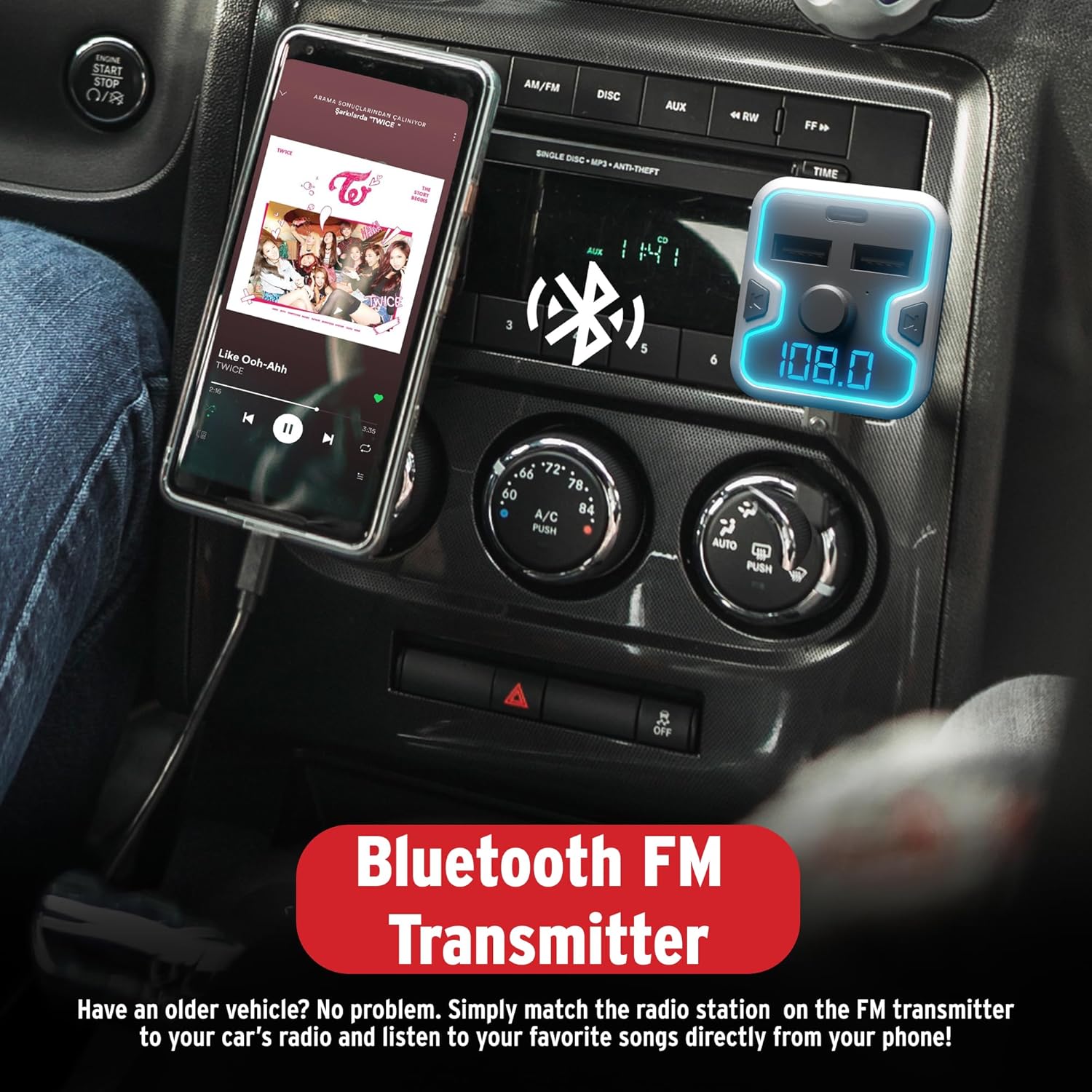
이미지 5.1: A smartphone mounted in a car, displaying a music player, connected to the Bluetooth FM Transmitter for audio playback through the car's stereo.
5.2. 핸즈프리 통화
The device supports hands-free calling for safer driving.
- 전화 받기: When an incoming call rings, short press the multi-function knob to answer.
- 통화 종료: During a call, short press the multi-function knob to end the call.
- 전화 거부: When an incoming call rings, long press the multi-function knob to reject the call.
- 재 다이얼 : 다기능 다이얼을 두 번 누르면 마지막으로 걸었던 번호로 다시 전화를 걸 수 있습니다.
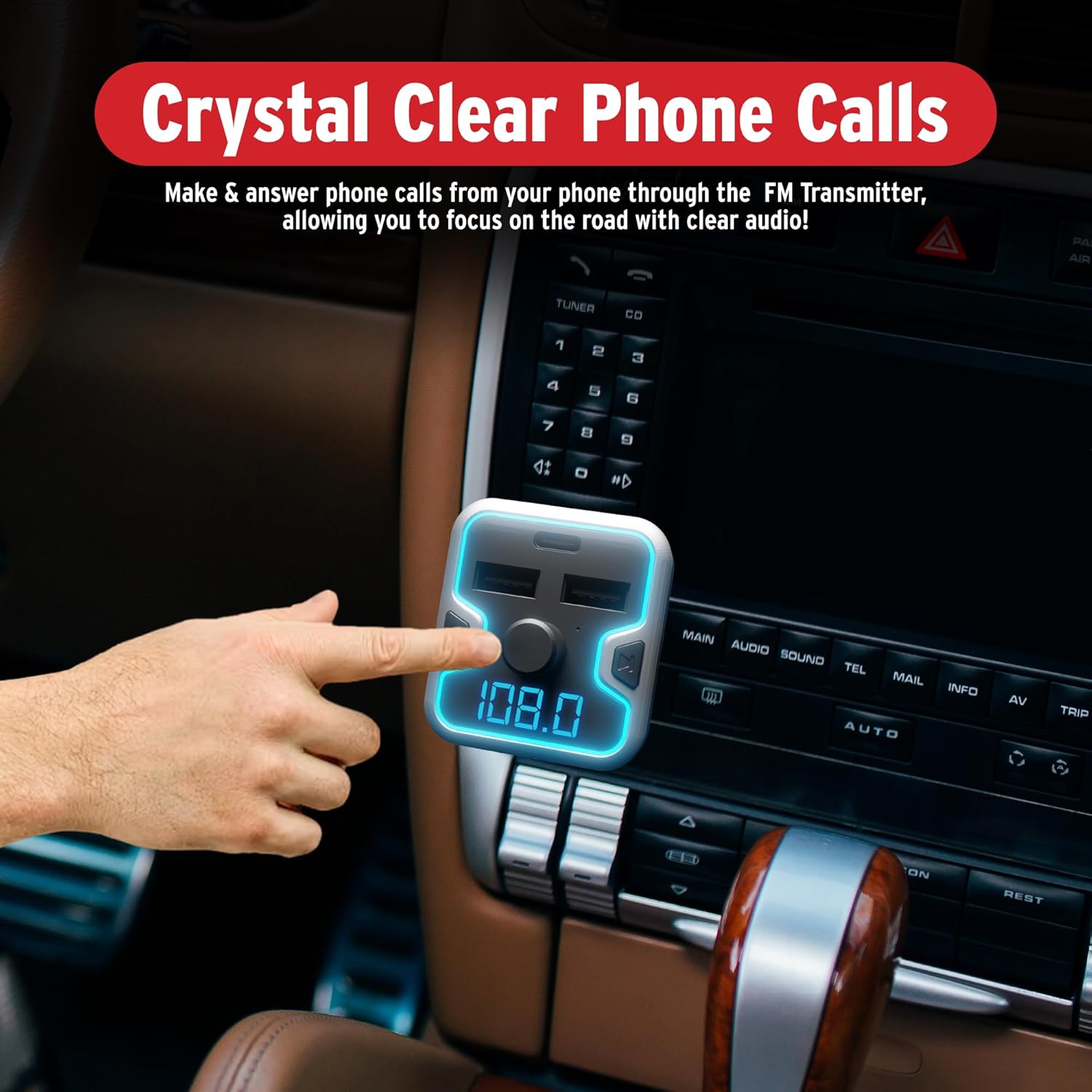
이미지 5.2: A hand interacting with the FM Transmitter's control knob, indicating its use for making and answering phone calls with clear audio.
5.3. 음성 비서 활성화
Access your mobile device's voice assistant (Siri, Google Assistant, Alexa) through the transmitter.
- 활성화: Long press the multi-function knob to activate your phone's voice assistant. You can then issue commands through the transmitter's microphone.
이미지 5.3: The FM Transmitter shown with icons for Google Assistant, Siri, and Alexa, indicating compatibility with these voice assistants.
동영상 5.1 : Demonstration of the Car and Driver Bluetooth 5.0 FM Transmitter's features, including setup, hands-free calling, and voice assistant integration. This video shows the device in use within a vehicle, highlighting its functionality for modernizing older car audio systems.
5.4. 충전 장치
The transmitter provides three charging ports:
- USB-A (2.4A): Standard charging for most devices.
- USB-A (1A): Standard charging, also suitable for USB flash drives.
- USB-C PD(18W): Power Delivery port for rapid charging of compatible devices.
Simply connect your device's charging cable to the appropriate USB port on the transmitter.
5.5. LED Display and Ambient Light
- The LED display shows the current FM frequency and the car's battery voltag시작 시.
- The device features a multicolor light border with 7 neon-color backlit options (Red, Blue, Turquoise, Yellow, Green, Purple, White). These can be cycled or set to a preferred color (refer to device specific controls, usually a dedicated button or long press on the CH button).
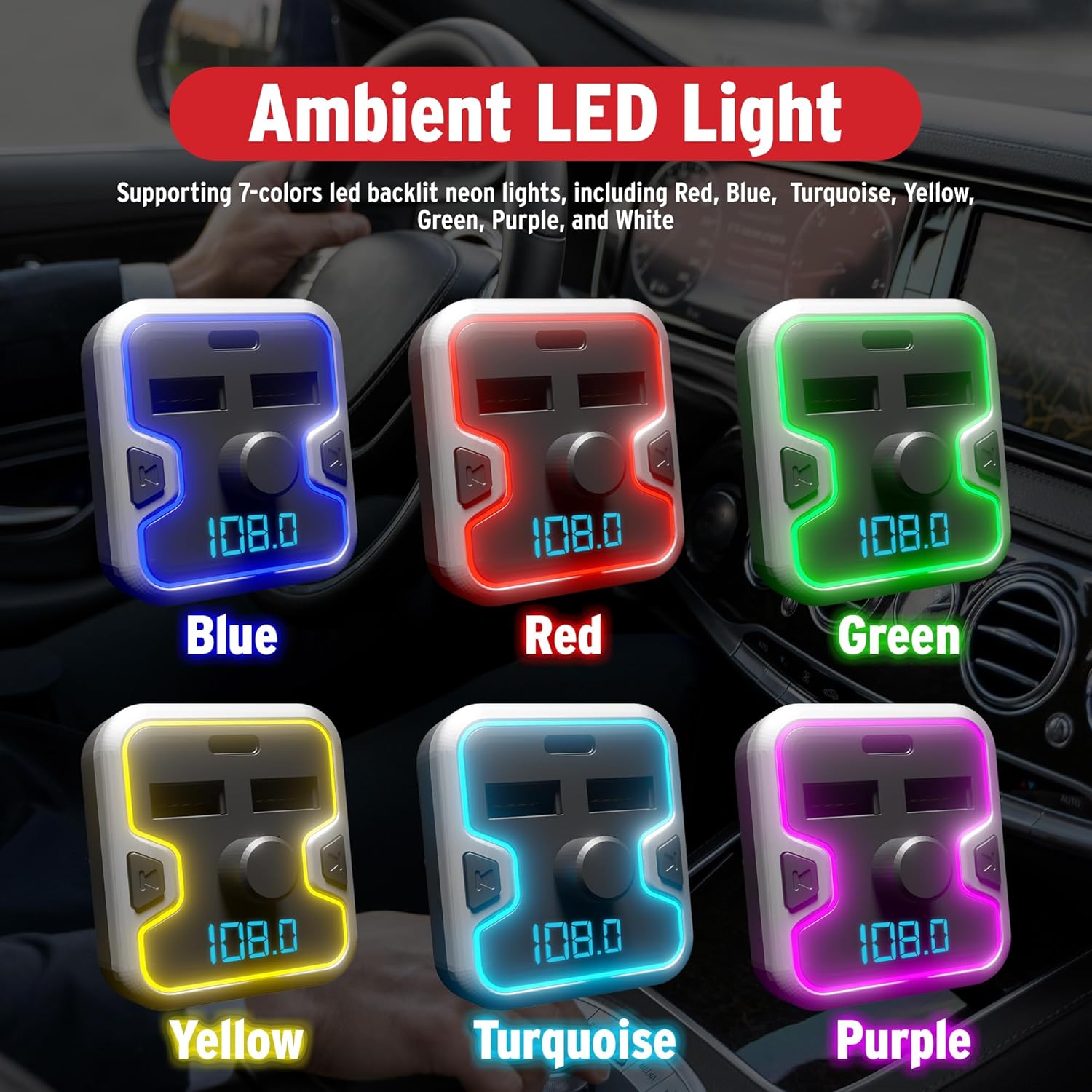
이미지 5.4: A collage showing the FM Transmitter with its ambient LED light border illuminated in various colors: Blue, Red, Green, Yellow, Turquoise, and Purple.
6. 안전 정보
다음 안전 지침을 읽고 준수하십시오.
- Use the device only when it is safe and legal to do so.
- Ensure the device is securely plugged in to prevent it from becoming a distraction while driving.
- Be aware of and comply with all local laws and regulations regarding the use of wireless devices and mobile phones while operating a vehicle.
- Regularly check your car battery voltage using the device's display to monitor your vehicle's electrical system.
- Do not disassemble, modify, or repair the device yourself. Contact qualified service personnel for assistance.
- 기기를 극한의 온도, 직사광선 또는 습기에 노출시키지 마세요.
7. 유지관리
To ensure optimal performance and longevity of your FM Transmitter Charger:
- 부드럽고 마른 천으로 닦아 장치를 깨끗하게 유지하십시오.
- 강한 화학물질이나 연마성 세척제의 사용은 피하세요.
- 장기간 사용하지 않을 때는 기기를 서늘하고 건조한 곳에 보관하세요.
- 송신기를 삽입하기 전에 시가잭 소켓에 이물질이 없는지 확인하십시오.
8. 문제 해결
If you encounter issues with your FM Transmitter Charger, refer to the following common problems and solutions:
| 문제 | 가능한 원인 | 해결책 |
|---|---|---|
| 전원이 들어오지 않음/기기가 켜지지 않음. | Loose connection; vehicle socket issue; blown fuse. | Ensure the device is firmly inserted into the cigarette lighter socket. Check if the vehicle's cigarette lighter socket is functional. Inspect vehicle's fuse box for a blown fuse related to the power outlet. |
| 잡음이 있거나 오디오 품질이 좋지 않습니다. | FM frequency interference; volume too low/high; weak Bluetooth connection. | Change to a different, unoccupied FM frequency on both the transmitter and your car radio. Adjust the volume on both the transmitter and your car stereo. Ensure your phone is close to the transmitter for a strong Bluetooth signal. |
| 블루투스 페어링이 되지 않습니다. | Bluetooth not enabled on phone; device not in pairing mode; too many paired devices. | Ensure Bluetooth is enabled on your mobile device. Restart the transmitter and your phone. Forget previous Bluetooth connections on your phone and try pairing again. |
| 빠른 충전이 작동하지 않습니다. | Device not compatible with fast charging; cable issue; port issue. | Ensure your device supports USB Power Delivery (PD) for the USB-C port. Use a high-quality, compatible charging cable. Try a different charging port or cable. |
| 음성 비서가 응답하지 않습니다. | Not activated correctly; phone settings. | Long press the multi-function knob to activate the voice assistant. Ensure your phone's voice assistant is enabled and configured correctly. |
9. 사양
| 특징 | 세부 사항 |
|---|---|
| 모델 번호 | 캐드-6005 |
| 블루투스 버전 | 5.0 |
| FM 주파수 범위 | 87.5MHz ~ 108.0MHz |
| 입력 Voltage | 12V / 24V DC |
| USB-A 출력 1 | 5V-2.4A |
| USB-A 출력 2 | 5V-1A (also for USB flash drive) |
| USB-C PD 출력 | 18W 전력 공급 |
| Music Formats Supported | APE, WMA, MP3, WAV, FLAC |
| MicroSD/USB Flash Drive Capacity | 최대 32GB |
| 품목 무게 | 5.6온스(0.16킬로그램) |
| 패키지 크기 | 6.85 x 3.58 x 2.8 인치 |
10. 보증 및 지원
For warranty information or technical support, please refer to the contact details provided with your purchase or visit the official Car and Driver web사이트. 보증 청구를 위해 구매 증빙 자료를 보관하세요.


