1. 서론
The MOES WiFi WS-EUR-C Intelligent Touch Panel Roller Blind Switch provides versatile control for motorized roller blinds and curtains. This device supports manual touch control, RF remote control, voice commands via smart assistants, and intelligent control through the Smart Life/Tuya App. It allows for flexible operation and integration into smart home systems.
2. 안전 정보
Warning: Electrical installation should only be performed by a qualified electrician. Ensure power is disconnected before installation to prevent electric shock.
- 스위치를 설치하거나 서비스하기 전에 항상 회로 차단기에서 전원을 분리하세요.
- Ensure the switch is installed in a dry environment, away from moisture.
- 최대 부하 정격인 2.5A/500W를 초과하지 마십시오.
- 배선도에 따라 모든 배선 연결이 안전하고 정확한지 확인하십시오.
- 이 장치는 실내에서만 사용하도록 설계되었습니다.
3. 제품 사양
| 특징 | 사양 |
|---|---|
| 모델 번호 | WS-EUR-C |
| 치수(길이x너비x높이) | 8.5 x 8.5 x 3.5cm |
| 재료 | 플라스틱 |
| 운영 볼륨tage | 90-250V 교류 50/60Hz |
| 최대 부하 | 2.5A/500W |
| 무선 프로토콜 | Wi-Fi 2.4GHz + RF |
| 스위치 유형 | Touch Panel, Single Pole |
| 인증 | CE, IP44 |

4. 설치 가이드
4.1 배선도

배선하려면 다음 단계를 따르십시오.
- 전원 분리: 시작하기 전에 회로 차단기에서 회로의 주 전원 공급 장치를 끄십시오.
- 전선 식별: Identify the Live (L), Neutral (N), Ground, Open (for curtain up), and Close (for curtain down) wires from your existing setup and the motorized blind.
- Connect Live (L): 전원 공급 장치의 활선(Live wire)을 스위치의 'L' 단자에 연결하십시오.
- Connect Neutral (N): 전원 공급 장치의 중성선을 스위치의 'N' 단자에 연결하십시오.
- 모터 전선 연결: Connect the 'Open' wire from your motorized blind to the 'OPEN' terminal on the switch. Connect the 'Close' wire from your motorized blind to the 'CLOSE' terminal on the switch.
- 접지 연결: Connect the Ground wire to the appropriate terminal, typically indicated by a ground symbol.
- 보안 연결: 모든 전선 연결부가 단단히 고정되어 있고 적절하게 절연되어 있는지 확인하십시오.
4.2 물리적 설치
After wiring, carefully place the switch module into the wall box. Secure the switch to the wall box using screws. Attach the glass touch panel cover. Restore power at the circuit breaker.
5. 앱 설정 및 페어링
The MOES Smart Curtain Switch is compatible with the Smart Life and Tuya Smart applications. Follow these steps to pair your device:
- 앱 다운로드 : 모바일 기기의 앱 스토어(iOS 또는 Android)에서 "Smart Life" 또는 "Tuya Smart" 앱을 다운로드하세요.
- 등록/로그인: 앱을 열고 새 계정을 등록하거나 기존 계정으로 로그인하세요.
- 페어링 모드 시작: With the switch powered on, press and hold the 'Pause' button on the switch for approximately 5-10 seconds until the Wi-Fi indicator light on the switch starts blinking rapidly. This indicates pairing mode.
- 장치 추가: In the app, tap the '+' icon (usually in the top right corner) to add a device. The app should automatically detect the switch via Wi-Fi and Bluetooth for quick pairing.
- 네트워크 확인: Select your 2.4GHz Wi-Fi network and enter the password. The switch does not support 5GHz Wi-Fi.
- 완벽한 페어링: Follow the on-screen prompts to complete the pairing process. Once successfully paired, the Wi-Fi indicator light on the switch will stop blinking and remain solid.

6. 사용 설명서
6.1 수동 터치 컨트롤
The touch panel allows for direct control of your roller blinds:
- Open Button (<>): Touch to open the roller blind.
- 일시 정지 버튼(||): Touch to pause the roller blind at its current position.
- Close Button (X): Touch to close the roller blind.
6.2 앱 제어
Once paired with the Smart Life/Tuya app, you can control your blinds remotely and set schedules:
- 원격 제어: Use the app interface to open, close, or pause your blinds from anywhere.
- 일정: Set timers and schedules for automatic opening and closing of blinds at specific times (e.g., 7:30 AM open, 6:00 PM close).
- 카운트 다운 : Utilize countdown functions (e.g., 1/5/30 minutes, 1 hour) for temporary operations.
- 릴레이 상태: Configure the switch to remember its last state (open/closed/paused) after a power outage.


6.3 음성 제어
Integrate the switch with Amazon Alexa or Google Home for hands-free voice control:
- 계정 연동: In the Alexa or Google Home app, link your Smart Life/Tuya account.
- 장치 검색: 스마트 어시스턴트에게 새로운 기기를 찾아달라고 요청하세요.
- 음성 명령: Use commands like "Alexa, open the curtains" or "Hey Google, close the blinds."

6.4 RF 원격 제어
The switch supports RF433 remote control for an additional layer of convenience. Pair a compatible RF remote (sold separately) to control your blinds without Wi-Fi or app access.

6.5 백라이트 제어
The switch features an optional backlight. You can turn the backlight ON or OFF via the Smart Life/Tuya app settings to avoid disturbance during sleep or to suit your preference.

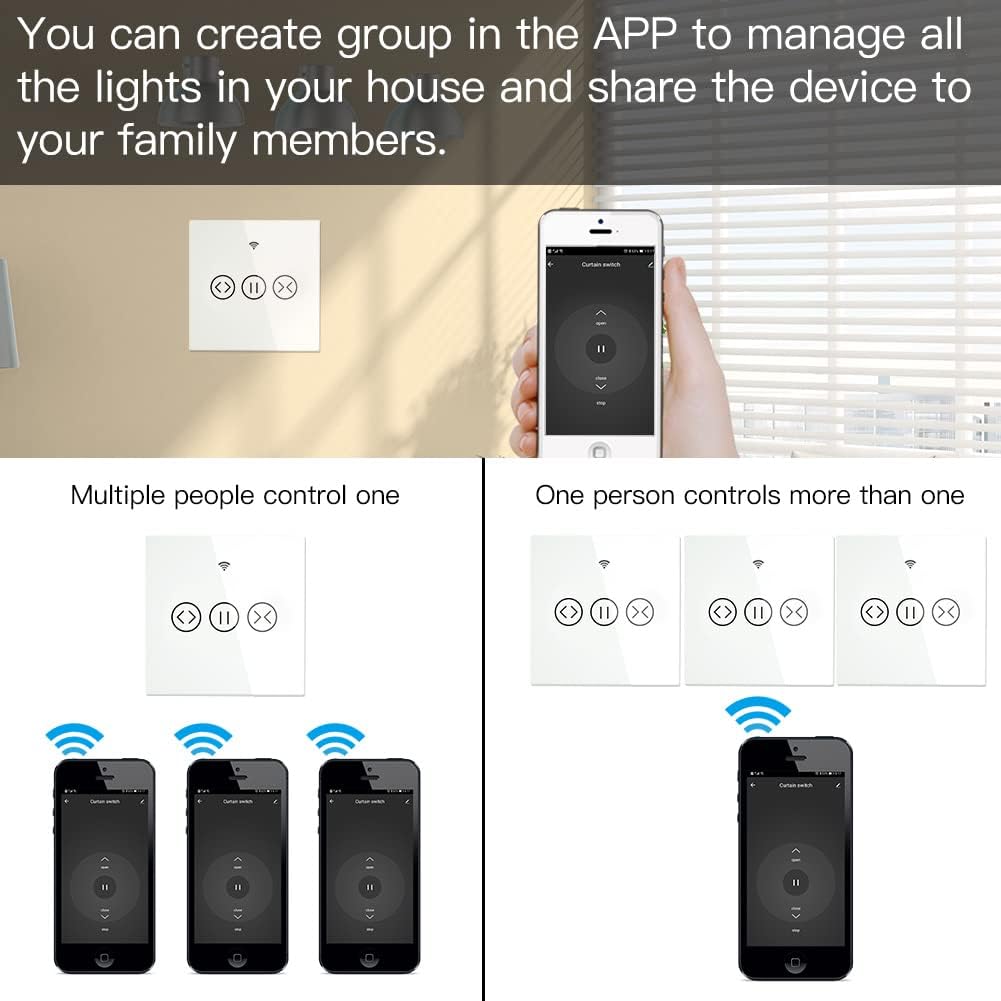
6.6 그룹 제어 및 공유
The app allows you to create groups of switches for simultaneous control and share device access with family members.
- 그룹 제어: Manage multiple switches as a single group within the app.
- 장치 공유: Share control of the switch with other users who have the Smart Life/Tuya app, granting them access to operate the blinds.
7. 유지관리
- 청소: Use a soft, dry cloth to clean the touch panel. Avoid abrasive cleaners or solvents.
- 펌웨어 업데이트: 최적의 성능과 보안을 유지하려면 Smart Life/Tuya 앱에서 펌웨어 업데이트가 있는지 정기적으로 확인하십시오.
- 환경 조건: Ensure the switch is not exposed to extreme temperatures or humidity, which can affect its operation and lifespan.
8. 문제 해결
- 스위치가 응답하지 않음: Check if the power supply is connected correctly. Ensure the circuit breaker is ON.
- 앱 페어링 실패:
- Wi-Fi 네트워크가 2.4GHz인지 확인하세요. 5GHz 네트워크는 지원되지 않습니다.
- Verify the switch is in pairing mode (Wi-Fi indicator blinking rapidly).
- 정확한지 Wi-Fi 비밀번호를 확인하세요.
- 페어링하는 동안 스위치를 Wi-Fi 라우터에 더 가까이 이동하세요.
- 음성 제어가 작동하지 않음:
- Smart Life/Tuya 계정이 Alexa 또는 Google Home에 올바르게 연결되어 있는지 확인하십시오.
- Ensure the device is discovered and named appropriately in the smart assistant app.
- 인터넷 연결을 확인하세요.
- RF Remote Not Controlling: Ensure the RF remote is properly paired with the switch according to its own instructions.
- 간헐적인 연결: Check your Wi-Fi signal strength. Consider repositioning your router or using a Wi-Fi extender.
9. 보증 및 지원
This MOES product comes with a 2년 보증 그리고 60일 환불 보장 to ensure your satisfaction. For technical support or warranty claims, please contact MOES customer service through the retailer where you purchased the product or visit the official MOES web연락처 정보 사이트.


