소개
This user manual provides comprehensive instructions for the setup, operation, maintenance, and troubleshooting of your Trust Ozaa Rechargeable Wireless Mouse. Please read this manual carefully before using the product to ensure optimal performance and longevity.

Image: The Trust Ozaa Rechargeable Wireless Mouse shown with its USB receiver and micro-USB charging cable. This image illustrates the main components included with the mouse.
패키지 내용
패키지에 모든 품목이 들어 있는지 확인하세요.
- Trust Ozaa Rechargeable Wireless Mouse
- USB 수신기
- 마이크로 USB 충전 케이블
- 사용 설명서(본 매뉴얼)

Image: The retail packaging for the Trust Ozaa Rechargeable Wireless Mouse, highlighting its key features such as 10m wireless range, comfortable design, and silent click buttons.
설정
- 마우스 충전: Before first use, connect the supplied micro-USB charging cable to the mouse's charging port and to a USB power source (e.g., computer USB port, USB wall adapter). The charging indicator light will illuminate. Allow the mouse to fully charge.
- USB 수신기 삽입: Locate the USB receiver, typically stored in a compartment on the underside of the mouse. Remove it and plug it into an available USB-A port on your computer (PC or Mac).
- 전원 켜기: Turn on the mouse using the on/off switch located on the underside.
- 자동 연결: The mouse should automatically connect to your computer. No additional drivers are typically required for basic functionality (Plug and Play).

Image: A user operating the Trust Ozaa mouse wirelessly next to a laptop, demonstrating its plug-and-play functionality and 10-meter wireless range.
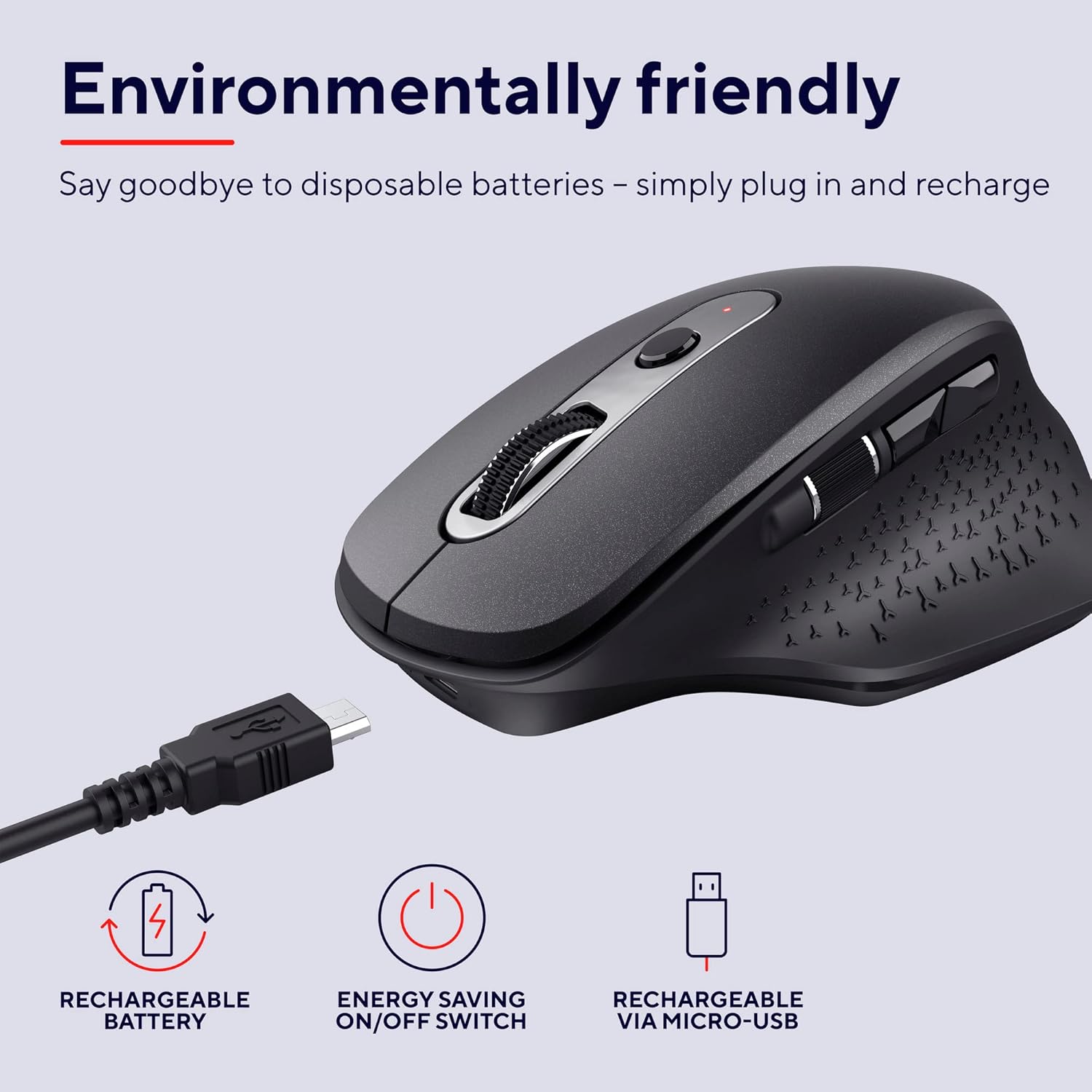
Image: The Trust Ozaa mouse being charged via its micro-USB cable, highlighting its rechargeable battery and energy-saving features.
작동 지침
버튼 기능
- 왼쪽 클릭 버튼: Standard primary click. Designed for silent operation.
- 오른쪽 클릭 버튼: Standard secondary click. Designed for silent operation.
- 스크롤 휠(가운데 버튼): 문서를 세로로 스크롤하세요. web 페이지입니다. 마우스 가운데 버튼을 누르면 마우스 오른쪽 클릭 기능이 작동합니다.
- DPI 조정 버튼: Located behind the scroll wheel. Press to cycle through different cursor speeds (DPI settings: 800, 1200, 1600, 2400 DPI).
- 사이드 스크롤 휠: Located on the left side. Allows for horizontal scrolling.
- 앞으로/뒤로 버튼: Located above the side scroll wheel. Used for navigating forward and backward in web 브라우저 또는 file 탐험가.

이미지: 오버헤드 view of the Trust Ozaa mouse, visually indicating the DPI adjustment, silent buttons, and convenient side scroll wheel.
DPI 조정
The mouse features an adjustable cursor speed (DPI) ranging from 800 to 2400 DPI. To change the DPI, press the dedicated DPI button located behind the main scroll wheel. Each press will cycle through the available settings, allowing you to select the sensitivity that best suits your task or preference.
에너지 절약
To conserve battery life, the mouse is equipped with an on/off switch on its underside. It also features an automatic sleep mode that activates after a period of inactivity. To wake the mouse, simply move it or click any button.
유지
- 청소: 부드럽고 마른 천을 사용하여 마우스를 닦으세요. 잘 지워지지 않는 오염의 경우, 약간amp 천을 사용할 수 있지만, 내부 부품에 습기가 들어가지 않도록 주의하세요. 독한 화학 물질이나 연마성 세척제는 사용하지 마세요.
- 충전 중: Recharge the mouse when the battery indicator light signals low power or when performance degrades. Use only the provided charging cable or a compatible micro-USB cable.
- 저장: When not in use for extended periods, turn off the mouse to preserve battery life. Store it in a cool, dry place.
문제 해결
| 문제 | 가능한 원인 | 해결책 |
|---|---|---|
| 마우스가 응답하지 않습니다. |
|
|
| 커서 움직임이 불규칙하거나 갑작스럽습니다. |
|
|
| 버튼이 작동하지 않습니다. |
|
|
명세서
| 상표 | 신뢰하다 |
| 모델 번호 | 23812 |
| 연결 기술 | 무선 주파수(무선) |
| 무선 범위 | 최대 10미터 |
| DPI 설정 | 800, 1200, 1600, 2400 DPI (조정 가능) |
| 버튼의 수 | 6 (Left, Right, Scroll Wheel Click, DPI, Forward, Backward) + Side Scroll Wheel |
| 메인 버튼 | Silent Left and Right Buttons |
| 전원 | Rechargeable Battery (1 AAA battery included, contained in equipment) |
| 충전 포트 | 마이크로 USB |
| 제품 크기(L x W x H) | 7.7 x 11.8 x 4.6cm |
| 품목 무게 | 122g |
| 하드웨어 플랫폼 호환성 | PC, 맥 |
| 운영 체제 호환성 | 크롬 OS, 윈도우, 맥 OS |
| 특별 기능 | Wireless, Rechargeable, Quiet, Ergonomic Design, Energy-saving On/Off Switch |
보증 및 지원
보증 정보 및 기술 지원에 대해서는 공식 Trust 웹사이트를 참조하십시오. web사이트를 방문하거나 고객 서비스에 직접 문의하세요. 보증 청구를 위해 구매 증빙 자료를 보관하세요.
신탁 담당자 Web대지: www.trust.com
판매자가 제공한 공식 제품 영상이 없어 본 설명서에 포함할 수 없었습니다.


