1. 제품 오버view
The BuTure BR600 is a powerful and versatile portable car jump starter designed to provide emergency starting power for 12V vehicles. It also functions as a portable power bank with wireless charging capabilities and a multi-mode LED flashlight. This manual provides essential information for safe and effective use of your device.
주요 특징:
- 강력한 점프 스타트: Delivers 2500A peak current to start all gasoline engines and up to 8.0L diesel engines.
- 대용량 배터리 : 27000mAh lithium battery for multiple jump starts and device charging.
- 무선 충전: Integrated 10W wireless charging pad for compatible smartphones.
- 휴대용 전원 은행: Equipped with USB 1 (Quick Charge 3.0: 5V 3A / 9V 2A / 12V 1.5A), USB 2 (5V 2.4A), and USB-C (5V 3A) outputs for charging various electronic devices.
- Smart Protection Clamps: Features intelligent protection against short circuits, overheating, over-voltage, over-charge, deep discharge, over-current, and reverse polarity.
- 다기능 LED 손전등: Includes Flashlight, Strobe, SOS, and Warning Light modes for emergencies.
- 내구성 있는 디자인: Operates effectively in extreme temperatures, including cold winter conditions.
2. 패키지 내용
포장을 개봉하신 후 내용물을 확인해 주십시오. 누락되거나 손상된 품목이 있을 경우 고객 지원 센터로 문의해 주십시오.

Image: Contents of the BuTure BR600 package.
- 1 x BuTure BR600 Jump Starter
- 1 x 스마트 점퍼 케이블
- 1 x USB-C 케이블
- 1 x EC5 Cigarette Lighter Adapter
- 1 x 사용자 설명서
- 1 x 보관 케이스
3. 중요한 안전 정보
본 제품을 사용하기 전에 모든 안전 경고 및 사용 설명서를 읽으십시오. 이 지침을 따르지 않을 경우 감전, 화재 및/또는 심각한 부상을 입을 수 있습니다.
- 제품을 물에 담그거나 비에 노출시키지 마십시오.
- Do not open or disassemble the product. There are no user-serviceable parts inside.
- 어린이의 손이 닿지 않는 곳에 보관하세요.
- 제공된 스마트 점퍼 케이블만 사용하십시오.
- 얼어붙은 배터리를 점프 스타트하지 마십시오.
- 올바른 극성 연결을 확인하십시오 (빨간색 클립).amp 포지티브, 블랙 clamp 부정으로).
- 긍정적이고 부정적인 cl을 연결하지 마십시오amp함께요.
- If the product becomes excessively hot during use, discontinue use immediately.
- 직사광선을 피해 서늘하고 건조한 곳에 제품을 보관하세요.
- Wear eye protection and gloves when jump starting a vehicle.
- 차량 소유자 설명서를 참조하여 구체적인 점프 스타트 절차를 확인하십시오.

Image: The BuTure BR600 features multiple protection modes for safe operation, including error detection and intelligent indicators.
4. Charging the BuTure BR600
Before first use, fully charge the jump starter. It is recommended to recharge the device every 3-6 months to maintain battery health, even if not in use.
4.1. Charging via USB-C Input
- Connect the provided USB-C cable to the USB-C input port on the jump starter.
- USB-C 케이블의 다른 쪽 끝을 USB 벽면 어댑터(별도 구매) 또는 차량용 충전기에 연결하십시오.
- The LED indicator lights will illuminate and flash to show the charging status. All four lights will be solid when fully charged.
4.2. 배터리 수준 표시기
The LED indicator lights on the device show the remaining battery capacity:
- 조명 4개: 75% - 100%
- 조명 3개: 50% - 75%
- 조명 2개: 25% - 50%
- 1 light: 0% - 25% (Recharge immediately)

Image: The BuTure BR600 features a 27000mAh battery designed for long standby times, up to 12 months.
5. 차량 점프 스타트
Ensure the jump starter is at least 50% charged (2 LED lights) before attempting to jump start a vehicle.
- 차량 준비: Turn off the vehicle's ignition and all accessories (headlights, radio, air conditioning, etc.). Engage the parking brake.
- 점퍼 케이블을 연결하세요:
- Insert the blue plug of the smart jumper cables into the 12V jump start port on the BuTure BR600. Ensure a firm connection.
- 연결하다 빨간색 양(+) clamp 차량의 양극(+) 배터리 단자에 연결하십시오.
- 연결하다 검은색 음(-) clamp 차량의 배터리 음극(-) 단자에 연결하십시오.
- 스마트 클amp indicator light will show the connection status. Refer to the smart clamp manual for specific light indications.
- 차량 시동: 스마트 클amp indicator shows a safe connection, start your vehicle's engine. If the vehicle does not start immediately, wait 20-30 seconds before trying again. Do not crank the engine for more than 3 seconds per attempt.
- 점퍼 케이블을 제거하세요: 차량 시동이 걸리자마자 플러그를 뽑으십시오. 검은색 음(-) clamp 먼저 빨간색 양(+) clamp from the vehicle battery. Finally, unplug the smart jumper cables from the BuTure BR600.
중요한: 스마트클이라면amp indicates an error (e.g., reverse polarity), correct the connection before attempting to start the vehicle.

Image: Illustration of connecting the BuTure BR600 to a car battery for jump starting.
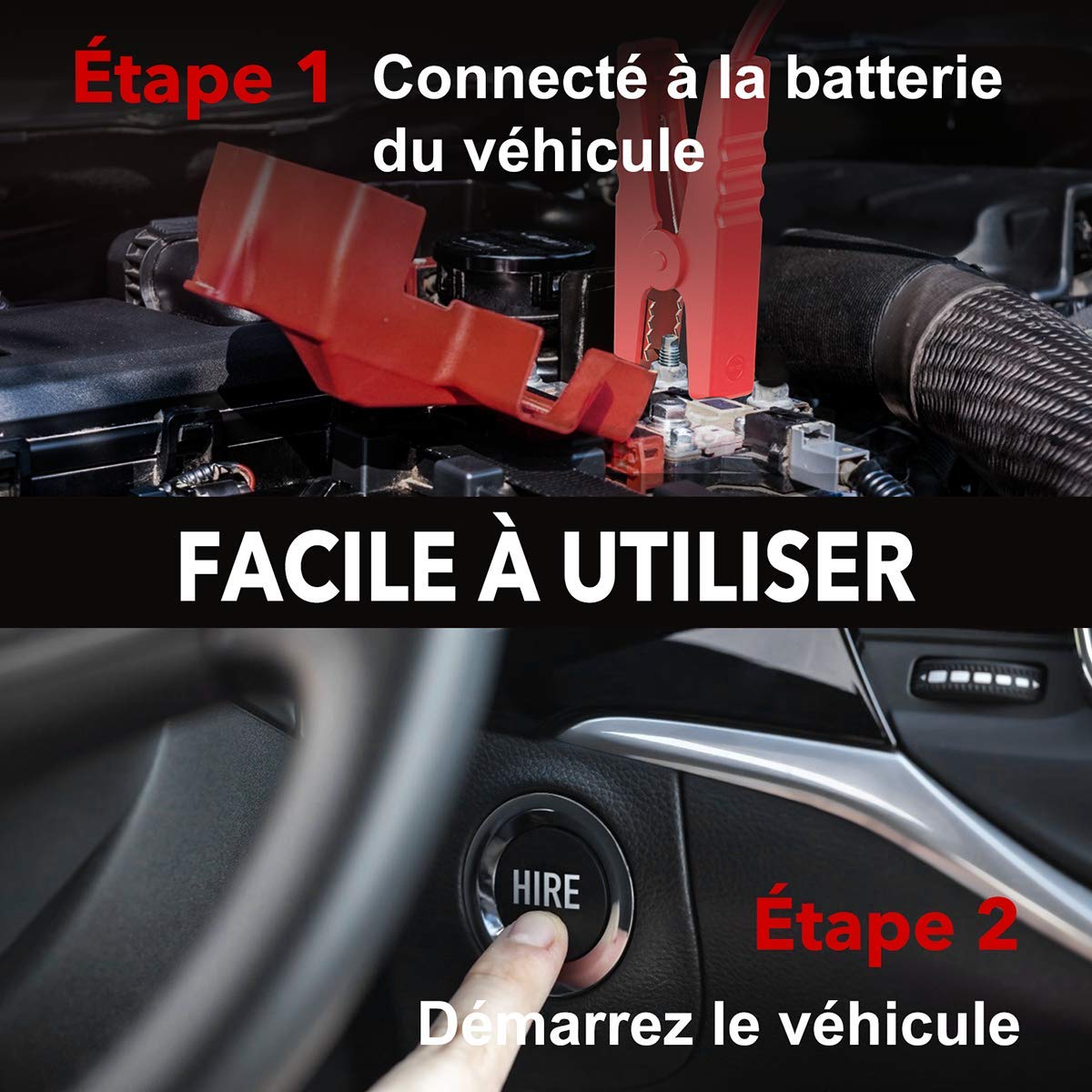
Image: Step-by-step guide showing how to connect the jump starter to the vehicle battery and then start the vehicle.

Image: The BuTure BR600 is designed to perform reliably even in cold winter temperatures down to -20°C.
6. Operating Other Functions
6.1. Using as a Power Bank (USB Output)
The BuTure BR600 can charge various electronic devices via its USB output ports.
- Connect your device's USB charging cable to either the USB 1 (Quick Charge 3.0) or USB 2 port on the jump starter.
- 점프 스타터가 자동으로 기기 충전을 시작합니다.
6.2. 무선 충전
For devices compatible with 10W wireless charging:
- Place your wireless charging compatible device (e.g., smartphone) on the wireless charging pad located on the top surface of the jump starter.
- 최적의 충전을 위해 기기가 충전 패드 중앙에 위치하도록 하십시오.
- The wireless charging indicator light will illuminate to confirm charging is active.

Image: The BuTure BR600 offers both 10W wireless charging and Quick Charge 3.0 USB output for multiple devices.
6.3. LED 손전등
The built-in LED flashlight has multiple modes for different situations.
- Press and hold the power button for 3 seconds to turn on the flashlight (steady light mode).
- Press the power button again to cycle through modes: Strobe → SOS → Warning Light → Off.
- Press and hold the power button again for 3 seconds to turn off the flashlight from any mode.

Image: The BuTure BR600 features an ultra-bright LED flashlight with Flash, SOS, Strobe, and Warning light modes for various emergencies.
7. 유지관리
- 청소: 부드럽고 마른 천을 사용하여 기기를 닦으세요. 연마성 세제나 용제는 사용하지 마세요.
- 저장: Store the jump starter in a cool, dry place between 0°C and 45°C (32°F and 113°F). Avoid direct sunlight and high humidity.
- 충전재: Recharge the device every 3-6 months to prevent battery degradation, even if not in use.
- 배터리 수명: The internal lithium battery is designed for long life, but like all rechargeable batteries, its capacity will decrease over time.
8. 문제 해결
| 문제 | 가능한 원인 | 해결책 |
|---|---|---|
| 점프 스타터가 켜지지 않습니다. | 배터리가 완전히 방전되었습니다. | Charge the jump starter for several hours. |
| 차량이 시동되지 않습니다. |
|
|
| 스마트 CLamp indicator shows error. | 역극성, 단락 또는 기타 고장. | cl 연결 해제amps, check connections, and reconnect ensuring correct polarity (Red to +, Black to -). Refer to smart clamp manual for specific error codes. |
| 무선 충전이 작동하지 않습니다. |
|
|
9. 사양
| 모델 | BR600 |
| 피크 전류 | 2500A |
| 배터리 용량 | 27000mAh |
| 시작 권tage | 12V |
| USB 출력 1(QC3.0) | 5V/3A, 9V/2A, 12V/1.5A |
| USB 출력 2 | 5V/2.4A |
| USB-C 입력/출력 | 5V/3A |
| 무선 충전 출력 | 10와트 |
| 작동 온도 | -20°C ~ 60°C (-4°F ~ 140°F) |
| 치수(길이 x 너비 x 높이) | 24.5 x 15.4 x 9.6cm |
| 무게 | 1.21kg |
| 배터리 구성 | Lithium Metallic |
10. 보증 및 고객 지원
BuTure products are designed and manufactured to the highest quality standards. This product comes with a standard manufacturer's warranty. For detailed warranty information, product support, or technical assistance, please refer to the warranty card included in your package or visit the official BuTure web대지.
If you encounter any issues or have questions regarding your BuTure BR600, please contact our customer support team. Provide your model number (BR600) and purchase details for faster service.