소개
This manual provides essential information for setting up, operating, maintaining, and troubleshooting your SYSTEMTREFF PC AMD Ryzen 7 5700G. Please read this manual thoroughly before using your new computer to ensure proper functionality and longevity.

이미지: 앞면 view of the SYSTEMTREFF PC, showcasing its transparent side panel and illuminated internal components.
설치 가이드
Follow these steps to set up your SYSTEMTREFF PC.
1. 언박싱 및 배치
- PC를 포장에서 조심스럽게 꺼내세요. 향후 운송이나 서비스를 위해 모든 포장재를 보관하세요.
- Place the PC on a stable, flat surface with adequate ventilation. Ensure there is sufficient space around the computer for airflow, especially at the front, rear, and top vents.
- Avoid placing the PC near heat sources, in direct sunlight, or in areas with excessive dust or humidity.

이미지: 다양한 views of the PC case illustrating its physical dimensions for proper placement.
2. 주변기기 연결하기
모니터, 키보드, 마우스 및 기타 장치를 적절한 포트에 연결하세요.
- 감시 장치: Connect your monitor to the HDMI or DVI-D port on the rear of the PC. Ensure the cable is securely fastened.
- 키보드 및 마우스: Connect your USB keyboard and mouse to any available USB ports (USB 2.0 or USB 3.0/3.2). PS/2 ports are also available for compatible devices.
- 오디오: Connect speakers or headphones to the audio output jack (green) and a microphone to the microphone input jack (pink) on the rear or front panel.
- 회로망: For a wired connection, connect an Ethernet cable from your router to the RJ45 LAN port on the rear. For wireless connectivity, ensure the included USB Wi-Fi stick is connected.
- 힘: 전원 케이블을 PC 뒷면의 전원 공급 장치(PSU)에 연결한 다음, 다른 한쪽 끝을 접지된 콘센트에 꽂으십시오.

이미지: 상세 view of the available front and rear ports for connecting various peripherals.
작동 지침
1. 첫 번째 부팅 및 초기 설정
- After connecting all peripherals, press the power button located on the top front of the PC.
- The system will boot into Windows 10 Pro. Follow the on-screen instructions to complete the initial Windows setup, including region, language, and user account creation.
- Drivers for all components are pre-installed, ensuring a plug-and-play experience.
2. 기본 사용법
- 전원 켜기/끄기: 전원을 켜려면 전원 버튼을 누르십시오. 전원을 끄려면 Windows 시작 버튼을 클릭한 다음 전원 > 종료를 선택하십시오.
- 다시 시작: 시스템을 다시 시작하려면 시작 버튼을 클릭한 다음 전원 > 다시 시작을 선택하십시오.
- 수면 모드 : 시스템을 절전 모드로 전환하려면 시작 버튼을 클릭한 다음 전원 > 절전을 선택하십시오.
- 연결성: The PC supports Wi-Fi and Bluetooth for wireless connections. Use the Windows settings to connect to wireless networks or pair Bluetooth devices.

이미지: 전amples of typical usage scenarios for the PC, including productivity, entertainment, and gaming.
유지
정기적인 유지 관리는 PC의 최적 성능과 수명 연장에 도움이 됩니다.
1. 청소
- 외부: 부드러운 d를 사용하세요amp 케이스 외부를 닦을 천을 사용하세요. 연마성 세척제는 사용하지 마세요.
- 먼지: Periodically clean dust from the vents and fans using compressed air. Ensure the PC is powered off and unplugged before cleaning. The case features a mesh front and side panel for improved airflow and dust filtration.

Image: Features of the PC case designed for efficient cooling and maintenance access.
2. 소프트웨어 업데이트
- 시스템 안정성과 보안을 보장하기 위해 정기적으로 Windows 업데이트를 확인하고 설치하십시오.
- Keep your graphics drivers updated for optimal performance, especially for gaming and multimedia applications.
문제 해결
이 섹션에서는 일반적으로 발생할 수 있는 문제에 대해 설명합니다.
전원이 없습니다
- 전원 케이블이 PC와 전기 콘센트에 단단히 연결되어 있는지 확인하세요.
- Verify that the power switch on the back of the power supply unit (PSU) is in the 'On' position.
- 다른 장치로 콘센트를 테스트하여 제대로 작동하는지 확인하세요.
모니터에 디스플레이가 없습니다
- Check that the monitor is powered on and its video cable is securely connected to the PC's HDMI or DVI-D port.
- Ensure the monitor input source is correctly selected (e.g., HDMI 1, DVI).
- If you have multiple display outputs, try connecting to a different port.
시스템 속도 저하 또는 멈춤 현상
- 백그라운드에서 실행 중인 불필요한 애플리케이션을 닫으세요.
- Check for sufficient free space on your drives, especially the C: drive (SSD).
- 악성코드가 있는지 확인하려면 바이러스 검사를 실행하세요.
- PC의 통풍이 잘 되는지, 과열되지 않는지 확인하십시오.
명세서
Detailed technical specifications of your SYSTEMTREFF PC.
| 요소 | 사양 |
|---|---|
| 프로세서 | AMD Ryzen 7 5700G (8 Cores, up to 4.6 GHz Turbo) |
| 제도법 | Integrated AMD Radeon RX Vega 8 (4GB, 2000 MHz, DirectX 12.1) |
| 숫양 | 32GB DDR4 3200MHz |
| 저장 | 1TB M.2 NVMe SSD + 2TB HDD |
| 운영 체제 | Windows 10 Pro (64-bit, pre-installed) |
| 전원 공급 장치 | 500와트 |
| 연결성 | Wi-Fi, Bluetooth, Gigabit LAN (RJ45) |
| 전면 포트 | USB 3.0 포트 1개, USB 2.0 포트 2개, 오디오 입/출력 |
| 후면 포트 | HDMI 4K HD, DVI-D, PS/2, 4x USB 3.2, 2x USB 2.0, HD 7.1 Sound, RJ45 LAN |
| 치수(높이x너비x깊이) | 45 x 20.5 x 38.5cm |
| 무게 | 12kg |

Image: Visual summary of the PC's core performance components.


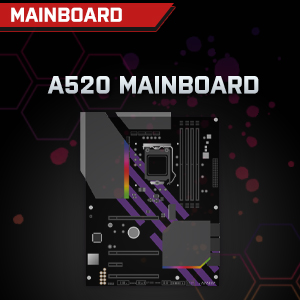

Image: Individual component representations for CPU, RAM, Graphics, Storage, Mainboard, and Power Supply.
보증 및 지원
SYSTEMTREFF is committed to providing excellent customer service.
- 제조업체 보증: Your SYSTEMTREFF PC comes with a 36-month (3-year) manufacturer's warranty. This warranty covers defects in materials and workmanship under normal use.
- 품질 관리: All individually assembled PCs undergo a quality control check before shipment.
- 보고: In case of issues, SYSTEMTREFF offers free returns.
- 지원팀에 문의: For technical assistance, warranty claims, or any other inquiries, please contact SYSTEMTREFF customer support. Contact details can typically be found on the manufacturer's official web사이트 또는 구매 시 포함된 문서를 참조하세요.

Image: Information regarding warranty, ease of setup, and customer support availability.