소개
Thank you for choosing the Tecno Minipod M1 True Wireless Stereo (TWS) Earbuds. This manual provides detailed instructions on how to set up, operate, and maintain your Minipod M1 earbuds to ensure optimal performance and longevity. The Minipod M1 offers a seamless audio experience with its portable charging case, long playback time, IPX4 water resistance, and smart touch controls.
상자 안에 무엇이 들어있나요?
- 1 x Tecno Minipod M1 TWS Earphone (Left and Right)
- 1 x 휴대용 충전 케이스
- 1 x USB 충전 케이블
- 1 x 사용자 설명서
- 이어팁 2쌍 (다양한 사이즈)
- 실리콘 보호 커버 1개
- 1 x Hook (Carabiner)

Image: Infographic highlighting key features of the Tecno Minipod M1, including 18 hours non-stop music, ENC Noise Reduction Technology, Bluetooth 5.0, cool touch controls, portable charging case, IPX4 water resistance, and 4.2gm ultra-light body.
제품 끝view
The Tecno Minipod M1 consists of two lightweight earbuds and a compact charging case. The case not only protects the earbuds but also provides additional battery life for extended listening.
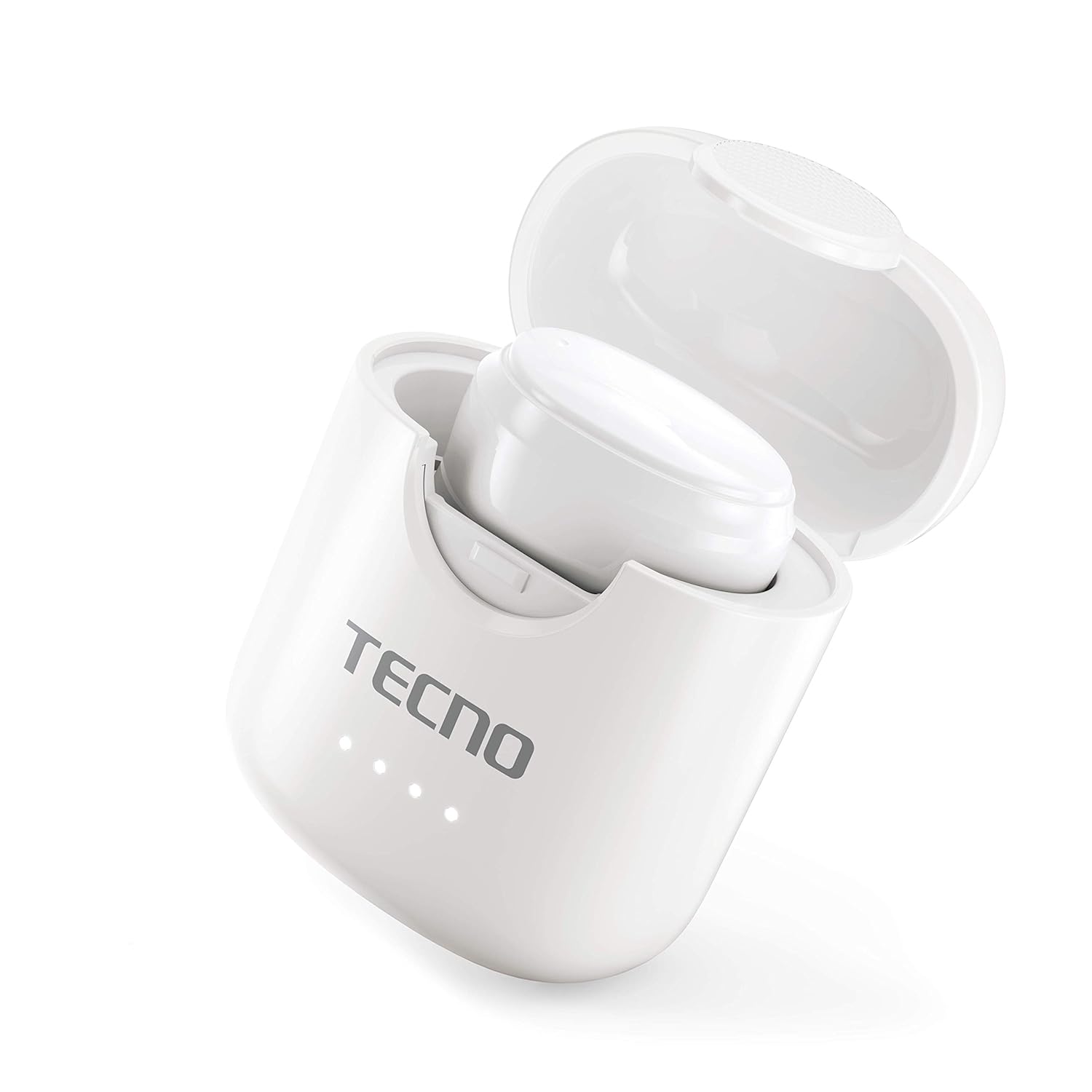
Image: The Tecno Minipod M1 earbud securely placed inside its open charging case, showing the compact design and charging indicators.

Image: A detailed close-up of a single Tecno Minipod M1 earbud, highlighting its ergonomic shape and touch-sensitive surface.
구성 요소:
- 이어 버드 : Left and Right, each with touch controls and built-in microphone.
- 충전 케이스: 이어버드를 보관하고 충전하며, 배터리 상태를 표시하는 LED 표시등이 있습니다.
- USB 충전 포트 : 충전 케이스에 전원 입력을 위한 버튼이 있습니다.
설정
1. 초기 충전:
Before first use, fully charge the Tecno Minipod M1 earbuds and their charging case.
- 양쪽 이어버드를 충전 케이스에 넣으세요. 이어버드가 각각의 슬롯에 제대로 장착되었는지 확인하세요.
- 제공된 USB 충전 케이블을 케이스의 충전 포트에 연결하고 다른 한쪽 끝을 USB 전원(예: 컴퓨터, 벽면 어댑터)에 연결하십시오.
- 충전 케이스의 LED 표시등은 충전 상태를 나타내기 위해 켜집니다. 완전히 충전되면 표시등의 색상이 바뀌거나 꺼집니다.

Image: The Tecno Minipod M1 charging case in a closed position, showing the LED indicators on the front that display charging status.
2. 기기와 페어링:
The Minipod M1 earbuds use Bluetooth 5.0 for a stable and quick connection.
- 충전 케이스를 여세요. 이어버드가 자동으로 페어링 모드로 진입합니다.
- 스마트폰이나 Bluetooth 지원 기기에서 Bluetooth 설정으로 이동하세요.
- 검색 available devices and select "Tecno Minipod M1" from the list.
- 연결되면 확인음이 들리고 이어버드의 표시등이 바뀝니다.
- 이후 사용 시, 이어버드를 케이스에서 꺼내면 마지막으로 페어링된 장치에 자동으로 연결됩니다.
운영
스마트 터치 컨트롤:
The Tecno Minipod M1 features intuitive touch controls on each earbud.
| 행동 | 제어 |
|---|---|
| 음악 재생/일시 정지 | 양쪽 이어버드를 한 번 탭하세요. |
| 다음 트랙 | 오른쪽 이어버드를 두 번 탭하세요 |
| 이전 트랙 | 왼쪽 이어버드를 두 번 탭하세요. |
| 전화 받기/종료하기 | 양쪽 이어버드를 한 번 탭하세요. |
| 전화 거부 | 한쪽 이어폰을 2초 동안 길게 누르세요. |
| 음성 지원 활성화 | 양쪽 이어버드를 세 번 탭하세요 |
이어버드 착용하기:
Choose the correct size of eartips for a comfortable and secure fit. Insert the earbuds gently into your ear canal and twist slightly to ensure a snug fit. A proper fit enhances sound quality and noise cancellation.
유지
청소:
- 부드럽고 마른 보푸라기 없는 천으로 이어버드와 충전 케이스를 정기적으로 청소하세요.
- 연마성 세척제, 알코올, 화학 용제는 사용하지 마세요.
- 작고 부드러운 브러시나 면봉을 사용하여 이어팁과 스피커 메시에서 귀지나 이물질을 부드럽게 제거하십시오.
저장:
- 사용하지 않을 때는 항상 이어버드를 충전 케이스에 보관하여 보호하고 충전 상태를 유지하세요.
- 기기를 서늘하고 건조한 곳에 보관하고, 극한의 온도와 직사광선을 피하세요.
방수(IPX4):
The Tecno Minipod M1 earbuds are IPX4 water resistant, meaning they are protected against splashing water from any direction. This makes them suitable for workouts and light rain. However, they are not designed for swimming or submersion in water. Do not charge the earbuds or case if they are wet.

Image: The Tecno Minipod M1 charging case shown with various colorful silicone protective covers, emphasizing the included accessory for better protection and portability.
문제 해결
| 문제 | 가능한 해결책 |
|---|---|
| 이어폰이 충전되지 않음 | Ensure the charging cable is securely connected. Check if the charging case has power. Clean the charging contacts on both earbuds and the case. |
| 기기와 페어링할 수 없습니다 | Make sure Bluetooth is enabled on your device. Ensure earbuds are in pairing mode (open case). Forget "Tecno Minipod M1" from your device's Bluetooth list and try pairing again. Move closer to your device. |
| 한쪽 이어버드만 소리가 나요 | 이어버드 두 개를 모두 충전 케이스에 넣고 뚜껑을 닫은 후 몇 초간 기다렸다가 뚜껑을 열고 다시 시도해 보세요. 두 이어버드 모두 충전되었는지 확인하십시오. |
| 볼륨이 낮거나 음질이 좋지 않음 | Adjust the volume on your device. Ensure earbuds are properly seated in your ears. Clean any debris from the speaker mesh and eartips. |
| 통화 중 마이크가 작동하지 않습니다 | Ensure the earbuds are connected as a "headset" profile in your device's Bluetooth settings. Check for any obstructions on the microphone opening. |
명세서
| 특징 | 세부 사항 |
|---|---|
| 모델명 | Tecno Minipod M1 |
| 블루투스 버전 | 5.0 |
| 총 재생 시간 | Up to 18 hours (6 hours on earbuds + 12 hours with charging case) |
| 방수성 | IPX4(땀과 튀김 방지) |
| 소음 제거 | 환경 소음 제거(ENC) |
| 통제 수단 | 스마트 터치 컨트롤 |
| 이어 버드 무게 | 이어버드당 약 4.2g |
| 치수(제품) | 2.4 x 1.7 x 2.7cm |
| 재료 | 폴리카보네이트(PC), 아크릴로니트릴 부타디엔 스티렌(ABS) |
| 운영 체제 호환성 | iOS, 안드로이드 |
보증 및 지원
The Tecno Minipod M1 comes with a 6개월 보증 구매일로부터 유효합니다. 본 보증은 제조상의 결함에 적용됩니다. 보증 청구를 위해 구매 증빙 자료를 보관해 주십시오.
For technical support, warranty claims, or any other inquiries, please contact Tecno customer service through their official website or the contact information provided with your purchase documentation. You can also visit the 아마존의 테크노 스토어 자세한 내용은.