1. 서론
This manual provides comprehensive instructions for the installation, operation, and maintenance of the VIVOTEK FE9380-HV 5MP Outdoor Network Fisheye Dome Camera. Please read this manual thoroughly before using the product to ensure proper setup and functionality. The FE9380-HV is designed for robust outdoor surveillance, offering a 360-degree panoramic view with high-resolution imaging.
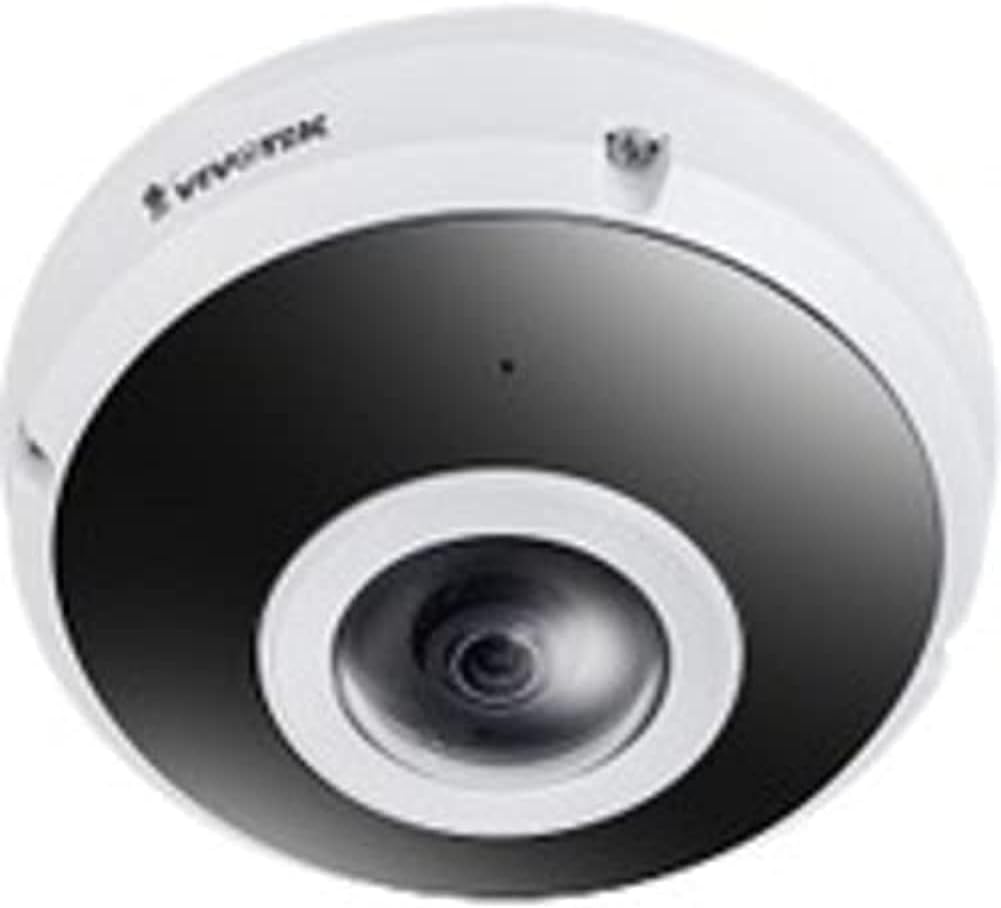
Figure 1: VIVOTEK FE9380-HV Fisheye Dome Camera. This image displays the camera's white dome housing with a central black lens assembly, characteristic of a fisheye surveillance camera.
2. 안전 정보
Observe the following safety precautions to prevent damage to the camera and ensure safe operation:
- Ensure the power source matches the camera's requirements (220V, Corded Electric).
- 카메라를 지정된 작동 조건을 벗어나는 극한의 온도나 습도에 노출시키지 마십시오.
- 강한 광원에 직접 노출되면 이미지 센서가 손상될 수 있으므로 피하십시오.
- 설치는 해당 지역의 전기 규정에 따라 자격을 갖춘 인력이 수행해야 합니다.
- 카메라를 분해하거나 개조하지 마십시오. 그렇게 하면 보증이 무효화됩니다.
- Clean the camera lens and housing with a soft, dry cloth. Avoid abrasive cleaners.
3. 패키지 내용
설치를 진행하기 전에 패키지에 모든 품목이 들어 있는지 확인하세요.
- VIVOTEK FE9380-HV Fisheye Dome Camera (1 unit)
- 장착 나사 및 앵커
- 빠른 설치 가이드
- 방수 커넥터(해당되는 경우)
- Alignment Sticker (if applicable)
참고: 구성품은 지역 또는 패키지에 따라 다를 수 있습니다.
4. 설정 및 설치
4.1 설치 위치
The FE9380-HV is designed for outdoor wall mount installation. Choose a location that provides the desired field of view (360 degrees) and is within reach of a power source and network connection. Ensure the mounting surface is strong enough to support the camera's weight (approximately 4.4 pounds).
4.2 물리적 설치
- 장착 표면 준비: Use the provided alignment sticker (if included) to mark drilling points for the mounting screws.
- 드릴 구멍: Drill pilot holes according to the marks. Insert wall anchors if mounting on drywall or masonry.
- 카메라 받침대를 고정하십시오: Attach the camera's mounting base securely to the prepared surface using the provided screws.
- 배선 연결:
- 힘: Connect the camera to a 220V corded electric power source. Ensure connections are secure and waterproof for outdoor use.
- 회로망: Connect an Ethernet cable to the camera's network port. This camera supports Wi-Fi connectivity, but a wired connection is recommended for initial setup and stable performance.
- 카메라 본체를 부착하세요: Secure the main camera body to the mounted base, ensuring all connections are properly seated and sealed.
4.3 네트워크 구성
After physical installation, connect the camera to your network. The camera supports Wi-Fi connectivity. Refer to the Quick Installation Guide for detailed instructions on initial network discovery and IP address assignment. Typically, you will use a VIVOTEK utility or access the camera's web interface via its default IP address to configure network settings, including Wi-Fi connection details.
5. 카메라 작동
5.1 카메라 인터페이스 접근
The VIVOTEK FE9380-HV can be controlled via a dedicated mobile application or through its web-based interface using a standard web browser. Once the camera is connected to your network, use the VIVOTEK utility to discover its IP address, then enter the IP address into your browser's address bar.
5.2 기본 기능
- 살다 View: Access real-time video streams from the camera. The 360-degree fisheye view can be de-warped into various display modes (e.g., panoramic, quad view) through the interface.
- 녹음: Configure recording schedules, motion detection triggers, and storage locations (e.g., local storage via 128 GB Flash Memory, Network Attached Storage).
- 재생: Review 기록된 footage.
- 설정: Adjust image quality (5 MP resolution), network settings, user accounts, and advanced features like night color technology for low-light conditions.
- 앱 제어: Utilize the dedicated VIVOTEK app for remote monitoring and control from your smartphone or tablet.
6. 유지관리
Regular maintenance ensures optimal performance and longevity of your VIVOTEK FE9380-HV camera:
- 청소: Periodically clean the camera lens and housing to remove dust, dirt, or water spots. Use a soft, lint-free cloth. For stubborn marks, a mild, non-abrasive cleaning solution can be applied to the cloth (not directly to the camera).
- 펌웨어 업데이트: Check the VIVOTEK official website regularly for firmware updates. Keeping the firmware updated ensures the latest features, security patches, and performance improvements.
- 케이블 검사: Periodically inspect all cables (power and network) for any signs of wear, damage, or loose connections, especially in outdoor environments.
- 환경 점검: Ensure the camera's immediate environment remains clear of obstructions that could block its field of view or interfere with its operation.
7. 문제 해결
This section addresses common issues you might encounter with your VIVOTEK FE9380-HV camera.
| 문제 | 가능한 원인 | 해결책 |
|---|---|---|
| 영상 신호 없음 / 카메라 오프라인 |
|
|
| 화질이 나쁘다 |
|
|
| 접근할 수 없습니다 web 인터페이스 |
|
|
8. 사양
| 모델 번호 | FE9380-HV |
| 상표 | 비보 텍 |
| 설명 | 5MP 실외 네트워크 어안 돔 카메라 |
| 장착 유형 | 벽걸이형 |
| 비디오 캡처 해상도 | 5 MP |
| 효과적인 비디오 해상도 | 5 MP |
| 최고 Web캠 이미지 해상도 | 5 MP |
| 채널 수 | 4 |
| 무선 통신 기술 | 와이파이 |
| 폼 팩터 | 둥근 천장 |
| 전원 | 유선 전기(220V) |
| 왓tage | 3600와트 |
| 치수(길이 x 너비 x 높이) | 3.15 x 5.12 x 4.72 인치 |
| 플래시 메모리 설치 크기 | 128GB (XNUMX기가바이트) |
| 품목 무게 | 4.4파운드(2킬로그램) |
| 광학 줌 | 3 개 |
| 분야의 View | 360도 |
| 저조도 기술 | 밤의 색깔 |
| Recommended Usage Environments | 야외 보안 |
| 실내/실외 사용 | 집 밖의 |
| 비디오 캡처 형식 | MPEG-4 |
| 국제 보호 등급 | IP21 |
| 제어 방법 | 앱 |
| 제조업체 | 비보 텍 |
| 첫 번째 이용 가능 날짜 | 31년 2020월 XNUMX일 |
9. 보증 및 지원
자세한 보증 정보는 제품에 동봉된 보증 카드를 참조하거나 VIVOTEK 공식 웹사이트를 방문하십시오. website. VIVOTEK provides technical support for its products. For assistance with installation, configuration, or troubleshooting beyond this manual, please contact VIVOTEK customer support through their official channels.
온라인 리소스:


